1. Produk Lebihview
The JBL LIVE 100 In-Ear Headphones are designed to deliver high-quality audio with enhanced bass performance. Featuring an inline remote with a microphone, these headphones allow for hands-free calls and voice assistant interaction. The premium aluminum housing and tangle-free fabric cable ensure durability and ease of use. Multiple ear-tip sizes are included for a comfortable and secure fit.
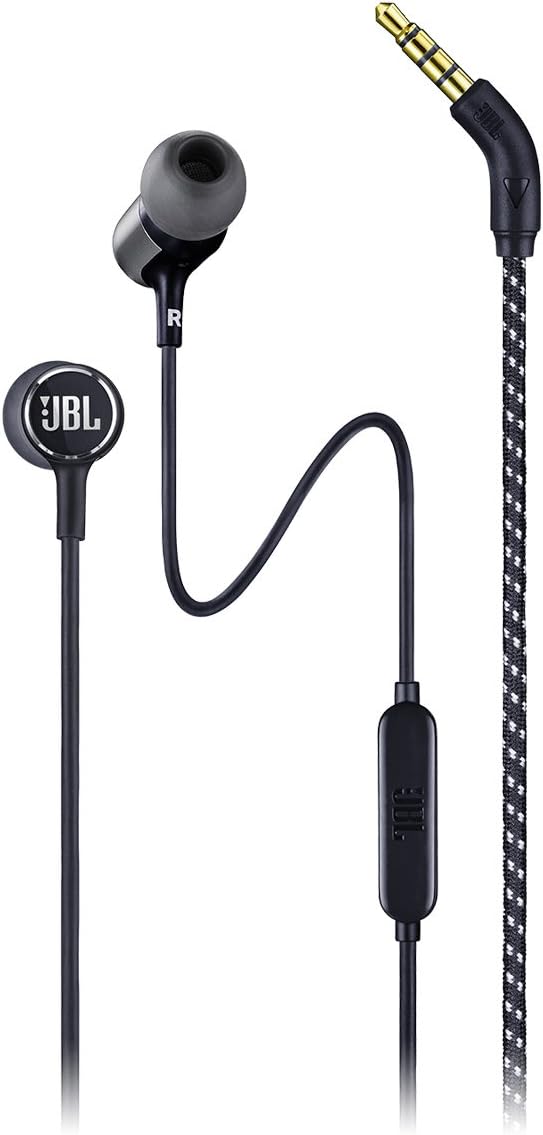
Imej 1.1: Penuh view of the JBL LIVE 100 In-Ear Headphones, showcasing the earbuds, inline remote, and 3.5mm audio jack.
2. Apa yang ada di dalam Kotak
Upon unboxing your JBL LIVE 100 In-Ear Headphones, you should find the following items:
- JBL LIVE 100 In-Ear Headphones
- Beg Bawa
- Multiple Sized Ear-tips (S, M, L)
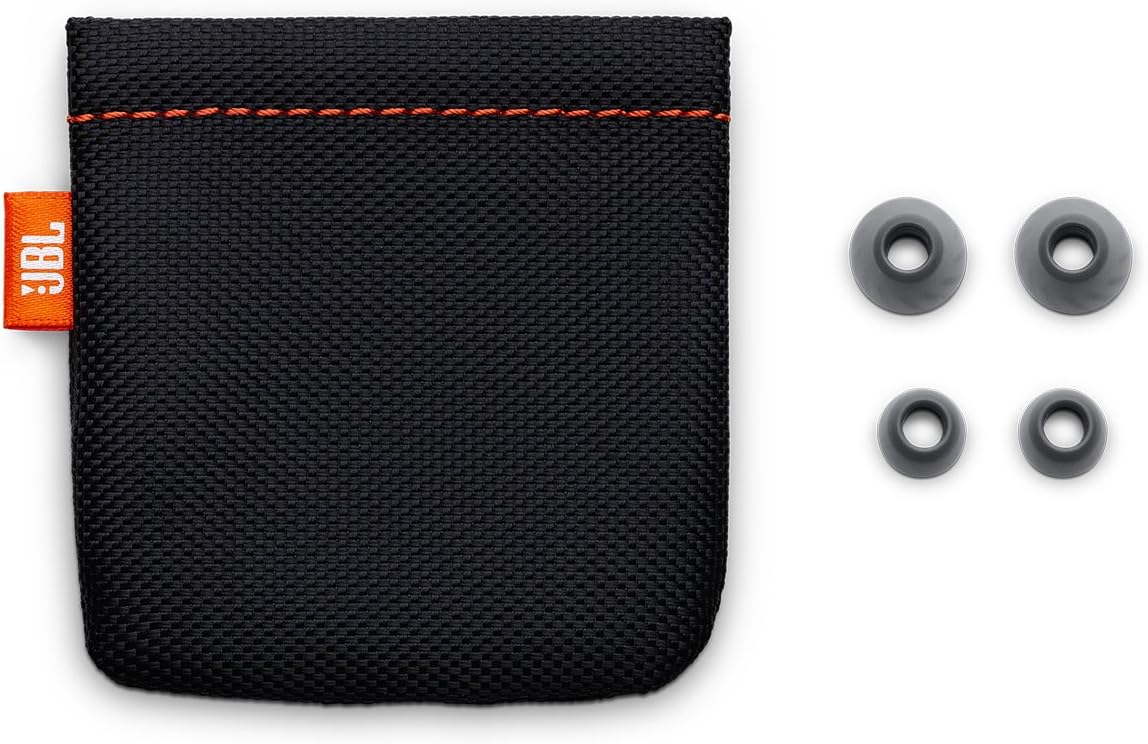
Image 2.1: The included carrying pouch and various sizes of ear tips for a customized fit.
3. Arahan Persediaan
- Select the Correct Ear-tips: Choose the ear-tip size that provides the most comfortable and secure fit in your ears. A good seal is essential for optimal sound quality and noise isolation.
- Masukkan Fon Kepala: Gently insert the earbuds into your ears. The 'L' marking indicates the left earbud, and 'R' indicates the right earbud. Adjust them until they feel snug and comfortable.
- Sambung ke Peranti: Plug the 3.5mm stereo jack into the audio output port of your smartphone, laptop, tablet, or other compatible audio device.
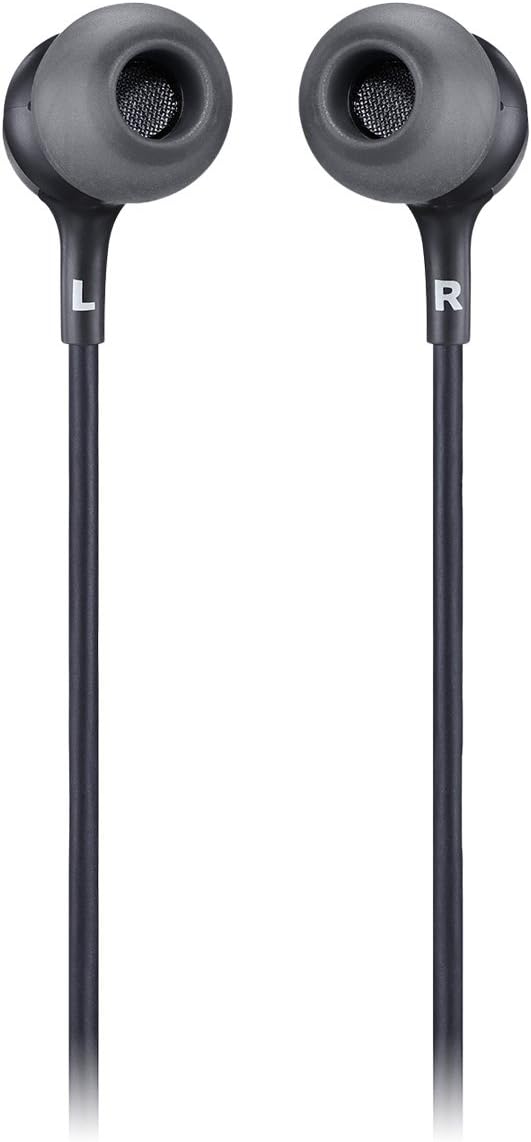
Image 3.1: Close-up of the JBL LIVE 100 earbuds, highlighting the left (L) and right (R) indicators for proper placement.
4. Arahan Operasi
The JBL LIVE 100 In-Ear Headphones feature an inline remote for convenient control of your audio and calls.
- Main Balik Audio: Once connected, your device's audio will play through the headphones. Use your device's volume controls to adjust the listening level.
- Panggilan Bebas Tangan: The integrated microphone allows you to make and receive calls without removing your headphones. Press the button on the inline remote to answer or end a call.
- Pembantu Suara: The inline remote supports voice assistant functionality. Press and hold the button to activate your device's voice assistant (e.g., Siri, Google Assistant).

Image 4.1: Detail of the inline remote control, which includes a microphone for hands-free communication.
Video 4.1: An official product video demonstrating the features and usage of the JBL LIVE 100 In-Ear Headphones.
5. Penyelenggaraan
To ensure the longevity and optimal performance of your JBL LIVE 100 In-Ear Headphones, follow these maintenance guidelines:
- Pembersihan: Regularly clean the ear-tips with a soft, damp cloth. Ensure they are completely dry before reattaching them to the earbuds. Do not use harsh chemicals or abrasive materials.
- Penjagaan Kabel: The tangle-free fabric cable is designed for durability, but avoid excessive pulling or sharp bends to prevent damage.
- Storan: When not in use, store the headphones in the provided carrying pouch to protect them from dust, dirt, and physical damage.
- Elakkan Kelembapan: These headphones are not water-resistant. Avoid exposure to liquids, high humidity, or extreme temperatures.
6. Penyelesaian masalah
If you encounter issues with your JBL LIVE 100 In-Ear Headphones, refer to the following common solutions:
- Tiada Bunyi:
- Pastikan bicu 3.5mm dimasukkan sepenuhnya ke dalam port audio peranti anda.
- Semak tetapan kelantangan peranti anda.
- Uji fon kepala dengan peranti audio lain untuk menolak isu khusus peranti.
- Kualiti Bunyi Lemah:
- Verify that the ear-tips are correctly sized and form a good seal in your ears.
- Bersihkan sebarang serpihan dari gril fon telinga.
- Pastikan sumber audio adalah berkualiti.
- Mikrofon Tidak Berfungsi:
- Ensure the 3.5mm jack is fully inserted. Some older devices may not fully support inline microphone functionality.
- Semak tetapan input mikrofon peranti anda.
- Headphones Fall Out:
- Try different sizes of ear-tips to find the most secure fit.
- Ensure the headphones are inserted correctly into your ear canal.
7. Spesifikasi
| Ciri | Spesifikasi |
|---|---|
| Nama Model | JBL LIVE 100 |
| Teknologi Ketersambungan | berwayar |
| Jenis Penyambung | Bicu Stereo 3.5mm |
| Saiz Pemacu Audio | 8 Milimeter |
| Respons Kekerapan | 20 Hz - 20 kHz |
| Impedans | 31 ohm |
| Kawalan Bunyi | Pengasingan Bunyi |
| Jenis Kawalan | Remote, Voice Assistant |
| Ciri Kabel | Tangle Free Fabric Cable |
| bahan | aluminium |
| Berat Barang | 3.17 auns (90 Gram) |
| Dimensi Produk | 3.94 x 1.26 x 6.3 inci |
| Tahap Ketahanan Air | Bukan Tahan Air |
8. Waranti dan Sokongan
JBL products are manufactured to the highest standards and are designed for reliable performance. For detailed warranty information, please refer to the warranty card included with your product or visit the official JBL website. For technical support, product registration, or further assistance, please visit the JBL support page or contact their customer service directly.
Sokongan dalam talian: www.jbl.com/support