1. Pengenalan
This manual provides detailed instructions for the setup, operation, and maintenance of your One For All URC4811 Universal Replacement Learning Remote Control. This remote is designed to be compatible with all LG Televisions, including LCD, LED, OLED, and Plasma models, offering a seamless replacement for your original LG remote.
2. Produk Lebihview
The One For All URC4811 remote control is engineered for ease of use and broad compatibility with LG televisions. Key features include:
- Keserasian Langsung: Functions like your original LG television remote. For most LG TVs, no setup is required; simply insert batteries and it is ready to use.
- Ciri Pembelajaran: Allows customization of the remote to your specific needs by copying functions from your original remote.
- Kekunci Pintasan Apl: Provides direct access to your favorite streaming services.
- Bilangan Kunci: 50.
- Teknologi Kawalan Jauh: Infrared (IR).
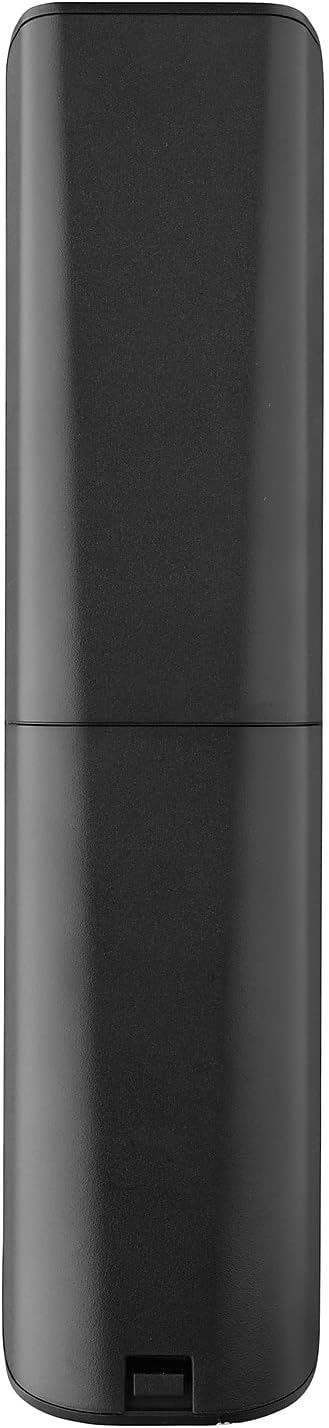
Imej Produk




3. Persediaan
3.1. Pemasangan Bateri
The remote requires 2 AAA batteries (not included). To install the batteries:
- Remove the battery compartment cover located on the back of the remote.
- Masukkan 2 bateri AAA, pastikan kekutuban (terminal + dan -) yang betul.
- Gantikan penutup petak bateri sehingga ia terkunci pada tempatnya.
3.2. Initial Pairing / Codeless Setup
For most LG Televisions, the One For All URC4811 remote control is ready to use immediately after battery installation, requiring no additional setup. Simply point the remote at your LG TV and begin using it. If your TV does not respond, refer to the 'Learning Feature' section for advanced setup options.
4. Arahan Operasi
4.1. Fungsi Asas
The remote provides all standard functions of an LG TV remote, including:
- Hidupkan/Mati Kuasa: Use the dedicated power button to turn your TV on or off.
- Kawalan Kelantangan: Adjust volume up or down using the +/- buttons.
- Navigasi Saluran: Change channels using the CH +/- buttons or direct number input.
- Pintasan Apl: Butang khusus menyediakan akses pantas kepada perkhidmatan penstriman popular.
4.2. Ciri Pembelajaran
The learning feature allows you to copy specific functions from your original LG remote control to your One For All URC4811 remote. This is useful if a particular function is not pre-programmed or if you prefer a custom button layout. Refer to the Quick Setup Guide included with your remote for detailed steps on using the learning feature.
4.3. Video Produk Rasmi
5. Penyelenggaraan
Untuk memastikan jangka hayat dan prestasi optimum alat kawalan jauh anda:
- Pembersihan: Wipe the remote with a soft, dry cloth. Avoid using liquid cleaners or abrasive materials.
- Penjagaan Bateri: Replace batteries when the remote's performance degrades. Remove batteries if the remote will not be used for an extended period to prevent leakage.
- Storan: Simpan alat kawalan jauh di tempat yang sejuk dan kering jauh dari cahaya matahari langsung dan suhu yang melampau.
6. Penyelesaian masalah
If you encounter issues with your remote control, try the following steps:
- Jauh Tidak Menjawab: Periksa sama ada bateri telah dimasukkan dengan betul dan mempunyai cas yang mencukupi. Gantikan mereka jika perlu.
- Garis penglihatan: Pastikan tiada halangan antara alat kawalan jauh dan penerima IR TV.
- Fungsi Khusus Tidak Berfungsi: Use the learning feature to re-program the affected buttons from your original LG remote.
- TV Not Responding After Battery Change: For some LG models, the remote may require re-pairing or a quick setup process after battery replacement. Refer to the Quick Setup Guide.
7. Spesifikasi
| Ciri | Spesifikasi |
|---|---|
| Dimensi Produk | 8.03 x 2.01 x 0.94 inci |
| Berat Barang | 2.72 auns |
| Nombor Model Item | URC4811 |
| Bateri Diperlukan | 2 bateri AAA (tidak termasuk) |
| Jenama | Satu Untuk Semua |
| Ciri Khas | Universal, Fungsi Pembelajaran |
| warna | Hitam |
| Bilangan Maks Peranti yang Disokong | 1 (specifically for LG TVs) |
| Peranti Serasi | LG Televisions (LCD, LED, OLED, Plasma) |
8. Waranti dan Sokongan
For warranty information and technical support, please refer to the documentation included with your product or visit the official One For All webtapak. Simpan resit pembelian anda sebagai bukti pembelian untuk sebarang tuntutan waranti.


