pengenalan
Terima kasih kerana membeliasing the Divoom Voombox-Pro Portable Bluetooth Speaker. This manual provides essential information for setting up, operating, and maintaining your speaker to ensure optimal performance and longevity. The Voombox-Pro delivers powerful 40W DSP professional-tuned audio with 360° surround sound, designed for both indoor and outdoor use. It features TWS stereo pairing, a 10000mAh battery with 12 hours of playtime, and IPX5 water resistance.
Maklumat Keselamatan
- Jangan dedahkan pembesar suara kepada suhu yang melampau atau cahaya matahari langsung untuk tempoh yang lama.
- Elakkan daripada menjatuhkan atau menundukkan pembesar suara kepada impak yang kuat.
- Jauhkan pembesar suara daripada nyalaan terbuka atau sumber haba.
- Do not attempt to disassemble, repair, or modify the speaker yourself. Contact qualified service personnel.
- Ensure all ports are securely closed when using the speaker near water to maintain IPX5 water resistance.
- Gunakan hanya kabel pengecasan yang disediakan atau setara yang diperakui.
Kandungan Pakej
Sila semak pakej untuk item berikut:
- Divoom Voombox-Pro Portable Bluetooth Speaker
- Kabel Pengecas USB-C
- Kabel AUX
- Manual Pengguna (dokumen ini)
Produk Selesaiview
The Divoom Voombox-Pro is designed for robust performance and ease of use. Below is an image illustrating its water-resistant design, highlighting its durability for various environments.

Figure 1: Divoom Voombox-Pro showcasing its IPX5 water-resistant design.
The speaker features intuitive controls on its top panel for power, volume, Bluetooth pairing, and playback. Its robust casing ensures protection against dust, snow, and spills, making it suitable for diverse settings.
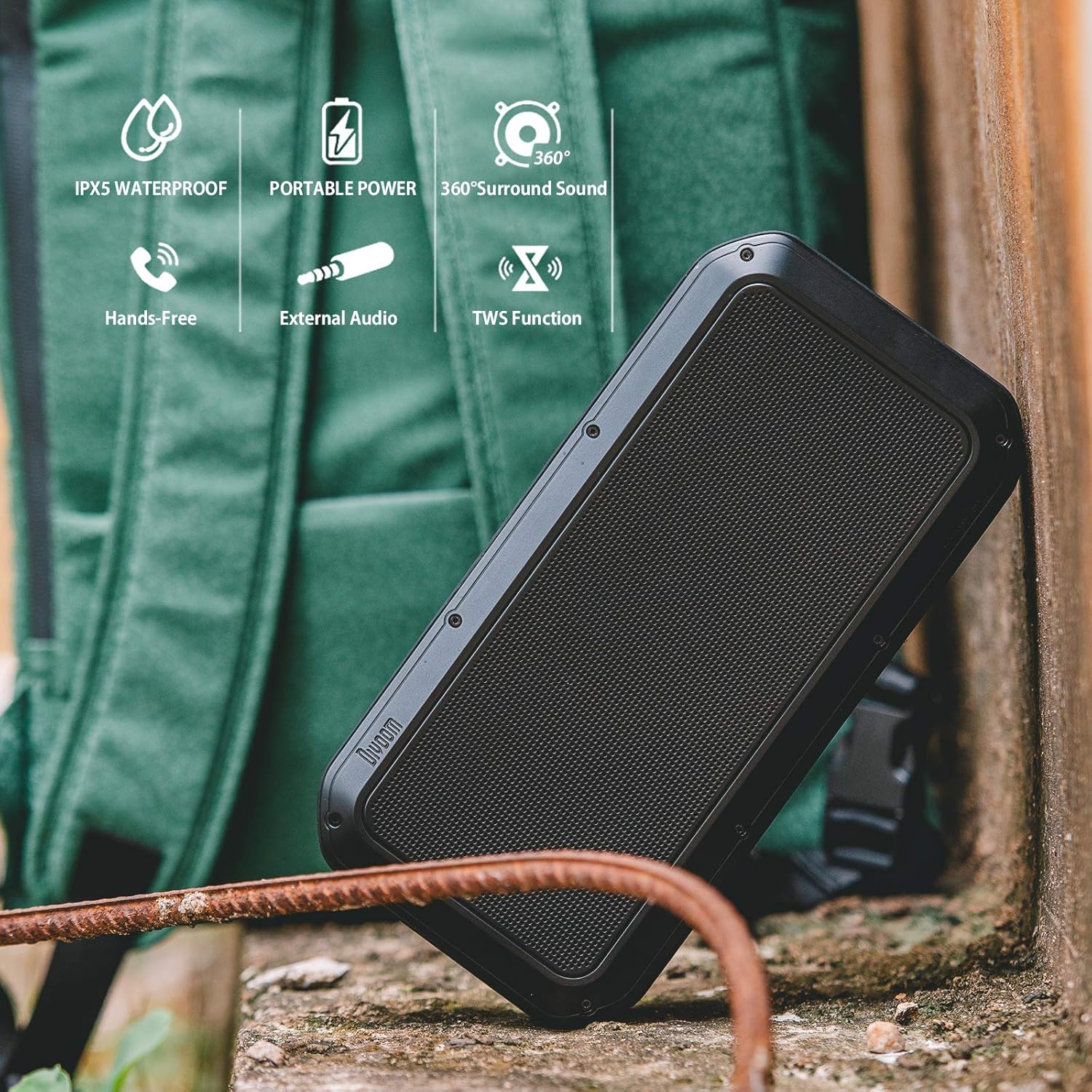
Figure 2: Key features of the Divoom Voombox-Pro, including IPX5 water resistance, portable power, 360° surround sound, hands-free calling, external audio input, and TWS function.
Persediaan
1. Mengisi Speaker
Before first use, fully charge the Voombox-Pro. Connect the provided USB-C cable to the charging port on the speaker and the other end to a USB power adapter (not included) or a computer USB port. The battery indicator lights will show charging progress.

Figure 3: Charging the Voombox-Pro and its ability to charge other devices.
The built-in 10000mAh battery also allows the speaker to function as a power bank to charge your mobile devices via its USB-A output port.
2. Menghidupkan/Mematikan
Press and hold the Power button on the speaker's control panel for a few seconds to turn it on or off. A sound indicator will confirm the action.
3. Berpasangan Bluetooth
- Pastikan pembesar suara dihidupkan dan dalam mod berpasangan Bluetooth (ditunjukkan oleh LED berkelip).
- Pada peranti mudah alih anda, dayakan Bluetooth dan cari peranti yang tersedia.
- Select "Divoom Voombox-Pro" from the list.
- Once connected, the LED indicator will become solid, and a confirmation sound will play.
4. Penggandingan TWS (Stereo Tanpa Wayar Sejati)
For an enhanced audio experience, you can pair two Voombox-Pro speakers together to create a true wireless stereo system, doubling the acoustic output to 80W.

Figure 4: TWS Stereo Pairing setup for two Voombox-Pro speakers.
- Turn on both Voombox-Pro speakers.
- Press the TWS button on one speaker (this will be your primary speaker). It will automatically search for the second speaker.
- Once connected, both speakers will emit a confirmation sound, and their LEDs will indicate a successful TWS connection.
- Sambungkan peranti mudah alih anda ke pembesar suara utama melalui Bluetooth seperti yang diterangkan di atas.
Arahan Operasi
Main Balik Audio
- Main/Jeda: Tekan butang Main/Jeda.
- Kelantangan Naik/Turun: Tekan butang Kelantangan + atau Kelantangan -.
- Trek Seterusnya / Sebelumnya: Long press the Volume + or Volume - buttons.
- Input AUX: Connect an audio device using the provided 3.5mm AUX cable to the AUX port. The speaker will automatically switch to AUX mode.
Pengendalian Panggilan
- Jawab/Tamatkan Panggilan: Tekan butang Main/Jeda.
- Tolak Panggilan: Tekan lama butang Main/Jeda.
Penggunaan Luaran dan Dalaman
The Voombox-Pro is versatile for various environments, delivering consistent audio quality.

Figure 5: The Voombox-Pro is designed for outdoor use, providing 360° omni-directional sound.

Figure 6: The Voombox-Pro is also suitable for indoor environments, featuring 3D audio compensation technology.
Penyelenggaraan
- Pembersihan: Lap pembesar suara dengan lembut, damp kain. Jangan gunakan pembersih atau pelarut yang melelas.
- Storan: Simpan pembesar suara di tempat yang sejuk dan kering apabila tidak digunakan. Elakkan suhu yang melampau.
- Tahan Air: Ensure the rubber flap covering the ports is securely closed to maintain IPX5 water resistance. Do not submerge the speaker in water.
Menyelesaikan masalah
| Masalah | Penyelesaian |
|---|---|
| Speaker tidak dihidupkan. | Pastikan pembesar suara dicas. Sambungkannya ke sumber kuasa dan cuba lagi. |
| Tidak boleh berpasangan melalui Bluetooth. | Make sure the speaker is in pairing mode. Turn off and on Bluetooth on your device. Move closer to the speaker. |
| Tiada bunyi atau kelantangan rendah. | Check the volume levels on both the speaker and your connected device. Ensure the speaker is not muted. |
| Gandingan TWS gagal. | Ensure both speakers are Voombox-Pro models and are within range of each other. Reset both speakers and try pairing again. |
| Isu pengecasan. | Verify the charging cable and adapter are working correctly. Check the charging port for debris. |
Spesifikasi
| Ciri | Perincian |
|---|---|
| Dimensi Produk | 9.65 x 4.84 x 2.4 inci |
| Berat Barang | 3.19 paun |
| Nombor Model | Voombox Pro BK |
| Bateri | 1 Bateri Litium Polimer diperlukan |
| Output Audio | 40W DSP professional-tuned audio |
| Masa bermain | Sehingga 12 jam |
| Tahan Air | IPX5 |
| Pengeluar | Divoom |
Video Produk Rasmi
Watch the official product video for a visual guide on the Divoom Voombox-Pro's features and usage scenarios.
Video 1: Divoom Voombox-Pro features and usage demonstration.
Waranti dan Sokongan
For warranty information and technical support, please refer to the official Divoom webtapak atau hubungi perkhidmatan pelanggan mereka. Simpan resit pembelian anda untuk tuntutan waranti.
Official Divoom Store: Kedai Divoom di Amazon


