1. Pengenalan
This manual provides instructions for the Altec Lansing Mini LifeJacket Jolt Bluetooth Speaker. This portable speaker features Bluetooth connectivity, Qi wireless charging, a built-in USB charging port, and a durable, waterproof design. Please read this manual thoroughly before using the device to ensure proper operation and longevity.

Rajah 1: Depan view of the Altec Lansing Mini LifeJacket Jolt Bluetooth Speaker.
2. Kandungan Pakej
Sahkan bahawa semua item terdapat dalam pakej anda:
- Altec Lansing Mini LifeJacket Jolt Bluetooth Speaker
- Kabel Pengecasan (USB-C ke USB-A)
- Panduan Mula Pantas (tidak termasuk dalam manual digital ini)
3. Produk Lebihview
Biasakan diri anda dengan komponen dan kawalan pembesar suara.

Rajah 2: Atas view of the speaker, highlighting control buttons and the Qi wireless charging pad.
3.1. Butang Kawalan
- Butang Kuasa: Tekan dan tahan untuk menghidupkan/mematikan kuasa.
- Butang Berpasangan Bluetooth: Memulakan mod berpasangan Bluetooth.
- Kelantangan Naik (+): Meningkatkan kelantangan.
- Perlahankan suara (-): Mengurangkan kelantangan.
- Butang Main/Jeda: Memainkan atau menjeda audio. Turut menjawab/menamatkan panggilan.
- Butang Pembantu Suara: Activates your device's voice assistant (Siri, Google Assistant).
- House Party Pairing Button: Connects multiple Altec Lansing speakers.
3.2. Pelabuhan dan Penunjuk

Rajah 3: Sisi view of the speaker, showing the protected charging port.
- Port Pengecasan USB-C: Untuk mengecas bateri dalaman pembesar suara.
- Port Output USB-A: Untuk mengecas peranti luaran.
- Penunjuk LED: Memaparkan kuasa, pengecasan dan status Bluetooth.
- Pad Pengecasan Tanpa Wayar Qi: Located on the top surface for wireless charging compatible devices.
4. Persediaan
4.1. Mengisi Speaker
Before first use, fully charge the speaker. The speaker provides up to 16 hours of playback on a single charge.

Figure 4: The speaker offers up to 16 hours of play time.
- Open the protective flap on the side of the speaker to access the USB-C charging port.
- Connect the provided USB-C cable to the speaker's charging port.
- Sambungkan hujung kabel USB-C yang satu lagi ke penyesuai kuasa USB (tidak disertakan) atau port USB komputer.
- Penunjuk LED akan menunjukkan status pengecasan dan dimatikan apabila dicas sepenuhnya.
4.2. Menghidupkan/Mematikan
- Untuk menghidupkan, tekan dan tahan Butang Kuasa until you hear an audible prompt and the LED indicator illuminates.
- Untuk mematikan, tekan dan tahan Butang Kuasa again until you hear an audible prompt and the LED indicator turns off.
4.3. Berpasangan Bluetooth
The speaker can connect to your device via Bluetooth 4.2, offering a range of up to 100 feet.
- Ensure the speaker is powered on. The LED indicator will flash, indicating it is in pairing mode.
- Pada telefon pintar, tablet atau peranti lain yang didayakan Bluetooth anda, navigasi ke tetapan Bluetooth.
- Select "Mini LifeJacket Jolt" from the list of available devices.
- Once paired, the LED indicator will glow solid, and you will hear a confirmation tone.
- Jika berpasangan gagal, matikan pembesar suara dan Bluetooth peranti anda, kemudian ulangi langkah tersebut.
5. Arahan Operasi
5.1. Main balik Audio
- Main/Jeda: Tekan ke Butang Main/Jeda sekali.
- Kawalan Kelantangan: Tekan ke Kelantangan Naik (+) or Perlahankan suara (-) butang.
- Langkau Laluan: Tekan dan tahan Kelantangan Naik (+) for next track, or Perlahankan suara (-) untuk trek sebelumnya.
5.2. Qi Wireless Charging
The speaker features a Qi wireless charging pad on its top surface to charge compatible devices.
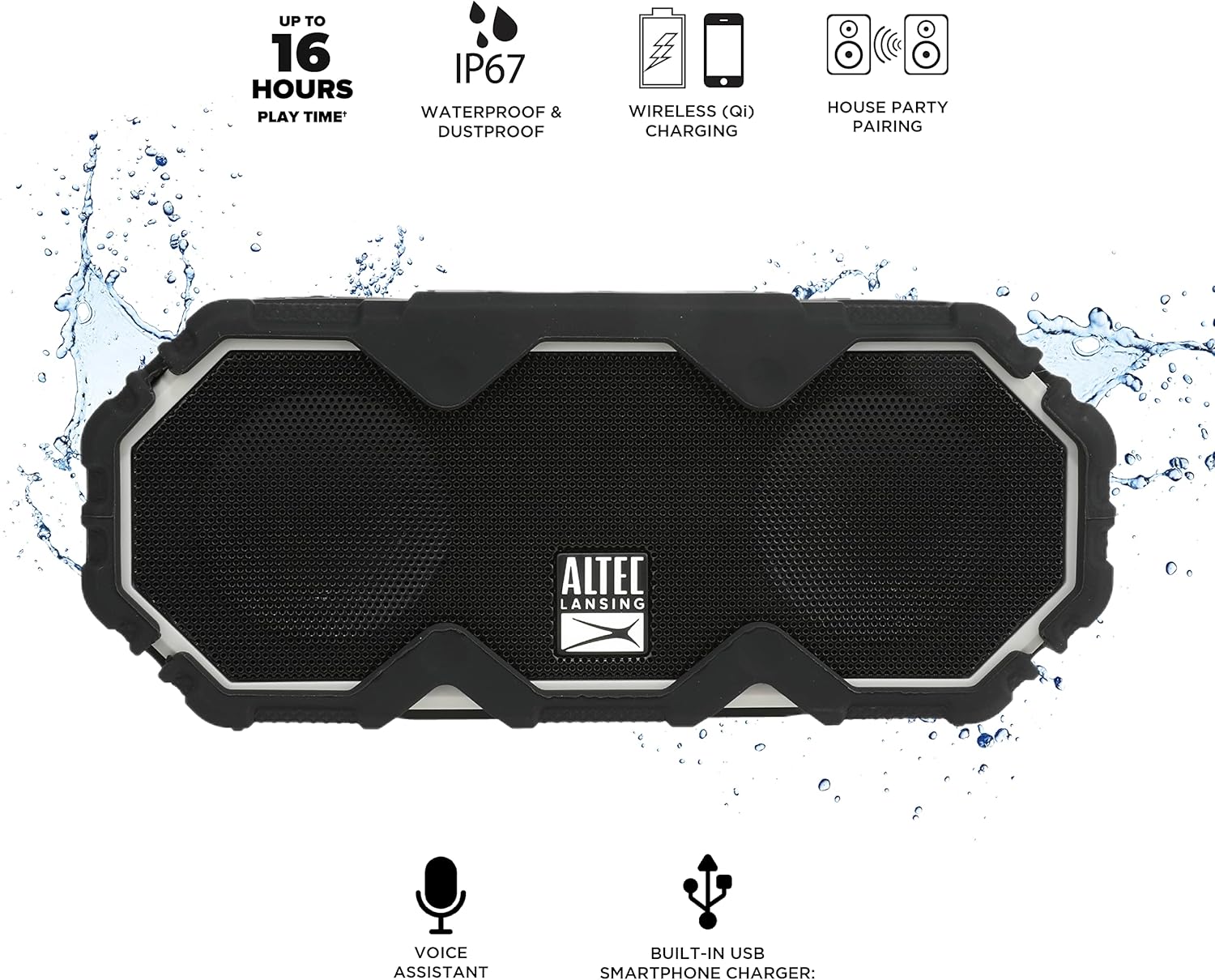
Figure 5: A smartphone being charged wirelessly on the speaker's Qi pad.
- Pastikan pembesar suara dihidupkan.
- Place your Qi-enabled device directly on the charging pad located on the top of the speaker.
- The device should begin charging automatically. Adjust its position if charging does not start immediately.
5.3. USB Device Charging
Use the built-in USB-A port to charge other devices via a cable.

Figure 6: The speaker's USB-A port can charge external devices.
- Pastikan pembesar suara dihidupkan.
- Buka penutup pelindung di sisi pembesar suara.
- Connect your device's USB charging cable to the USB-A output port on the speaker.
- Peranti anda akan mula mengecas.
5.4. Integrasi Pembantu Suara
Access your smartphone's voice assistant directly through the speaker.

Figure 7: The speaker supports voice assistant integration.
- Ensure the speaker is paired with your smartphone.
- Tekan ke Butang Pembantu Suara pada pembesar suara.
- Speak your command into the speaker's microphone.
5.5. House Party Pairing
Connect multiple Altec Lansing speakers for a synchronized audio experience.

Figure 8: Multiple speakers can be paired for a wider sound experience.
- Pastikan kedua-dua pembesar suara dihidupkan dan tidak disambungkan ke mana-mana peranti Bluetooth.
- On the first speaker, press the House Party Pairing Button. The LED indicator will flash.
- On the second speaker, press the House Party Pairing Button.
- The speakers will connect automatically. Once connected, the LED indicators will glow solid.
- Now, connect your device to one of the paired speakers via Bluetooth. Audio will play through both speakers.
6. Ciri Ketahanan
The Mini LifeJacket Jolt is designed for rugged use with an IP67 rating, making it waterproof, shockproof, snowproof, and dustproof.

Figure 9: The speaker is designed to withstand water exposure.
- kalis air: Can be submerged in water up to 1 meter for 30 minutes. Ensure all port covers are securely closed before exposure to water.
- kalis kejutan: Designed to withstand drops and impacts.
- Kalis salji: Operates reliably in snowy conditions.
- Kalis habuk: Dilindungi daripada kemasukan habuk.
Important: Always ensure the protective flap covering the charging ports is securely closed when using the speaker near water or in dusty environments.
7. Penyelenggaraan
- Pembersihan: Gunakan yang lembut, damp cloth to clean the speaker. Avoid abrasive cleaners or solvents.
- Storan: Simpan pembesar suara di tempat yang sejuk dan kering jauh dari cahaya matahari langsung dan suhu yang melampau.
- Penjagaan Bateri: Untuk memanjangkan hayat bateri, elakkan daripada menyahcas sepenuhnya bateri dengan kerap. Cas pembesar suara dengan kerap, walaupun tidak digunakan untuk tempoh yang lama.
8. Penyelesaian masalah
8.1. Speaker Not Powering On or Charging
If your speaker stops working or does not charge, a connection issue or a system freeze might be the cause. This procedure requires careful handling and may void your warranty if not performed correctly. Proceed with caution.
- Remove the Rubber Exterior: Gently pry off the rubberized outer casing. It is designed to snap off at the seams around the speaker mesh.
- Akses Komponen Dalaman: Using a small flat-head tool, carefully insert it between the speaker mesh and the main body, particularly on the back of the speaker. Slowly work your way around to loosen the mesh.
- Locate and Remove Screws: You will find six small Phillips head screws deep inside the holes. Use a long, thin Phillips screwdriver to remove them. Keep track of these screws.
- Separate the Casing: Gently pull the front and back sections of the speaker apart along the seam that becomes visible after removing the rubber protector.
- Inspect Internal Connections: Inside, you will see the motherboard, buttons, wires, and the cylindrical battery. Locate the battery holder and remove any screw securing it.
- Reset Battery Connection: Carefully disconnect the battery's wiring connector from the motherboard. Ensure you pull the entire plastic insert, not just the wires, to avoid damage.
- Sambung semula dan Uji: Reconnect the battery connector firmly. Press the power button. If you hear the "Welcome to Altec Lansing!" prompt, the issue may be resolved.
- Pasang semula: If the speaker functions, carefully re-adjust any wires to ensure they have sufficient slack and are not pinched. Ensure the battery is centered and not clinging to speaker magnets. Re-secure the battery holder, then carefully align and re-screw the casing. Finally, reattach the speaker mesh and the rubber exterior.
This process can reset the motherboard and address issues caused by loose internal connections. If the problem persists after these steps, contact customer support.
8.2. Isu Sambungan Bluetooth
- Pastikan pembesar suara berada dalam julat Bluetooth 100 kaki peranti anda.
- Verify that the speaker is in pairing mode (flashing LED).
- Forget the speaker from your device's Bluetooth settings and attempt to re-pair.
- Mulakan semula kedua-dua pembesar suara dan peranti Bluetooth anda.
9. Spesifikasi

Rajah 10: Dimensi produk.
| Ciri | Perincian |
|---|---|
| Nama Model | Mini LifeJacket Jolt |
| Jenama | Altec Lansing |
| Teknologi Ketersambungan | Bluetooth, USB |
| Komunikasi Tanpa Wayar | Bluetooth 4.2 |
| Julat Bluetooth | Sehingga 100 kaki |
| Sumber Kuasa | Dikuasakan Bateri (1 bateri Lithium Ion, disertakan) |
| Hayat Bateri | Sehingga 16 jam |
| Ciri Khas | Waterproof (IP67), Shockproof, Snowproof, Dustproof, Qi Wireless Charging, USB Charging Output, Voice Assistant Integration, House Party Pairing |
| Jenis Pembesar Suara | Luar |
| Mod Keluaran Audio | Stereo |
| Dimensi Produk | 7.2"D x 3"W x 4.3"H |
| Berat Barang | 1.52 paun |
| bahan | Rubber or Silicone |
10. Waranti dan Sokongan
The Altec Lansing Mini LifeJacket Jolt Bluetooth Speaker comes with a Limited Warranty. For specific warranty terms and conditions, please refer to the documentation included with your product or visit the official Altec Lansing webtapak.
Untuk bantuan lanjut atau sokongan teknikal, sila layari Altec Lansing Brand Store on Amazon atau rujuk pegawai Manual Pengguna (PDF).


