1. Pengenalan
This manual provides instructions for the proper setup, operation, and maintenance of your ELECOM USB-A Wireless Membrane Full-Size Keyboard, Model TK-FDM106TXWH. Please read this manual thoroughly before using the product to ensure optimal performance and longevity.

Figure 1: ELECOM TK-FDM106TXWH Wireless Keyboard with USB receiver.
2. Kandungan Pakej
- ELECOM TK-FDM106TXWH Wireless Keyboard x 1
- USB Micro Receiver x 1
- AA Alkaline Dry Cell Battery (for operation check) x 1
- Manual Pengguna x 1
3. Persediaan
3.1. Memasang Bateri
- Cari petak bateri di bahagian bawah papan kekunci.
- Buka penutup petak bateri.
- Masukkan satu bateri AA, pastikan kekutuban yang betul (+/-).
- Tutup penutup petak bateri dengan selamat.
3.2. Menyambungkan Penerima USB
- Remove the USB micro receiver from its storage slot on the underside of the keyboard.
- Pasangkan penerima USB ke port USB-A yang tersedia pada komputer anda.
- Komputer anda sepatutnya mengesan dan memasang pemacu yang diperlukan secara automatik.
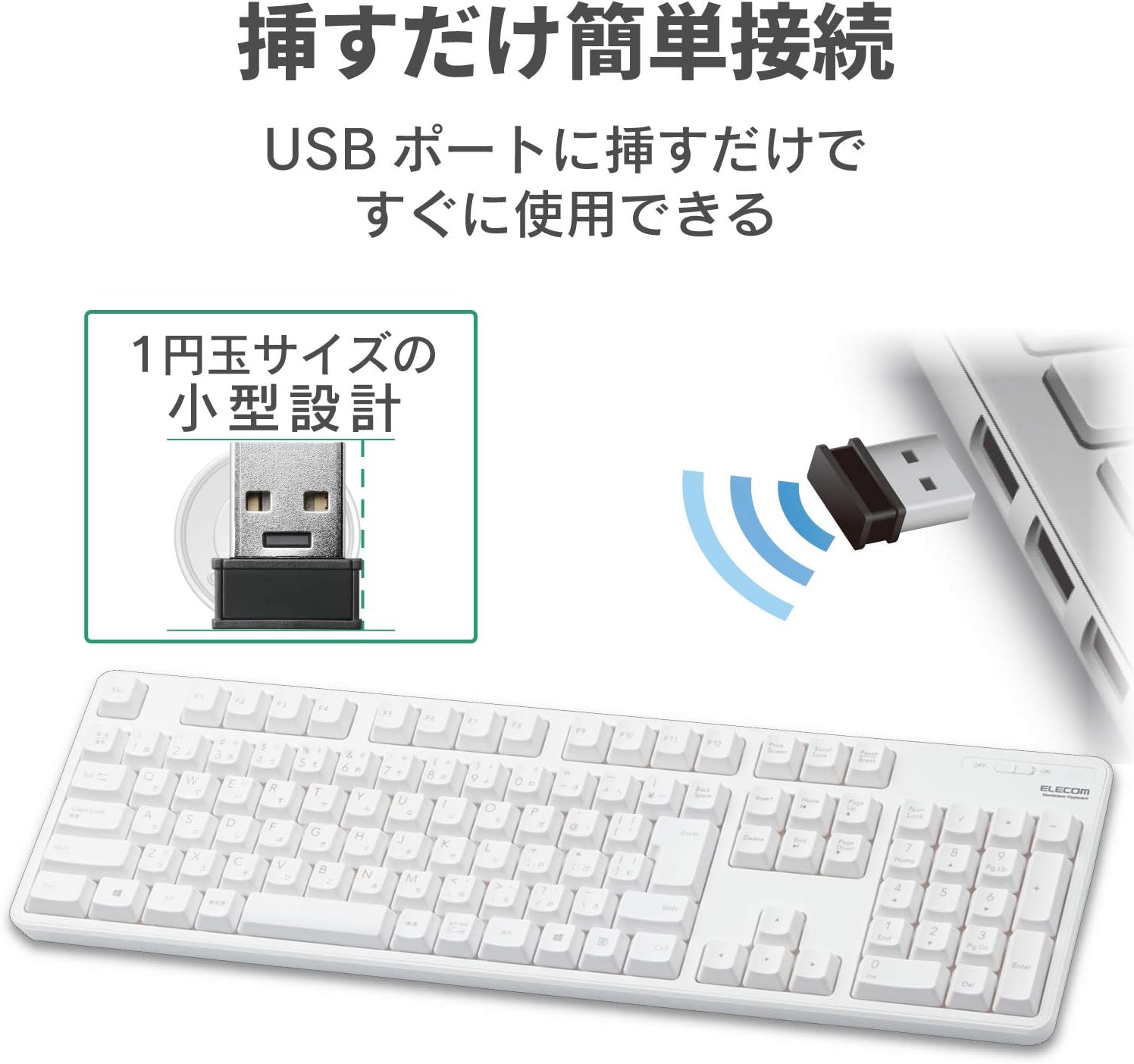
Figure 2: Connecting the compact USB receiver to your computer.
3.3. Powering On the Keyboard
Locate the power switch on the top right side of the keyboard. Slide the switch to the "ON" position. The keyboard is now ready for use.
4. Arahan Operasi
4.1. Key Layout and Features
The keyboard features a standard 109-key Japanese layout, designed for comfortable typing. It includes a large Enter key and independently positioned special keys such as Delete and Insert to minimize mistyping.

Figure 3: Key layout with highlighted features.
4.2. Adjustable Tilt Angle
The keyboard is equipped with a two-stage adjustable tilt stand on its underside. You can adjust the typing angle to two different positions for ergonomic comfort. The stands also feature non-slip pads for stability during use.
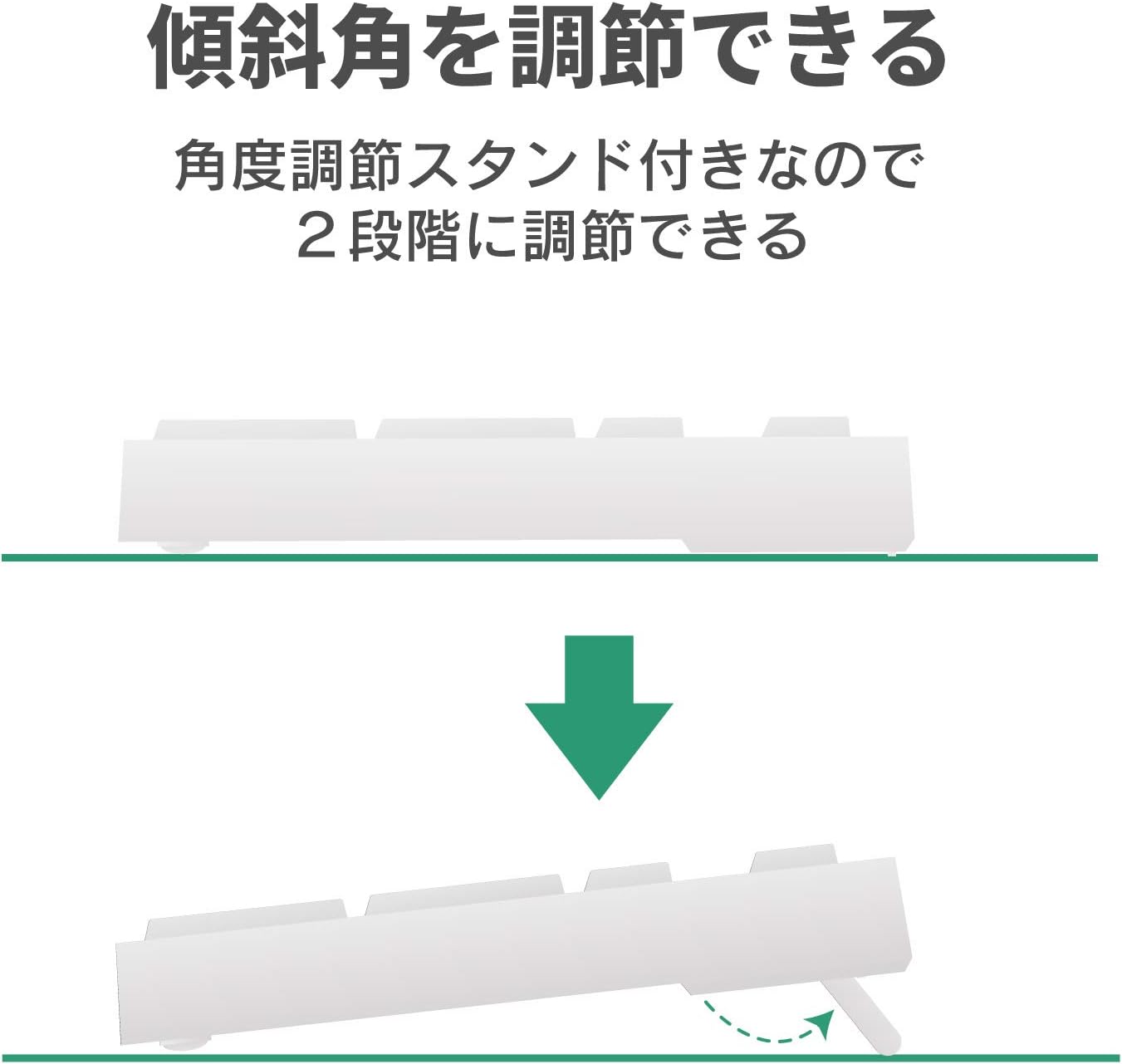
Figure 4: Two-stage adjustable tilt stand.
4.3. Penunjuk Hayat Bateri
Penunjuk aras bateri lamp is located on the keyboard to notify you when the battery needs to be replaced. The estimated battery life is approximately 4 years when using an alkaline dry cell battery (based on ELECOM test values, not guaranteed).

Figure 5: Battery life indicator and estimated battery duration.
5. Penyelenggaraan
5.1. Fungsi Saliran
The keyboard is equipped with a drainage function. If liquids are accidentally spilled on the keyboard, they can be quickly expelled through drainage holes on the underside. Note: This product is not waterproof.
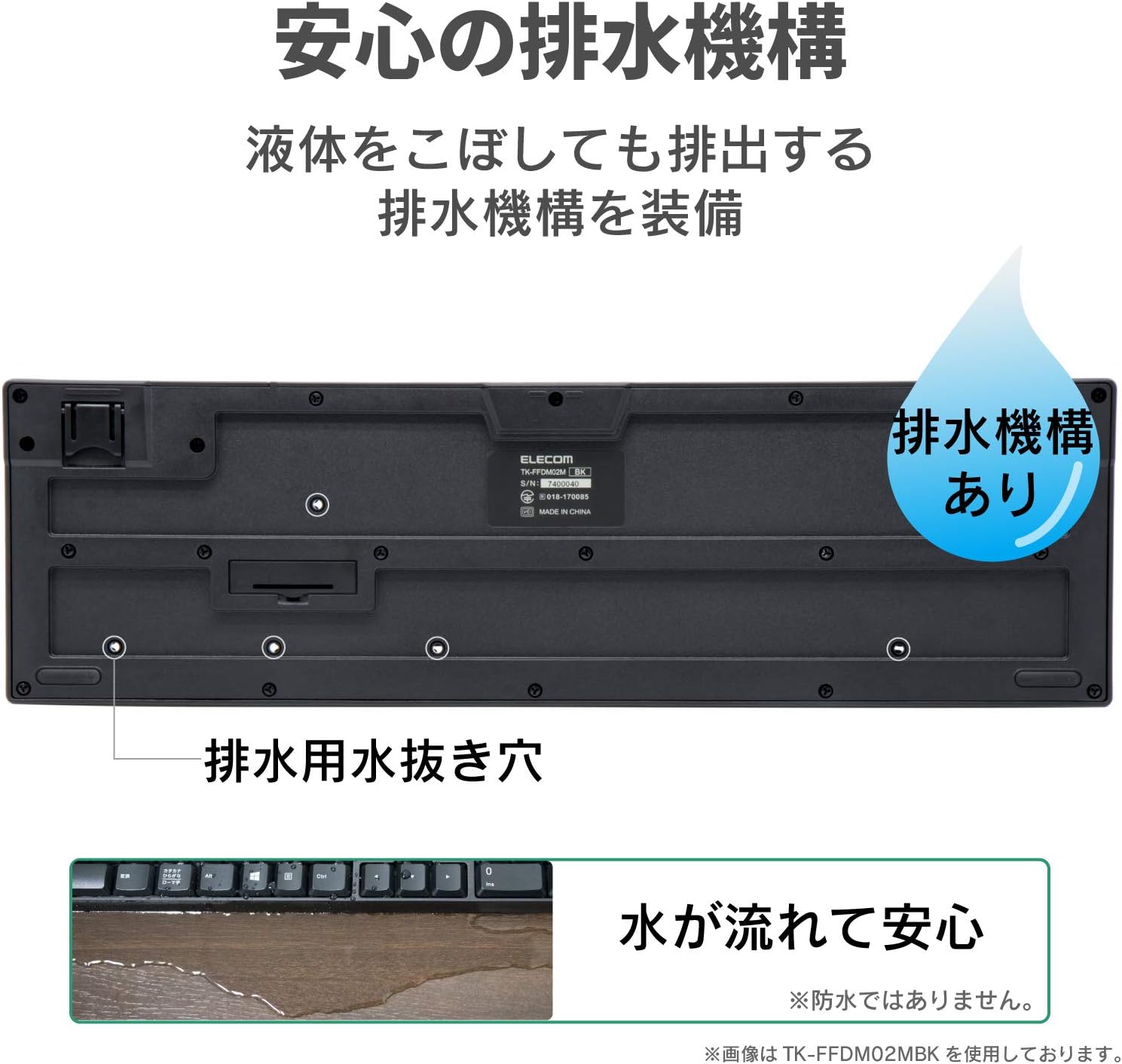
Figure 6: Drainage holes on the keyboard's underside.
5.2. Pembersihan
To clean the keyboard, gently wipe the surface with a soft, dry cloth. For stubborn dirt, a slightly damp cloth can be used, ensuring no liquid enters the key mechanisms. Avoid using harsh chemicals or abrasive materials.
6. Penyelesaian masalah
- Papan kekunci tidak bertindak balas:
Check if the keyboard is powered on. Ensure the USB receiver is securely plugged into a working USB port. Replace the battery if the battery indicator lamp is lit or if the keyboard has been in use for an extended period. - Keys not registering or delayed:
Ensure the keyboard is within the effective radio range (approx. 3m on magnetic surfaces, 10m on non-magnetic surfaces). Move the keyboard closer to the receiver. Avoid placing the receiver near other wireless devices that may cause interference. - Receiver not detected:
Try plugging the receiver into a different USB port on your computer. Restart your computer.
7. Spesifikasi
| Ciri | Spesifikasi |
|---|---|
| Antara muka | USB |
| Bentuk Penyambung | USB (A) lelaki |
| Model yang Serasi | Windows PCs equipped with a USB port |
| OS yang serasi | Windows 11/10/8.1/7/XP (latest version/service pack may be required) |
| warna | putih |
| Kaedah Komunikasi | GFSK |
| Frekuensi radio | jalur 2.4GHz |
| Julat Radio | Approx. 3m (magnetic surfaces), Approx. 10m (non-magnetic surfaces) |
| Jenis Kekunci | Membran |
| Reka Letak Kekunci | 109 kekunci (susun atur bahasa Jepun) |
| Padang Utama | 19.0mm |
| Pukulan Kekunci | 3.5mm |
| Power Supply (Keyboard) | 1 x AA alkaline dry cell, AA manganese dry cell, or AA nickel-metal hydride rechargeable battery |
| Anggaran Hayat Bateri | Approx. 4 years (with alkaline dry cell, test values, not guaranteed) |
| External Dimensions (Keyboard) | W 447.7mm x D 136.0mm x H 31.6mm (excluding stand), W 447.7mm x D 136.0mm x H 40.1mm (including stand) |
| Pengelasan Saiz | Bersaiz penuh |
| Weight (Keyboard) | lebih kurang 568g (tidak termasuk bateri) |
| Dimensi Luaran (Penerima) | W 19.5mm x D 15.8mm x H 6.5mm |
| Berat (Penerima) | lebih kurang 2g |
| Ketahanan Utama | Sehingga 10 juta ketukan kekunci |
| Key Legends | Diukir laser |
8. Waranti dan Sokongan
8.1. Maklumat Waranti
Produk ini disertakan dengan a Waranti 6 bulan from the date of purchase. Please retain your proof of purchase for warranty claims. The warranty covers manufacturing defects under normal use. It does not cover damage caused by misuse, accidents, unauthorized modifications, or natural disasters.
8.2. Sokongan Pelanggan
Untuk bantuan lanjut, sokongan teknikal atau pertanyaan jaminan, sila layari laman web rasmi ELECOM website or contact your local ELECOM customer service representative. Contact details can typically be found on the ELECOM webtapak atau pembungkusan produk.


