pengenalan
Thank you for choosing SIMOLIO JH-711 Wireless Kids Headphones. These headphones are designed with children's safety and comfort in mind, featuring 3-level volume limiting for hearing protection, Bluetooth connectivity, and a durable, foldable design. This manual will guide you through the setup, operation, and maintenance of your new headphones.
Ciri-ciri Produk
- 3-Level Volume Limiting: Protects children's hearing with selectable limits of 75dB (toddlers), 85dB (kids), and 94dB (adults).
- Wireless & Wired Modes: Connect via Bluetooth for wireless freedom or use the included 3.5mm audio cable when the battery is low or with non-Bluetooth devices.
- Mikrofon terbina dalam: Enables hands-free calling for convenience.
- Audio Sharing Port: Allows another headphone to connect and share audio from the same device.
- Durable & Flexible Design: Constructed with memory stainless steel strips in the headband to withstand bending and twisting.
- Boleh dilipat & Padat: Easy to fold and store in the included EVA hard carrying case, perfect for travel and school.
- Hayat Bateri yang Panjang: Provides up to 15 hours of playtime on a single charge.

Image: Diagram illustrating the 3-level volume limiting feature (75dB, 85dB, 94dB) for different age groups.

Image: Hands bending the headphone headband, showcasing its flexible and durable construction.

Image: The headphones folded compactly, ready to be stored in their EVA hard carrying case.
Apa yang ada dalam Kotak
- SIMOLIO JH-711 Wireless Kids Headphones (2 Count)
- Kabel Pengecas USB
- Kabel Audio AUX 3.5mm
- Manual Pengguna (dokumen ini)
- EVA Hard Carrying Case
Persediaan
1. Mengecas Fon Kepala
- Locate the Micro USB charging port on the headphone earcup.
- Connect the provided USB charging cable to the headphone's charging port.
- Pasangkan hujung kabel USB yang satu lagi ke sumber kuasa USB yang serasi (cth., komputer, penyesuai dinding USB).
- The LED indicator will illuminate during charging and turn off when fully charged. A full charge takes approximately 3 hours.

Image: The SIMOLIO JH-711 headphones with the charging cable inserted into the Micro USB port.
2. Berpasangan Bluetooth
- Pastikan fon kepala dicas sepenuhnya.
- Press and hold the Power button (MFB) on the headphone earcup until the LED indicator flashes blue and red, indicating pairing mode.
- Pada peranti anda (telefon pintar, tablet, dll.), dayakan Bluetooth dan cari peranti yang tersedia.
- Select "SIMOLIO JH-711" from the list of devices.
- Setelah disambungkan, penunjuk LED akan berkelip biru perlahan.
3. Sambungan Berwayar (Mod AUX)
- Locate the 3.5mm AUX port on the headphone earcup.
- Connect one end of the provided 3.5mm AUX audio cable to the headphone's AUX port.
- Connect the other end of the AUX cable to the 3.5mm audio jack of your device.
- The headphones will automatically switch to wired mode. This mode works even if the headphone battery is depleted.
4. Adjusting Volume Limiter
The headphones feature a 3-level volume limiter switch (75dB, 85dB, 94dB) located on the earcup. Slide the switch to select the desired maximum volume level appropriate for the user's age and environment.

Image: Detail of the headphone earcup highlighting the 3-level volume limiter switch.
5. Pelarasan Destar
The headband is adjustable to fit various head sizes. Gently slide the earcups up or down along the headband to achieve a comfortable and secure fit. The flexible design allows for minor reshaping.

Image: A person demonstrating how to adjust the headband for a proper fit.
Arahan Operasi
1. Hidupkan/Mati Kuasa
- Hidupkan kuasa: Press and hold the Multi-Function Button (MFB) for approximately 3 seconds until the LED indicator lights up.
- Matikan: Press and hold the MFB for approximately 3 seconds until the LED indicator turns off.
2. Main balik Muzik
- Main/Jeda: Tekan pendek MFB.
- Lagu Seterusnya: Long press the "Volume Up" button.
- Trek Sebelumnya: Long press the "Volume Down" button.
- Kelantangan: Short press the "Volume Up" button.
- Perlahankan suara: Short press the "Volume Down" button.
3. Pengurusan Panggilan
- Jawab/Tamatkan Panggilan: Tekan pendek MFB.
- Tolak Panggilan: Tekan lama MFB.
4. Audio Sharing
To share audio with another pair of headphones, connect a 3.5mm audio cable from the sharing jack on the right earcup of the SIMOLIO headphones to the audio input of another headphone. This allows two users to listen to the same audio source simultaneously.
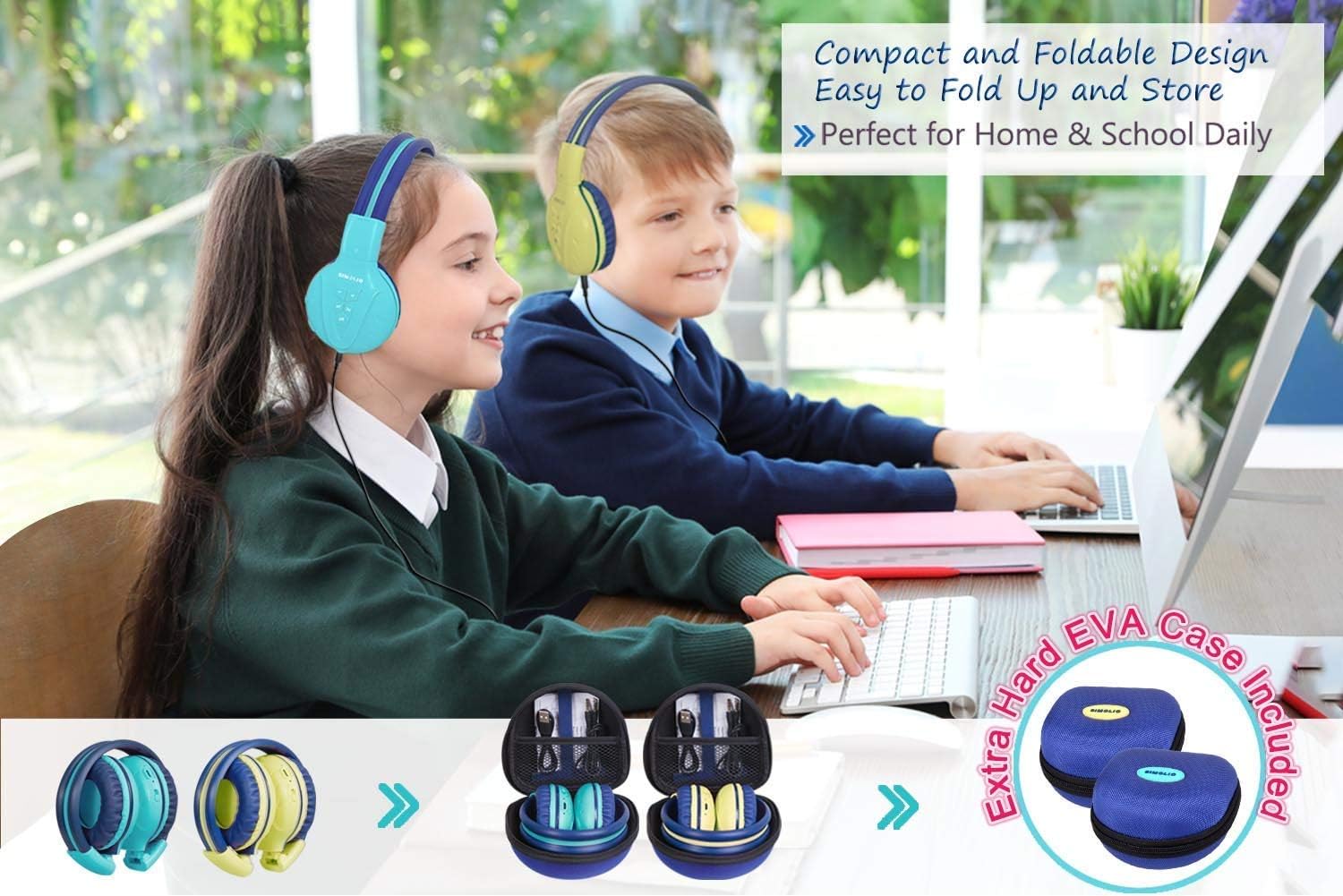
Image: Two pairs of headphones connected using the audio sharing feature, allowing simultaneous listening.
Penyelenggaraan
- Pembersihan: Gunakan kain lembut dan kering untuk membersihkan fon kepala. Jangan gunakan pembersih cecair atau aerosol.
- Storan: When not in use, fold the headphones and store them in the provided EVA hard carrying case to protect them from dust and damage.
- Penjagaan Bateri: Untuk memanjangkan hayat bateri, elakkan daripada menyahcas sepenuhnya fon kepala dengan kerap. Mengecasnya dengan kerap, walaupun tidak digunakan secara berterusan.
Menyelesaikan masalah
| Masalah | Penyelesaian |
|---|---|
| Fon kepala tidak dapat dihidupkan. | Pastikan fon kepala dicas. Sambungkan ke sumber kuasa menggunakan kabel USB. |
| Tidak boleh berpasangan melalui Bluetooth. | Make sure the headphones are in pairing mode (flashing blue/red LED). Ensure your device's Bluetooth is on and within range. Forget previous pairings on your device and try again. |
| Tiada bunyi dalam mod berwayar. | Check that the 3.5mm AUX cable is securely connected to both the headphones and the audio source. Ensure the audio source's volume is not muted or too low. |
| Sound is too low/high. | Adjust the volume using the +/- buttons on the headphones and on your connected device. Check the 3-level volume limiter switch setting. |
Spesifikasi
- Nama Model: Kids Bluetooth Headphones JH-711MY
- Teknologi Ketersambungan: Tanpa Wayar (Bluetooth), Berwayar (AUX 3.5mm)
- Teknologi Komunikasi Tanpa Wayar: Bluetooth 4.0
- Julat Bluetooth: 30 Kaki
- Hayat Bateri: Sehingga 15 Jam
- Masa Pengecasan: Lebih kurang 3 Jam
- Jenis Pemacu Audio: Pemandu Dinamik
- Peletakan Telinga: Atas Telinga
- Kawalan Bunyi: Pengasingan Bunyi
- Ciri Khas: 3 Adjustable Volume Limited, Built-in Microphone, Durable and Flexible, Foldable, Audio Share Port, EVA Case
- Dimensi Produk: 5.51 x 3.15 x 5.31 inci
- Berat Barang: 1.8 paun (0.82 Kilogram)
- Bahan: Nylon, Stainless Steel (headband), EVA (carrying case)
Video Produk Rasmi
Video: An official product video from Simolio Direct showcasing the features and usage of the SIMOLIO Bluetooth Headphones for Kids with Case JH-711.
Waranti dan Sokongan
For warranty information or technical support, please refer to the contact details provided on the product packaging or visit the official SIMOLIO webtapak.


