pengenalan
Terima kasih kerana membeliasing the Paladone Pacman Pixelated Light. This manual provides essential information for the safe and efficient use of your new light. Please read these instructions carefully before use and retain them for future reference.
Maklumat Keselamatan Penting
- Produk ini bukan mainan. Jauhkan daripada kanak-kanak kecil.
- For indoor use only. Do not expose to water or moisture.
- Use only with the provided USB cable or a compatible USB power source.
- Jangan cuba membuka atau mengubah suai produk.
- Elakkan suhu yang melampau.
Persediaan
Kandungan Pakej
- 1 x Paladone Pacman Pixelated Light
- 1 x USB Power Cable
Mengkuasakan Peranti
The Pacman Pixelated Light is primarily powered via USB. It can also operate using 3 AAA batteries (not included) for portable use, though it is not explicitly designed for battery operation based on available information. For optimal performance and sound features, USB power is recommended.
- Locate the USB port on the back of the Pacman light.
- Insert the small end of the provided USB cable into the light's USB port.
- Insert the larger end of the USB cable into a compatible USB power source (e.g., computer, USB wall adapter, power bank).

Image: Connecting the USB cable to the back of the Pacman light.

Imej: Belakang view of the Pacman light, highlighting the USB port and power switch.
Arahan Operasi
Turning On/Off and Activating Sounds
The Pacman Pixelated Light features a touch-activated control for illumination and sound effects.
- Ensure the light is connected to a power source via USB.
- Locate the power switch on the back of the unit and slide it to the 'ON' position.
- To turn the light on or off, gently tap the top of the Pacman unit.
- The light is designed to play official Pac-Man sounds upon touch activation, providing a nostalgic experience.

Image: Activating the Pacman light by touching its top surface.
Ciri Bunyi
The light includes touch-activated Pac-Man sounds. These sounds are an integral part of the product's interactive design.
Ciri Visual
The light emits a yellow glow, characteristic of the Pac-Man character. It serves as a decorative item and a night light.
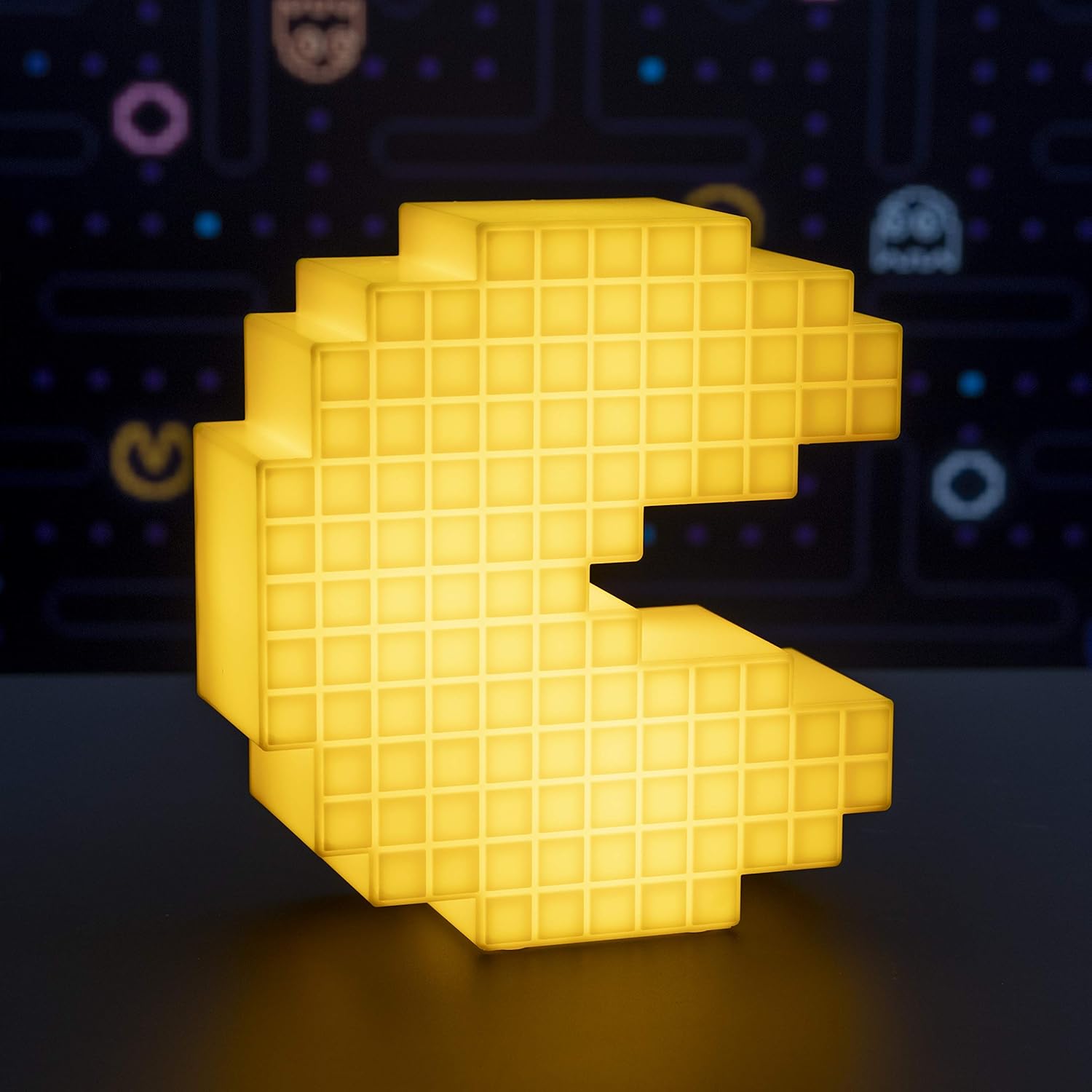
Image: The Pacman Pixelated Light illuminated, showcasing its yellow glow.
Video: Official demonstration of the Pacman Pixelated Light, showing its illumination and sound features.
Penyelenggaraan
Pembersihan
To maintain the appearance of your Pacman Pixelated Light:
- Ensure the device is unplugged from its power source before cleaning.
- Lap permukaan dengan kain lembut dan kering.
- Jangan gunakan pembersih yang melelas, pelarut atau bahan kimia yang keras, kerana ini boleh merosakkan kemasan.
Menyelesaikan masalah
Lampu Tidak Menyala
- Semak Sambungan Kuasa: Pastikan kabel USB disambungkan dengan selamat ke kedua-dua lampu dan sumber kuasa.
- Sahkan Sumber Kuasa: Try plugging the USB cable into a different USB port or wall adapter to rule out a faulty power source.
- Suis kuasa: Confirm the power switch on the back of the unit is in the 'ON' position.
- Sentuh Pengaktifan: Gently tap the top of the Pacman unit to activate the light.
Tiada Bunyi
- Sentuh Pengaktifan: Ensure you are tapping the top of the unit to trigger the sound effects.
- Sumber Kuasa: Verify the unit is receiving adequate power via USB.
Spesifikasi
| Ciri | Perincian |
|---|---|
| Nombor Model | PP4900PM |
| Jenama | Paladone |
| Dimensi Produk (W x H) | 6.7 inches (17 cm) x 7.5 inches (19 cm) |
| Berat Barang | 0.25 Kilogram (8.8 auns) |
| bahan | plastik |
| Sumber Kuasa | USB Powered (3 AAA batteries required for optional use, not included) |
| Jenis Sumber Cahaya | LED |
| Kaedah Kawalan | Sentuh |
| Warna Cerah | kuning |
| Komponen yang Disertakan | Kabel USB |

Image: Visual representation of the light's dimensions (Width: 6.7 inches, Height: 7.5 inches).
Waranti dan Sokongan
Specific warranty information for the Paladone Pacman Pixelated Light is not provided in the product details. For warranty claims or technical support, please contact Paladone directly through their official webtapak atau peruncit tempat produk itu dibeli.


