1. Pengenalan
Welcome to the user manual for your new Bissell EV675 Robot Vacuum Cleaner. This document provides essential information for the safe and efficient operation, maintenance, and troubleshooting of your robotic vacuum. Please read this manual thoroughly before using your device.
2. Arahan Keselamatan Penting
To reduce the risk of fire, electric shock, or injury, always follow basic precautions, including the following:
- Baca semua arahan sebelum menggunakan perkakas.
- Jangan gunakan di luar atau di permukaan basah.
- Jangan biarkan digunakan sebagai mainan. Perhatian yang rapi diperlukan apabila digunakan oleh atau berhampiran kanak-kanak.
- Gunakan hanya seperti yang diterangkan dalam manual ini. Gunakan hanya lampiran yang disyorkan pengilang.
- Jangan gunakan dengan kord atau palam yang rosak. Jika perkakas tidak berfungsi sebagaimana mestinya, telah terjatuh, rosak, ditinggalkan di luar rumah, atau terjatuh ke dalam air, kembalikannya ke pusat servis.
- Jangan tarik atau bawa dengan kord, gunakan kord sebagai pemegang, tutup pintu pada kord, atau tarik kord di sekeliling tepi atau sudut yang tajam. Jangan jalankan perkakas di atas kord. Jauhkan kord dari permukaan yang dipanaskan.
- Jangan cabut plag dengan menarik kord. Untuk mencabut palam, pegang palam, bukan kordnya.
- Jangan pegang palam atau perkakas dengan tangan yang basah.
- Jangan letakkan sebarang objek ke dalam bukaan. Jangan gunakan dengan mana-mana bukaan yang disekat; jauhkan daripada habuk, serabut, rambut dan apa sahaja yang boleh mengurangkan aliran udara.
- Jauhkan rambut, pakaian longgar, jari dan semua bahagian badan daripada bukaan dan bahagian yang bergerak.
- Jangan ambil apa-apa yang terbakar atau berasap, seperti rokok, mancis, atau abu panas.
- Gunakan lebih berhati-hati semasa membersihkan di tangga.
- Jangan gunakan untuk mengambil cecair mudah terbakar atau mudah terbakar, seperti petrol, atau gunakan di kawasan yang mungkin terdapat.
- Jangan ambil bahan toksik (peluntur klorin, ammonia, pembersih longkang, dll.).
- Jangan gunakan di ruang tertutup yang terdapat wap daripada cat asas minyak, pencair cat, beberapa bahan kalis rama-rama, habuk mudah terbakar atau wap letupan atau toksik yang lain.
- Jangan gunakan untuk mengutip objek keras atau tajam seperti kaca, paku, skru, syiling, dll.
- Jangan gunakan tanpa cawan habuk dan/atau penapis di tempatnya.
- Matikan semua kawalan sebelum mencabut plag.
- Cabut plag dari soket apabila tidak digunakan dan sebelum diservis.
3. Kandungan Pakej
Your Bissell EV675 Robot Vacuum Cleaner package includes the following items:
- Bissell EV675 Robot Vacuum Cleaner
- Self-Charging Dock
- Penyesuai Kuasa
- Alat Kawalan Jauh
- Bonus Filter
- Bonus Edge Cleaning Brushes (2 sets)
- Alat Pembersihan

This image displays the additional filter and two sets of edge cleaning brushes that come with your robot vacuum, ensuring you have spare parts for maintenance.
4. Produk Lebihview
The Bissell EV675 is a robotic vacuum designed for efficient floor cleaning, especially effective on pet hair. It features a low-profile design to clean hard-to-reach spaces and a self-charging dock for convenience.
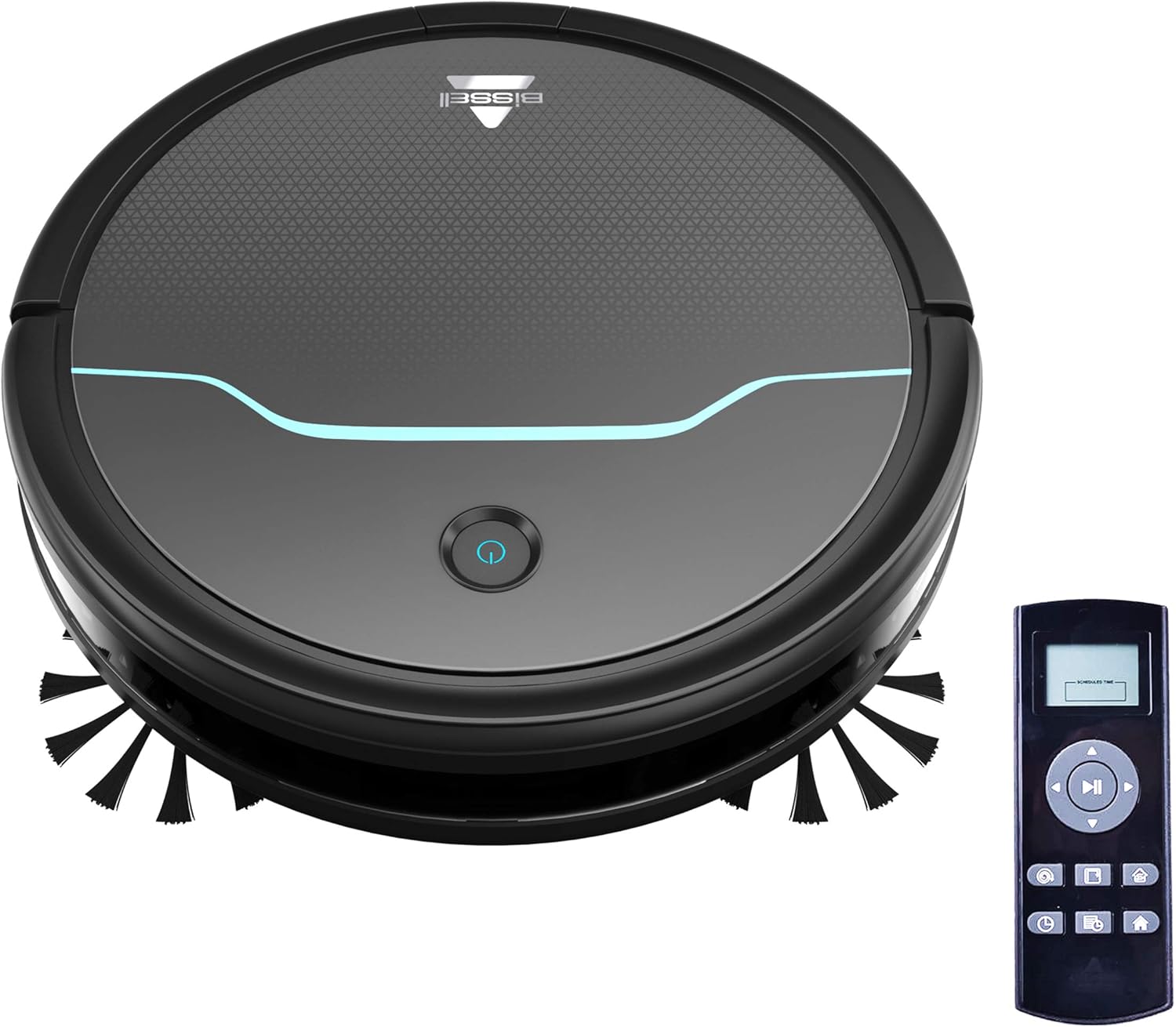
This image shows the main unit of the robot vacuum and its accompanying remote control, highlighting its compact, circular design.

This image illustrates the vacuum's ability to clean under furniture, reaching areas that are typically difficult to access.
5. Persediaan
5.1 Penempatan Dok Pengecasan
Place the self-charging dock against a wall in an open, uncluttered area. Ensure there is at least 0.5 meters (1.6 feet) of clear space on either side of the dock and 1.5 meters (4.9 feet) in front of it for optimal navigation and docking.
5.2 Pengecasan Awal
Connect the power adapter to the charging dock and plug it into a wall outlet. Place the robot vacuum onto the charging contacts of the dock. Ensure the indicator light on the robot illuminates, indicating it is charging. Allow the robot to fully charge before its first use (approximately 4-5 hours).
5.3 Memasang Berus Sisi
Gently press the side brushes onto the square posts on the underside of the robot until they click into place. Ensure they are securely attached.
6. Operasi
6.1 Menghidupkan/Mematikan
To power on the robot, press and hold the power button on the top of the robot until the indicator light turns blue. To power off, press and hold the power button until the light turns off.
6.2 Memulakan Kitaran Pembersihan
Press the power button once to start a cleaning cycle. The robot will automatically begin cleaning in a systematic pattern. Alternatively, use the remote control to select a cleaning mode or start cleaning.

This image shows the robot vacuum in action, effectively picking up debris from the floor.
6.3 Mod Pembersihan
The remote control allows you to select various cleaning modes:
- Pembersihan Auto: The robot automatically cleans based on its environment.
- Bersihkan Tempat: The robot intensely cleans a specific small area.
- Pembersihan Tepi: Robot membersihkan sepanjang dinding dan tepi perabot.
- Kawalan manual: Use the directional buttons on the remote to guide the robot.

This image highlights the vacuum's versatility in cleaning different floor types, including carpets.
6.4 Penjadualan
Use the remote control to set a cleaning schedule for your robot vacuum. Refer to the remote control section in the full manual for detailed instructions on setting daily or weekly cleaning times.

This image depicts the robot vacuum in a typical home setting, ready to execute its programmed cleaning schedule.
7. Penyelenggaraan
Regular maintenance ensures your Bissell EV675 operates efficiently and prolongs its lifespan. Always power off the robot before performing any maintenance.
7.1 Mengosongkan Tong Habuk
It is recommended to empty the dust bin after each cleaning cycle, especially if you have pets. Press the release button on the dust bin, pull it out, open the lid, and discard the collected debris.
7.2 Cleaning/Replacing Filters
Remove the filter from the dust bin. Tap off loose dirt. Rinse the filter under running water if necessary, ensuring it is completely dry before reinserting. Replace the filter every 3-6 months, or as needed, to maintain optimal suction.
7.3 Berus Pembersih
Remove the main brush and side brushes. Use the included cleaning tool to cut and remove any hair or debris tangled around the brushes. Ensure the brushes spin freely after cleaning.
7.4 Membersihkan Penderia dan Mengecas Kenalan
Wipe the cliff sensors, anti-collision sensors, and charging contacts on both the robot and the dock with a clean, dry cloth. This prevents dust buildup from affecting performance.
7.5 Maintenance Video
This video offers a visual demonstration of the Bissell EV675 Robot Vacuum Cleaner, covering its key functionalities and how it operates.
This short video clip showcases the Bissell EV675 Robotic Vacuum Cleaner performing a cleaning task, illustrating its mobility and cleaning path.
8. Penyelesaian masalah
If your Bissell EV675 is not operating as expected, refer to the common issues and solutions below:
| Masalah | Kemungkinan Punca | Penyelesaian |
|---|---|---|
| Robot tidak boleh dihidupkan atau dicas. | Battery drained; charging contacts dirty; power adapter not connected. | Ensure robot is properly docked; clean charging contacts; check power adapter connection. |
| Robot kerap tersangkut. | Obstacles (cords, rugs with tassels); low-hanging furniture. | Clear obstacles; use virtual barriers if available; ensure charging dock has sufficient clearance. |
| Poor suction or not picking up debris. | Dust bin full; filters clogged; main brush tangled. | Empty dust bin; clean or replace filters; clean main brush. |
| Side brushes not spinning. | Brushes tangled with hair/debris; brushes not installed correctly. | Remove and clean side brushes; ensure they are clicked into place. |
| Robot mengeluarkan bunyi yang luar biasa. | Debris in main brush; foreign object in wheels. | Inspect and clean main brush and wheels for obstructions. |
9. Spesifikasi
- Jenama: Bissell
- Nama Model: BISSELL EV675 Robot Vacuum Cleaner for Pet Hair with Self Charging Dock, Bonus Filter, Bonus Edge Cleaning Brushes, 2503
- Nombor Model: 2503
- Ciri Khas: Automatic Dust Collection, Programmable, Self-Cleaning Brushroll
- warna: Black With Disco Teal Accents
- Jenis Penapis: Cakera
- Hayat Bateri: 100 minit
- kapasiti: 0.4 Liter
- Sumber Kuasa: Tanpa Kabel boleh dicas semula
- Kaedah Kawalan: Jauh
- Faktor Bentuk: Robotik
- Dimensi Produk: 12.75 x 12.75 x 3.5 inci
- Berat Barang: 6.62 paun
- Syor Permukaan: Floors, Carpet, Floor
10. Waranti dan Sokongan
For warranty information, product registration, or customer support, please visit the official Bissell webtapak atau hubungi bahagian perkhidmatan pelanggan mereka. Simpan resit pembelian anda untuk tuntutan waranti.


