1. Pengenalan
Terima kasih kerana membeliasing the Lenco LS-300 Hi-Fi Turntable. This manual provides essential information for the safe and correct operation of your new device. Please read it thoroughly before use and retain it for future reference.
Maklumat Keselamatan
- Jangan dedahkan unit kepada hujan atau lembapan untuk mengelakkan bahaya kebakaran atau kejutan.
- Pastikan pengudaraan yang betul di sekitar unit. Jangan halang bukaan pengudaraan.
- Gunakan hanya penyesuai kuasa yang dibekalkan dengan unit.
- Elakkan meletakkan unit berhampiran sumber haba atau di bawah cahaya matahari langsung.
- Jangan cuba membuka atau membaiki unit sendiri. Rujuk semua servis kepada kakitangan yang berkelayakan.
2. Kandungan Pakej
Carefully unpack your Lenco LS-300 turntable and ensure all items listed below are present and in good condition. If any items are missing or damaged, please contact your retailer.

Image: All components included in the Lenco LS-300 package.
- Lenco LS-300 Turntable Unit
- Audio Technica AT-3600 Cartridge (pre-installed or separate)
- 2 x External Speakers
- 2 x Kabel Pembesar Suara
- Penutup Habuk
- Slipmat
- Penyesuai 45 RPM
- Power Adapter with Plug
- Manual Arahan
3. Produk Lebihview
Familiarize yourself with the various parts of your Lenco LS-300 turntable.
Komponen Meja Putar

Image: Close-up of the turntable's tonearm and related parts.
- Berat kontra: Mengimbangi tonearm dan melaraskan daya pengesanan.
- Klip Tonearm: Secures the tonearm when not in use.
- Tonearm: Memegang kartrij dan stilus.
- Stylus (Audio Technica AT-3600): The needle that reads the grooves of a record.
Sambungan Panel Belakang
Imej: Belakang view showing the input and output ports of the turntable.
- Keluaran Pembesar suara: Connect the external speakers here.
- Suis Phono/Talian: Selects between Phono (for external amplifier) and Line (for built-in preamp or active speakers) output.
- Keluaran RCA: Connects to an external amppenguat atau penerima.
- Input Kuasa (DC 12V): Sambungkan penyesuai kuasa di sini.
- Butang Hidup/Mati: Menghidupkan atau mematikan unit.
4. Persediaan
Follow these steps to set up your Lenco LS-300 turntable for the first time.

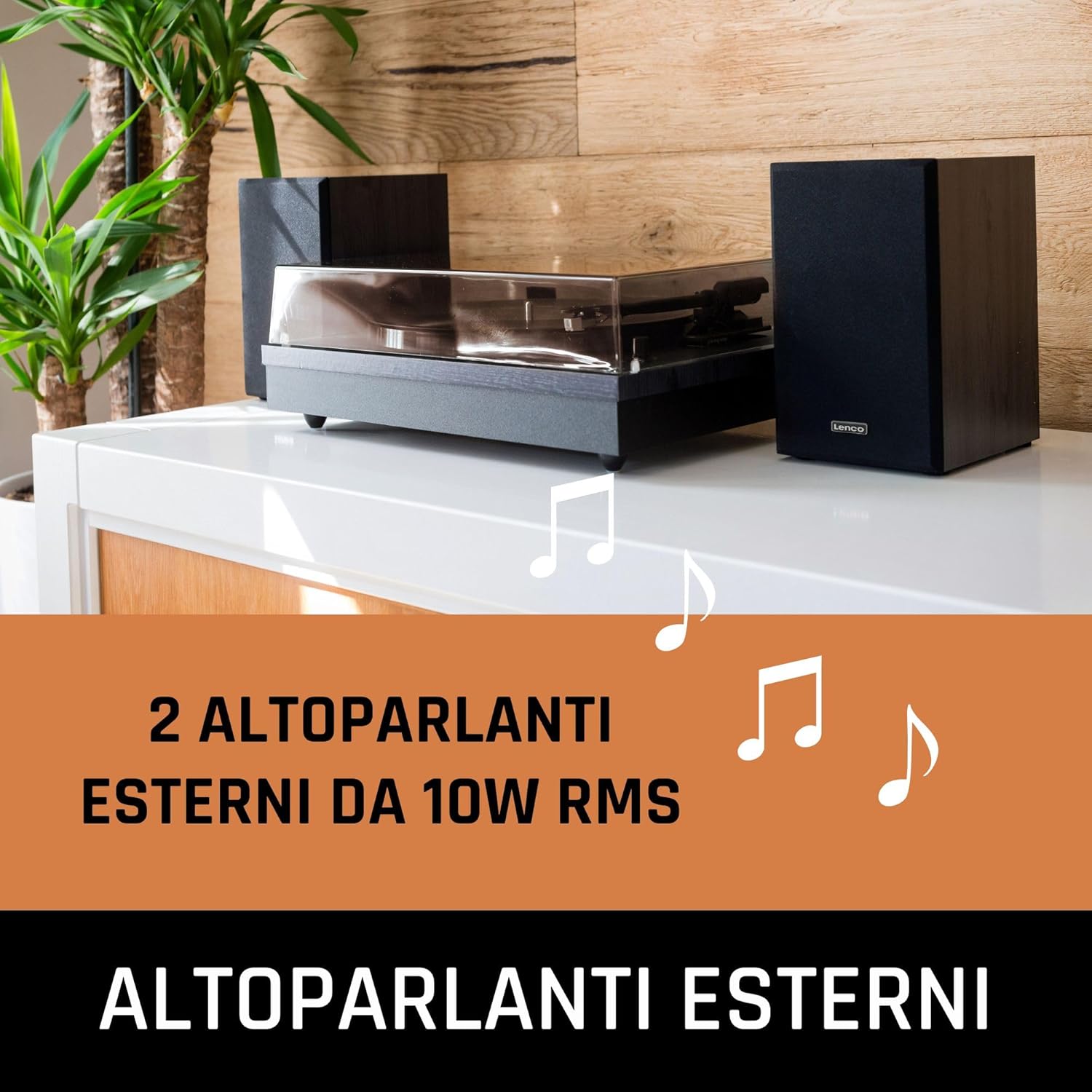
Image: The Lenco LS-300 turntable and its speakers arranged for use.
4.1 Penempatan
- Place the turntable on a stable, level surface away from direct sunlight, heat sources, and excessive dust or vibrations.
- Position the external speakers on either side of the turntable for optimal stereo separation.
4.2 Menyambung Pembesar Suara
- Connect the supplied speaker cables to the speaker output terminals on the rear of the turntable and to the corresponding input terminals on the external speakers. Ensure correct polarity (red to red, black to black).
4.3 Sambungan Kuasa
- Insert the DC plug of the power adapter into the Power Input (DC 12V) on the rear of the turntable.
- Plug the AC adapter into a suitable wall outlet.
4.4 Pemasangan Penutup Habuk
- Carefully attach the dust cover to the hinges at the back of the turntable.
5. Arahan Operasi
5.1 Memainkan Rekod Vinil
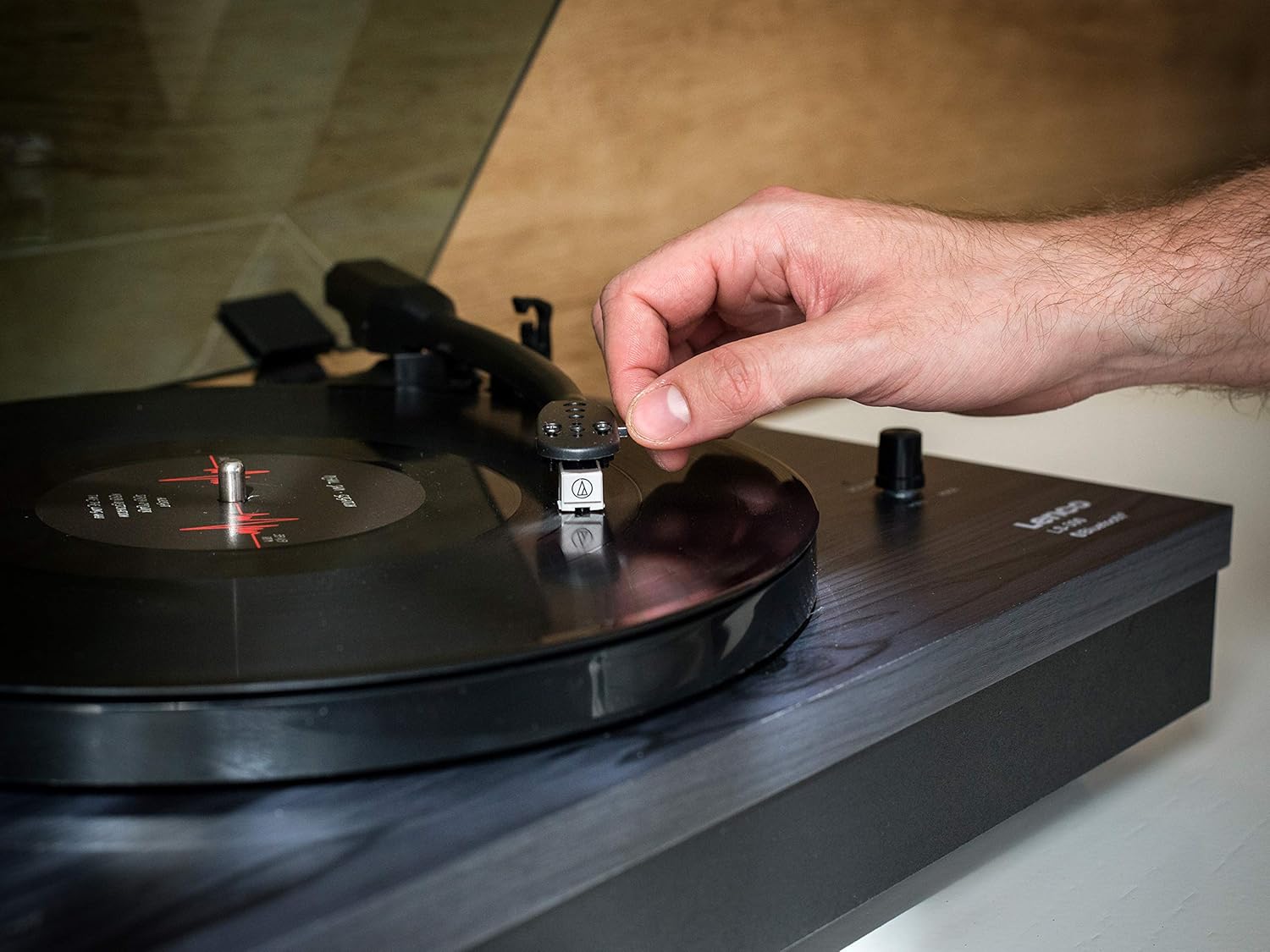
Image: Demonstrating the manual placement of the tonearm on a record.
- Turn on the turntable using the On/Off button on the rear panel.
- Letakkan slipmat di atas pinggan.
- Place a vinyl record on the platter. For 45 RPM singles, use the included 45 RPM adapter.
- Select the correct speed (33 or 45 RPM) using the speed selector switch.
- Buka kunci klip lengan atas.
- Angkat lengan atas perlahan-lahan menggunakan tuil isyarat.
- Move the tonearm over the desired starting groove of the record.
- Lower the cueing lever to gently place the stylus onto the record.
- At the end of the record, the auto-stop function will stop the platter rotation. Lift the tonearm, return it to its rest, and secure it with the tonearm clip.
5.2 Kefungsian Bluetooth

Image: A smartphone displaying music playback, indicating Bluetooth connectivity with the turntable system.
The Lenco LS-300 can receive audio wirelessly from Bluetooth-enabled devices like smartphones or tablets, playing it through its external speakers.
- Pastikan meja putar dihidupkan.
- Switch the Phono/Line switch to the 'BT' (Bluetooth) position. The Bluetooth indicator light will begin to flash, indicating it is in pairing mode.
- On your Bluetooth device (smartphone, tablet), enable Bluetooth and search for available devices.
- Select 'Lenco LS-300' from the list of devices.
- Once paired, the Bluetooth indicator light on the turntable will glow steadily.
- You can now play music from your device through the LS-300's speakers.
6. Penyelenggaraan
Regular maintenance helps ensure the longevity and optimal performance of your turntable.
6.1 Membersihkan Unit
- Sentiasa cabut plag unit daripada salur keluar kuasa sebelum membersihkan.
- Use a soft, dry cloth to wipe the turntable cabinet and dust cover. Do not use abrasive cleaners or solvents.
- For the dust cover, a mild, non-abrasive plastic cleaner can be used if necessary.
6.2 Penjagaan Stilus
- Stilus ini halus. Kendalikan dengan sangat berhati-hati.
- Clean the stylus regularly using a soft brush, brushing gently from back to front.
- Replace the stylus approximately every 300-500 hours of playback, or if you notice a degradation in sound quality.
6.3 Penjagaan Rekod
- Keep your records clean and free of dust. Use an anti-static brush before each play.
- Simpan rekod secara menegak dalam lengan bajunya untuk mengelakkan meledingkan.
7. Penyelesaian masalah
If you encounter any issues with your Lenco LS-300, refer to the following common problems and solutions.
- Tiada Kuasa:
- Pastikan penyesuai kuasa disambungkan dengan kukuh pada kedua-dua meja putar dan soket dinding yang berfungsi.
- Check if the On/Off button on the rear panel is in the 'On' position.
- Tiada Bunyi atau Bunyi Rendah:
- Verify that the speaker cables are correctly connected to both the turntable and the speakers.
- Check the Phono/Line switch position. For playing records through the internal speakers, ensure it is set to 'Line' (or 'Phono' if connecting to an external amplifier's phono input).
- Ensure the volume knob on the turntable is turned up.
- If using Bluetooth, ensure the turntable is paired correctly and the volume on your source device is turned up.
- Skipping or Distorted Sound:
- Pastikan rekod bersih dan bebas daripada habuk atau serpihan.
- Check the stylus for damage or dirt. Clean or replace if necessary.
- Ensure the turntable is on a stable, level surface to prevent vibrations.
- Verify the tonearm counterweight is correctly adjusted (if applicable for your model).
- Platter Not Spinning or Incorrect Speed:
- Check the speed selector switch (33/45 RPM) is set correctly for the record being played.
- Ensure the drive belt is properly seated around the motor pulley and the platter.
- Isu Berpasangan Bluetooth:
- Ensure the Phono/Line switch is set to 'BT'.
- Make sure your Bluetooth device is within range (typically 10 meters) of the turntable.
- Cuba nyahgandingkan dan pasangkan semula peranti.
- Ensure no other Bluetooth devices are actively connected to the turntable.
If the problem persists after trying these solutions, please contact Lenco customer support or your retailer for further assistance.
8. Spesifikasi
Technical specifications for the Lenco LS-300 Turntable.

Image: Dimensions of the Lenco LS-300 turntable and its accompanying speakers.
| Ciri | Spesifikasi |
|---|---|
| Nombor Model | LS-300 |
| Jenama | Lenco |
| Dimensi (Meja Putar) | 43.8 x 35 x 15.2 cm |
| Berat (Item) | 8 kg |
| warna | Hitam |
| bahan | Plastic (MDF casing) |
| Output Kuasa (Speaker) | 2 x 10 W RMS (20 Watt total) |
| Kelajuan | 33, 45 RPM |
| Jenis Drive | Pemacu Belt |
| Ciri-ciri | Bluetooth, Auto-Stop, External Speakers |
| Kartrij | Audio Technica AT-3600 |
| Ketersambungan | RCA Output, Bluetooth, Mini USB (for service, not user accessible) |
| Bekalan Kuasa | AC Adapter (12V) |
9. Waranti dan Sokongan
Lenco products are manufactured to high quality standards. In the unlikely event of a defect, Lenco provides a warranty in accordance with European laws and regulations. Your warranty period begins on the date of purchase. Please retain your proof of purchase (receipt) as it will be required for any warranty claims.
For technical support, service, or warranty inquiries, please refer to the contact information provided in the separate warranty card or visit the official Lenco webtapak.


