1. Pengenalan
The ViewSonic VG2455-2K monitor is designed for modern office environments, offering an efficient and streamlined user experience. This 24-inch QHD (2560x1440p) IPS monitor features USB 3.1 Type-C connectivity, providing power, video, and audio transmission through a single cable, which helps reduce cable clutter. Its SuperClear IPS panel technology ensures wide-angle viewing and vibrant colors, complemented by a 3-sided thin bezel design for seamless multi-monitor setups. The monitor also boasts advanced ergonomic adjustments for user comfort and productivity.
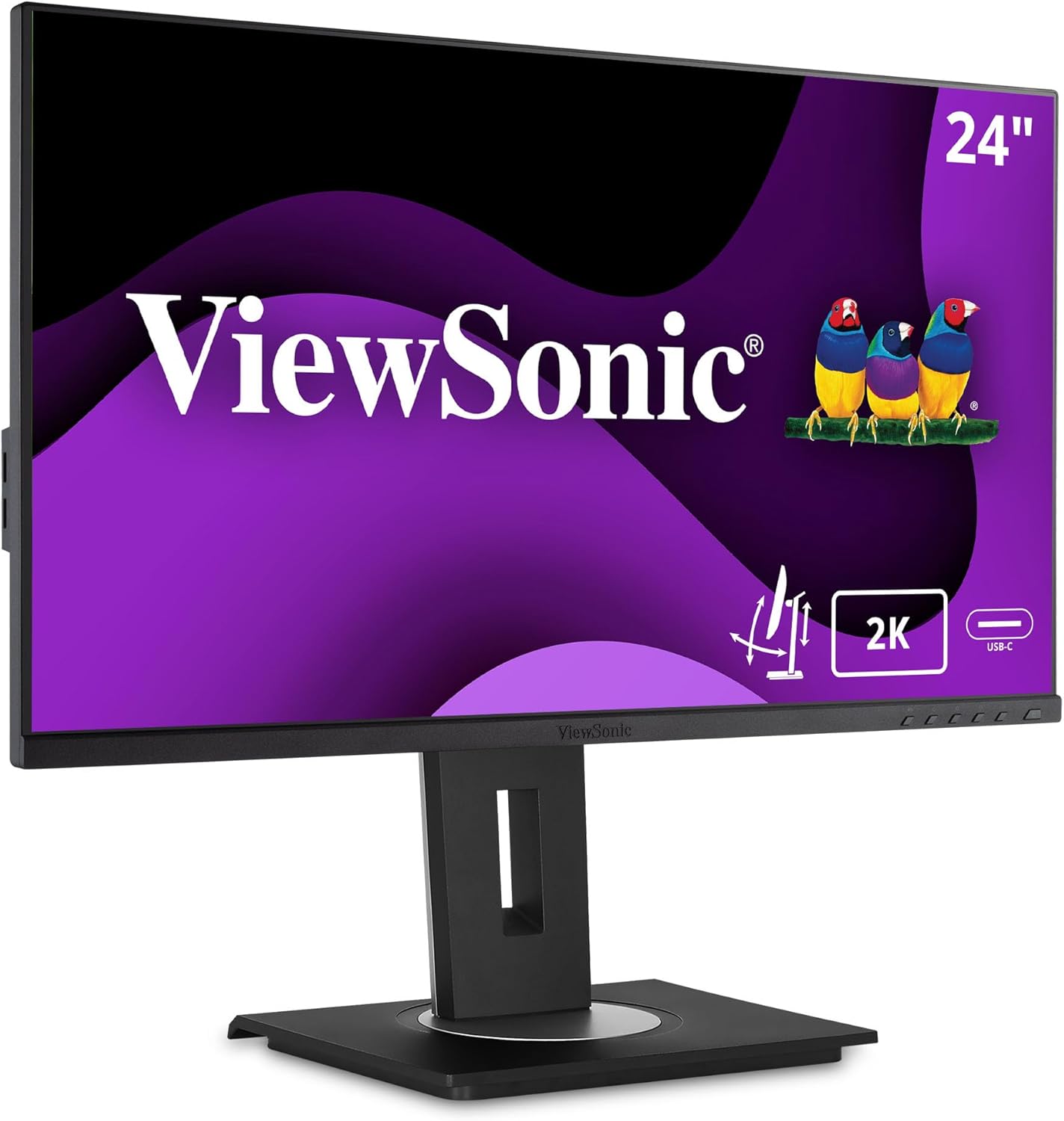
Imej 1.1: Depan view daripada ViewSonic VG2455-2K monitor.
2. Kandungan Pakej
Sahkan bahawa semua item yang disenaraikan di bawah disertakan dalam pakej produk anda:
- Paparan LCD
- Kabel Kuasa
- Kabel Jenis-C USB
- Kabel HDMI
- Kabel Hulu USB
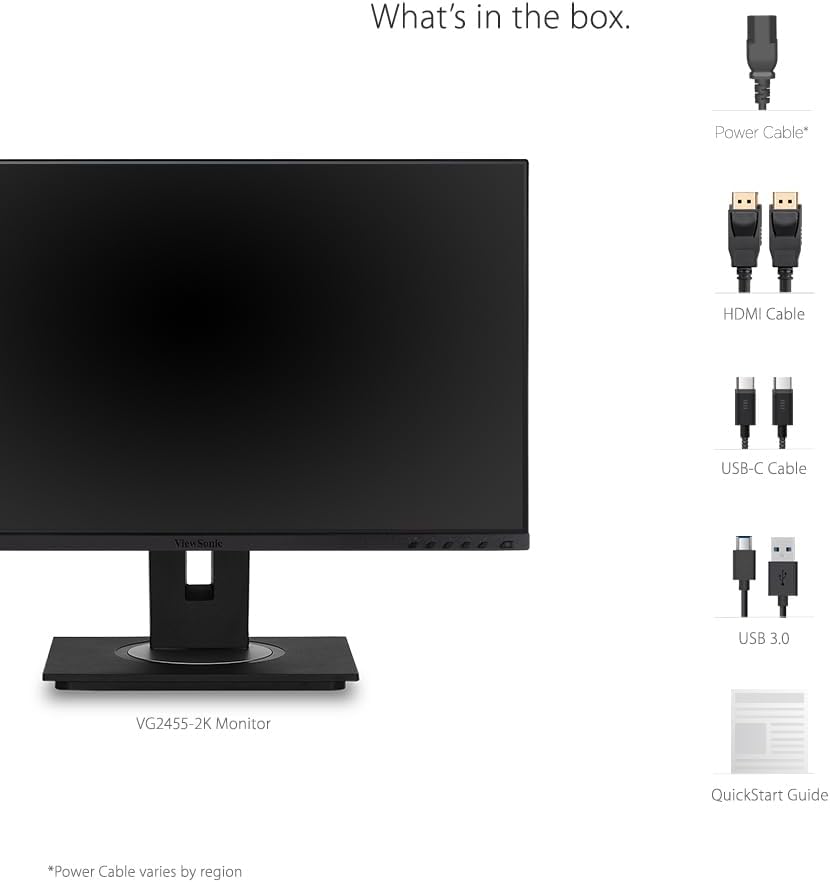
Image 2.1: Illustration of the items included in the ViewSonic VG2455-2K monitor package.
3. Persediaan & Pemasangan
3.1 Memasang Stand
The monitor comes with an easy-to-install quick-release stand. Align the stand with the mounting points on the back of the monitor and push until it clicks into place. The base then attaches to the stand column, typically secured with a thumb screw.

Image 3.1: Visual guide for attaching the monitor stand.
3.2 Keserasian Pemasangan VESA
The monitor is VESA mount compatible (100x100mm), allowing for alternative mounting solutions such as wall mounts or monitor arms. Ensure the stand is removed before attaching a VESA mount.

Image 3.2: The monitor is VESA mount compatible for flexible setup options.
4. Ketersambungan
The VG2455-2K monitor offers a variety of input and output ports for versatile connectivity:
- USB 3.1 Jenis-C: Provides charging power (up to 60W), video, and audio over a single connector.
- HDMI1.4: For digital video and audio input.
- DisplayPort: For high-resolution digital video and audio input.
- Hab USB 3.0: Includes multiple USB 3.0 ports (3 downstream, 1 upstream) for connecting peripherals.
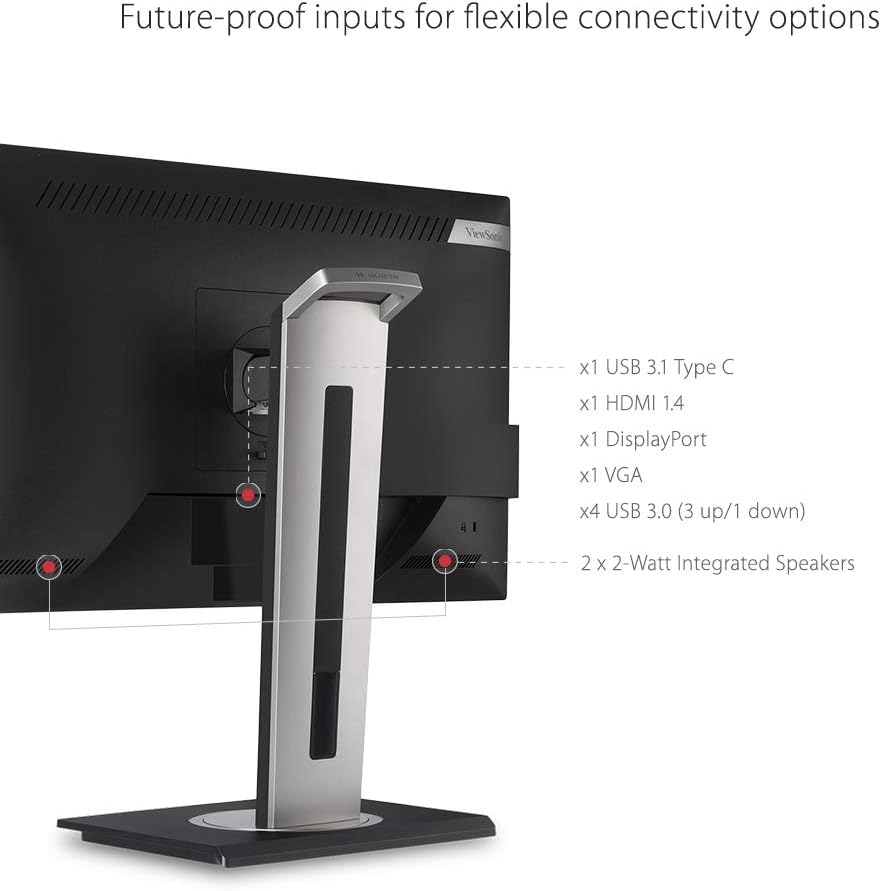
Imej 4.1: Belakang view of the monitor showing available connectivity ports.
4.1 USB Type-C Functionality
The USB Type-C port simplifies your workspace by allowing a single cable to handle video, audio, data transfer, and power delivery to compatible devices like laptops.
Video 4.1: Demonstrates the single-cable USB Type-C connectivity of ViewSonic monitors.
Video 4.2: Highlights the benefits of USB-C connectivity across ViewSonic USB-C monitors.
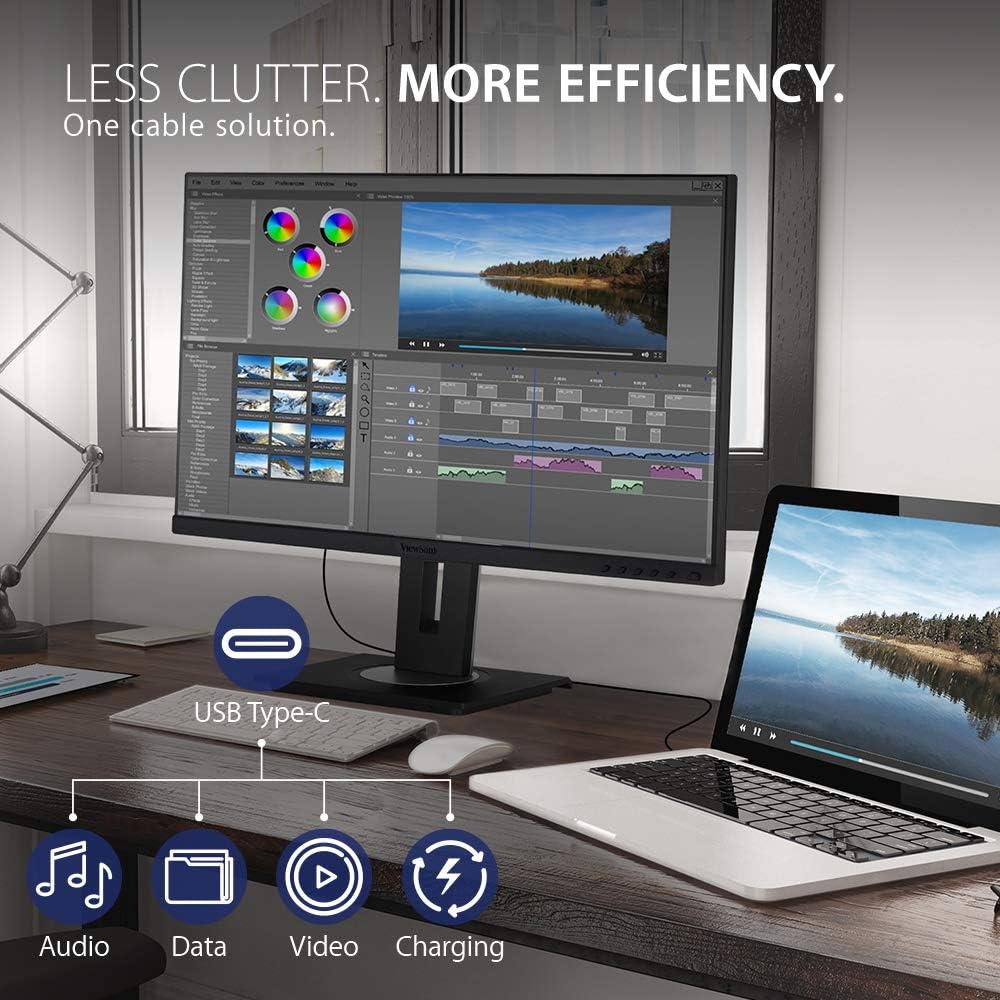
Image 4.2: USB-C connectivity reduces cable clutter and enhances efficiency.
5. Ciri-ciri Ergonomik
The VG2455-2K monitor is designed with advanced ergonomics to provide maximum comfort and productivity throughout the day. The stand allows for a wide range of adjustments:
- Pelarasan Ketinggian: Customize the monitor's height to eye level.
- Pivot: Putar skrin 90 darjah untuk mod potret viewing, ideal for coding or long documents.
- Pusing: Adjust the screen horizontally to share content or change viewsudut-sudut.
- Condong: Tilt the screen up to 40 degrees, suitable for standing work or group discussions.
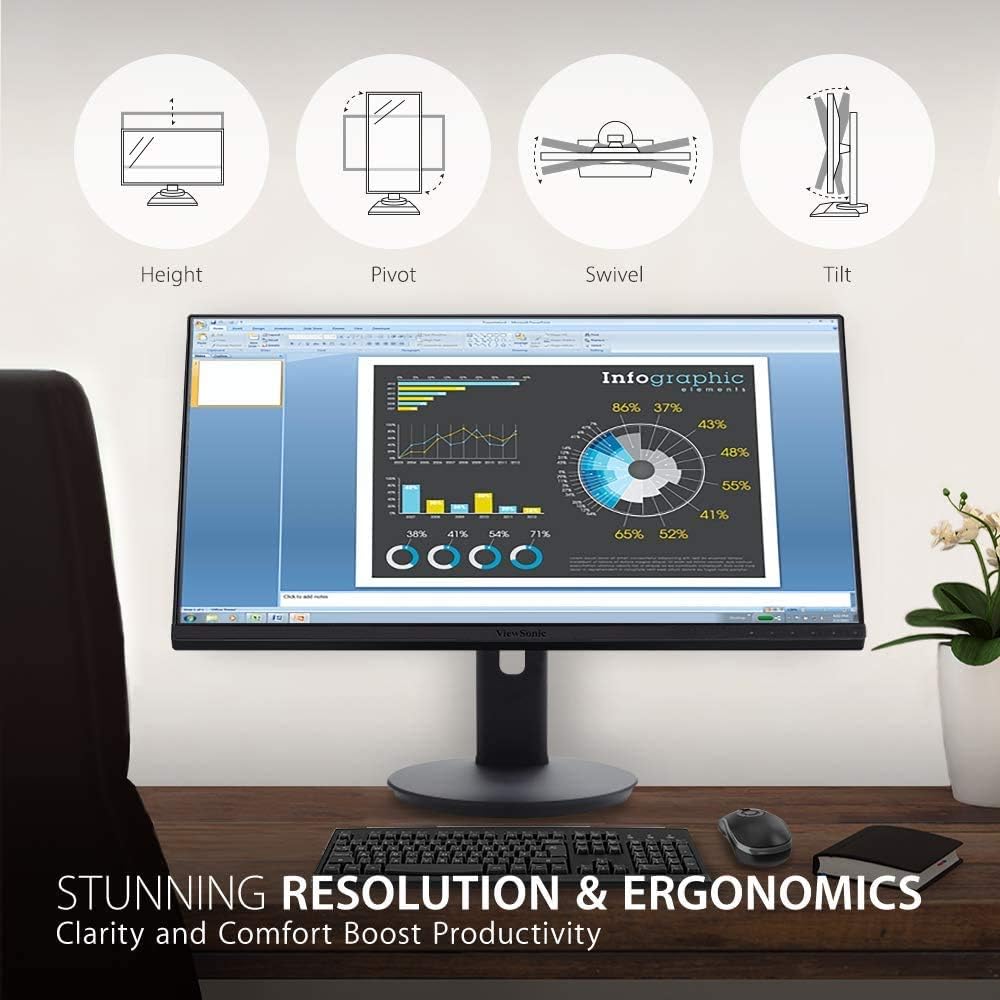
Image 5.1: Diagram illustrating the monitor's ergonomic adjustments.
6. Ciri Paparan
Experience superior visual performance with the VG2455-2K monitor:
- QHD (2560x1440p) Resolution: Delivers sharp, detailed images with 1.7 times more pixels than Full HD.
- SuperClear IPS Panel: Provides consistent and accurate colors with wide viewing angles (178 degrees).
- Teknologi Tanpa Kelipan: Eliminates screen flickering to reduce eye strain during prolonged use.
- Penapis Cahaya Biru: Minimizes blue light emission to further enhance viewing comfort and reduce eye fatigue.
- ViewMod: Offers intuitive presets for various applications (e.g., 'Text', 'Movie', 'Game', 'Mac', 'Mono') to optimize screen performance.
Video 6.1: Selesaiview daripada ViewSonic VG2455-2K monitor's display and features.
7. Mengendalikan Monitor
7.1 Menu Paparan Pada Skrin (OSD).
The monitor features an intuitive On-Screen Display (OSD) menu for adjusting various settings. Use the physical buttons located on the bottom right bezel of the monitor to navigate the menu.
- Pilihan Input: Choose between HDMI, DisplayPort, or Type-C inputs.
- Laraskan Audio: Control volume or mute the integrated speakers.
- ViewMod: Select pre-calibrated display settings for different content types.
- Laraskan Warna: Fine-tune brightness, contrast, color space, and color range.
- Pelarasan Imej Manual: Adjust sharpness, aspect ratio, and overdrive.
- Menu Persediaan: Access language settings, resolution notice, OSD timeout, power indicator, and ECO mode.
8. Penyelenggaraan
Untuk memastikan jangka hayat dan prestasi optimum anda ViewSonic VG2455-2K monitor, follow these maintenance guidelines:
- Membersihkan Skrin: Gently wipe the screen with a soft, lint-free cloth. For stubborn marks, use a screen-cleaning solution specifically designed for LCD/LED displays, applied to the cloth, not directly to the screen.
- Membersihkan Casing: Gunakan kain lembut dan kering untuk mengelap casing. Elakkan menggunakan pembersih atau pelarut yang kasar.
- Pengudaraan: Pastikan bukaan pengudaraan monitor tidak disekat untuk mengelakkan terlalu panas.
- Matikan: Always turn off the monitor when not in use for extended periods.
9. Penyelesaian masalah
Jika anda menghadapi masalah dengan monitor anda, rujuk langkah penyelesaian masalah biasa berikut:
- Tiada Kuasa: Check if the power cable is securely connected to both the monitor and a power outlet. Ensure the power outlet is functional.
- Tiada Imej/Isyarat: Verify that the video cable (USB-C, HDMI, or DisplayPort) is correctly connected to both the monitor and your computer. Select the correct input source via the OSD menu.
- Fuzzy or Unclear Image: Adjust the resolution settings on your computer to match the monitor's native QHD (2560x1440p) resolution. Check the video cable for damage.
- Tiada Audio: Ensure the audio cable (if separate from video) is connected, or that audio is being transmitted via HDMI/DisplayPort/USB-C. Adjust the volume settings on both the monitor and your computer.
- Butang Tidak Menjawab: Power cycle the monitor by unplugging and replugging the power cable.
10. Spesifikasi
| Ciri | Spesifikasi |
|---|---|
| Saiz paparan skrin berdiri | 24 Inci |
| Resolusi Skrin | QHD (2560x1440) |
| Resolusi Skrin Maks | 2560 x 1440 Piksel |
| Siri | VG2455-2K |
| Nombor model item | VG2455-2K |
| Berat Barang | 14.08 paun |
| Dimensi Produk | 16 x 8 x 21.2 inci |
| warna | biru |
| Saiz Skrin | 24 Inci |
| Resolusi | QHD Lebar 1440 p |
| Nisbah Aspek | 16:9 |
| Penerangan Permukaan Skrin | Matte |
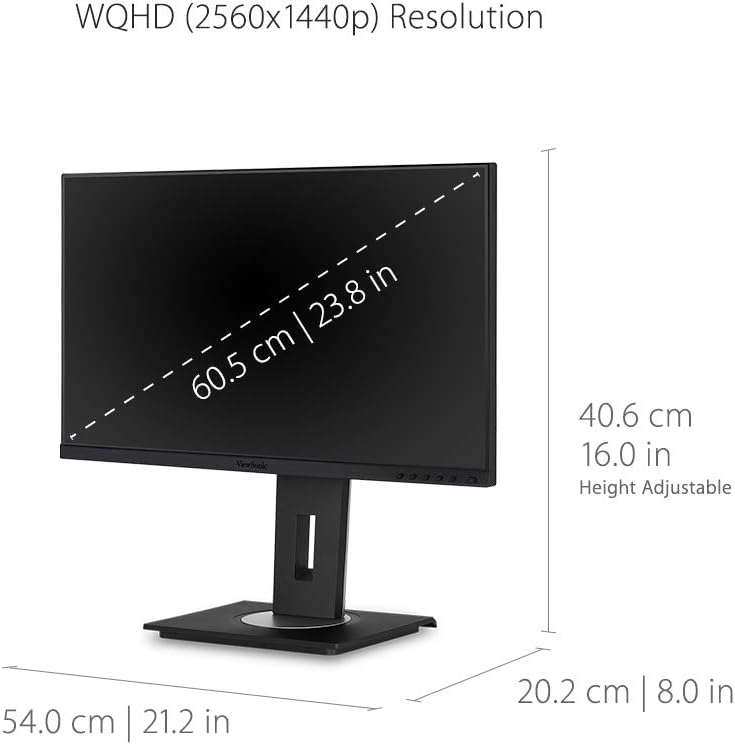
Image 10.1: Detailed dimensions of the ViewSonic VG2455-2K monitor.
11. Waranti & Sokongan
The ViewSonic VG2455-2K monitor typically comes with a Waranti Terhad 3 Tahun, covering parts, labor, and backlight. For detailed warranty information, technical support, or service inquiries, please visit the official ViewSonic webtapak atau hubungi sokongan pelanggan mereka.

Imej 11.1: ViewSonic offers a 3-year warranty and customer support.


