pengenalan
This manual provides instructions for the HUAYU RM-L1165 replacement remote control, designed for use with Sony televisions. This remote offers the same functionality as your original Sony TV remote control, ensuring a seamless user experience. It is compatible with various Sony TV types, including LCD, LED, and Plasma models.
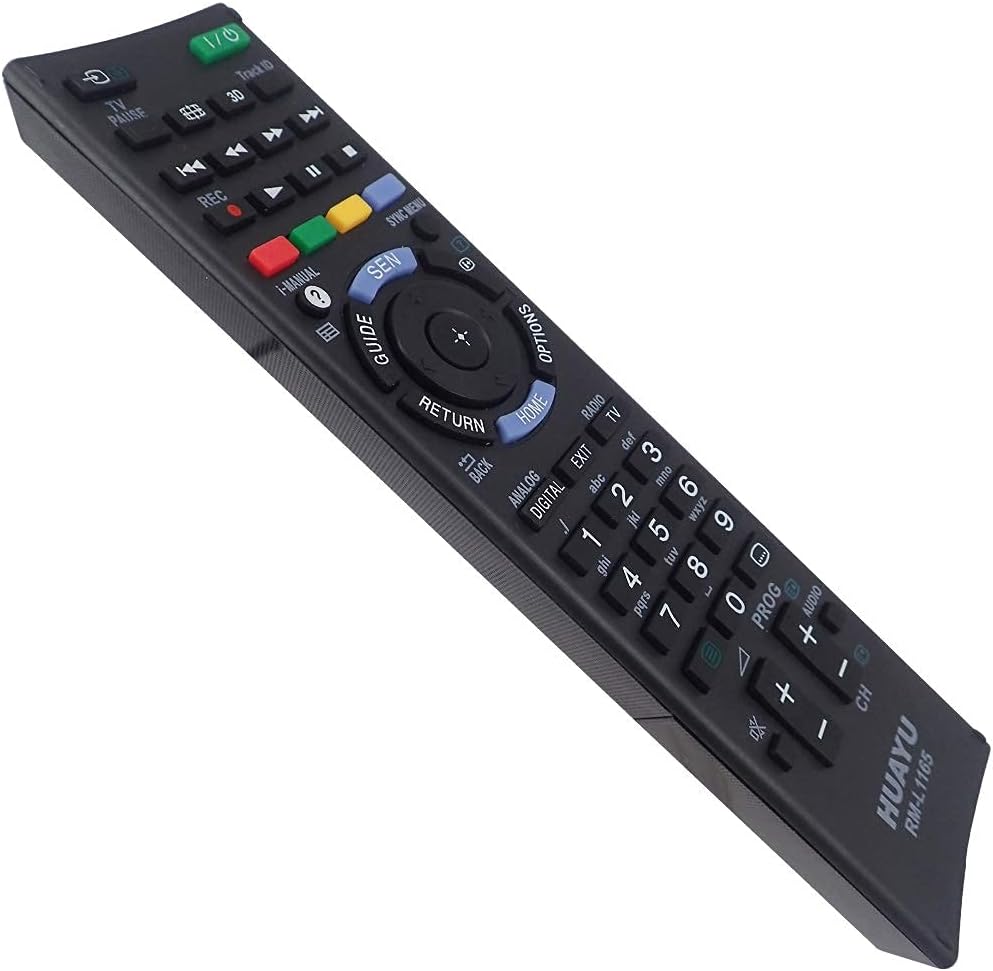
Imej: Bersudut view of the HUAYU RM-L1165 remote control.
Persediaan
The HUAYU RM-L1165 remote control requires no programming or complex setup. Simply insert the batteries, and it is ready for immediate use with your Sony TV.
Pemasangan Bateri
- Cari petak bateri di belakang alat kawalan jauh.
- Luncurkan penutup petak bateri ke bawah atau mengikut arah yang ditunjukkan oleh anak panah untuk membukanya.
- Insert two AAA batteries (not always included) into the compartment, ensuring the positive (+) and negative (-) terminals align correctly with the markings inside the compartment.
- Luncurkan penutup petak bateri kembali ke tempatnya sehingga ia berbunyi dengan selamat.
Once batteries are installed, the remote control is operational.
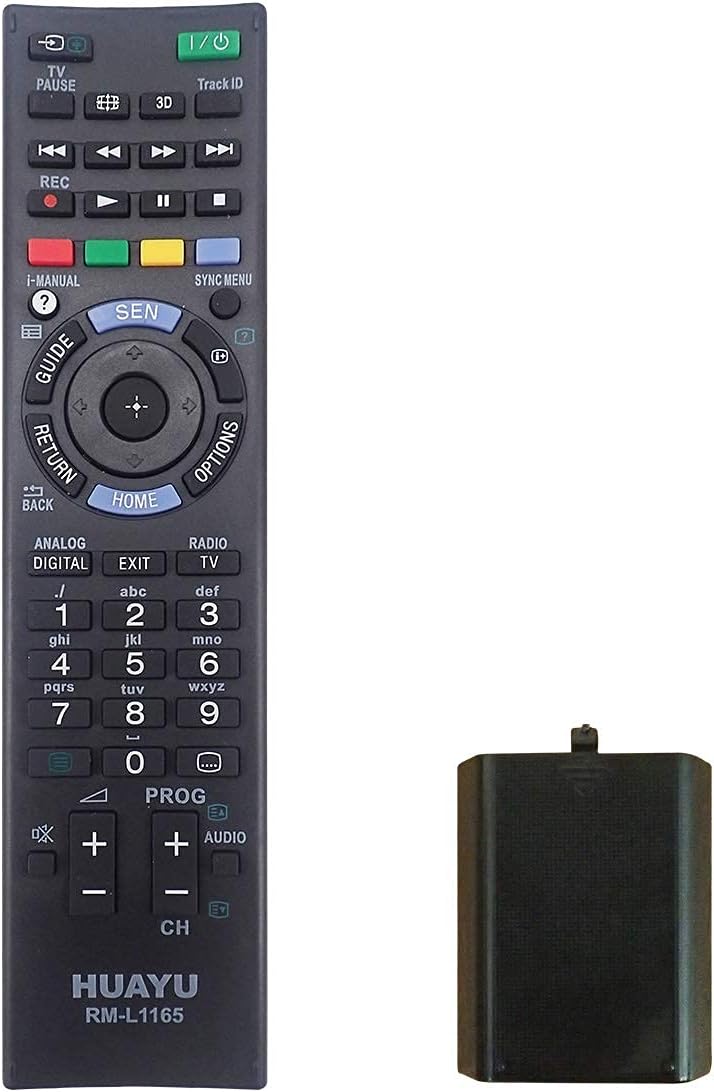
Image: HUAYU RM-L1165 remote control with its battery compartment.
Arahan Operasi
The HUAYU RM-L1165 remote control functions identically to your original Sony TV remote. Point the remote directly at your television's infrared receiver for optimal performance.

Imej: Depan view of the HUAYU RM-L1165 remote control.
Fungsi Utama Selesaiview
- Butang kuasa (I/O): Menghidupkan atau mematikan TV.
- Butang Nombor (0-9): Pilih saluran secara terus.
- Saluran Atas/Bawah (CH +/-): Changes the TV channel sequentially.
- Kelantangan Naik/Kurang (KALAN VOL +/-): Melaraskan kelantangan TV.
- Butang Redam: Silences the TV audio.
- Navigation Pad (Up, Down, Left, Right, Enter/OK): Menavigasi melalui menu dan mengesahkan pilihan.
- Butang Rumah: Accesses the TV's main menu or smart TV interface.
- Butang Kembali/Kembali: Kembali ke skrin atau menu sebelumnya.
- Butang Input/Sumber: Selects different input sources (HDMI, AV, etc.).
- Butang Berwarna (Merah, Hijau, Kuning, Biru): Perform specific functions within certain applications or menus, as indicated on the TV screen.
- Playback Controls (Play, Pause, Stop, Rewind, Fast Forward): Mengawal main balik media.
Penyelenggaraan
Penggantian Bateri
Replace batteries when the remote's response becomes sluggish or stops working. Always replace both batteries simultaneously with new ones of the same type (AAA). Do not mix old and new batteries or different battery types.
Pembersihan
Untuk membersihkan alat kawalan jauh, lap perlahan-lahan menggunakan kain lembut dan kering. Untuk kotoran degil, lap sedikitampbilas kain dengan air. Elakkan menggunakan bahan kimia yang keras, pembersih yang kasar atau kelembapan berlebihan, kerana ini boleh merosakkan permukaan alat kawalan jauh atau komponen dalaman.
Menyelesaikan masalah
- Jauh tidak bertindak balas:
- Periksa sama ada bateri dimasukkan dengan betul dengan polariti yang betul.
- Gantikan bateri dengan yang baru.
- Pastikan tiada halangan antara alat kawalan jauh dan penderia inframerah TV.
- Make sure you are within the effective range of the TV's sensor.
- Butang khusus tidak berfungsi:
- Clean around the button to ensure no debris is preventing it from pressing correctly.
- If only a few buttons are unresponsive after checking batteries, the remote may be faulty and require replacement.
Spesifikasi
| Ciri | Perincian |
|---|---|
| Model | RM-L1165 |
| Jenama | HUAYU |
| Keserasian | Sony TVs (LCD, LED, Plasma) |
| Sumber Kuasa | 2 x Bateri AAA |
| Dimensi (lebih kurang) | 20.9 x 5.5 x 2.8 cm |
| Berat (lebih kurang) | 100 g (tanpa bateri) |
Waranti dan Sokongan
For information regarding warranty coverage, please refer to the terms provided by your retailer at the time of purchase. If you encounter issues not covered in this manual or require further assistance, please contact the seller or manufacturer directly.


