1. Pengenalan
Thank you for choosing the ONIKUMA K8 Gaming Headset. This manual provides detailed instructions for setting up, operating, and maintaining your headset to ensure the best possible gaming and audio experience. Please read this manual carefully before use.
2. Kandungan Pakej
- Alat dengar ONIKUMA K8
- Kabel Audio 3.5mm
- USB Cable (for RGB lighting)
- Manual Pengguna
3. Produk Lebihview
The ONIKUMA K8 is a wired over-ear gaming headset designed for immersive audio. It features a built-in microphone, volume control, and vibrant RGB LED lighting. The headset is compatible with multiple gaming platforms and devices.
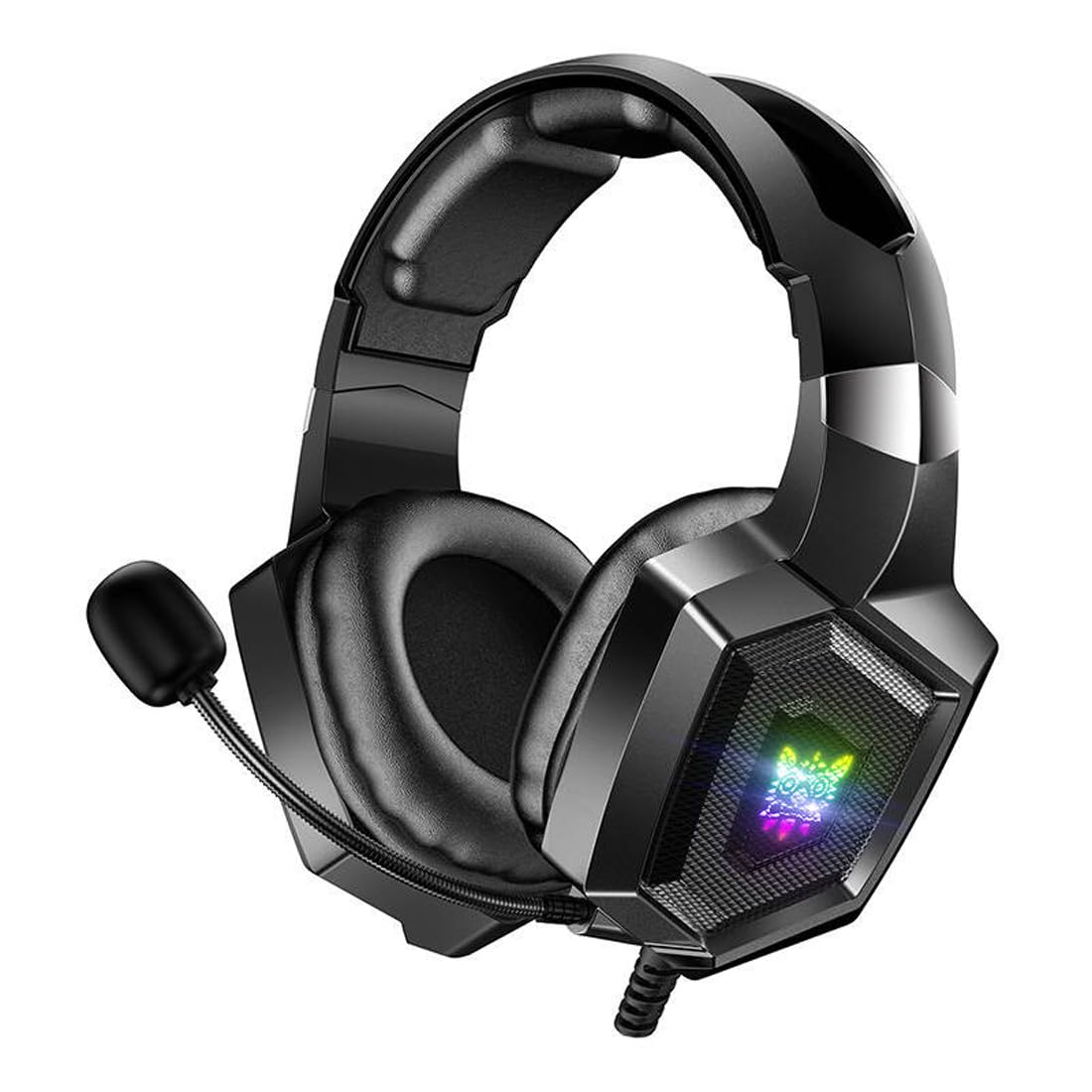
Image 1: The ONIKUMA K8 Gaming Headset, showcasing its design, detachable cables, and retail packaging.

Imej 2: Satu meletup view illustrating the internal components of a headset driver, highlighting the precision audio engineering.
4. Arahan Persediaan
- Sambung Audio: Plug the 3.5mm audio jack into the corresponding audio port on your device (PC, console controller, etc.). Ensure it is fully inserted for proper sound and microphone function.
- Connect USB for Lighting: Plug the USB connector into an available USB port on your device. This powers the RGB LED lighting on the earcups. The headset will function for audio even without the USB connected, but the lighting will not activate.
- Laraskan Alat dengar: Place the headset on your head and adjust the headband for a comfortable fit. The earcups are designed to fit over your ears.
- Kedudukan Mikrofon: Adjust the flexible microphone boom to a position near your mouth for clear voice capture.
5. Arahan Operasi
5.1 Kawalan Kelantangan
The headset features an inline control unit on the cable. Use the scroll wheel or dedicated buttons on this unit to adjust the audio volume up or down.
5.2 Mikrofon Bisu
Locate the microphone mute switch on the inline control unit. Flip the switch to mute or unmute the microphone as needed during gameplay or communication.
Pencahayaan LED 5.3 RGB
The RGB LED lighting on the earcups will automatically activate when the USB cable is connected to a powered USB port. There are no user-adjustable settings for the lighting patterns or colors on the headset itself.
6. Penyelenggaraan
- Pembersihan: Gunakan kain lembut dan kering untuk mengelap penutup telinga dan ikat kepala. Jangan gunakan pembersih cecair atau bahan yang kasar.
- Storan: Simpan alat dengar di tempat yang sejuk dan kering jauh dari cahaya matahari langsung dan suhu yang melampau. Elakkan meletakkan objek berat pada set kepala.
- Penjagaan Kabel: Avoid sharply bending or twisting the cables. Always grasp the plug, not the cable, when disconnecting.
7. Penyelesaian masalah
| Masalah | Penyelesaian yang Mungkin |
|---|---|
| Tiada bunyi dari set kepala |
|
| Mikrofon tidak berfungsi |
|
| Pencahayaan RGB tidak berfungsi |
|
8. Spesifikasi
| Jenama | ONIKUMA |
| Nama Model | K8 |
| Teknologi Ketersambungan | berwayar |
| Bicu Fon Kepala | Bicu 3.5mm |
| Faktor Bentuk | Atas Telinga |
| Kawalan Bunyi | Pembatalan Bunyi Aktif |
| Sensitiviti | 102 dB |
| warna | Hitam |
| Berat Barang | 329 gram |
| Dimensi Produk | 10 x 5 x 1.27 cm |
| Bahan | plastik |
| Penggunaan yang Disyorkan | Permainan |
| Peranti Serasi | Berbilang |
| Jenis Kawalan | Volume Control, Inline Controls |
| Tahap Ketahanan Air | Bukan Tahan Air |
9. Maklumat Waranti
This ONIKUMA K8 Gaming Headset comes with a standard manufacturer's warranty. Please refer to the warranty card included in your package or contact your retailer for specific terms and conditions regarding warranty coverage and duration. Keep your proof of purchase for warranty claims.
10. Sokongan
For technical assistance, troubleshooting, or further inquiries about your ONIKUMA K8 Gaming Headset, please contact the retailer where you purchased the product or visit the official ONIKUMA website for support resources. Ensure you have your product model number (K8) and proof of purchase ready when seeking support.


