1. Pengenalan
This manual provides detailed instructions for the safe and efficient operation of your PRIXTON VS100 Vacuum Sealer. Please read this manual thoroughly before first use and retain it for future reference. Proper use and maintenance will ensure optimal performance and extend the lifespan of your appliance.
2. Arahan Keselamatan
To prevent injury or damage, always observe basic safety precautions when using electrical appliances. This includes, but is not limited to:
- Baca semua arahan sebelum digunakan.
- Jangan rendam perkakas, kord kuasa, atau palamkan ke dalam air atau cecair lain.
- Jauhkan daripada kanak-kanak.
- Cabut plag dari soket apabila tidak digunakan dan sebelum membersihkan.
- Jangan kendalikan sebarang perkakas dengan kord atau palam yang rosak, atau selepas perkakas tidak berfungsi atau rosak dalam apa jua cara.
- Gunakan hanya lampiran yang disyorkan pengilang.
- Jangan gunakan di luar rumah.
- Jangan letakkan pada atau berhampiran gas panas atau penunu elektrik, atau dalam ketuhar yang dipanaskan.
- Sentiasa berhati-hati apabila memindahkan peralatan yang mengandungi minyak panas atau cecair panas lain.
- Sentiasa pasangkan plag pada perkakas terlebih dahulu, kemudian pasangkan kord ke dalam salur keluar dinding. Untuk memutuskan sambungan, matikan mana-mana kawalan kepada "mati", kemudian tanggalkan palam dari alur keluar dinding.
3. Produk Lebihview
The PRIXTON VS100 is a versatile vacuum sealer designed for preserving various types of food. It features both automatic and manual operation modes, as well as specific settings for dry, moist, normal, and fragile foods.
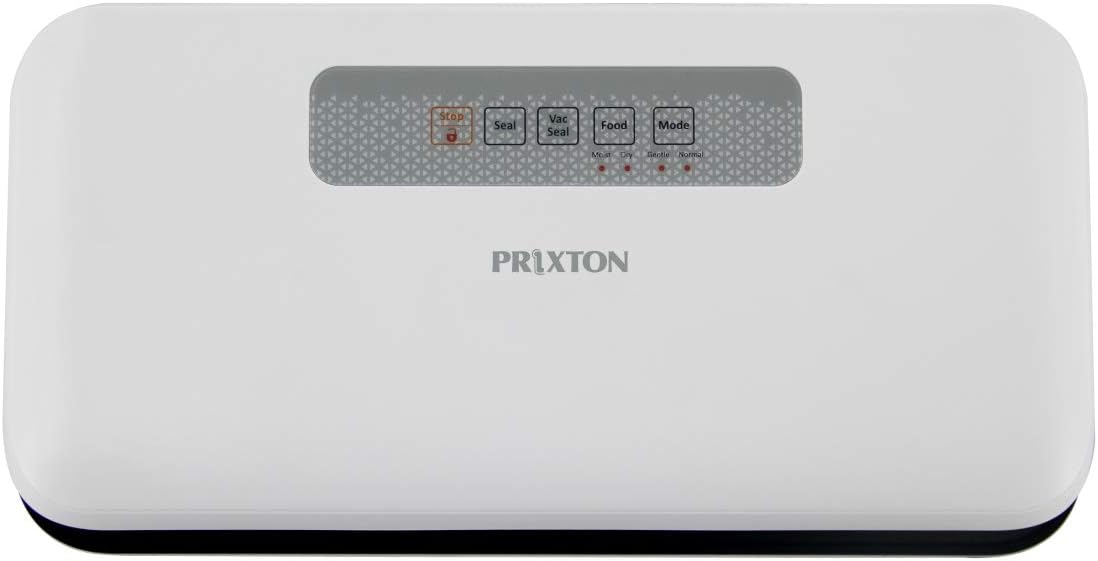
Rajah 1: Atas view of the PRIXTON VS100 Vacuum Sealer, showing the control panel with buttons for Stop, Seal, Vac Seal, Food, and Mode.
Fungsi Panel Kawalan:
- Butang Berhenti: Immediately stops any ongoing operation (vacuuming or sealing).
- Butang meterai: Initiates sealing only, without vacuuming. Useful for creating custom-sized bags or sealing delicate items after manual vacuuming.
- Vac Seal Button: Initiates the automatic vacuuming and sealing process.
- Food Button: Toggles between Dry and Moist food settings. An indicator light will show the selected mode.
- Butang Mod: Toggles between Normal and Fragile food settings. An indicator light will show the selected mode.
4. Persediaan
- Bongkar: Carefully remove the vacuum sealer from its packaging. Retain packaging for storage or future transport.
- Periksa: Periksa perkakas untuk sebarang tanda kerosakan. Jangan gunakan jika rosak.
- penempatan: Letakkan pengedap vakum pada permukaan yang rata, stabil dan kering. Pastikan terdapat ruang yang cukup di sekeliling unit untuk operasi yang betul.
- Sambungan Kuasa: Palamkan kord kuasa ke salur keluar elektrik yang sesuai.
- Sediakan Beg: Ensure you are using appropriate vacuum sealer bags. The PRIXTON VS100 is compatible with bags up to 25 cm wide.

Rajah 2: The PRIXTON VS100 Vacuum Sealer shown with a visual indication of its maximum bag width capacity of 25 cm, alongside various vegetables.
5. Arahan Operasi
5.1. Menyediakan Beg
- Place the items to be vacuum sealed inside a vacuum sealer bag.
- Ensure that the open end of the bag is clean, dry, and free of wrinkles. Leave at least 2-3 inches of space between the food and the top of the bag.
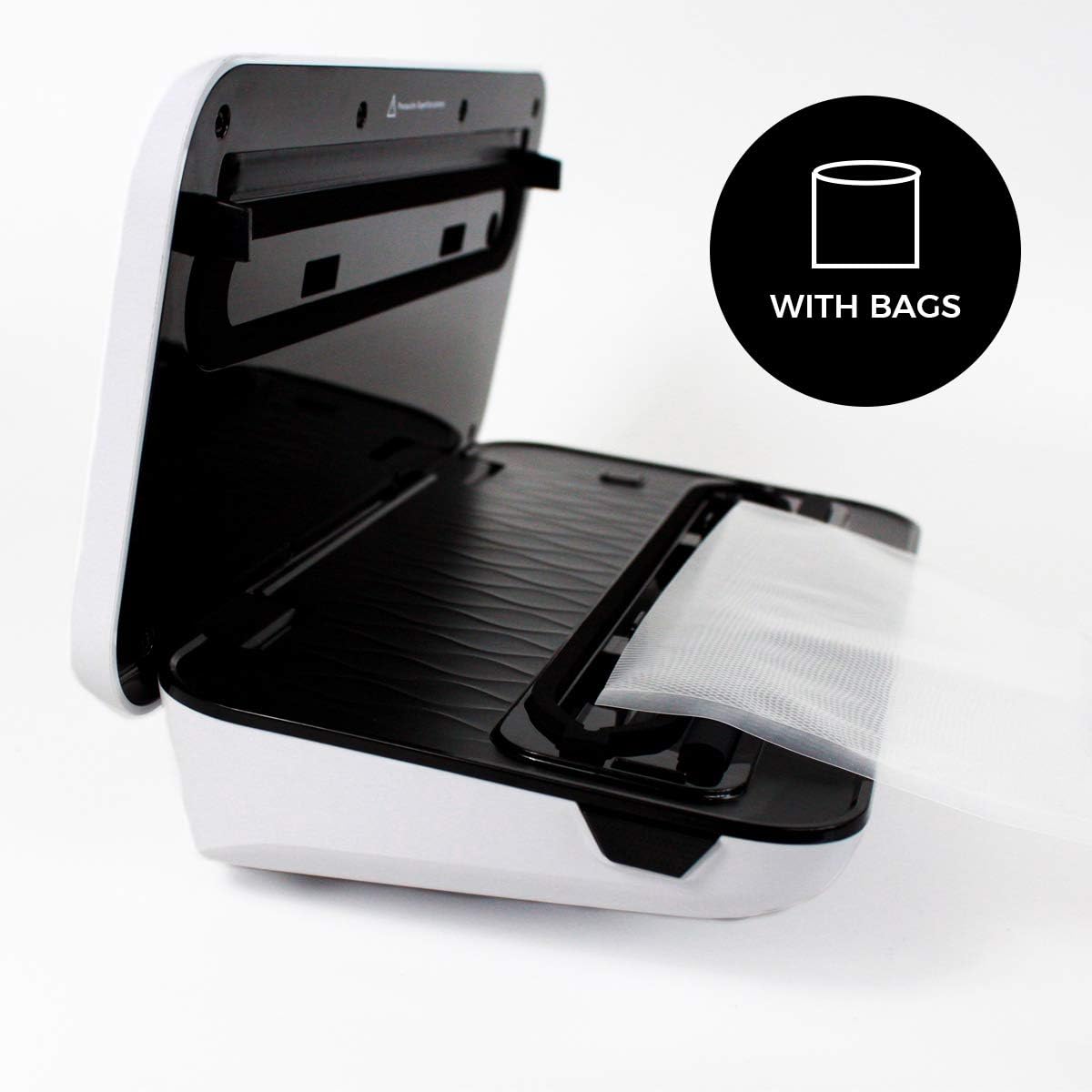
Rajah 3: The PRIXTON VS100 Vacuum Sealer with its lid open, illustrating how a vacuum bag is positioned within the sealing channel, ready for operation.
5.2. Selecting Food and Mode Settings
The VS100 offers specialized settings for different food types:
- Food Setting (Dry/Moist): Tekan ke Makanan button to toggle between Dry and Moist settings.
- Mode Setting (Normal/Fragile): Tekan ke Mod button to toggle between Normal and Fragile settings.
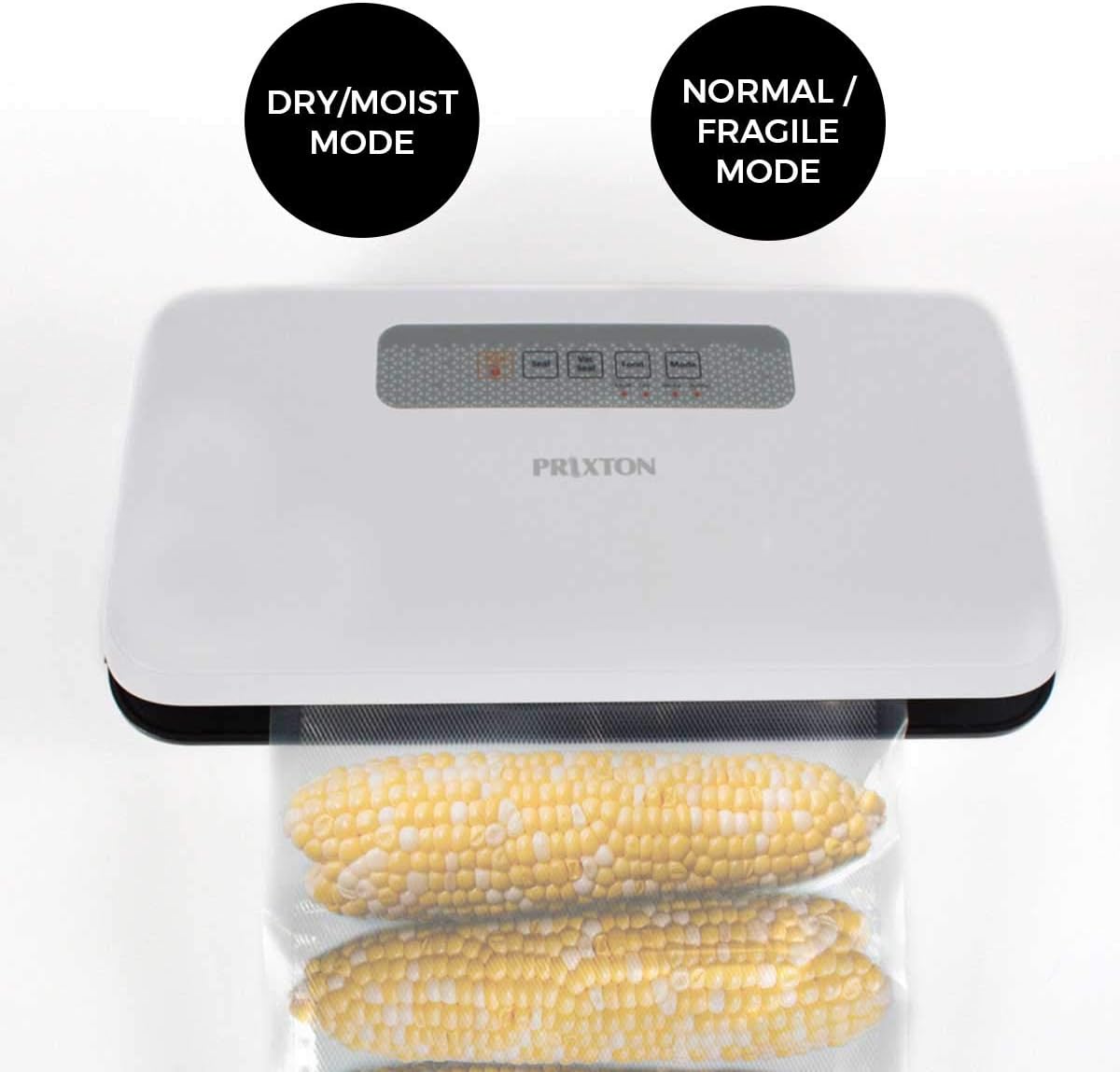
Rajah 4: The PRIXTON VS100 Vacuum Sealer in operation with corn in a vacuum bag, visually indicating the availability of 'Dry/Moist Mode' and 'Normal/Fragile Mode' options.
Mod Kering: For foods without liquid, such as nuts, grains, or dried fruits.
Mod Lembap: For foods with some moisture, such as raw meats, fruits, or simmered foods.
Mod Biasa: Standard vacuum pressure for most solid foods.
Fragile Mode: Reduced vacuum pressure to prevent crushing delicate items like bread, chips, or soft fruits.
5.3. Automatic Vacuum and Seal
- Buka penutup pengedap vakum.
- Place the open end of the bag into the vacuum channel, ensuring it lies flat across the sealing strip.
- Close the lid firmly until you hear a click on both sides, indicating it is locked.
- Tekan ke Vac Seal button. The appliance will automatically vacuum the air from the bag and then seal it.
- Once the process is complete, the indicator light will turn off. Press the release buttons (if present, typically on the sides) to open the lid and remove the sealed bag.

Rajah 5: The PRIXTON VS100 Vacuum Sealer positioned on a kitchen counter, with red cabbage being sliced nearby, illustrating the convenience of its 'Automatic Mode' for food preparation.
5.4. Pengedap Sahaja
To seal a bag without vacuuming (e.g., for snack bags or creating custom bag sizes from a roll):
- Place the open end of the bag onto the sealing strip, ensuring it is flat and centered.
- Tutup penutup dengan kuat.
- Tekan ke Meterai butang. Perkakas akan memanaskan dan menutup beg.
- Setelah proses pengedap selesai, lampu penunjuk akan padam. Buka penutup dan keluarkan beg yang telah dimeteraikan.
6. Penyelenggaraan dan Pembersihan
Regular cleaning and maintenance will ensure your vacuum sealer operates effectively.
- Sebelum Pembersihan: Sentiasa cabut plag perkakas daripada salur keluar kuasa.
- Luaran: Lap bahagian luar unit dengan iklanamp kain. Jangan gunakan pembersih atau pelarut yang melelas.
- Vacuum Channel and Sealing Strip: Carefully wipe the vacuum channel and sealing strip with a damp cloth to remove any food residue. Ensure these areas are completely dry before closing the lid or using the appliance again.
- Gasket: Check the foam gaskets around the vacuum channel for any food particles or damage. Clean gently if necessary.
- Storan: Store the appliance with the lid unlocked to prevent compression of the gaskets, which can affect sealing performance over time.
7. Penyelesaian masalah
| Masalah | Kemungkinan Punca | Penyelesaian |
|---|---|---|
| Perkakas tidak dihidupkan. | Tidak dipasang; kerosakan salur keluar kuasa. | Pastikan kord kuasa dipasang dengan selamat ke soket yang berfungsi. |
| Beg tidak vakum dengan betul. | Lid not properly closed; bag not positioned correctly; bag is damaged; gaskets are dirty or worn. | Ensure the lid is locked; reposition the bag; check bag for holes; clean or inspect gaskets. |
| Beg tidak mengelak. | Sealing strip is dirty or wet; bag is wrinkled; sealing strip is worn. | Clean and dry the sealing strip; smooth out the bag; contact support if sealing strip is worn. |
| Vacuum is too strong/weak. | Mod salah dipilih. | Adjust the "Mode" setting (Normal/Fragile) as needed. |
8. Spesifikasi
- Jenama: PRIXTON
- model: VS100
- Nombor Model: 10004710
- Kuasa: 110 Watt
- Voltage: 230 Volt (AC)
- Bahan: logam
- warna: putih
- Berat Barang: 1.42 Kilogram
- Dimensi Pakej: 33.6 x 19 x 10.4 cm
- Mod Operasi: Manual/Automatik
9. Waranti dan Sokongan
PRIXTON products are designed and manufactured to the highest quality standards. For warranty information and customer support, please refer to the warranty card included with your product or visit the official PRIXTON website. Please have your model number (VS100) and purchase details ready when contacting support.
Untuk bantuan lanjut, anda boleh melawati Prixton Brand Store on Amazon.


