1. Pengenalan
This manual provides essential information for the proper use and maintenance of your Speedlink Competition Pro Extra USB Joystick (Model SL-650212-BKRD). This joystick is designed for use with PCs and Android devices, offering a retro arcade gaming experience. Please read these instructions carefully before using the product.
2. Arahan Keselamatan Penting
Failure to observe these instructions can cause product damage, explosion, fire, and/or electric shock.
- Use this device only as indicated in the user guide. Do not open or repair it.
- Jangan dedahkan peranti kepada cecair, haba atau sejuk.
- Jangan gunakan peranti dalam iklanamp persekitaran.
- Bersihkan peranti dengan kain kering.
- Jauhkan peranti dan semua bahagian yang longgar daripada kanak-kanak, haiwan peliharaan dan orang yang tidak dibenarkan.
- Use only with the appropriate provided accessories/cables.
- Disconnect the charging cable from the device if it will not be used for a long time. When disconnecting the cable, don't pull on the cable but on the plug.
- Don't use the cables in any way other than mentioned in the user guide; don't bend, cut, extend, or knot up them.
- Jangan masukkan sebarang objek asing ke dalam bukaan peranti.
- Jika peranti rosak dalam apa jua cara atau menjadi terlalu panas, hentikan penggunaannya dengan serta-merta.
- Take caution when using the device if you have a pacemaker or are dependent on other sensitive electronic aids, as the device emits radio signals.
Safety instructions in further languages can be found at www.speedlink.com.
3. Kandungan Pakej
The Speedlink Competition Pro Extra USB Joystick package includes:
- Speedlink Competition Pro Extra USB Joystick (Model SL-650212-BKRD)
- Kabel USB bersepadu
- Information on how to download the included 20 retro games
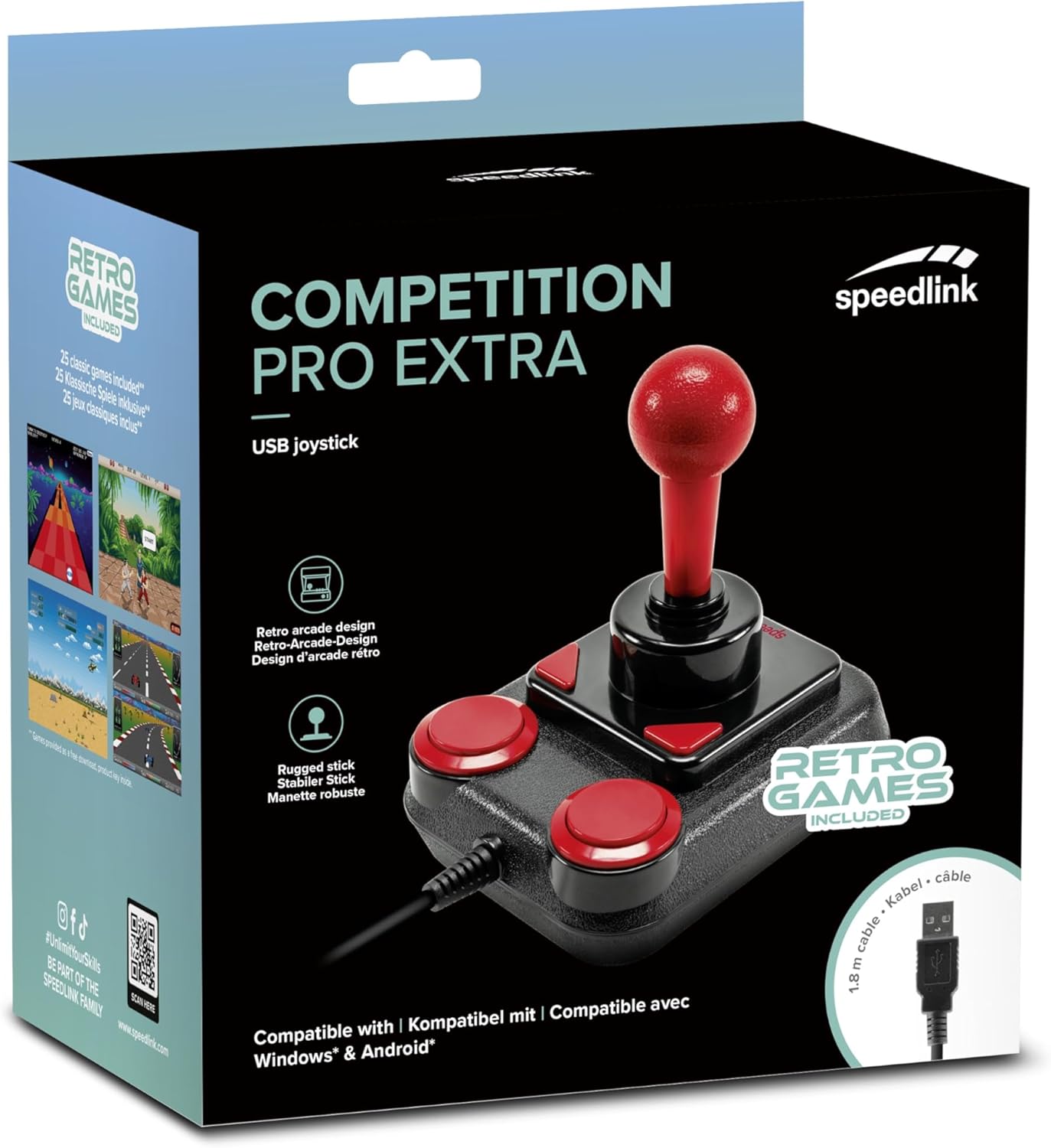
Image: Retail packaging for the Speedlink Competition Pro Extra USB Joystick, showing the product and "Retro Games Included" label.
4. Produk Lebihview
The Competition Pro Extra USB Joystick features a classic arcade design with a robust stick and responsive buttons.

Imej: Atas ke bawah view of the joystick, highlighting the red ball-top stick and red circular fire buttons.

Imej: Bersudut view showing the joystick's main stick, two circular fire buttons, and two triangular fire buttons.
The joystick includes:
- Arcade Stick: A classic red ball-top joystick for directional control.
- Fire Buttons: Two large circular red buttons and two smaller triangular red buttons for in-game actions.
- Rapid-Fire Switch: A switch located on the underside of the joystick to enable or disable rapid-fire functionality for the main fire buttons.

Image: Underside of the joystick, showing the "ON" and "OFF" positions for the rapid-fire switch.
5. Persediaan
5.1 Menyambung ke PC
- Cari port USB yang tersedia pada komputer anda.
- Plug the USB connector of the Competition Pro Extra joystick into the USB port.
- The operating system (Windows 7 or later) will automatically detect and install the necessary drivers. No manual driver installation is typically required.
- Once installed, the joystick is ready for use with compatible games and emulators. You may need to configure joystick settings within individual game or emulator software.
5.2 Connecting to an Android Device
For Android devices, an OTG (On-The-Go) adapter is required (not included).
- Connect the USB connector of the joystick to an OTG adapter.
- Plug the OTG adapter into the USB port of your Android device.
- The Android device should recognize the joystick. Compatibility may vary depending on the Android device and game/application.
6. Arahan Operasi
6.1 Kawalan Asas
- joystick: Use the main stick for directional movement (up, down, left, right, and diagonals).
- Fire Buttons: Press any of the four red buttons to perform in-game actions such as firing, jumping, or selecting.
6.2 Rapid-Fire Mode
The joystick features a rapid-fire function for enhanced gameplay in certain titles.
- To activate rapid-fire, locate the switch on the underside of the joystick and slide it to the "ON" position.
- To deactivate rapid-fire, slide the switch to the "OFF" position.
6.3 Permainan yang disertakan
The Anniversary Edition includes a collection of 20 retro games available for download. Refer to the instructions provided with your product for details on how to access and download these games.

Image: Screenshot of the game launcher interface, displaying a list of classic games such as Bomberwarrior, Summer Games, and River Attack.
7. Penyelenggaraan
- Pembersihan: Use a soft, dry cloth to clean the surface of the joystick. Do not use liquid cleaners or abrasive materials.
- Storan: Store the joystick in a dry place away from direct sunlight and extreme temperatures.
- Penjagaan Kabel: Avoid bending or twisting the USB cable excessively. Do not pull on the cable to disconnect it; always grasp the plug.
8. Penyelesaian masalah
- Joystick not recognized by PC:
- Pastikan kabel USB dipasang dengan selamat ke dalam port USB yang berfungsi.
- Cuba port USB lain.
- Mulakan semula komputer anda.
- Check Device Manager (Windows) to see if the device is listed and if there are any driver issues.
- Joystick not recognized by Android device:
- Ensure your Android device supports USB OTG functionality.
- Verify the OTG adapter is functioning correctly.
- Try a different OTG adapter or Android device if possible.
- Buttons or stick unresponsive:
- Ensure the joystick is properly connected.
- Test the joystick in a different game or application to rule out software-specific issues.
- Calibrate the joystick through your operating system's game controller settings if available.
- Rapid-fire not working:
- Check that the rapid-fire switch on the underside of the joystick is set to "ON".
9. Spesifikasi
| Ciri | Perincian |
|---|---|
| Nama Model | SL-650212-BKRD |
| Jenama | Pautan laju |
| Teknologi Ketersambungan | USB |
| Peranti Serasi | PC (Windows 7 or later), Android (via OTG adapter) |
| Jenis Pengawal | Kayu bedik |
| warna | Hitam, Merah |
| Berat Barang | 3.53 auns (lebih kurang 100g) |
| Dimensi Produk (LxWxH) | 4.65 x 3.78 x 5.12 inci (lebih kurang 11.8 x 9.6 x 13 cm) |
| Sumber Kuasa | Elektrik Bertali (berkuasa USB) |
| Voltage | 5 Volt |
10. Maklumat Pematuhan
10.1 Penyata FCC
Peranti ini mematuhi Bahagian 15 Peraturan FCC. Pengendalian tertakluk kepada dua syarat berikut: (1) Peranti ini mungkin tidak menyebabkan gangguan berbahaya, dan (2) peranti ini mesti menerima sebarang gangguan yang diterima, termasuk gangguan yang boleh menyebabkan operasi yang tidak diingini.
Peralatan ini telah diuji dan didapati mematuhi had untuk peranti digital Kelas B, menurut bahagian 15 Peraturan FCC. Had ini direka bentuk untuk memberikan perlindungan yang munasabah terhadap gangguan berbahaya dalam pemasangan kediaman. Peralatan ini menjana, menggunakan dan boleh memancarkan tenaga frekuensi radio dan, jika tidak dipasang dan digunakan mengikut arahan, boleh menyebabkan gangguan berbahaya kepada komunikasi radio. Walau bagaimanapun, tiada jaminan bahawa gangguan tidak akan berlaku dalam pemasangan tertentu. Jika peralatan ini menyebabkan gangguan berbahaya kepada penerimaan radio atau televisyen, yang boleh ditentukan dengan mematikan dan menghidupkan peralatan, pengguna digalakkan untuk cuba membetulkan gangguan dengan satu atau lebih daripada langkah berikut:
- Arahkan semula atau letakkan semula antena penerima.
- Tingkatkan pemisahan antara peralatan dan penerima.
- Sambungkan peralatan ke alur keluar pada litar yang berbeza daripada yang disambungkan kepada penerima.
- Rujuk pengedar atau juruteknik radio/TV yang berpengalaman untuk mendapatkan bantuan.
Note: Modifications to this product will void the user's authority to operate this equipment.
10.2 CE, UKCA, EAC Compliance
Produk mematuhi arahan berikut:
- EMC: 2014/30 / EU
- RoHS: 2011/65 / EU
Untuk pengisytiharan penuh pematuhan, panduan pengguna terkini, Soalan Lazim atau maklumat lanjut, sila lawati www.speedlink.com.

Image: Excerpt from the product manual showing safety instructions, warnings, FCC statement, and conformity information in multiple languages.
11. Waranti dan Sokongan
For warranty information, technical support, and frequently asked questions, please visit the official Speedlink webtapak:
Sila simpan maklumat ini untuk rujukan masa hadapan.