pengenalan
This manual provides detailed instructions for the setup, operation, maintenance, and troubleshooting of your NFL Bitty Boomers Wireless Bluetooth Speaker. Please read this manual carefully before using your speaker to ensure optimal performance and longevity.
Your Bitty Boomers speaker is an ultra-portable audio device designed for convenience and quality sound. Key features include:
- Ultra-Portable 2" Tall Speaker
- Bluetooth 5.0 Technology for wireless connectivity
- Julat wayarles sehingga 30 kaki
- Over 4 hours of music time on a single charge
- Rechargeable via Micro USB (cable included)
- Ability to connect two Bitty Boomers (BB5 Models Only) for True Wireless Stereo experience
- Includes a strap for easy attachment to backpacks or bags
Persediaan
1. Mengisi Speaker
Before first use, fully charge your Bitty Boomers speaker. Locate the Micro USB charging port on the back of the speaker.

Imej: belakang view of the Bitty Boomers speaker, highlighting the Micro USB charging port located at the bottom center. This port is used for recharging the speaker's internal battery.
- Connect the small end of the included Micro USB cable to the charging port on the speaker.
- Connect the larger end of the USB cable to a USB power source (e.g., computer USB port, USB wall adapter).
- The LED indicator light will illuminate during charging and turn off when fully charged. A full charge typically takes approximately 1 hour.
2. Menghidupkan/Mematikan
To power on the speaker, press and hold the power button (usually located on the bottom or side) for approximately 3 seconds until you hear an audible tone and the LED indicator light flashes.
To power off, press and hold the power button again for approximately 3 seconds until you hear an audible tone and the LED indicator light turns off.
Arahan Operasi
1. Berpasangan Bluetooth
Your Bitty Boomers speaker uses Bluetooth 5.0 for wireless connection to your devices.
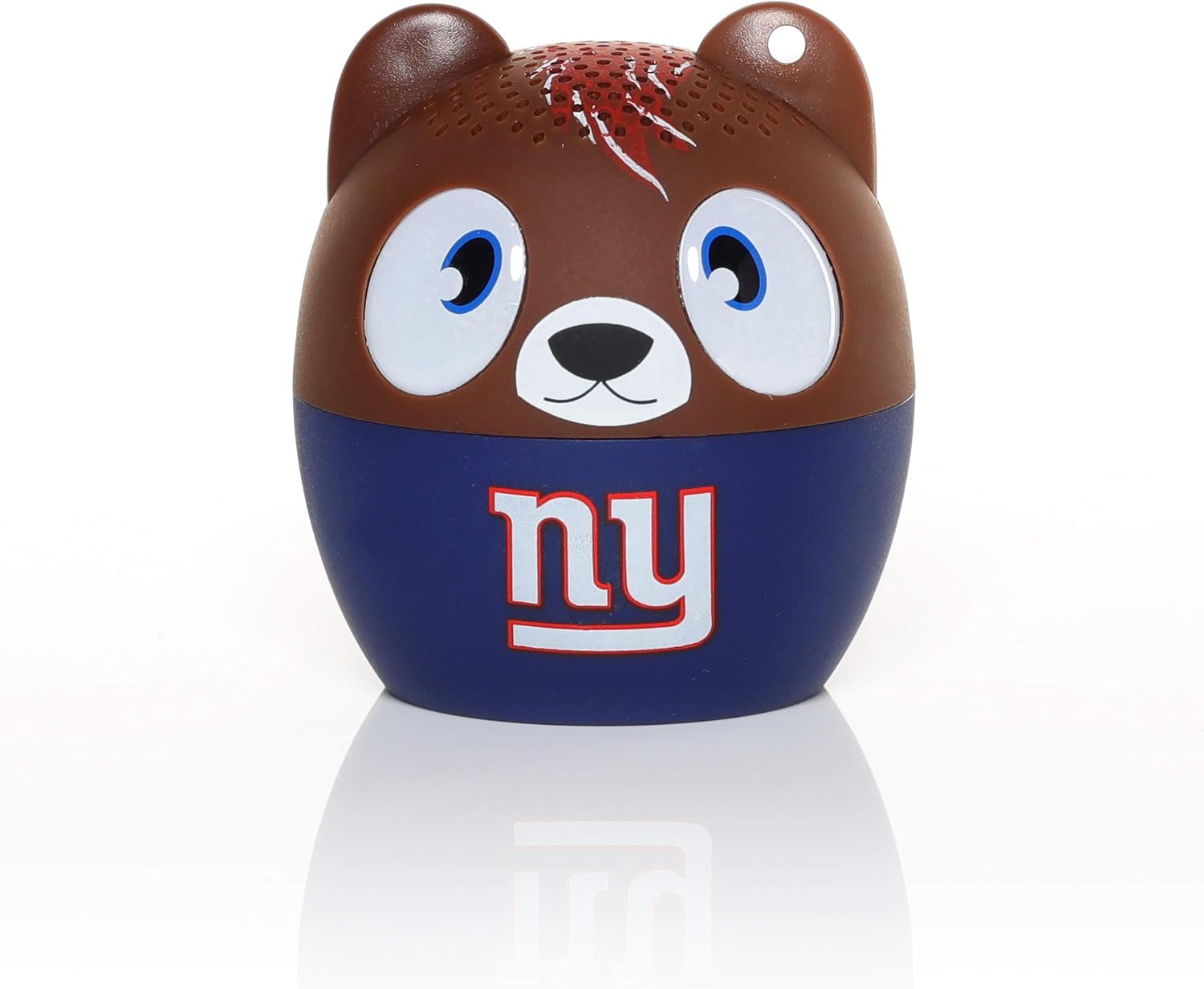
Imej: Depan view of the Bitty Boomers speaker, featuring the New York Giants team logo. This is the primary visual of the speaker during operation.
- Ensure the speaker is powered on and within 30 feet of your Bluetooth-enabled device (smartphone, tablet, laptop, etc.).
- Pembesar suara akan memasuki mod berpasangan secara automatik, ditunjukkan oleh lampu LED yang berkelip.
- On your device, navigate to the Bluetooth settings and turn Bluetooth on.
- Scan for available devices. You should see "Bitty Boomers" or a similar name appear in the list.
- Select "Bitty Boomers" to connect. Once connected, the LED light will stop flashing and remain solid, and you will hear a confirmation tone.
2. True Wireless Stereo (TWS) Pairing (BB5 Models Only)
For an enhanced audio experience, you can connect two Bitty Boomers (BB5 models) together to create a true wireless stereo sound system.
- Ensure both Bitty Boomers speakers are powered off.
- Power on both speakers simultaneously. They will automatically attempt to pair with each other.
- Once successfully paired with each other, one speaker will act as the master and the other as the slave. The master speaker's LED will flash, indicating it is ready to pair with your device.
- On your device, navigate to Bluetooth settings and connect to the master "Bitty Boomers" speaker as described in the "Bluetooth Pairing" section.
- Audio kini akan dimainkan melalui kedua-dua pembesar suara dalam stereo.
3. Using the Included Strap
The Bitty Boomers speaker comes with a strap for convenient portability. You can attach it to backpacks, bags, or keychains.
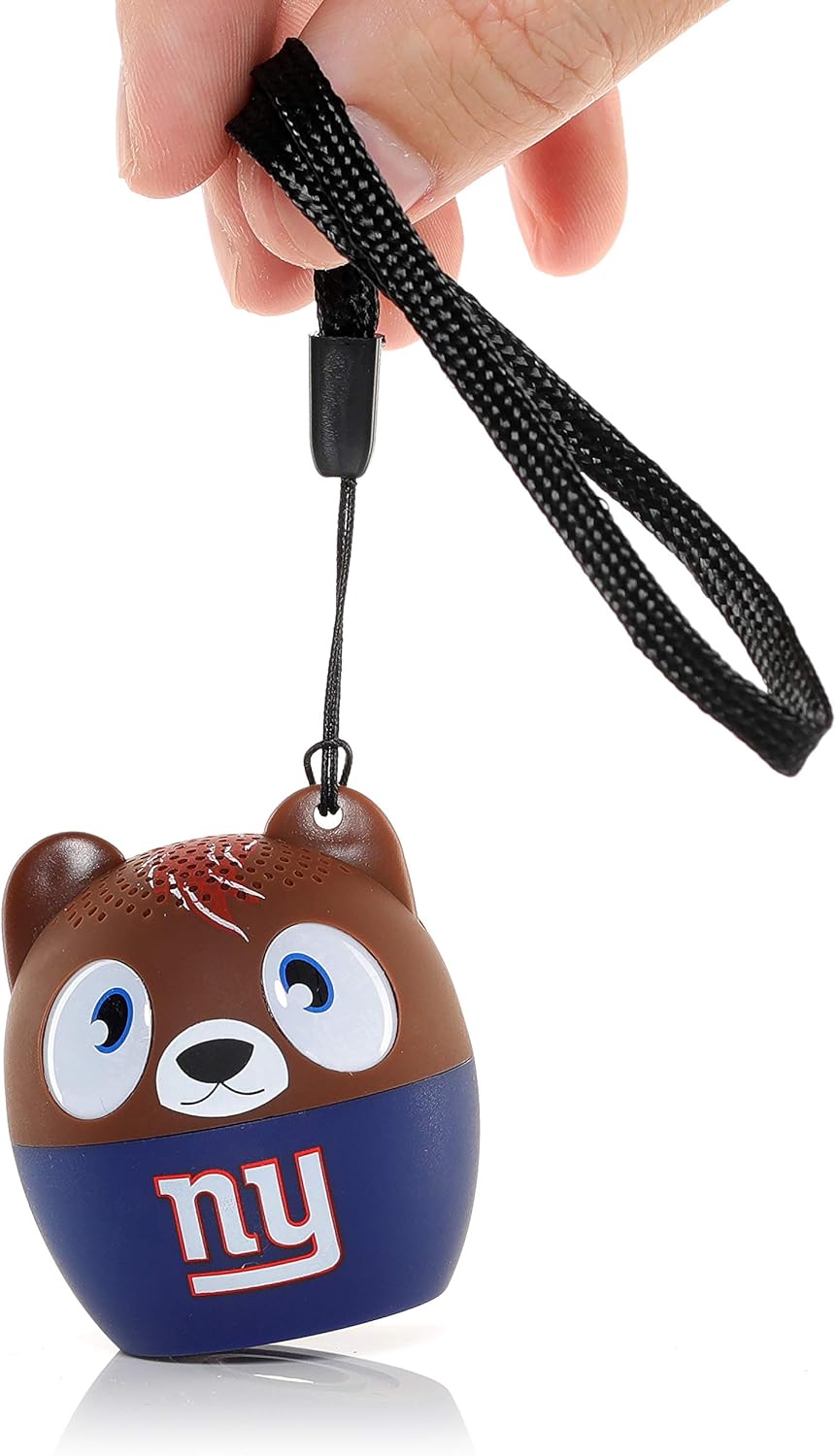
Imej: A hand holding the Bitty Boomers speaker by its black fabric strap, demonstrating how the strap can be used for portability and attachment to other items.
Thread the strap through the small loop located on the top of the speaker (often near one of the 'ears' for character models) and secure it as desired.
Penyelenggaraan
Pembersihan
To clean your Bitty Boomers speaker, use a soft, dry, lint-free cloth. Do not use abrasive cleaners, solvents, or strong chemicals, as these may damage the speaker's finish or internal components. Avoid getting moisture into any openings.
Penyimpanan
When not in use for extended periods, store the speaker in a cool, dry place away from direct sunlight and extreme temperatures. It is recommended to fully charge the speaker before storing it for a long time to preserve battery health.
Penjagaan Bateri
The speaker contains a rechargeable lithium polymer battery. To maximize battery life:
- Elakkan menyahcas sepenuhnya bateri dengan kerap.
- Jangan dedahkan pembesar suara kepada haba atau sejuk yang melampau.
- Cas pembesar suara secara berkala, walaupun tidak kerap digunakan.
Menyelesaikan masalah
| Masalah | Penyelesaian yang Mungkin |
|---|---|
| Speaker tidak dihidupkan. | Ensure the speaker is fully charged. Connect it to a power source using the Micro USB cable and allow it to charge for at least 15 minutes before attempting to power on again. |
| Tidak boleh berpasangan dengan peranti Bluetooth. |
|
| Tiada bunyi atau kelantangan rendah. |
|
| Speaker disconnects frequently. |
|
Spesifikasi
| Ciri | Perincian |
|---|---|
| Nama Model | Bitty Boomers |
| Nombor Model | BITTYNYG |
| Jenis Pembesar Suara | Pembesar suara mudah alih |
| Teknologi Ketersambungan | Bluetooth 5.0 |
| Julat Tanpa Wayar | Sehingga 30 kaki (9.1 meter) |
| Hayat Bateri | Lebih 4 jam |
| Sumber Kuasa | Dikuasakan Bateri (Polimer Litium Boleh Dicas Semula) |
| Port Pengecasan | USB mikro |
| Dimensi Produk (LxWxH) | 2"D x 2"W x 2"H (5.08 x 5.08 x 5.08 cm) |
| Berat Barang | 2.4 auns (68 gram) |
| Kuasa Output Maksimum Pembesar Suara | 3 Watt |
| Komponen yang Disertakan | Power Cable (Micro USB), Strap |
Maklumat Waranti
Your Bitty Boomers Wireless Bluetooth Speaker is covered by a Waranti Pengeluar 1 Tahun. Waranti ini melindungi kecacatan pada bahan dan mutu kerja di bawah penggunaan biasa. Ia tidak melindungi kerosakan yang disebabkan oleh penyalahgunaan, kemalangan, pengubahsuaian yang tidak dibenarkan atau haus dan lusuh biasa.
Sila simpan bukti pembelian anda untuk tuntutan waranti.
Sokongan
For further assistance, technical support, or warranty inquiries, please visit the official Bitty Boomers webtapak atau hubungi bahagian perkhidmatan pelanggan mereka. Maklumat hubungan biasanya boleh didapati pada pembungkusan produk atau pengeluar webtapak.
Sumber Dalam Talian:
- Bitty Boomers Amazon Store
- Refer to the manufacturer's official webtapak untuk mendapatkan maklumat sokongan yang paling terkini.


