1. Pengenalan
This manual provides detailed instructions for the safe and efficient operation, setup, and maintenance of your Bernina 590 Sewing and Embroidery Machine. Please read this manual thoroughly before using the machine to ensure optimal performance and longevity.
2. Arahan Keselamatan
Sentiasa ikuti langkah berjaga-jaga keselamatan asas apabila menggunakan peralatan elektrik untuk mengurangkan risiko kebakaran, renjatan elektrik atau kecederaan kepada orang.
- Ensure the machine is unplugged before cleaning, lubricating, or performing any user servicing.
- Jauhkan jari dari semua bahagian yang bergerak. Penjagaan khas diperlukan di sekitar jarum mesin jahit.
- Gunakan plat jarum yang betul. Plat yang salah boleh menyebabkan jarum patah.
- Jangan gunakan jarum bengkok.
- Jangan tarik atau tolak fabrik semasa menjahit. Ini boleh memesongkan jarum, menyebabkan ia patah.
- Pakai cermin mata keselamatan.
- Jangan sekali-kali mengendalikan mesin dengan sebarang bukaan udara tersumbat. Pastikan bukaan pengudaraan mesin jahit dan pengawal kaki bebas daripada pengumpulan habuk, debu dan kain longgar.
3. Produk Lebihview
The Bernina 590 is a versatile machine designed for both sewing and embroidery tasks, offering advanced features for precision and ease of use.
Ciri-ciri Utama:
- Pemotong Benang Automatik: Performs three steps in one: cuts the thread, positions the needle, and lifts the presser foot.
- Bernina Hook: Ensures consistent and precise stitches at speeds up to 1,000 stitches per minute.
- Bernina Dual Feed: Moves fabric evenly from both top and bottom, easily activated and deactivated.
- Embroidery Capabilities: Maximum embroidery area of 400 x 150 mm, includes 275 embroidery designs and 8 embroidery alphabets.
- Skrin Sentuh Warna: Intuitive interface for machine control and stitch selection.
- Lampu LED: Provides bright illumination of the work area.
- Invisible Secure Stitch and Intelligent Tie-off Recognition: Ensures high-quality embroidery results.
- Precise Motif Positioning: Allows accurate placement of embroidery designs on hooped fabric.
- On-screen Guides: Sewing and embroidery guides provide direct assistance and answer questions.
Komponen Mesin:


4. Persediaan
Before operating your Bernina 590, ensure it is properly set up.
4.1 Sambungan Kuasa Permulaan
- Letakkan mesin pada permukaan yang stabil dan rata.
- Sambungkan kord kuasa ke mesin dan kemudian ke soket elektrik yang sesuai.
- Hidupkan mesin menggunakan suis kuasa utama.
4.2 Mengulir Mesin
Follow the numbered threading path indicated on the machine for the upper thread. For the bobbin, refer to the following illustration:

4.3 Attaching the Presser Foot and Needle
Ensure the correct presser foot and needle are installed for your chosen task.

5. Arahan Operasi
5.1 Sewing Operations
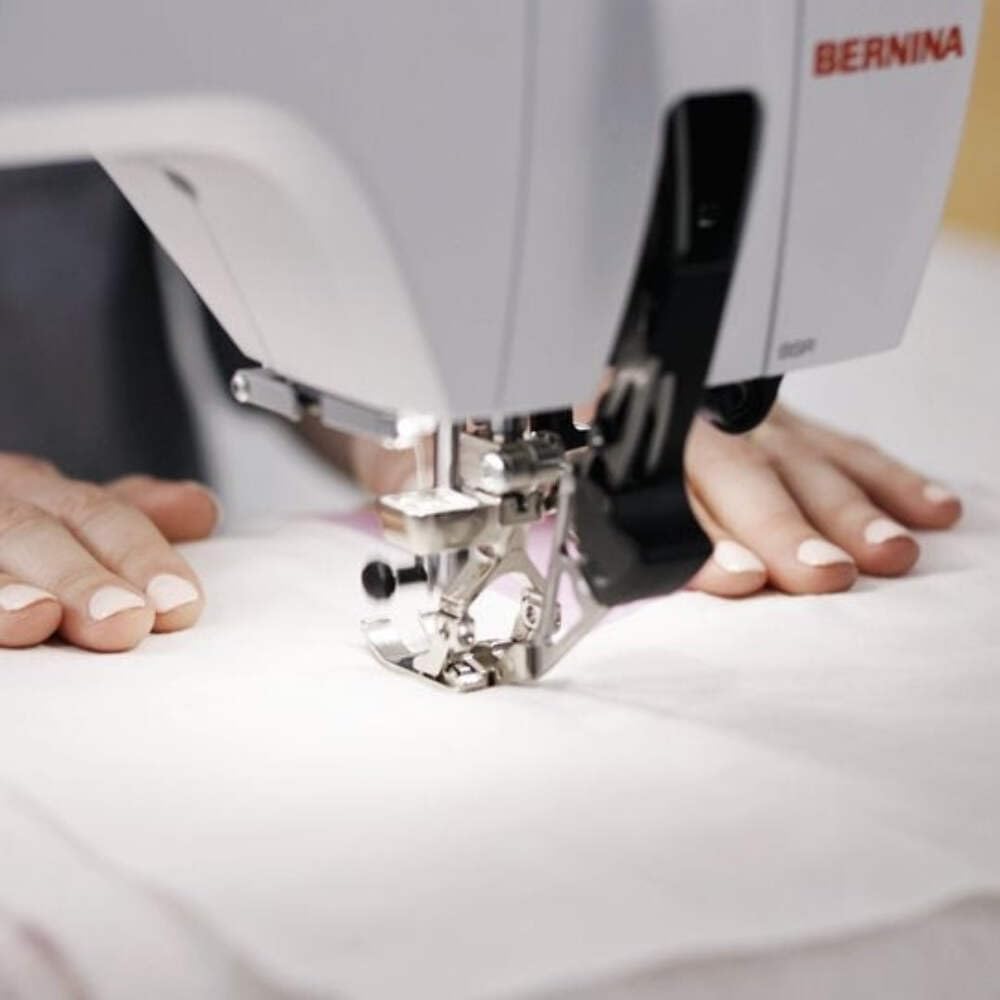
Select your desired stitch pattern and adjust settings using the color touchscreen. The Bernina 590 offers precise control for various sewing projects.
- Pemilihan Jahitan: Navigate the touchscreen to choose from a wide range of utility and decorative stitches.
- Bernina Dual Feed: Activate the dual feed for even fabric transport, especially useful for challenging materials.
- Pemotong Benang Automatik: Utilize this feature to automatically cut threads at the end of a seam.
5.2 Embroidery Operations
Attach the embroidery module and hoop your fabric to begin embroidery projects.
- Pemilihan Reka Bentuk: Choose from 275 built-in embroidery designs or load your own.
- Motif Positioning: Use the precise motif positioning feature to align your design accurately on the fabric.
- Embroidery Guide: Follow the on-screen guide for step-by-step assistance during embroidery.

6. Penyelenggaraan
Regular maintenance ensures the smooth operation and extends the lifespan of your Bernina 590.
- Pembersihan: Regularly clean the bobbin area, feed dogs, and needle plate to remove lint and dust. Use a small brush provided with the machine.
- Pelinciran: Refer to the machine's internal instructions for specific lubrication points and frequency.
- Penggantian jarum: Replace needles frequently, especially when working with different fabric types or if the needle shows signs of wear.
- Kemas Kini Perisian: Check the official Bernina website for any available software updates for your machine.
7. Penyelesaian masalah
This section addresses common issues you might encounter. For more complex problems, contact Bernina support.
| Masalah | Kemungkinan Punca | Penyelesaian |
|---|---|---|
| Jahitan Terlangkau | Jarum salah, jarum bengkok, cara memasukkan benang tidak betul. | Gantikan jarum, mesin pasang semula benang, pastikan jenis jarum yang betul untuk fabrik. |
| Pecah Benang | Incorrect tension, poor quality thread, burr on needle plate, incorrect threading. | Laraskan ketegangan, gunakan benang yang berkualiti, periksa gerinda, masukkan semula benang ke dalam mesin. |
| Mesin Tidak Bermula | Power cord not connected, main switch off, foot control issue. | Check power connections, ensure switch is on, inspect foot control. |
8. Spesifikasi
Detailed technical specifications for the Bernina 590 Sewing and Embroidery Machine.
- model: Bernina 590
- Dimensi (Pakej): 58 x 50 x 48 cm
- Berat (Produk): 15 kg
- Kawasan Sulaman Maksimum: 400 x 150 mm
- Maximum Embroidery Speed: 1000 jahitan seminit
- Included Embroidery Designs: 275
- Embroidery Alphabets: 8
- Hook System: Bernina Hook
- paparan: Skrin Sentuh Warna
- Pencahayaan: LED

9. Waranti dan Sokongan
For warranty information, please refer to the documentation provided with your purchase or visit the official Bernina website. For technical support, service, or to order parts, please contact your authorized Bernina dealer or Bernina customer service.
Bernina Official Webtapak: www.bernina.com


