pengenalan
This manual provides essential information for the safe and efficient operation of your Nedis UPSD2000VBK Uninterruptible Power Supply. Please read these instructions carefully before installation and use, and retain them for future reference. This UPS is designed to provide backup power and protect your electronic devices from power outages, lonjakan dan turun naik.
Arahan Keselamatan
- Penggunaan Dalaman Sahaja: This UPS is designed for indoor use in a controlled environment. Do not expose it to rain, snow, or direct sunlight.
- Pengudaraan: Ensure adequate ventilation around the UPS. Do not block ventilation openings. Maintain at least 20 cm of clearance from walls or other obstructions.
- Sumber Kuasa: Connect the UPS to a properly grounded AC power outlet. Do not remove the grounding prong.
- Lebihan beban: Do not overload the UPS. The total power consumption of connected equipment must not exceed the UPS's rated capacity (1200 W).
- Keselamatan Bateri: The UPS contains internal batteries. Do not attempt to open the UPS casing or service the batteries yourself. Refer all servicing to qualified personnel.
- Sentuhan Cecair: Avoid placing liquids on or near the UPS. In case of accidental spillage, immediately disconnect the UPS from the power source and contact support.
- Putuskan Sambungan Kecemasan: Ensure the AC power outlet for the UPS is easily accessible for quick disconnection in an emergency.
Produk Selesaiview
The Nedis UPSD2000VBK is a compact and efficient uninterruptible power supply. Familiarize yourself with its components before proceeding with installation.

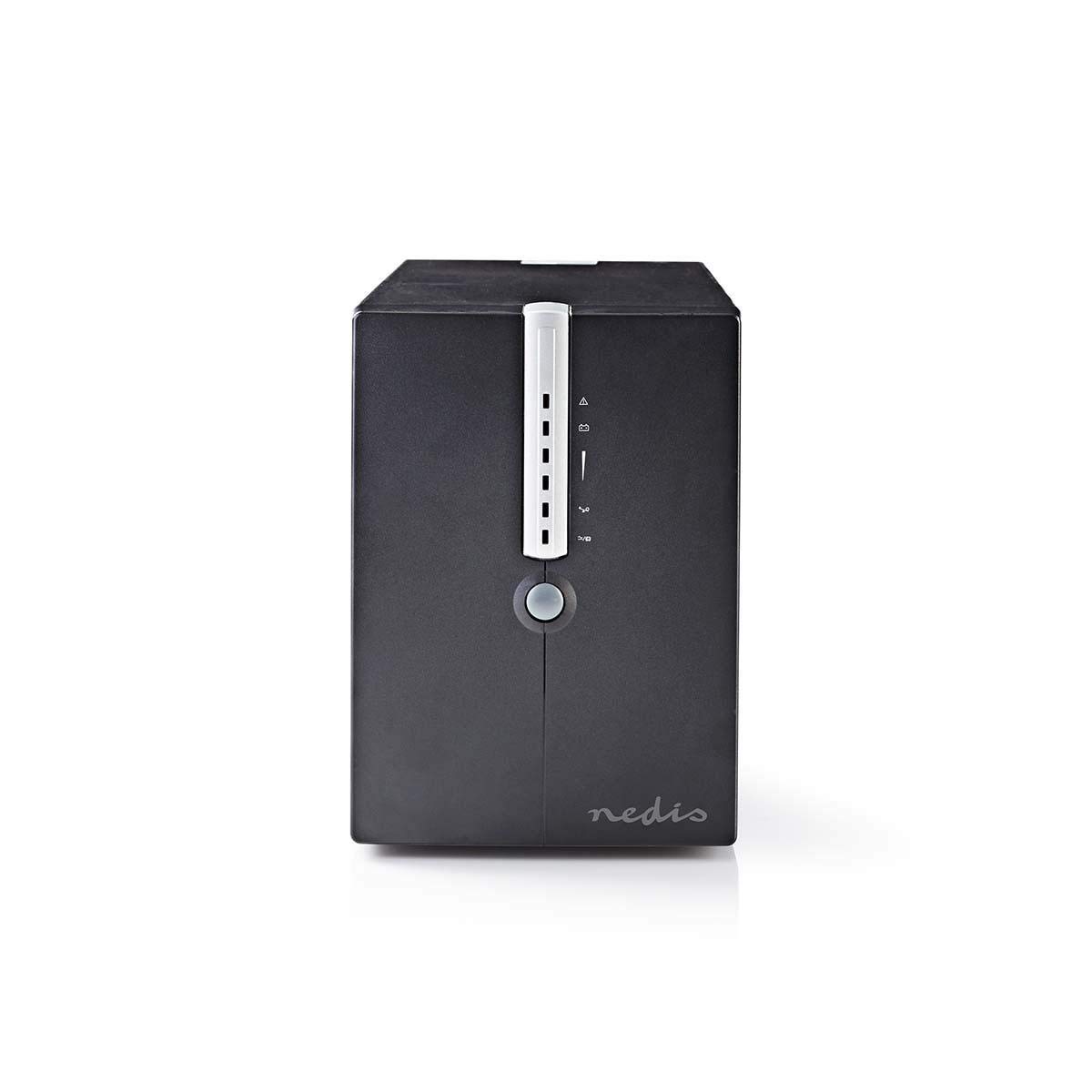
Rajah 1: Depan dan sisi view of the Nedis UPSD2000VBK. This image displays the main power button and the vertical strip of LED indicators on the front panel, along with ventilation grilles on the side.
Rajah 2: belakang view of the Nedis UPSD2000VBK. This image highlights the four power outlets, the USB communication port, and the RJ45 network protection ports (IN/OUT), along with the main power input and cooling fan.
Komponen Utama:
- Panel Depan: Power button, LED status indicators (AC mode, battery mode, fault, battery level).
- Panel belakang: AC input, 4 x Schuko output sockets, USB communication port, RJ45 network protection ports (IN/OUT).
- Dalaman: Sealed lead-acid batteries, inverter, charger, control circuitry.
Persediaan
1. Membongkar
- Keluarkan UPS dari pembungkusannya dengan berhati-hati.
- Inspect the unit for any shipping damage. If damage is found, do not operate the unit and contact your dealer.
2. penempatan
- Place the UPS on a flat, stable surface in a well-ventilated area.
- Avoid locations with excessive dust, humidity, or extreme temperatures.
- Ensure the ambient temperature is between 0°C and 40°C (32°F and 104°F).
3. Menghubungkan Peranti
- Sambungkan kord kuasa UPS ke soket dinding yang dibumikan.
- Plug your computer, monitor, and other critical devices into the output sockets on the rear of the UPS. Ensure the total load does not exceed 1200 W.
- Pilihan: Connect a USB cable from the UPS to your computer for monitoring software functionality (software not included, typically available from manufacturer's webtapak).
- Pilihan: Connect network cables through the RJ45 IN/OUT ports to protect your network devices from surges.
4. Pengecasan Awal
For optimal performance, charge the UPS for at least 8 hours before initial use. Leave the UPS connected to the AC power outlet with no load connected during this period.
Beroperasi
1. Menghidupkan/Mematikan
- Untuk Menghidupkan: Tekan dan tahan butang kuasa pada panel hadapan selama lebih kurang 3 saat sehingga anda mendengar bunyi bip dan penunjuk menyala.
- Untuk Mematikan: Press and hold the power button for approximately 3 seconds until you hear a beep and the indicators turn off.
2. Understanding Indicators and Alarms
Panel hadapan mempunyai penunjuk LED dan penggera boleh didengar untuk menyampaikan status UPS:
- AC Mode (Green LED): Solid green indicates the UPS is operating on utility power and charging the battery.
- Battery Mode (Yellow LED): Flashing yellow indicates the UPS is operating on battery power. An audible alarm will sound periodically.
- Fault (Red LED): Solid red indicates a fault condition. Refer to the troubleshooting section. An audible alarm may sound continuously.
- Penunjuk Tahap Bateri: A series of LEDs typically indicates the remaining battery capacity.
3. Battery Mode Operation
When utility power fails, the UPS automatically switches to battery mode, providing power to connected devices. The duration of battery backup depends on the load connected. During battery mode, save your work and shut down your equipment properly to prevent data loss.
Penyelenggaraan
1. Penjagaan Bateri
- To maximize battery life, keep the UPS connected to an AC outlet at all times.
- Perform a full discharge/recharge cycle every 3-6 months if the UPS is rarely used on battery power.
- Batteries are consumable items and will eventually require replacement. Contact qualified service personnel for battery replacement.
2. Pembersihan
- Disconnect the UPS from the AC power outlet and all connected devices before cleaning.
- Use a soft, dry cloth to wipe the exterior surfaces. Do not use liquid or aerosol cleaners.
- Pastikan bukaan pengudaraan bebas daripada habuk dan serpihan.
3. Penyimpanan
- If storing the UPS for an extended period, turn it off and disconnect it from all power sources.
- Simpan di tempat yang sejuk dan kering.
- Recharge the UPS battery every 3 months to prevent battery degradation.
Menyelesaikan masalah
Review the following common issues and solutions before contacting technical support.
| Masalah | Kemungkinan Punca | Penyelesaian |
|---|---|---|
| UPS tidak dihidupkan. | No AC input power. Battery deeply discharged. | Check AC power cord connection. Ensure wall outlet has power. Allow UPS to charge for 8 hours. |
| UPS berbunyi bip berterusan dalam mod AC. | Overload condition. Internal fault. | Reduce connected load. Disconnect non-essential devices. If problem persists, contact support. |
| UPS kerap bertukar kepada mod bateri. | Unstable utility power. Low battery capacity. | Check utility power quality. Allow battery to fully charge. Consider battery replacement if old. |
| Connected devices lose power during outage. | UPS overloaded. Battery depleted. | Ensure total load is within capacity. Allow UPS to recharge. |
Spesifikasi
| Ciri | Spesifikasi |
|---|---|
| Model | UPSD2000VBK |
| Jenama | Nedis |
| Kapasiti | 2000 VA / 1200 W |
| Input Voltage | 120 Volt (AC) |
| Soket Keluaran | 4 (Schuko type) |
| Dimensi (L x W x H) | 14.5 x 40 x 20.5 cm |
| Berat badan | 30 kg |
| Jenis Bateri | Sealed Lead-Acid (internal, non-user replaceable) |
| Masa Mengecas | 8 hours to 90% capacity (typical) |
| Suhu Operasi | 0°C hingga 40°C |
| Kelembapan | 0-90% RH (tidak pemeluwapan) |
| Pelabuhan Komunikasi | USB |
| Perlindungan Rangkaian | RJ45 (IN/OUT) |
Waranti dan Sokongan
Untuk maklumat jaminan, sokongan teknikal atau pertanyaan perkhidmatan, sila rujuk kad jaminan yang disertakan dengan produk anda atau lawati laman web rasmi Nedis. website. Do not attempt to repair the unit yourself, as this may void your warranty and pose safety risks. Always contact qualified service personnel for assistance.


