pengenalan
Terima kasih kerana membeliasing the VTech VT1091 Cordless Phone. This manual provides essential information for setting up, operating, and maintaining your new phone. Please read these instructions carefully to ensure proper use and to fully benefit from its features.
Kandungan Pakej
Sebelum anda mula, pastikan semua item terdapat dalam pakej anda:
- Telefon bimbit tanpa wayar
- Unit Pangkalan
- Penyesuai Kuasa untuk Unit Pangkalan
- Tali Talian Telefon
- Rechargeable Batteries (pre-installed or separate)
- Manual Pengguna (dokumen ini)
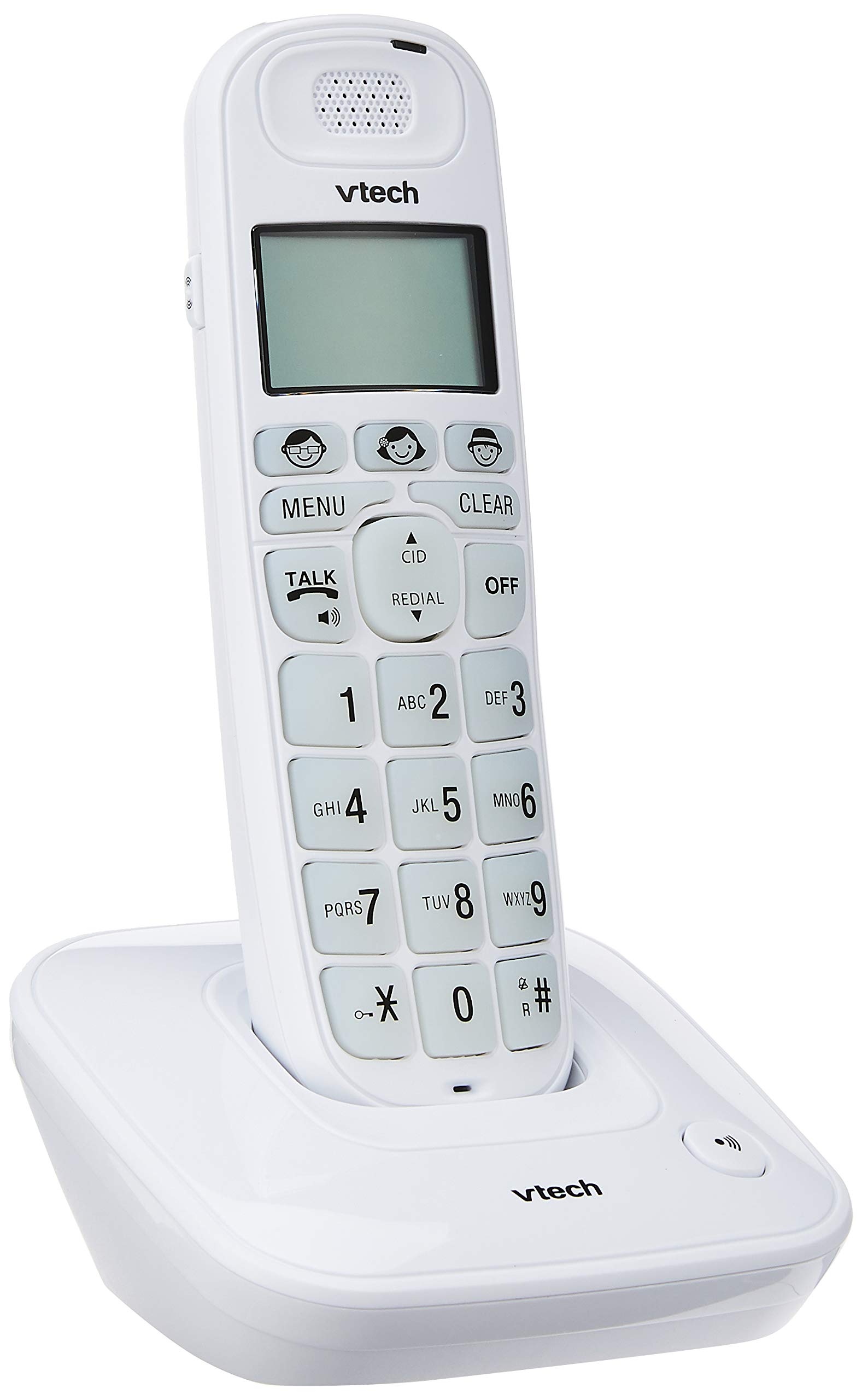
Image: The VTech VT1091 cordless phone handset resting in its base unit, showing the front view of the keypad and screen.
Persediaan
1. Pemasangan Bateri
- Cari penutup petak bateri di belakang telefon bimbit.
- Luncurkan penutup ke bawah untuk membuka.
- Masukkan bateri boleh dicas semula yang dibekalkan, dengan memerhatikan kekutuban yang betul (+ dan -).
- Gantikan penutup petak bateri.
2. Menyambung Unit Pangkalan
- Sambungkan satu hujung kord talian telefon ke bicu TEL LINE di belakang unit asas.
- Sambungkan hujung satu lagi kord talian telefon ke bicu dinding telefon anda.
- Connect the small end of the power adapter to the DC IN jack on the back of the base unit.
- Palamkan hujung besar penyesuai kuasa ke dalam salur keluar elektrik standard.

Imej: Belakang view of the VTech VT1091 base unit, showing the ports for the telephone line cord and the power adapter.
3. Mengecas Telefon bimbit
Place the handset on the base unit with the display facing forward. The handset will begin charging. For optimal battery performance, allow the handset to charge for at least 16 hours before initial use.

Imej: Sisi view of the VTech VT1091 cordless phone handset securely placed in its charging base.
Ciri-ciri Utama
- Amppemberitahuan: Amplification of incoming sounds by up to 30 decibels.
- Ultra-low Radiation Mode: Operates with reduced radiation levels.
- BOOSTER Button: One-touch button for easy sound amppemberitahuan.
- Papan Kekunci Besar: Big buttons with backlit keypad for improved visibility.
- Paparan LCD dengan lampu latar: Large display with orange backlight.
- Telefon pembesar suara telefon bimbit: Untuk komunikasi bebas tangan.
- Page/Handset Locator: Helps locate a misplaced handset.
- Auto Answer/Keypad Lock: Convenient call handling and security features.
- Alarm/Secrecy: Includes alarm function and call secrecy feature.
- GAP Compliant: Compatible with other GAP-enabled DECT devices.
- Direktori Buku Telefon: 20 name and number entries.
- ID Pemanggil: Displays the last 10 caller numbers.
- Panggil semula: Stores the last 5 numbers dialed.
- Ringer Melodies: 10 selectable ringer melodies (5 polyphonic and 5 standard).
- Hayat Bateri: Approximately 10 hours talk time / 100 hours standby time.
- Butang Memori: 3 one-touch memory buttons.
- Dail Cepat: 8 number (2-9) speed dial memories.
- Serasi Alat Pendengaran: Designed for use with hearing aids.
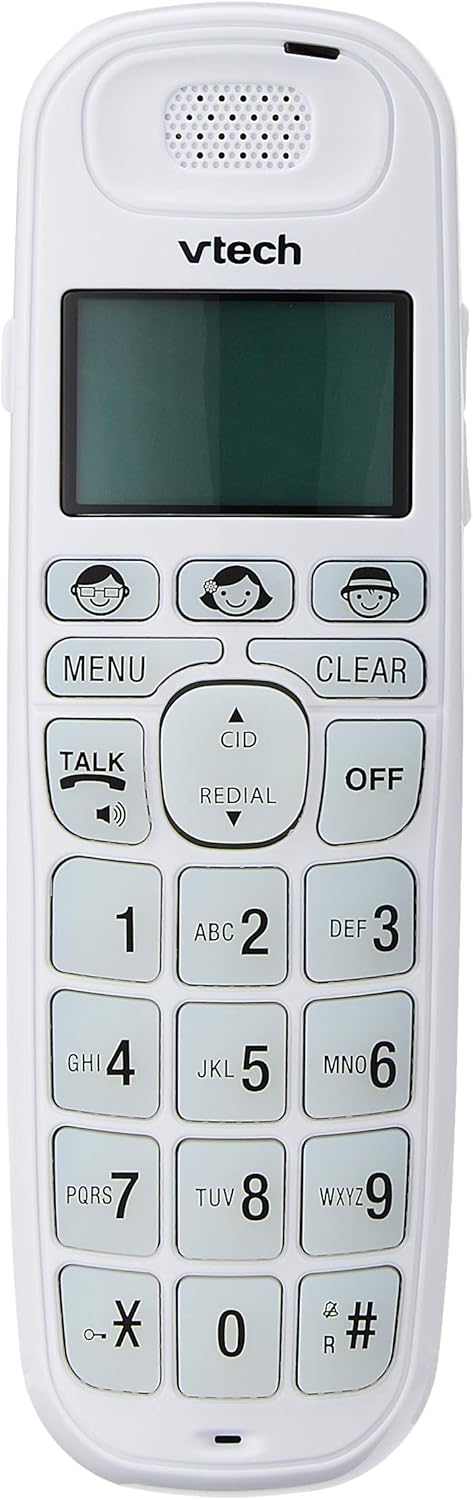
Image: Close-up of the VTech VT1091 handset, highlighting the large backlit keypad, LCD display, and dedicated function buttons.
Arahan Operasi
Membuat Panggilan
- Tekan ke CAKAP button to get a dial tone.
- Dail nombor telefon yang dikehendaki.
- Untuk menamatkan panggilan, tekan butang DIMATIKAN butang atau letakkan semula telefon bimbit pada unit asas.
Menjawab Panggilan
Apabila telefon berdering, tekan butang CAKAP butang untuk menjawab panggilan.
Menggunakan Telefon Pembesar suara
Semasa panggilan, tekan CAKAP button again (with the speaker icon) to activate the speakerphone function. Press it again to switch back to the earpiece.
Melaraskan Kelantangan
Semasa panggilan, gunakan UP dan TURUN arrow buttons on the side of the handset to adjust the earpiece or speakerphone volume.
Direktori Buku Telefon
- Tekan ke MENU butang.
- Navigate to "Phonebook" using the arrow buttons and press MENU untuk memilih.
- Ikut gesaan pada skrin untuk menambah, mengedit atau memadam entri.
Fungsi Dail Semula
Tekan ke REDIAL butang ke view a list of the last 5 dialed numbers. Use the arrow buttons to select a number and press CAKAP untuk mendail.
ID pemanggil
When the phone rings, the caller's number (if available) will be displayed on the screen. Press the CID butang untuk kembaliview the caller ID list. Use the arrow buttons to scroll through entries.
BOOSTER Function
During a call, press the dedicated BOOSTER button (if available, often integrated with volume or a specific key) to instantly amplify the incoming audio by up to 30 decibels. Press again to deactivate.
Pencari Telefon bimbit
To locate a misplaced handset, press the HALAMAN button on the base unit. The handset will ring.
Penyelenggaraan
Pembersihan
Lap telefon bimbit dan unit asas dengan lembut, damp cloth. Do not use cleaning sprays or abrasive cleaners, as these can damage the finish or electrical components.
Penjagaan Bateri
- Only use the supplied rechargeable batteries.
- Jika telefon tidak akan digunakan untuk tempoh yang lama, tanggalkan bateri untuk mengelakkan kebocoran.
- Jangan buang bateri ke dalam api.
Menyelesaikan masalah
| Masalah | Penyelesaian |
|---|---|
| Tiada nada dail |
|
| Telefon bimbit tidak dicas |
|
| Kualiti bunyi yang lemah |
|
| ID Pemanggil tidak dipaparkan |
|
Spesifikasi
| Jenama | VTech |
| Model | VT1091 |
| Jenis Telefon | Tanpa wayar |
| warna | putih |
| bahan | plastik |
| Sumber Kuasa | Corded Electric (for base unit) |
| Jenis Pendail | Papan kekunci tunggal |
| Jenis Sistem Menjawab | Digital (Note: This model's primary features do not highlight an integrated answering machine, but refers to general digital phone capabilities.) |
| Operasi Berbilang Baris | Bujang |
| Masa Bual Telefon | 10 Jam |
| Masa Tunggu Sedia Telefon | 100 Jam |
| ID pemanggil | ya |
| UPC | 735078026569 |

Image: The VTech VT1091 cordless phone in its base, with a measurement overlay indicating a height of 8.3 inches (21 cm).
Waranti dan Sokongan
This VTech VT1091 Cordless Phone comes with a Waranti Pengeluar Tempatan (Singapura) 2 Tahun. For warranty claims or technical support, please refer to the contact information provided with your purchase documentation or visit the official VTech Singapore webtapak.
For further assistance, please contact VTech customer service.


