pengenalan
Terima kasih kerana membeliasing the BESTISAN 120W 2.1 Channel Sound Bar System. This manual provides essential information for setting up, operating, and maintaining your new sound system. Please read this manual thoroughly before use to ensure proper operation and to maximize your listening experience.
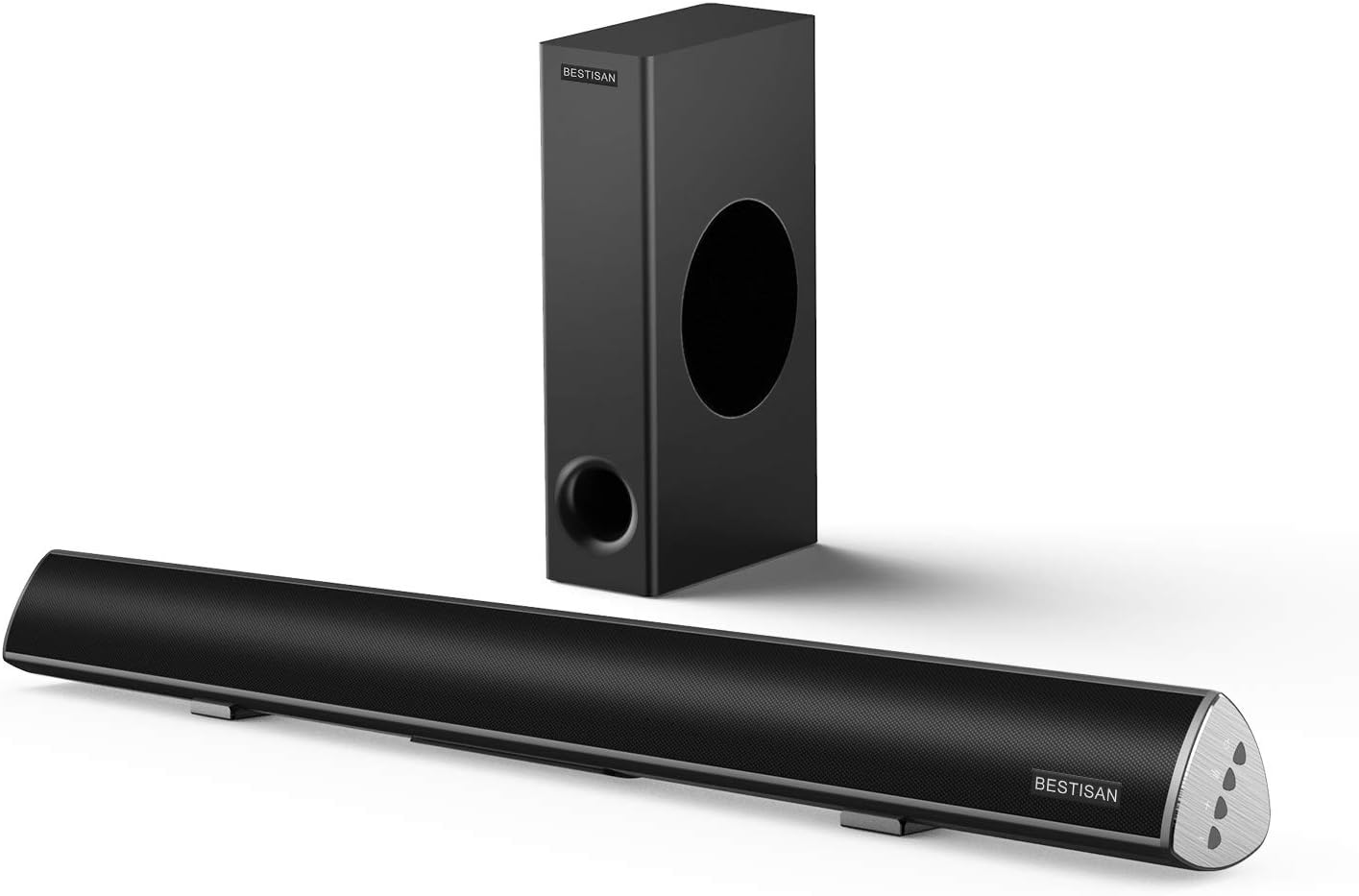
Image: The BESTISAN 120W 2.1 Channel Sound Bar and its wired subwoofer.
Maklumat Keselamatan
- Jangan dedahkan unit kepada hujan, kelembapan atau suhu yang melampau.
- Ensure proper ventilation around the sound bar and subwoofer.
- Jangan sekat sebarang bukaan pengudaraan.
- Gunakan hanya lampiran/aksesori yang ditentukan oleh pengilang.
- Cabut plag radas semasa ribut petir atau apabila tidak digunakan untuk tempoh yang lama.
- Rujuk semua servis kepada kakitangan perkhidmatan yang berkelayakan.
Kandungan Pakej
Please check to ensure all items are present in your package:
- Bar Bunyi
- Subwufer Berwayar
- Alat Kawalan Jauh
- Penyesuai Kuasa
- Panduan Pengguna
- Kabel Optik Digital
- Stereo RCA hingga 3.5mm Kabel Audio
- SUB OUT Cable (for subwoofer connection)

Imej: Gambaran visual semua item yang disertakan dalam pakej produk.
Produk Selesaiview
Sound Bar Controls and Remote
The sound bar features integrated controls on its side panel for basic functions, and a comprehensive remote control for full functionality.

Imej: Terperinci view of the sound bar's side panel controls and the included remote control.
Pelabuhan Kesambungan
The sound bar offers multiple connectivity options to integrate with various devices.
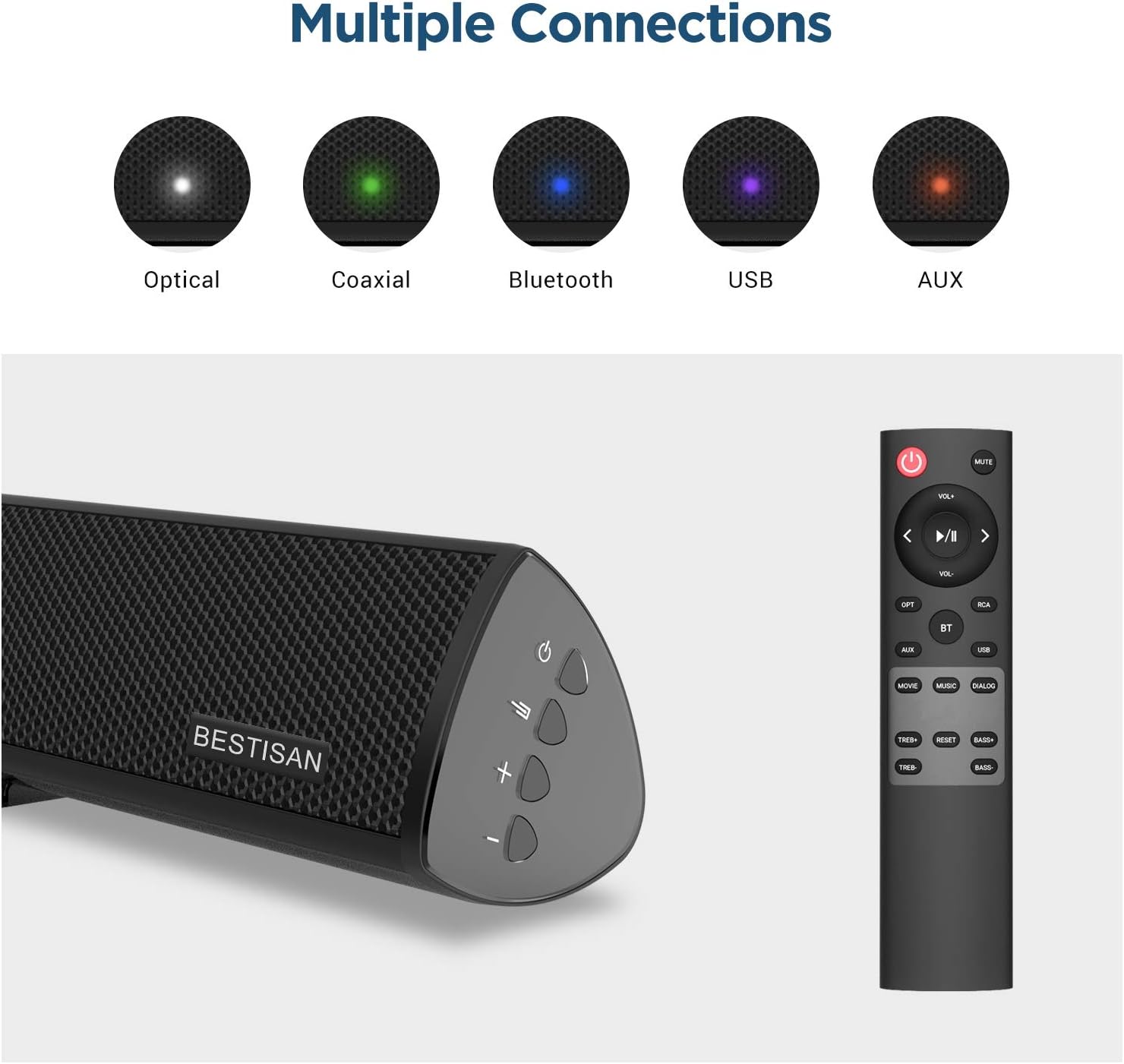
Image: Visual representation of the various input options available on the sound bar, including Optical, Coaxial, Bluetooth, USB, and AUX.
Persediaan
Penempatan
For optimal audio performance, place the sound bar centrally below your television. The subwoofer can be placed on the floor near the sound bar, ensuring it has adequate space for sound dispersion.

Image: The sound bar positioned directly below a television, demonstrating typical placement.
Menyambungkan Subwoofer
Connect the wired subwoofer to the sound bar using the provided SUB OUT cable. Ensure the connection is secure.
Menyambung ke TV atau Sumber Audio Anda
Pilih salah satu daripada kaedah sambungan berikut:
- Sambungan Optik: Use the supplied optical cable to connect the sound bar's OPTICAL IN port to your TV's Optical Out port. This is recommended for high-quality digital audio.
- Sambungan Koaksial: Use a coaxial cable (not supplied) to connect the sound bar's COAXIAL IN port to your TV's Coaxial Out port.
- Sambungan AUX: Use the supplied Stereo RCA to 3.5mm audio cable to connect the sound bar's AUX IN port to your TV's 3.5mm audio output or RCA audio outputs.
- Sambungan USB: Masukkan pemacu USB ke dalam port USB untuk memainkan audio files terus dari pemacu.
Sambungan Kuasa
Connect the power adapter to the DC IN port on the sound bar, then plug the adapter into a wall outlet.
Arahan Operasi
Hidupkan/Mati Kuasa
Tekan ke kuasa button on the remote control or the sound bar to turn the unit on or off.
Pemilihan Input
Tekan ke Input button (OPT, COAX, AUX, USB, BT) on the remote control to switch between different audio sources.
Kawalan Kelantangan
Gunakan VOL+ dan vol- butang pada alat kawalan jauh atau bar bunyi untuk melaraskan tahap kelantangan.
Sound Modes (DSP Technology)
The sound bar features Digital Signal Processing (DSP) technology with optimized sound modes for various content types. Press the corresponding button on the remote to select:
- Mod Filem: Enhances cinematic sound, providing crisp and clear audio for films.
- Mod Muzik: Optimizes audio for music playback, delivering rich and dynamic sound.
- Dialog Mode: Improves vocal clarity, making speech in TV shows and news broadcasts more audible.

Image: A visual representation of the DSP Audio Modes (Movie, Music, Dialog) and their effects on sound.

Image: An illustration highlighting the internal speaker configuration for champion stereo sound.
Berpasangan Bluetooth
Untuk menyambungkan peranti mudah alih anda melalui Bluetooth:
- Tekan ke BT button on the remote control to switch to Bluetooth mode. The indicator light on the sound bar will flash.
- Enable Bluetooth on your mobile device and search for "SQ03" or "BESTISAN".
- Select the sound bar from the list of available devices to pair. Once connected, the indicator light will turn solid.
- You can now play audio from your device through the sound bar. The effective range for Bluetooth connection is up to 33 feet (10 meters).

Image: A user's hand holding a smartphone, illustrating the process of connecting to the sound bar via Bluetooth.
Penyelenggaraan
To ensure the longevity and optimal performance of your sound bar system:
- Pembersihan: Gunakan kain lembut dan kering untuk membersihkan permukaan bar bunyi dan subwufer. Jangan gunakan pembersih cecair atau semburan aerosol.
- Pengudaraan: Pastikan bukaan pengudaraan bersih daripada habuk dan serpihan.
- Storan: Jika menyimpan unit untuk tempoh yang lama, cabut palamnya dari salur keluar kuasa dan simpan di tempat yang sejuk dan kering.
Menyelesaikan masalah
| Masalah | Kemungkinan Punca | Penyelesaian |
|---|---|---|
| Tiada kuasa | Kord kuasa tidak disambungkan; Salur keluar kuasa tidak aktif. | Ensure the power cord is securely connected. Try a different power outlet. |
| Tiada bunyi | Input salah dipilih; Kelantangan terlalu rendah; Kabel tidak disambungkan dengan betul. | Select the correct input source. Increase the volume. Check all audio cable connections. Ensure TV audio output is set correctly. |
| Sambungan Bluetooth gagal | Bar bunyi tidak dalam mod berpasangan; Peranti terlalu jauh; Gangguan. | Ensure the sound bar is in Bluetooth pairing mode. Move your device closer to the sound bar. Avoid placing the sound bar near other wireless devices. |
| Alat kawalan jauh tidak berfungsi | Batteries are dead or inserted incorrectly; Obstruction between remote and sound bar. | Replace batteries. Ensure line of sight between remote and sound bar. |
Spesifikasi
| Ciri | Perincian |
|---|---|
| Nama Model | SQ03 |
| Jenis Pembesar Suara | Subwoofer (2.1 Channel System) |
| Kuasa Output Maksimum Pembesar Suara | 120 Watt |
| Teknologi Ketersambungan | Bluetooth 5.0, Optical, Coaxial, USB, AUX |
| Teknologi Komunikasi Tanpa Wayar | Bluetooth |
| Teknologi Ketersambungan Subwufer | berwayar |
| Penggunaan yang Disyorkan | Muzik, Teater Rumah, Filem |
| Peranti Serasi | Laptop, Television, Tablet, Smartphone |
| Kaedah Kawalan | Alat Kawalan Jauh |
| Berat Barang | 8.82 paun |
| Dimensi (Pakej) | 30.5 x 13 x 9 inci |
| UPC | 680613284600 |
Waranti dan Sokongan
BYL provides comprehensive customer support for your product.
- Waranti: This product comes with a Limited Warranty, typically up to 12 months. Please refer to your purchase documentation for specific warranty terms.
- Polisi Pemulangan: A 30-day free return policy is generally available.
- Perkhidmatan Pelanggan: For any questions, technical support, or warranty claims, please contact BYL customer service. 24/7 E-mail assistance is available.

Image: The BYL Model SQ03 sound bar and subwoofer, designed to deliver enhanced audio.


