1. Pengenalan
This manual provides detailed instructions for the DIERYA DK63 Wireless Mechanical Gaming Keyboard. Please read this manual thoroughly before using the product to ensure proper operation and to maximize your user experience. The DK63 is a compact 60% mechanical keyboard designed for versatility across various platforms, offering both wired and wireless connectivity options.

Image 1.1: DIERYA DK63 60% Mechanical Keyboard showcasing its compact layout and dimensions (292.8mm width, 101mm height).
2. Ciri-ciri Utama
- 60% Susun Atur Padat: The DK63 features a streamlined 60% layout, optimizing desk space while retaining essential functionality through function layer keys.
- Mod Kesambungan Dwi: Seamlessly switch between wired (USB-C) and wireless (Bluetooth 5.1) connections.
- Sokongan Berbilang Peranti: Connects to up to 3 devices via Bluetooth, compatible with Mac, Windows, and Android operating systems.
- True Mechanical Switches: Equipped with durable mechanical switches (available in Blue, Brown, or Red variants) for a responsive typing and gaming experience.
- Pencahayaan Latar RGB Dinamik: Features 8 distinct lighting effects and supports 16.8 million colors for personalized aesthetics.
- Perisian Boleh Disesuaikan: Utilize the DIERYA customizable software for macro recording and remapping keyboard buttons.

Image 2.1: The DIERYA DK63 keyboard demonstrating its ability to connect to up to 3 devices via Bluetooth, compatible with Mac, Windows, and Android.

Imej 2.2: Gambar jarak dekat view of the true mechanical switches on the DIERYA DK63 keyboard, highlighting their design for durability and responsiveness.
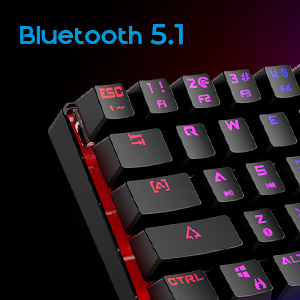
Image 2.3: Detail shot indicating Bluetooth 5.1 connectivity on the DIERYA DK63 keyboard.
3. Panduan Persediaan
3.1 Sambungan Berwayar
- Cari port USB-C pada papan kekunci.
- Sambungkan kabel USB-C yang disediakan pada papan kekunci.
- Palamkan hujung kabel USB-C yang lain ke dalam port USB yang tersedia pada komputer anda.
- The keyboard will be automatically recognized by your system and is ready for use.
3.2 Sambungan Tanpa Wayar Bluetooth
- Ensure the keyboard is charged or connected via USB-C initially.
- To switch to wireless mode, press Fn + R. The keyboard's indicator light will change to signify Bluetooth mode.
- To pair with a device, press and hold Fn+Z, Fn + X, atau Fn + C for 3-5 seconds. The corresponding key's backlight will flash rapidly, indicating pairing mode.
- Pada peranti anda (komputer, tablet atau telefon pintar), dayakan Bluetooth dan cari peranti yang tersedia.
- Select "DIERYA DK63" from the list of available devices to complete the pairing process.
- Once paired, the key's backlight will stop flashing and remain steadily lit.
- Untuk bertukar antara peranti Bluetooth yang dipasangkan, tekan Fn+Z, Fn + X, atau Fn + C (short press) to select the desired device.
4. Arahan Operasi
4.1 Kombinasi Kekunci Fungsi
The DK63 utilizes the Fn key to access secondary functions printed on the keycaps. Hold down the Fn key and press the desired key to activate its secondary function.
- Fn + 1! to 0): F1 to F10 keys.
- Fn + -_ and =+: F11 and F12 keys.
- Fn + P: Skrin Cetak.
- Fn + [: Rumah.
- Fn + ]: tamat.
- Fn + ;: Halaman Atas.
- Fn + ': Halaman bawah.
- Fn + Kekunci Anak Panah: Navigation (e.g., Fn + Up Arrow for Page Up, Fn + Down Arrow for Page Down, etc., depending on specific keycap legends).
4.2 Kawalan Pencahayaan Latar RGB
The keyboard offers various lighting effects and customization options:
- Fn + \|: Kitar melalui pelbagai kesan pencahayaan.
- Fn + Anak Panah Atas: Tingkatkan kecerahan lampu latar.
- Fn + Anak Panah Bawah: Kurangkan kecerahan lampu latar.
- Fn + Anak Panah Kiri: Adjust lighting effect speed.
- Fn + Anak Panah Kanan: Adjust lighting effect speed.
- Specific keys may have additional lighting controls indicated on their keycaps.

Image 4.1: Screenshot of the DIERYA customizable software, showing options for lighting effects, color selection, macro recording, and key remapping.
4.3 Customizable Software
The DIERYA DK63 supports dedicated software for advanced customization. This software allows users to:
- Record and assign macros to specific keys.
- Remap individual key functions.
- Fine-tune RGB lighting effects, colors, and patterns.
Please refer to the DIERYA official website for software download and detailed instructions on its usage.
Video 4.2: Tayangan video produk rasmicasing the DIERYA DK63 60% Mechanical Gaming Keyboard, highlighting its design and RGB lighting effects.
5. Penyelenggaraan
To ensure the longevity and optimal performance of your DIERYA DK63 keyboard, follow these maintenance guidelines:
- Pembersihan: Regularly clean the keyboard with a soft, dry cloth. For deeper cleaning, use a can of compressed air to remove dust and debris from between the keycaps. If necessary, gently wipe keycaps with a slightly damp cloth and mild soap solution, ensuring no liquid enters the keyboard.
- Elakkan Cecair: Jangan tumpahkan cecair pada papan kekunci. Jika berlaku tumpahan, segera putuskan sambungan papan kekunci dan biarkan ia kering sepenuhnya sebelum menyambung semula.
- Storan: Simpan papan kekunci di tempat yang sejuk dan kering jauh dari cahaya matahari langsung dan suhu yang melampau.
- Penjagaan Kabel: Elakkan membengkokkan atau memusingkan kabel USB-C secara berlebihan untuk mengelakkan kerosakan.
6. Penyelesaian masalah
If you encounter issues with your DIERYA DK63 keyboard, refer to the following common solutions:
6.1 Keyboard Not Responding (Wired)
- Pastikan kabel USB-C disambungkan dengan selamat pada papan kekunci dan komputer.
- Cuba sambungkan papan kekunci ke port USB lain pada komputer anda.
- Test the keyboard with a different USB-C cable if available.
- Mulakan semula komputer anda.
6.2 Isu Kesambungan Bluetooth
- Ensure the keyboard is in Bluetooth mode (Fn + R).
- Sahkan bahawa Bluetooth didayakan pada peranti anda.
- Make sure the keyboard is sufficiently charged. Low battery can affect Bluetooth performance.
- If already paired, try unpairing the keyboard from your device's Bluetooth settings and then re-pairing it.
- Ensure the keyboard is within the effective range of your Bluetooth device (typically up to 10 meters).
- Elakkan gangguan daripada peranti wayarles lain.
6.3 Backlighting Not Working or Incorrect
- Increase brightness using Fn + Anak Panah Atas.
- Kitar semula kesan pencahayaan menggunakan Fn + \|.
- Ensure the keyboard is not in a mode where backlighting is intentionally off or dimmed.
- If using the customizable software, check the lighting settings within the application.
7. Spesifikasi Produk
| Ciri | Perincian |
|---|---|
| Nombor Model | DK63 |
| Jenama | DIERYA |
| Jenis Wayarles | Bluetooth 5.1 |
| Teknologi Ketersambungan | USB-C, Bluetooth |
| Platform Perkakasan | Komputer riba, PC |
| Berat Barang | 1.5 paun (lebih kurang 0.68 kg) |
| Dimensi Produk (LxWxH) | 12 x 5.6 x 1.9 inci (lebih kurang 30.5 x 14.2 x 4.8 cm) |
| Sumber Kuasa | Dikuasakan Bateri (termasuk 1 bateri Lithium Ion) |
| Switch Type Options | Biru (Klik), Coklat (Taktil), Merah (Linear) |
| Komponen yang Disertakan | Kabel USB |
8. Waranti dan Sokongan
DIERYA products are manufactured to high-quality standards. For information regarding warranty coverage, technical support, or service inquiries, please refer to the official DIERYA weblaman web atau hubungi khidmat pelanggan mereka secara langsung. Simpan resit pembelian anda sebagai bukti pembelian untuk tuntutan jaminan.


