1. Pengenalan
This manual provides essential instructions for the safe and efficient use of your Astrum CW200 Qi 2.0 5W Wireless Charger. Please read this manual thoroughly before using the device and retain it for future reference.
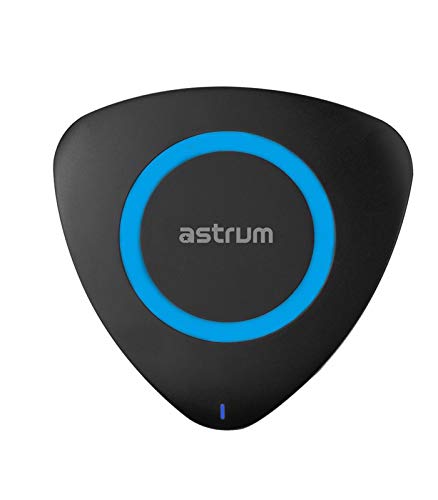
Rajah 1: Atas view of the Astrum CW200 Wireless Charger. The charger is triangular with rounded corners, black in color, featuring a central blue ring and a small blue LED indicator at the bottom.
2. Maklumat Keselamatan
Untuk memastikan operasi yang selamat dan mengelakkan kerosakan, sila patuhi langkah berjaga-jaga berikut:
- Jangan dedahkan peranti kepada air atau kelembapan berlebihan.
- Elakkan suhu ekstrem, cahaya matahari langsung atau persekitaran yang berdebu.
- Do not disassemble, repair, or modify the charger. This may void the warranty and pose safety risks.
- Keep the charger away from strong magnetic fields.
- Use only the provided USB cable or a certified equivalent.
- Ensure the power adapter (not included) meets the specified input requirements (DC5V/2A).
- Jauhkan daripada kanak-kanak.
3. Kandungan Pakej
Sahkan bahawa semua item terdapat dalam pakej:
- 1 x Astrum Qi 2.0 Wireless Ultra Slim Charging Pad (CW200)
- 1 x Kabel Pengecas USB
- 1 x Manual Pengguna
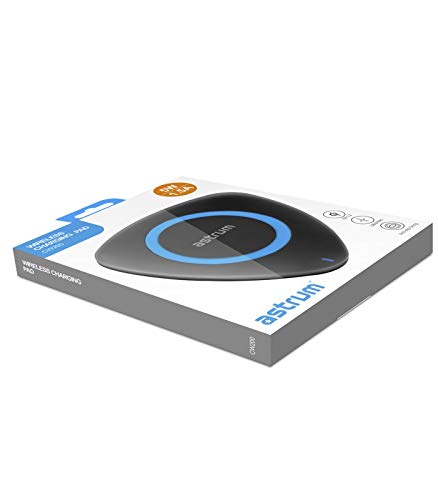
Rajah 2: The Astrum CW200 Wireless Charger packaging, displaying the charger and its contents.
4. Ciri-ciri Produk
The Astrum CW200 Wireless Charger offers the following key features:
- Standard Qi: Supports fast and efficient wireless charging for compatible devices.
- Non-slip Pad: Designed to securely hold your smartphone in place during charging.
- Keserasian Luas: Compatible with Apple, Samsung, and all other Qi-enabled devices.
- Kemudahan Penggunaan: Simply place your Qi-enabled device on the charging pad to begin charging.
- Perlindungan Keselamatan: vol lebih terbina dalamtage, short-circuit, and overheating protection for device safety.
5. Panduan Persediaan
Ikuti langkah ini untuk menyediakan pengecas wayarles anda:
- Sambungkan Kabel USB: Insert the small end of the provided USB charging cable into the charging port on the Astrum CW200 wireless charger.
- Sambungkan ke Sumber Kuasa: Plug the larger end of the USB cable into a compatible USB power adapter (DC5V/2A recommended, not included) or a USB port on a computer.
- penempatan: Place the wireless charging pad on a flat, stable surface.
- Penunjuk Kuasa: A small LED indicator light on the charger will illuminate, indicating that the charger is powered on and ready for use.
6. Arahan Operasi
To charge your Qi-enabled device:
- Ensure the wireless charger is properly connected to a power source as described in the "Setup Guide".
- Place your Qi-enabled smartphone directly onto the center of the charging pad. The non-slip surface will help keep your device in position.
- The charging indicator on your smartphone should activate, confirming that charging has begun. The LED indicator on the Astrum CW200 charger may change color or blink to indicate active charging (refer to your phone's manual for specific charging indications).
- For optimal charging, ensure your device is centered on the pad and remove any thick cases that might interfere with wireless charging.
7. Penyelesaian masalah
If you encounter issues with your Astrum CW200 Wireless Charger, refer to the following common problems and solutions:
| Masalah | Kemungkinan Punca | Penyelesaian |
|---|---|---|
| Peranti tidak dicas. | Charger not powered, device not Qi-enabled, device not properly aligned, thick phone case. |
|
| Pengecasan perlahan. | Insufficient power input, device misalignment, background apps on phone. |
|
| Charger LED not lighting up. | Tiada bekalan kuasa. |
|
8. Spesifikasi
Technical specifications for the Astrum CW200 Wireless Charger:
| Model | CW200 |
| Input | DC5V / 2A |
| Antara muka | Qi v1.2 |
| Keluaran | 5V / 1.5A (5W) |
| Jarak Penghantaran | Sehingga 10mm |
| Kecekapan Pengecasan | ≥ 75% |
| Kekerapan Mengecas | 110 - 205 kHz |
| Dimensi (L x W x H) | 100 x 100 x 10mm |
| Berat badan | Kira-kira 50g |
| bahan | plastik |
| Peranti Serasi | All Qi-enabled Smartphones |
9. Penyelenggaraan
Proper care ensures the longevity of your wireless charger:
- Pembersihan: Gunakan kain lembut dan kering untuk membersihkan permukaan pengecas. Jangan gunakan pembersih cecair atau aerosol.
- Storan: When not in use, store the charger in a cool, dry place, away from direct sunlight and extreme temperatures.
- Pengendalian: Elakkan daripada menjatuhkan pengecas atau terkena impak yang kuat.
10. Waranti dan Sokongan
The Astrum CW200 Wireless Charger comes with a Waranti pengilang selama 1 tahun dari tarikh pembelian. Waranti ini meliputi kecacatan pembuatan di bawah penggunaan biasa.
For warranty claims or technical support, please contact Astrum customer service through their official webtapak atau peruncit tempat produk itu dibeli. Sila simpan bukti pembelian anda untuk pengesahan waranti.
Negara Asal: China