1. Pengenalan
Terima kasih kerana membeliasing the DBPOWER RD820 Mini Projector. This projector is designed to provide a versatile and immersive viewing experience for home entertainment, gaming, and presentations. With its upgraded brightness, multimedia compatibility, and user-friendly design, it offers a convenient solution for projecting content onto a large screen.
2. Ciri-ciri Utama
- Upgraded Brightness: Features 3500 lux, offering a 70% brighter and 50% sharper image compared to similar mini projectors. Supports 1920x1080 resolution with a 2000:1 contrast ratio for enhanced home entertainment.
- Large Screen Size Experience: Capable of displaying images from 32 to 170 inches, with an optimal projection distance of 1 to 5 meters.
- Keserasian Multimedia: Compatible with a wide range of devices including Fire TV Stick, PCs, Laptops, Chrome Book, DVD players, SD Cards, USB drives, iPhones, and Android smartphones.
- Advanced Fan Noise Suppression: Incorporates advanced pure copper tube cooling technology and a powerful yet quiet turbo fan for reduced operational noise.
- Waranti 3 Tahun: Disokong oleh jaminan 3 tahun untuk ketenangan fikiran.
3. Kandungan Pakej
Sila semak kandungan pakej semasa membuka kotak untuk memastikan semua item ada:
- DBPOWER RD820 Mini Projector
- Alat Kawalan Jauh
- Kabel Kuasa
- Kabel HDMI
- AV kabel
- Manual Pengguna
4. Produk Lebihview
Familiarize yourself with the projector's components and controls.

Figure 4.1: DBPOWER RD820 Mini Projector and Remote Control

Figure 4.2: Focus and Keystone Correction Dials
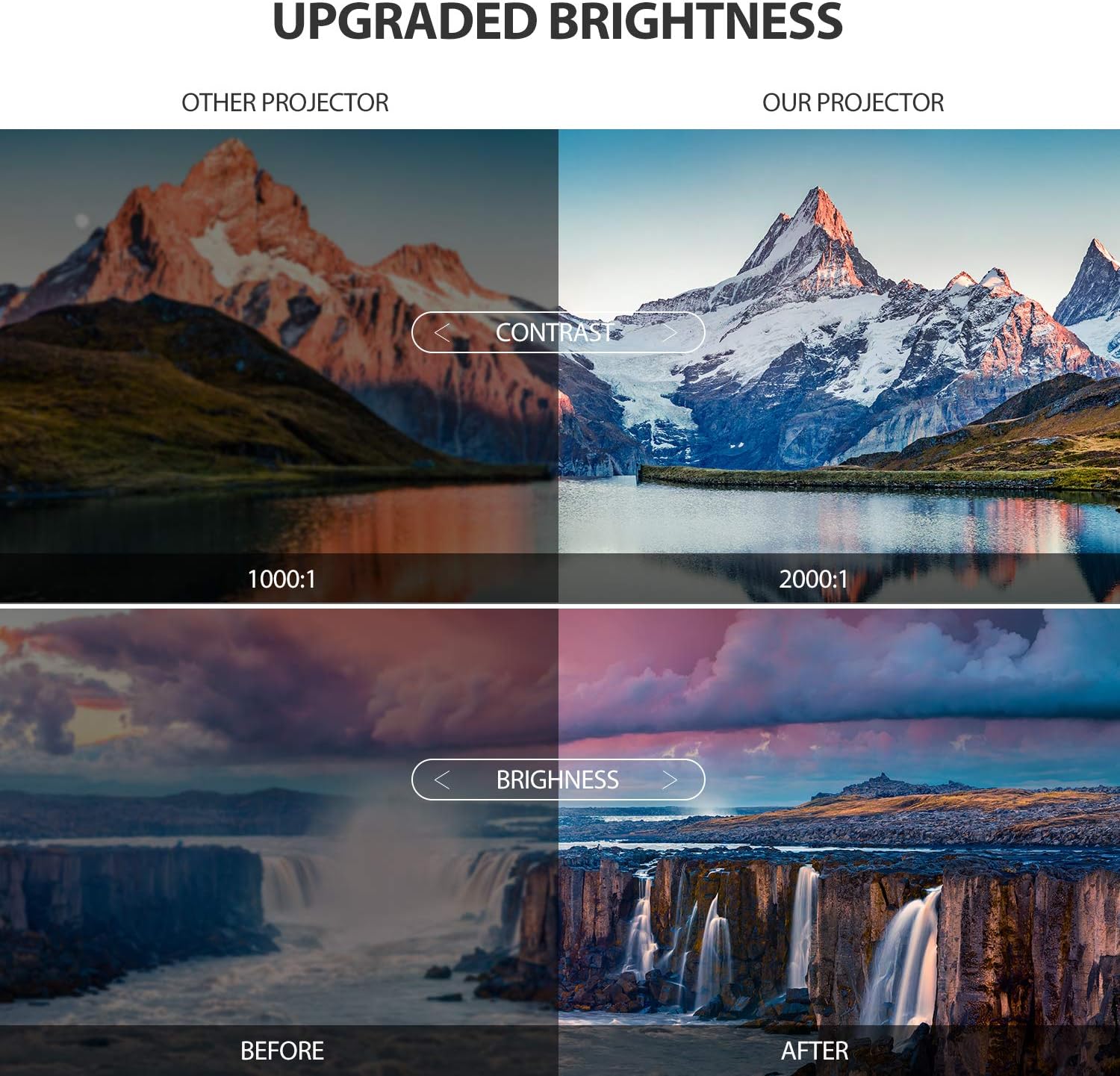
Figure 4.3: Enhanced Brightness and Contrast

Figure 4.4: Versatile Application Scenarios
Video 4.1: Official DBPOWER Mini Projector Overview, tunjukkancasing features like upgraded brightness, internal components, built-in stereo, and various connectivity options.
5. Panduan Persediaan
5.1 Penempatan
Untuk yang terbaik viewing experience, place the projector on a stable, flat surface. The optimal projection distance is between 1.8 to 2.0 meters to achieve a clear and appropriately sized image. The projector can display images from 32 to 170 inches diagonally.
5.2 Sambungan Kuasa
Connect the provided power cable to the projector's power input port and then plug the other end into a standard electrical outlet. The power indicator light will illuminate.
6. Arahan Operasi
6.1 Menghidupkan/Mematikan
- Untuk Menghidupkan: Press the power button on the projector or the remote control. The projector lamp akan dihidupkan.
- Untuk Mematikan: Tekan butang kuasa sekali lagi. Projektor akan dimatikan.
6.2 Adjusting Focus and Keystone Correction
To achieve a clear and rectangular image, use the focus and keystone correction dials located on the top of the projector:
- Pelarasan Fokus: Rotate the focus ring until the projected image appears sharp and clear.
- Pembetulan Keystone: Jika imej kelihatan trapezoid (lebih lebar di bahagian atas atau bawah), laraskan dail pembetulan keystone untuk menyegiempatkan imej. Projektor menyokong pembetulan keystone ±15°.
6.3 Pemilihan Sumber Input
Use the 'Source' button on the remote control or the projector's control panel to cycle through available input sources (HDMI, USB, VGA, AV, TF Card).
7. Ketersambungan
The DBPOWER RD820 Mini Projector offers multiple connectivity options:
- HDMI: Connect to laptops, PCs, gaming consoles, Fire TV Stick, etc.
- USB: Mainkan media terus daripada pemacu kilat USB.
- VGA: Connect to older PCs or laptops.
- DARI: Connect to DVD players or older video devices using the included AV cable.
- Kad TF: Masukkan kad TF (Micro SD) untuk memainkan media files.
7.1 Connecting to Smartphones
To connect your smartphone to the projector, an additional HDMI adapter is required (not included):
- Untuk iPhone: A Lightning to HDMI adapter is needed.
- Untuk Telefon Pintar Android: A Micro USB/Type-C to HDMI adapter is needed.
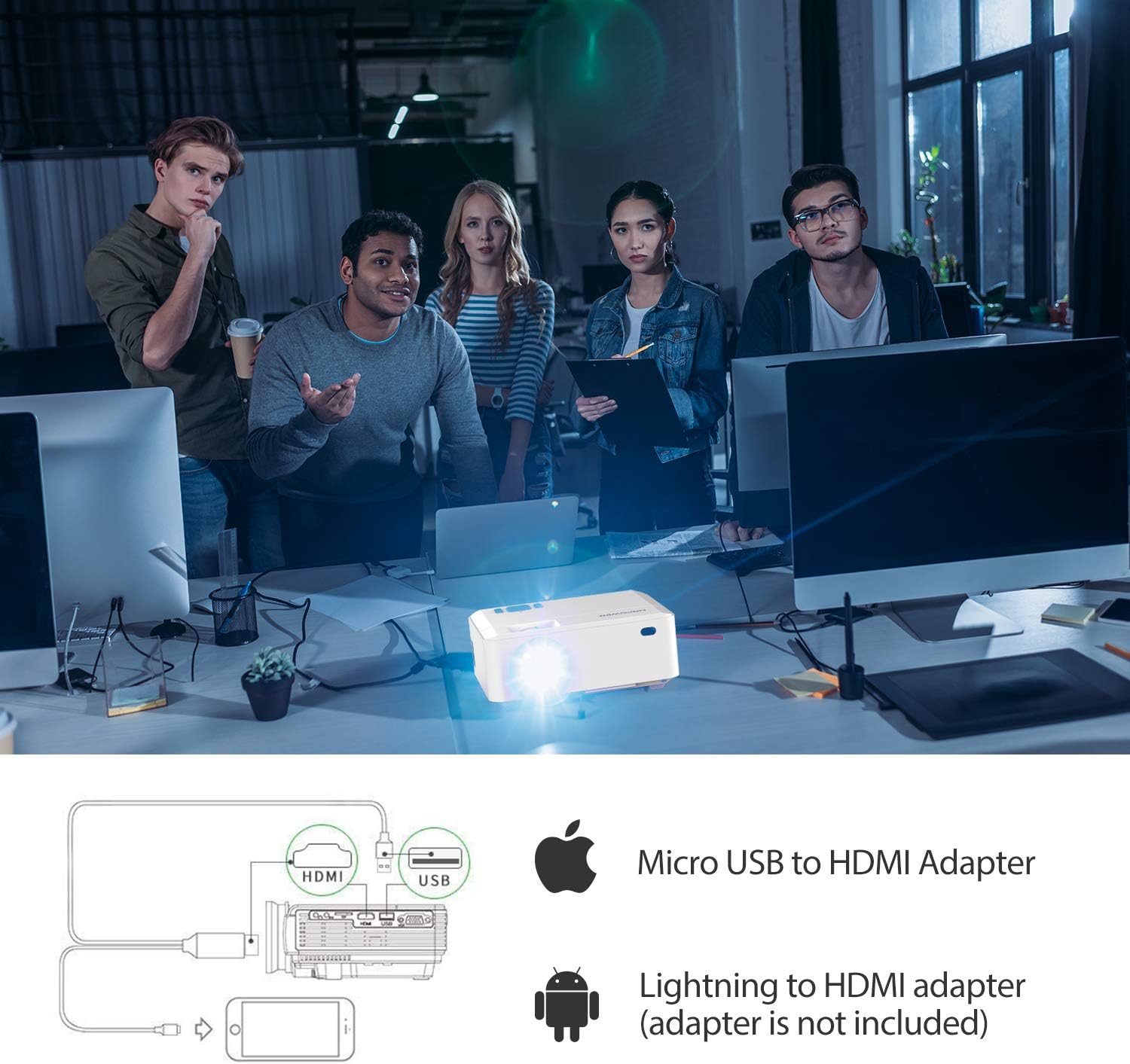
Figure 7.1: Smartphone Connectivity Diagram
8. Penyelenggaraan
Penyelenggaraan yang betul memastikan jangka hayat dan prestasi optimum projektor anda.
- Membersihkan Lensa: Gunakan kain lembut dan tidak berbulu yang direka khas untuk kanta optik. Elakkan bahan yang kasar atau bahan kimia yang keras.
- Membersihkan Lubang Udara: Regularly check and clean the air vents to prevent dust buildup, which can affect cooling and performance. Use a soft brush or compressed air.
- Storan: Apabila tidak digunakan untuk tempoh yang lama, simpan projektor di tempat yang sejuk dan kering, sebaik-baiknya di dalam pembungkusan asalnya atau bekas pelindung.
9. Penyelesaian masalah
If you encounter issues with your projector, refer to the table below for common problems and their solutions.
| Masalah | Kemungkinan Punca | Penyelesaian |
|---|---|---|
| Tiada gambar di skrin | Incorrect input source selected; Loose cable connection; Power issue. | Select the correct input source; Check all cable connections; Ensure projector is powered on. |
| Imej kabur | Fokus tidak dilaraskan; Projektor terlalu dekat/jauh dari skrin. | Laraskan gelang fokus; Laraskan jarak unjuran. |
| Imej adalah trapezoid | Keystone tidak dilaraskan. | Laraskan dail pembetulan keystone. |
| Tiada bunyi | Volume too low; Audio cable not connected; Source device audio settings. | Increase projector volume; Check audio connections; Adjust audio output on source device. |
| Alat kawalan jauh tidak berfungsi | Bateri lemah/mati; Halangan antara alat kawalan jauh dan projektor. | Gantikan bateri; Pastikan garis penglihatan yang jelas kepada penerima IR. |
10. Spesifikasi
| Ciri | Perincian |
|---|---|
| Jenama | DBPOWER |
| Nombor Model | RD820 |
| Kecerahan | 3500 Lux (Upgraded) |
| Resolusi Asli | Not specified (Supports 1920x1080) |
| Resolusi Disokong | 1920 x 1080 (HD Penuh) |
| Nisbah Kontras | 2000:1 |
| Saiz Unjuran | 32 - 170 inci |
| Jarak Unjuran | 1 - 5 meter |
| Pembetulan Batu Kunci | Manual ±15° |
| Teknologi Ketersambungan | HDMI, USB, VGA, AV, Kad TF |
| Jenis Pembesar Suara | Terbina Dalam |
| Berat Barang | 2.18 paun |
| Dimensi Produk | 5.8 x 2.8 x 7.3 inci |
11. Waranti dan Sokongan
The DBPOWER RD820 Mini Projector comes with a 3-YEAR warranty. To activate your warranty and receive exclusive gifts, please register your product within 7 days of purchase. Details for registration can be found on the product packaging or the official DBPOWER webtapak.
For technical support, troubleshooting assistance, or warranty claims, please contact DBPOWER customer service through their official channels. Refer to the contact information provided with your product or on the manufacturer's webtapak.


