pengenalan
Thank you for choosing the Koss BT232i Wireless Bluetooth Earclips. These earclips are designed to provide high-quality wireless audio with the convenience of Bluetooth connectivity, an in-line microphone, and remote controls. Their sweat-resistant design makes them ideal for active lifestyles. Please read this manual carefully to ensure proper use and maintenance of your device.

Image: The Koss BT232i Wireless Bluetooth Earclips, dark grey and black, featuring the earclip design and the in-line remote control.
Apa yang ada dalam Kotak
Your Koss BT232i package should contain the following items:
- Koss BT232i Wireless Bluetooth Earclips
- Three (3) pairs of ear cushion sizes (Small, Medium, Large)
- Klip pengurusan kabel
- USB charging cable (not explicitly listed but implied for rechargeable battery)
Produk Selesaiview
The Koss BT232i features an intuitive design for ease of use and comfort.
Earclips and Earbuds
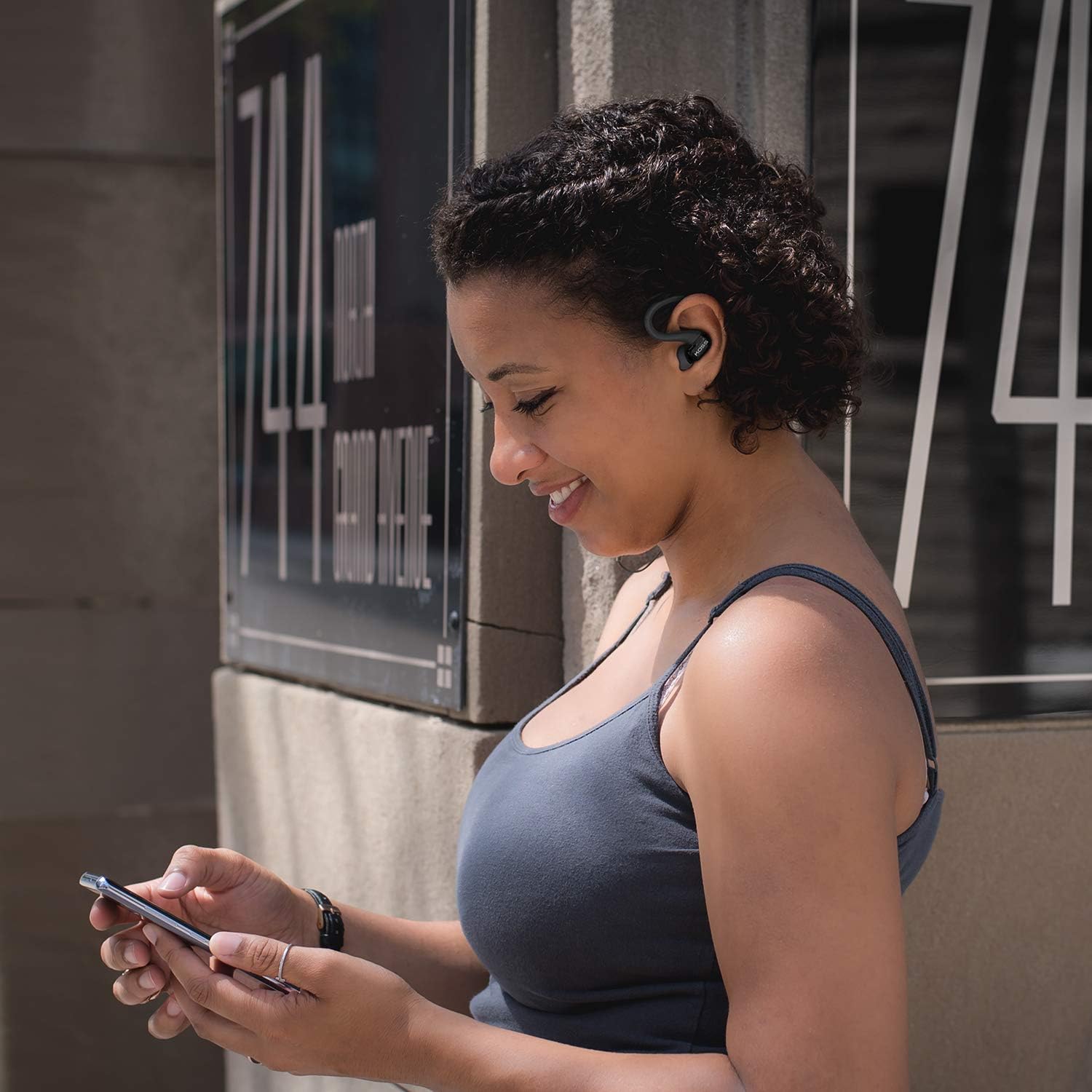
The earclips are designed to securely fit over your ears, providing stability during movement. The earbuds are equipped with soft silicone cushions for comfortable in-ear placement and optimal sound delivery.
Imej: Jarak dekat view of the Koss BT232i earclips and earbuds, highlighting the ergonomic design.
In-Line Microphone and Remote
The in-line remote control is conveniently located on the cable, allowing easy access to various functions without needing to interact directly with your connected device.

Imej: Terperinci view of the in-line remote control on the Koss BT232i, showing the buttons for volume, play/pause, and call management.
Persediaan
1. Charging the Earclips
Before first use, fully charge your BT232i earclips. A full charge provides over 6 hours of battery life.
- Locate the charging port on the in-line remote.
- Connect the provided USB charging cable to the earclips and a compatible USB power source (e.g., computer USB port, wall adapter).
- The LED indicator on the remote will show charging status (refer to LED indicator section for details, if available).
- Setelah dicas sepenuhnya, cabut kabel.

Image: An illustration showing the Koss BT232i earclips connected to a power source, indicating the charging process and battery icon.
2. Berpasangan Bluetooth
To connect your BT232i earclips to a Bluetooth-enabled device:
- Ensure the earclips are turned off.
- Tekan dan tahan butang berbilang fungsi pada alat kawalan jauh sebaris sehingga penunjuk LED berkelip biru dan merah, menunjukkan mod berpasangan.
- Pada peranti anda (telefon pintar, tablet, komputer), pergi ke tetapan Bluetooth dan dayakan Bluetooth.
- Cari untuk available devices and select "Koss BT232i" from the list.
- Once paired, the LED indicator on the earclips will flash blue slowly or turn solid blue (refer to LED indicator section for specifics).
- The earclips are now ready for use.
3. Fitting the Earclips
For optimal comfort and sound quality, select the correct ear cushion size and adjust the cable.
- Kusyen Telinga: Experiment with the three included ear cushion sizes (Small, Medium, Large) to find the best fit for your ears. A good seal improves bass response and noise isolation.
- Cable Management Clip: Use the cable management clip to secure any excess cable, preventing tangles and ensuring a snug fit during activities.

Image: A person wearing the Koss BT232i earclips, demonstrating the over-ear fit and in-ear placement.
Arahan Operasi
Alat kawalan jauh sebaris menyediakan kawalan mudah ke atas audio dan panggilan anda.
| Butang/Tindakan | Fungsi |
|---|---|
| Hidupkan/Mati Kuasa | Tekan dan tahan butang berbilang fungsi. |
| Main/Jeda Muzik | Tekan butang pelbagai fungsi sekali. |
| Trek Seterusnya | Tekan dan tahan butang Naik Kelantangan (+). |
| Trek Sebelumnya | Tekan dan tahan butang Turun Kelantangan (-). |
| Kelantangan Naik | Press the Volume Up (+) button once. |
| Kelantangan Kurang | Press the Volume Down (-) button once. |
| Jawab/Tamatkan Panggilan | Tekan butang berbilang fungsi sekali semasa panggilan masuk atau panggilan aktif. |
| Tolak Panggilan | Tekan dan tahan butang berbilang fungsi semasa panggilan masuk. |
| Aktifkan Pembantu Suara | Double-press the multi-function button (functionality may vary by device). |
Penyelenggaraan
Proper care will extend the life and performance of your Koss BT232i earclips.
- Pembersihan: Gently wipe the earclips and earbuds with a soft, dry cloth. For ear cushions, remove them and clean with a mild soap solution if necessary, then rinse and dry thoroughly before reattaching. Do not use harsh chemicals or abrasive materials.
- Rintangan peluh: The BT232i earclips are sweat resistant. After intense workouts, it is recommended to wipe them dry to prevent moisture buildup. Do not submerge the earclips in water.
- Storan: When not in use, store the earclips in a clean, dry place away from extreme temperatures and direct sunlight. Avoid tangling the cable.
Menyelesaikan masalah
If you encounter issues with your Koss BT232i earclips, try the following solutions:
| Masalah | Penyelesaian yang Mungkin |
|---|---|
| Earclips won't turn on. | Ensure the battery is charged. Connect to a power source and allow it to charge for at least 30 minutes before attempting to power on again. |
| Tidak boleh berpasangan dengan peranti. |
|
| Tiada bunyi atau kelantangan rendah. |
|
| Sound is distorted or cuts out. |
|
Spesifikasi
| Ciri | Perincian |
|---|---|
| Nama Model | BT232i Bluetooth Wireless Headphones |
| Nombor Model Item | 196651 |
| Teknologi Ketersambungan | Tanpa wayar |
| Teknologi Komunikasi Tanpa Wayar | Bluetooth 4.2 |
| Hayat Bateri | 6 Jam |
| Masa Mengecas | 6 Jam |
| Julat Kekerapan | 18-20,000 Hz |
| Tahap Ketahanan Air | Kalis Air (Kalis Peluh) |
| Jenis Kawalan | Volume Control, Touch-based In-Line Remote |
| Mikrofon | Mikrofon Dalam Talian |
| Penempatan Telinga | Di Telinga |
| Faktor Bentuk | Atas Telinga |
| bahan | plastik |
| Berat Barang | 1.94 auns (0.06 Kilogram) |
| Dimensi Produk | 0.98 x 0.98 x 0.98 inci |
Waranti dan Sokongan
Maklumat Waranti
The Koss BT232i Wireless Bluetooth Earclips come with a Waranti Terhad Setahun. Please retain your proof of purchase for warranty claims. For detailed warranty terms and conditions, please refer to the official Koss website or contact Koss customer support.
Sokongan Pelanggan
For further assistance, technical support, or warranty inquiries, please visit the official Koss weblaman web atau hubungi jabatan khidmat pelanggan mereka. Anda boleh mendapatkan maklumat lanjut dan produk di Koss Store on Amazon.


