pengenalan
This manual provides essential instructions for the setup, operation, and maintenance of your LG 43UK6500MLA.AEE 43-inch 4K UHD LED TV. Please read this manual thoroughly before operating your television to ensure safe and correct use. Keep this manual for future reference.
The LG 43UK6500MLA.AEE features a 43-inch 4K Ultra HD LED display, Active HDR for enhanced picture quality, and the intuitive WebOS 4.0 smart TV platform. It includes a QuadCore Processor, TruMotion 100Hz, Wide Color Gamut, and Bluetooth connectivity.
Apa yang ada dalam Kotak
Carefully unpack the box and ensure all items are present. If any items are missing or damaged, contact your dealer.
- LG 43UK6500MLA.AEE 43-inch 4K UHD LED TV
- Alat kawalan jauh (Bateri tidak termasuk)
- Kabel Kuasa
- Komponen Pendirian (jika berkenaan)
- Dokumentasi (Manual Pengguna, Kad Jaminan)
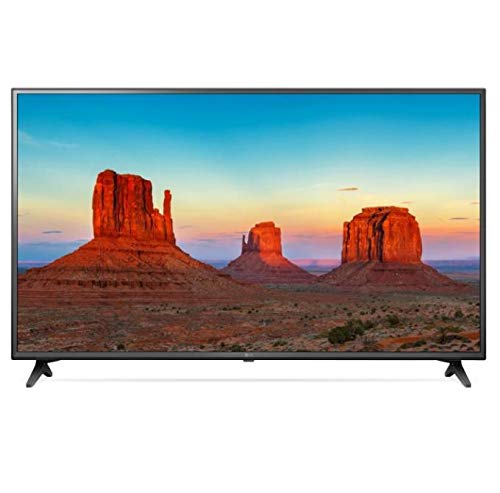
Image: LG 43UK6500MLA.AEE 43-inch 4K UHD LED TV. This image shows the television unit, typically including the screen, bezel, and a stand. A remote control may also be depicted alongside the TV.
Persediaan
1. Membongkar
Remove the TV and all accessories from the packaging. It is recommended to keep the packaging materials for future transport of the TV.
2. Stand Assembly (Table-top Mounting)
If you are placing the TV on a table, you will need to attach the stand. Follow these steps:
- Letakkan skrin TV ke bawah pada permukaan yang lembut dan rata untuk mengelakkan calar.
- Jajarkan tapak pendirian dengan lubang pelekap di bahagian bawah TV.
- Selamatkan dirian menggunakan skru yang disediakan. Pastikan semua skru diketatkan dengan kuat.
Note: The TV supports table mounting. For wall mounting, a separate VESA-compatible wall mount kit (not included) is required. Refer to the wall mount kit's instructions for installation.
3. Menyambung Peranti
- Kuasa: Sambungkan kabel kuasa ke input kuasa TV dan kemudian ke saluran keluar dinding.
- Peranti HDMI: Connect external devices like Blu-ray players, game consoles, or set-top boxes to the HDMI ports on the back of the TV using HDMI cables.
- Antena/Kabel: Connect an antenna or cable TV feed to the ANTENNA/CABLE input.
- Rangkaian: Untuk akses internet, sambungkan kabel Ethernet ke port LAN atau sambungkan secara wayarles melalui Wi-Fi semasa persediaan awal.
- Peranti USB: Sambungkan peranti storan USB ke port USB untuk main balik media.
4. Wizard Persediaan Awal
After connecting the power and turning on the TV for the first time, an on-screen setup wizard will guide you through essential settings:
- Pemilihan Bahasa: Pilih bahasa pilihan anda.
- Pilihan Negara: Select your country for correct channel tuning.
- Sambungan Rangkaian: Configure your Wi-Fi connection or confirm the wired connection.
- Penalaan Saluran: Scan for available broadcast channels.
- Masa dan Tarikh: Tetapkan masa dan tarikh yang betul.
- Terma dan Syarat: Review and accept the user agreements.
Arahan Operasi
1. Kawalan Jauh Lebihview
The remote control allows you to access all functions of your TV. Insert two AAA batteries (not included) into the remote control, ensuring correct polarity.
- Butang Kuasa: Menghidupkan atau mematikan TV.
- Butang Nombor: Pilih saluran secara langsung.
- Kelantangan Naik/Turun: Laraskan tahap bunyi.
- Saluran Atas/Bawah: Change channels sequentially.
- Butang rumah: Akses ke WebOS Smart TV launcher.
- Butang Input: Select input sources (HDMI, USB, TV).
- Butang Navigasi (Atas/Bawah/Kiri/Kanan) dan OK: Navigasi menu dan sahkan pilihan.
- Butang Belakang: Kembali ke skrin sebelumnya.
- Butang Tetapan: Access picture, sound, and general settings.
2. WebOS 4.0 Smart TV Navigation
Tekan ke Rumah button on your remote to open the WebOS launcher bar at the bottom of the screen. Use the navigation buttons to scroll through apps, input sources, and other features. Select an item by pressing OK.
3. Tetapan Gambar dan Bunyi
To adjust picture or sound settings:
- Tekan ke tetapan butang pada alat kawalan jauh.
- Navigasi ke Gambar or Bunyi.
- Select desired options such as Picture Mode (Vivid, Standard, Cinema), Brightness, Contrast, or Sound Mode (Standard, Cinema, Music).
4. Kesambungan Bluetooth
Your TV supports Bluetooth for connecting compatible audio devices like headphones or soundbars.
- Pergi ke tetapan > Bunyi > Bunyi Keluar.
- Pilih Penyegerakan Suara LG (Tanpa Wayar) or Bluetooth.
- Masukkan peranti Bluetooth anda ke mod pasangan.
- Select your device from the list on the TV screen to connect.
Penyelenggaraan
1. Membersihkan TV
- Sentiasa cabut plag TV sebelum membersihkan.
- Gunakan kain lembut dan kering untuk mengelap skrin dan kabinet.
- Untuk tanda degil, ringankan dampbilas kain dengan air atau pembersih skrin yang lembut dan tidak kasar. Jangan sekali-kali sembur pembersih terus ke skrin.
- Elakkan daripada menggunakan alkohol, benzena, penipisan atau bahan meruap lain, kerana ia boleh merosakkan TV.
2. Kemas Kini Perisian
To ensure optimal performance and access to the latest features, regularly check for software updates:
- Ensure your TV is connected to the internet.
- Pergi ke tetapan > Umum > Mengenai TV Ini > Semak Kemas Kini.
- Ikuti arahan pada skrin untuk memuat turun dan memasang sebarang kemas kini yang tersedia.
Menyelesaikan masalah
Sebelum menghubungi perkhidmatan, cuba penyelesaian berikut untuk isu biasa:
| Masalah | Kemungkinan Punca / Penyelesaian |
|---|---|
| Tiada kuasa / TV tidak dihidupkan. |
|
| No picture or sound from an external device. |
|
| No channels found during tuning. |
|
| Alat kawalan jauh tidak berfungsi. |
|
| Isu sambungan Wi-Fi. |
|
Spesifikasi
| Ciri | Perincian |
|---|---|
| Jenama | LG Electronics |
| Nombor Model | 43UK6500MLA.AEE |
| Nama Model | 43UK6500MLA |
| Tahun Model | 2018 |
| Teknologi Paparan | LED |
| Saiz Skrin | 43 inci (109 sm) |
| Resolusi | 4K UHD (3840 x 2160) |
| Nisbah Aspek | 16:9 |
| Kadar Segar Semula | TruMotion 100Hz |
| Pemproses | QuadCore Processor |
| Sokongan HDR | HDR aktif |
| Warna Gamut | Gamut Warna Lebar |
| Sistem Operasi | WebOS 4.0 |
| Ketersambungan | Wi-Fi, Bluetooth |
| Antara Muka Perkakasan | Bluetooth |
| Port USB | 1 |
| Mod Keluaran Audio | Stereo |
| Konfigurasi Pembesar Suara | 2-saluran |
| Ciri Khas | Panduan Program Elektronik (EPG) |
| Jenis Pemasangan | Lekap Meja |
| Dimensi Produk (WxHxD) | 105.2 x 66 x 15.2 cm (dengan dirian) |
| Berat badan | 10.92 kg |
Waranti dan Sokongan
Untuk maklumat waranti, sila rujuk kad waranti yang disertakan dengan produk anda atau lawati LG rasmi website. For technical support, product registration, or service inquiries, please contact LG Customer Service through their official channels.
You can typically find contact information and support resources on the LG official webtapak: www.lg.com/support