pengenalan
Thank you for choosing the BESTEK Power Strip Tower. This device is designed to provide a versatile and safe power solution for your home or office, featuring multiple AC outlets, USB charging ports, and a convenient wireless charging pad. Please read this manual thoroughly before use to ensure proper operation and to maximize the lifespan of your product.
Arahan Keselamatan
- Do not exceed the maximum power rating of 125V/15A/1875W.
- This product is designed for indoor use only. Avoid exposure to moisture or wet environments.
- Do not disassemble, modify, or attempt to repair the unit. Refer all servicing to qualified personnel.
- Jauhkan daripada kanak-kanak dan haiwan peliharaan.
- Ensure the power cord is fully inserted into a grounded wall outlet.
- Elakkan meletakkan unit berhampiran sumber haba atau di bawah cahaya matahari langsung.
- If the surge protector indicator light is off, the surge protection feature may no longer be active. Replace the unit to ensure continued protection.
Ciri-ciri Produk
The BESTEK Power Strip Tower offers a comprehensive charging and power solution with the following features:
- Penyelesaian Kuasa 12-dalam-1: Equipped with 8 AC outlets, 2 USB-A ports, 1 USB-C PD 20W port, and 1 wireless charger, allowing simultaneous charging of multiple devices.
- Integrated Wireless Charger: A built-in wireless charging pad (5V/2A) on the top surface supports Qi-standard compatible devices.

- Pengecasan Cepat USB-C: The USB-C port supports PD3.0 with a maximum output of 20W (5V/3A, 9V/2.22A, or 12V/1.67A) for rapid charging of compatible Type-C devices. Each USB-A port provides up to 2.4A output. Smart technology automatically detects connected devices and delivers optimal charging speed.

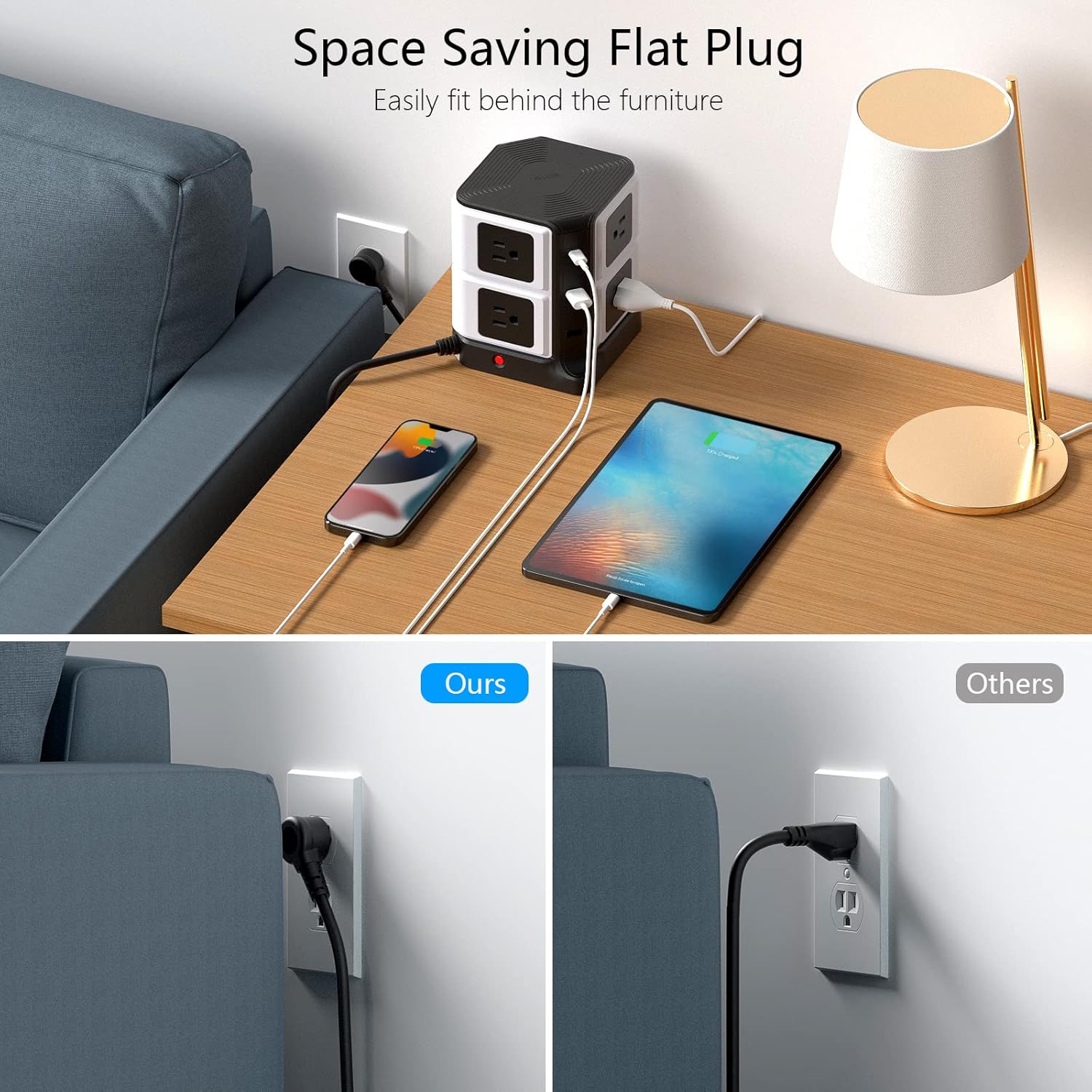
- Space-Saving Vertical Design: The desktop tower design (only 5.7 inches tall) is ideal for minimizing clutter. Widely spaced outlets on different directions and a 45-degree flat plug prevent blocking adjacent outlets and fit easily behind furniture.
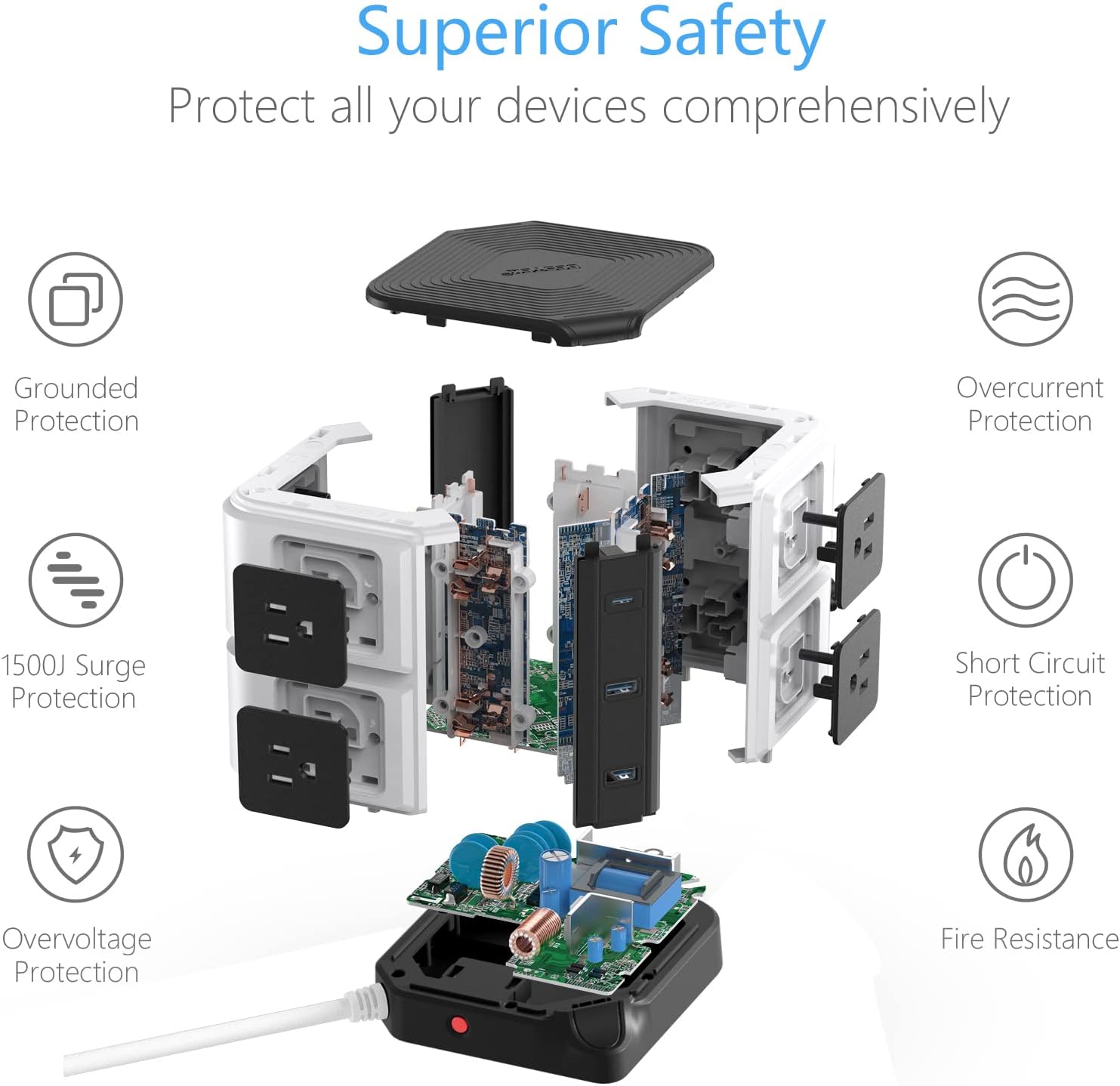
- Keselamatan Unggul: Built-in 2100 Joules surge protection, overload protection with a reset button, short circuit protection, overvoltage protection, and fire-resistant casing ensure comprehensive safety for all connected devices. ETL listed for safety assurance.
Produk Selesaiview Video
Detailed Features Video
Kandungan Pakej
- 1 x BESTEK Power Strip Tower (Model CA-usb10100)
- 1 x Manual Pengguna
Persediaan
- Unpack the Power Strip Tower and ensure all components are present.
- Place the unit on a stable, flat surface, away from water or heat sources.
- Plug the power cord into a standard 125V AC grounded wall outlet. The power indicator light on the base should illuminate.
Arahan Operasi
Menggunakan Outlet AC
- The Power Strip Tower features 8 AC outlets distributed across its sides.
- Each tier of AC outlets (top and bottom) has an independent power button. Press the button next to the desired outlets to turn them on or off. An indicator light will show the status.
- Plug your devices directly into the AC outlets. The wide spacing accommodates larger power adapters without blocking other ports.
Menggunakan Port Pengecasan USB
- Connect your USB-powered devices to the 2 USB-A ports or the 1 USB-C PD 20W port.
- Teknologi pengecasan pintar akan mengesan peranti anda secara automatik dan memberikan arus pengecasan yang optimum.
- The USB ports operate independently of the AC outlet power buttons.
Menggunakan Pengecasan Tanpa Wayar
- Place your Qi-compatible smartphone or other device directly on the wireless charging pad located on the top of the tower.
- Ensure the device is centered on the pad for optimal charging. A charging indicator (if present on your device) will confirm charging has begun.
- Remove any metal objects or thick cases from your device that may interfere with wireless charging.
Penyelenggaraan
- Putuskan sambungan jalur kuasa daripada soket dinding sebelum membersihkannya.
- Lap unit dengan kain lembut dan kering. Jangan gunakan pembersih cecair atau bahan yang melelas.
- Keep the outlets free from dust and debris to ensure proper contact and prevent overheating.
Menyelesaikan masalah
| Masalah | Kemungkinan Punca | Penyelesaian |
|---|---|---|
| Tiada kuasa ke soket/port USB. | Unit not plugged in; power button off; circuit breaker tripped; surge protection expired. | Ensure unit is plugged in. Press the power button for the specific tier of outlets. Check your home's circuit breaker. If the surge protection indicator is off, replace the unit. |
| Pengecasan tanpa wayar tidak berfungsi. | Device not Qi-compatible; device not properly aligned; foreign objects on pad; thick phone case. | Verify device compatibility. Realign device on the pad. Remove metal objects or thick cases. |
| Slow charging via USB. | Cable issue; device drawing more power than port can supply; multiple devices connected. | Try a different USB cable. Ensure the device is compatible with the port's output. Disconnect other devices to test. |
Spesifikasi
| Ciri | Perincian |
|---|---|
| Nombor Model | CA-usb10100 |
| Dimensi Produk | 4.8 x 4.8 x 5.71 inci |
| Berat Barang | 2.1 paun |
| Jumlah Outlet Kuasa | 8 Outlet AC |
| Port USB | 2 USB-A (2.4A Max each), 1 USB-C (PD3.0, 20W Max) |
| Pengecas Tanpa Wayar | 5V/2A (Qi Standard) |
| Voltage | 125 Volt |
| Perlindungan Lonjakan | 2100 Joule |
| Ciri Khas | Fireproof, Overvoltage Protection, Short Circuit Protection, Space Saving, Surge Protection, USB Slot |
| Pensijilan | Tersenarai ETL |
Waranti dan Sokongan
For warranty information or technical support, please contact BESTEK customer service through their official webtapak atau peruncit tempat produk dibeli. Simpan resit pembelian anda untuk tuntutan jaminan.


