1. Pengenalan
Thank you for choosing PowerLocus P2 Bluetooth Over-Ear Headphones. These headphones are designed to provide a high-quality audio experience with versatile connectivity options. This manual will guide you through the setup, operation, and maintenance of your new headphones.
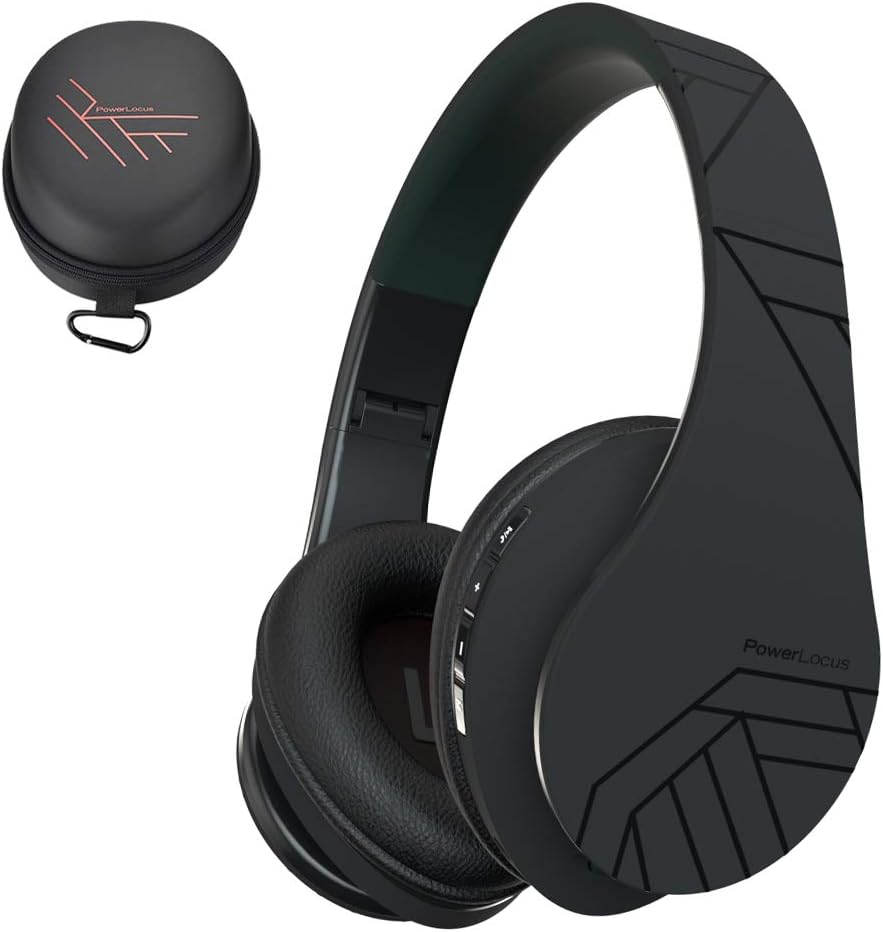
Image 1.1: PowerLocus P2 Headphones and Carrying Case
2. Kandungan Pakej
Sila semak pakej untuk item berikut:
- 1x PowerLocus P2 Wireless Headphones
- Kabel Audio 1x 3.5mm
- 1x Kabel Pengecas USB-C
- 1x Elegant Hard Shell Carry Case

Image 2.1: Included Package Contents
3. Persediaan
3.1 Mengecas Fon Kepala
Before first use, fully charge your PowerLocus P2 headphones. The charging port is located on the right earcup.
- Connect the small end of the USB-C charging cable to the charging port on the headphones.
- Connect the larger end of the USB-C charging cable to a USB power source (e.g., computer USB port, wall adapter).
- The LED indicator will illuminate during charging and turn off when charging is complete.
Pengecasan penuh mengambil masa kira-kira 2.5 jam.

Imej 3.1: Port Pengecasan USB-C
3.2 Menghidupkan/Mematikan
- To power on: Slide the On/Off button located on the earcup. The LED indicator will flash.
- To power off: Slide the On/Off button again. The LED indicator will turn off.
3.3 Berpasangan Bluetooth
The PowerLocus P2 headphones use Bluetooth 5.3 for a stable wireless connection.
- Pastikan fon kepala dicas dan dimatikan.
- Slide the On/Off button to power on the headphones. The LED indicator will flash blue and red, indicating pairing mode.
- Pada peranti anda (telefon pintar, tablet, komputer), dayakan Bluetooth dan cari peranti yang tersedia.
- Select "PowerLocus P2" from the list of devices.
- Setelah disambungkan, penunjuk LED akan menunjukkan cahaya biru padu atau biru berkelip perlahan.

Image 3.2: Key Features including Bluetooth 5.0
3.4 Sambungan Berwayar (Kabel Audio 3.5mm)
You can use the headphones in wired mode when the battery is low or with non-Bluetooth devices.
- Sambungkan satu hujung kabel audio 3.5mm ke bicu input audio pada fon kepala.
- Connect the other end of the 3.5mm audio cable to your audio source's headphone jack.
- Fon kepala akan bertukar secara automatik kepada mod berwayar.

Image 3.3: Wired Mode Connection
4. Arahan Operasi
4.1 Kawalan Butang
The controls are located on the right earcup for easy access.

Image 4.1: Headphone Button Controls and Features
| Butang/Tindakan | Fungsi |
|---|---|
| Power Button (Slide) | Hidupkan/Mati Kuasa |
| Butang Main/Jeda | Press once to Play/Pause music; Answer/End calls |
| Kelantangan Naik (+) | Short press to increase volume; Long press for next track |
| Perlahankan suara (-) | Short press to decrease volume; Long press for previous track |
| Butang Mod (M) | Switch between Bluetooth, Micro SD, and FM Radio modes |
4.2 Main balik Muzik
- Main/Jeda: Tekan butang Main/Jeda sekali.
- Lagu Seterusnya: Tekan lama butang Naikkan Kelantangan (+).
- Trek Sebelumnya: Tekan lama butang Kelantangan Turun (-).
- Pelarasan Kelantangan: Tekan sebentar butang Kelantangan Naik (+) atau Kelantangan Turun (-).
4.3 Pengurusan Panggilan
When connected via Bluetooth, you can manage phone calls directly from the headphones.
- Jawab/Tamatkan Panggilan: Tekan butang Main/Jeda sekali.
- Tolak Panggilan: Tekan lama butang Main/Jeda.
4.4 Micro SD/TF Card Mode
The headphones support Micro SD/TF cards for direct music playback.
- Insert a Micro SD/TF card (up to 32GB) with MP3 audio files ke dalam slot kad.
- Press the Mode (M) button to switch to Micro SD mode.
- Music will begin playing automatically. Use the Play/Pause and Volume buttons for control.

Image 4.2: Micro SD Card Slot
Mod Radio 4.5 FM
The headphones include a built-in FM radio function.
- Press the Mode (M) button to switch to FM Radio mode.
- Long press the Play/Pause button to automatically scan and save available FM stations.
- Use the Volume Up (+) and Volume Down (-) buttons (short press) to switch between saved stations.
5. Penyelenggaraan
5.1 Pembersihan
- Lap fon kepala dengan kain lembut dan kering.
- Jangan gunakan pembersih yang melelas, alkohol atau pelarut kimia.
- Elakkan mendapatkan kelembapan ke dalam mana-mana bukaan.
5.2 Penyimpanan
When not in use, store the headphones in the provided hard shell carry case to protect them from dust, scratches, and impacts. The foldable design allows for compact storage.

Image 5.1: Headphones Stored in Carry Case
6. Penyelesaian masalah
| Masalah | Penyelesaian |
|---|---|
| Fon kepala tidak dihidupkan. | Pastikan fon kepala dicas sepenuhnya. |
| Tidak boleh berpasangan melalui Bluetooth. | Pastikan fon kepala berada dalam mod berpasangan (LED biru/merah berkelip). Matikan dan hidupkan Bluetooth pada peranti anda. Bergerak lebih dekat dengan peranti. |
| Tiada bunyi dalam mod Bluetooth. | Semak tahap kelantangan pada kedua-dua fon kepala dan peranti yang disambungkan. Pastikan fon kepala dipasangkan dengan betul. |
| Tiada bunyi dalam mod berwayar. | Ensure the 3.5mm audio cable is securely connected to both the headphones and the audio source. Test with a different cable if possible. |
| Radio FM tidak berfungsi. | Ensure you are in FM mode. Perform an auto-scan for stations by long-pressing the Play/Pause button. |
7. Spesifikasi
| Ciri | Perincian |
|---|---|
| Nama Model | P2 |
| Teknologi Ketersambungan | Tanpa Wayar (Bluetooth 5.3), Berwayar (Bicu 3.5mm) |
| Saiz Pemacu Audio | 40 mm |
| Julat Kekerapan | 20 Hz - 20,000 Hz |
| Impedans | 32 Ohm |
| Hayat Bateri | Sehingga 15 Jam |
| Masa Mengecas | Lebih kurang 2.5 Jam |
| Julat Bluetooth | Sehingga 36 Kaki (11 meter) |
| Mikrofon | Built-in (Echo Cancellation) |
| Ciri Khas | Foldable, Micro SD/TF Card Slot, FM Radio |
| Berat badan | 150 Gram (5.3 auns) |
| bahan | Leather (earcups, carrying case) |
| Peranti Serasi | Smartphones, Tablets, Laptops, Gaming Consoles, PCs |
8. Waranti dan Sokongan
8.1 Maklumat Waranti
PowerLocus P2 headphones come with a Waranti 24 bulan from the date of purchase. This warranty covers manufacturing defects and ensures customer satisfaction. Please retain your proof of purchase for warranty claims.
8.2 Sokongan Pelanggan
For any questions, technical assistance, or warranty claims, please contact PowerLocus customer support. We are committed to 100% customer satisfaction and offer 24/7 support.
- Webtapak: www.powerlocus.com
- Email (EU Importer): info@powerlocus.com
- Email (UK Importer): info@powerlocus.com


