pengenalan
The DigiTech Multi-Function LCD Wall Clock (Model XC0225) is a versatile device designed to provide convenient time display along with additional environmental information. This clock features a large LCD screen displaying time, date, day of the week, indoor temperature, and humidity. It also includes alarm and snooze functions, making it suitable for various settings, whether mounted on a wall or placed on a desktop.
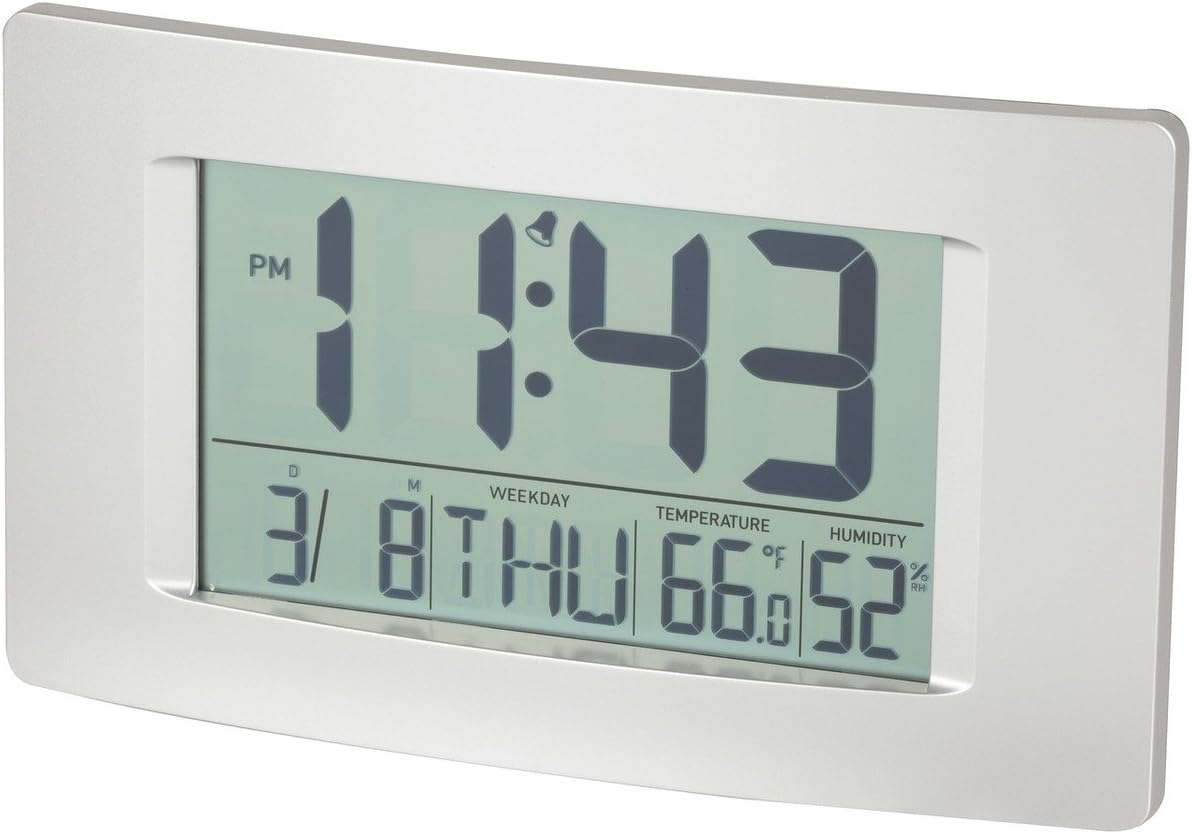
Rajah 1: Depan view of the Multi-Function LCD Wall Clock.
Kandungan Pakej
- DigiTech Multi-Function LCD Wall Clock (Model XC0225)
- Manual Pengguna (dokumen ini)
Nota: 3 x AA batteries are required for operation and are not included in the package.

Figure 2: Product packaging illustrating the clock and its features.
Persediaan
1. Pemasangan Bateri
- Cari petak bateri di belakang jam.
- Buka penutup petak bateri.
- Insert 3 x AA batteries, ensuring correct polarity (+ and -) as indicated inside the compartment.
- Tutup penutup petak bateri dengan selamat.
2. Hidupkan Kuasa Awal
Upon battery installation, the clock will power on automatically and display default settings. You may need to adjust the time, date, and other settings as described in the "Operating Instructions" section.
3. Pilihan Pemasangan
- Peletakan Desktop: Utilize the integrated stand on the back of the clock to place it on any flat surface.
- Pemasangan Dinding: Use the integrated hang-hole on the back of the clock to mount it securely on a wall using a suitable screw or hook (not included).
Arahan Operasi
The clock features several buttons on the back for setting and adjusting functions. Refer to the labels next to each button for their specific functions (e.g., MODE, UP, DOWN, ALARM, SNOOZE/LIGHT).
1. Menetapkan Masa dan Tarikh
- Tekan ke MODE button repeatedly until the time display starts flashing.
- Gunakan UP or TURUN butang untuk melaraskan jam.
- Tekan MODE again to move to minutes, then use UP or TURUN untuk menyesuaikan diri.
- Teruskan menekan MODE untuk kitaran melalui tetapan tahun, bulan dan hari, melaraskan setiap satu dengan UP or TURUN.
- Tekan MODE kali terakhir untuk keluar dari mod tetapan.
2. Tetapkan Penggera
- Tekan ke PENGGERA butang sekali untuk memaparkan masa penggera semasa.
- Tekan dan tahan butang PENGGERA butang sehingga waktu penggera mula berkelip.
- Gunakan UP or TURUN butang untuk melaraskan jam penggera.
- Tekan PENGGERA again to move to alarm minutes, then use UP or TURUN untuk menyesuaikan diri.
- Tekan PENGGERA one last time to confirm and exit alarm setting mode.
- Untuk mengaktifkan/menyahaktifkan penggera, tekan butang PENGGERA button briefly when not in setting mode. An alarm icon will appear/disappear on the display.
3. Fungsi Tunda
Apabila penggera berbunyi, tekan SNOOZE / CAHAYA button to activate the snooze function. The alarm will temporarily stop and sound again after the set snooze interval (1-60 minutes, adjustable in settings).
4. Temperature Unit Selection (°C/°F)
Tekan sebentar UP button (or a dedicated °C/°F button if present) to toggle between Celsius (°C) and Fahrenheit (°F) temperature display.
5. Format 12/24 Jam
Tekan sebentar TURUN button (or a dedicated 12/24H button if present) to switch between 12-hour and 24-hour time formats.
Penyelenggaraan
1. Pembersihan
- Lap permukaan jam dengan kain lembut dan kering.
- Jangan gunakan pembersih, pelarut atau semburan kimia yang kasar, kerana ini boleh merosakkan paparan atauasing.
2. Penggantian Bateri
When the display becomes dim or functions become erratic, it is time to replace the batteries. Follow the "Battery Installation" steps in the Setup section to replace the 3 x AA batteries. Always replace all batteries at the same time with new ones.
Menyelesaikan masalah
| Masalah | Kemungkinan Punca | Penyelesaian |
|---|---|---|
| Paparan kosong atau malap. | Bateri mati atau tidak dipasang dengan betul. | Replace batteries with new 3 x AA batteries, ensuring correct polarity. |
| Masa/Tarikh tidak betul. | Not set correctly after battery installation or power interruption. | Follow the "Setting Time and Date" instructions to reset. |
| Penggera tidak berbunyi. | Alarm is not activated or alarm time is incorrect. | Ensure the alarm icon is displayed. Verify the alarm time setting. |
| Bacaan Suhu/Kelembapan kelihatan tidak tepat. | Clock placed near heat sources, vents, or in direct sunlight. | Relocate the clock to an area with stable ambient temperature and humidity. Allow time for readings to stabilize. |
Spesifikasi
| Ciri | Perincian |
|---|---|
| Model | XC0225 |
| Jenis Paparan | LCD Digital |
| Saiz LCD | 194mm (W) x 110mm (H) |
| Fungsi | Time, Date, Day of Week, Alarm, Snooze, Indoor Temperature, Indoor Humidity |
| Format Masa | 12 Hour / 24 Hour selectable |
| Julat Suhu | -9.9°C hingga +50°C (14.1°F hingga 122.0°F) |
| Julat Kelembapan | Kelembapan Relatif 20% hingga 95% (RH) |
| Tempoh Tunda | 1 - 60 minutes (adjustable) |
| Sumber Kuasa | 3 x Bateri AA (tidak termasuk) |
| Dimensions (Overall, W x H x D) | 306mm x 176mm x 36mm (lebih kurang) |
| Berat badan | 540g (without batteries) / 660g (shipping weight) |
| Pilihan Pemasangan | Integrated Stand, Wall Hang-hole |

Figure 3: Main display area dimensions of the clock for reference.
Waranti dan Sokongan
This DigiTech product comes with a Waranti 1 Tahun dari tarikh pembelian. Waranti ini melindungi kecacatan pada bahan dan mutu kerja di bawah penggunaan biasa.
For technical support, warranty claims, or further assistance, please contact your retailer or the DigiTech customer service department. Please have your model number (XC0225) and proof of purchase ready when contacting support.


