1. Pengenalan
This manual provides essential information for the installation, operation, and maintenance of the Hirschmann RS20-0800T1T1SDAUHH Ethernet Rail Switch. This unmanaged Fast Ethernet switch is designed for industrial applications, offering reliable network connectivity with 8 ports and DIN rail mounting capabilities. Please read this manual thoroughly before operating the device.
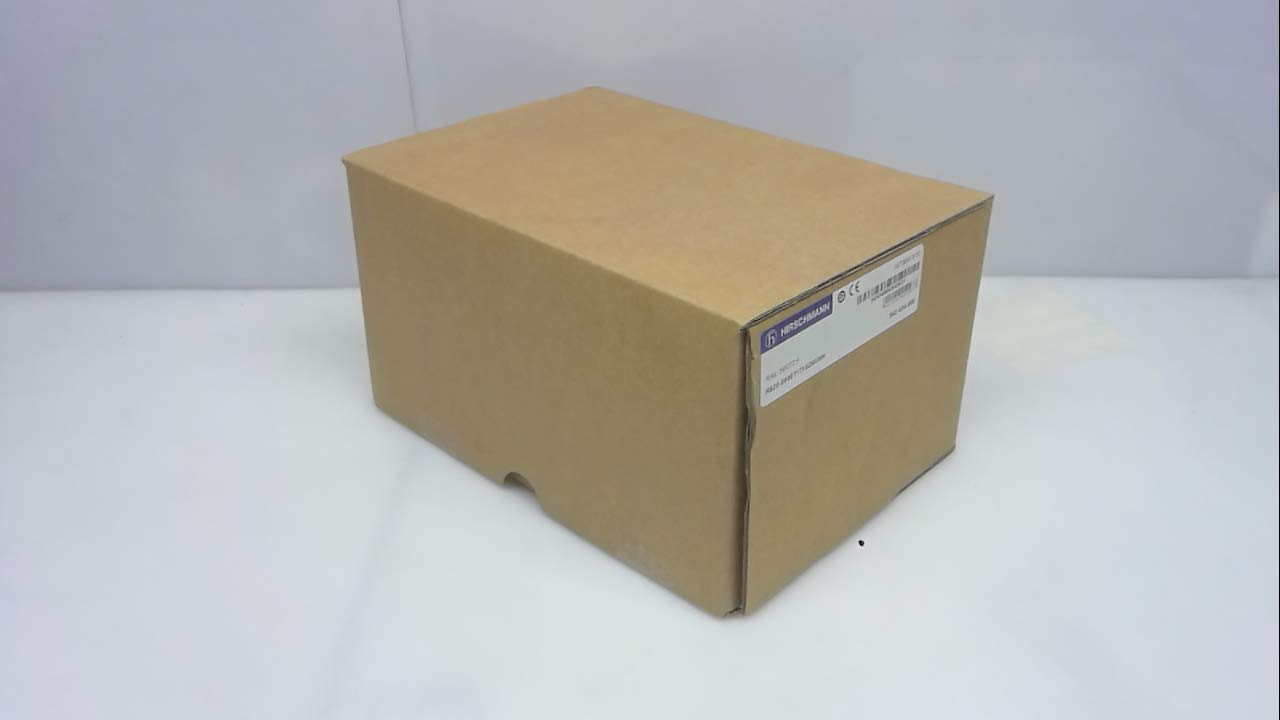
Rajah 1: Hirschmann RS20-0800T1T1SDAUHH Ethernet Rail Switch in its original packaging. The packaging indicates the model number and brand for verification.
2. Persediaan dan Pemasangan
Follow these steps for proper installation of your Hirschmann RS20-0800T1T1SDAUHH switch.
2.1 Membongkar
- Keluarkan suis dengan berhati-hati dari pembungkusannya.
- Verify that all components are present and undamaged. The package should contain the switch and any included hardware.
2.2 Pemasangan
The RS20-0800T1T1SDAUHH is designed for DIN rail mounting.
- Attach the switch securely to a standard DIN rail in an industrial enclosure.
- Pastikan pengudaraan yang mencukupi di sekitar peranti untuk mengelakkan terlalu panas.
2.3 Sambungan Kuasa
Sambungkan bekalan kuasa ke suis.
- The switch operates on 24V AC or 24-48V DC.
- Pastikan sumber kuasa sepadan dengan vol yang ditentukantagjulat e.
- Connect the power cables to the designated power input terminals on the switch.
2.4 Sambungan Rangkaian
Connect Ethernet devices to the switch ports.
- The switch features 8 Fast Ethernet ports.
- Use standard Ethernet cables (e.g., Cat5e or Cat6) to connect your network devices (e.g., PLCs, industrial PCs, sensors) to any of the 8 ports.
- The switch automatically detects link speed and duplex mode.

Rajah 2: The Hirschmann RS20-0800T1T1SDAUHH switch, illustrating the 8 Ethernet ports and the power input terminal block for connection.
3. Arahan Operasi
The Hirschmann RS20-0800T1T1SDAUHH is an unmanaged switch, designed for simple plug-and-play operation.
3.1 Hidupkan
Once the power supply is connected, the switch will power on automatically. There is no power button.
3.2 Kesambungan Rangkaian
Upon connecting Ethernet devices to the switch ports, the switch will automatically establish network links. Data transmission will commence without further configuration.
3.3 Penunjuk LED
Observe the LED indicators on the switch for status information:
- LED kuasa: Indicates the power status of the device. Typically green when powered on.
- LED Pautan/Aktiviti (setiap port):
- Hijau Pepejal: Indicates a successful network link.
- Hijau Berkelip: Menunjukkan aktiviti data pada port.
- Mati: No link detected or device is not connected.
4. Penyelenggaraan
The Hirschmann RS20-0800T1T1SDAUHH switch requires minimal maintenance.
4.1 Pembersihan
- Pastikan peranti dimatikan sebelum membersihkannya.
- Gunakan kain lembut dan kering untuk mengelap bahagian luar suis.
- Do not use liquid cleaners or solvents, as these can damage the device.
4.2 Pertimbangan Alam Sekitar
The switch has an IP00 rating, meaning it is not protected against dust or water ingress. It must be installed in an appropriate enclosure that provides protection from environmental factors.
5. Penyelesaian masalah
This section provides solutions to common issues.
5.1 Tiada Kuasa
- Gejala: LED kuasa mati.
- Tindakan:
- Check the power cable connection to the switch.
- Sahkan sumber kuasa aktif dan memberikan volum yang betultage (24V AC / 24-48V DC).
- Inspect the power terminals for secure contact.
5.2 Tiada Kesambungan Rangkaian
- Gejala: Link/Activity LED for a port is off, or devices cannot communicate.
- Tindakan:
- Pastikan kabel Ethernet disambungkan dengan selamat ke kedua-dua port suis dan peranti yang disambungkan.
- Cuba kabel Ethernet yang berbeza.
- Sahkan peranti yang disambungkan dihidupkan dan berfungsi dengan betul.
- Cuba sambungkan peranti ke port lain pada suis.
6. Spesifikasi
Technical specifications for the Hirschmann RS20-0800T1T1SDAUHH Ethernet Rail Switch.
| Ciri | Spesifikasi |
|---|---|
| Nombor Model | RS20-0800T1T1SDAUHH |
| Jenama | Hirschmann |
| Jenis Suis | Suis Ethernet Pantas Tidak Terurus |
| Bilangan Pelabuhan | 8 |
| Jenis Pemasangan | Rel DIN |
| Vol Operasitage | 24V AC / 24-48V DC |
| Protokol Ketersambungan | Ethernet |
| Dimensi Produk (L x W x H) | 0.31 x 0.31 x 0.28 inci |
| Berat badan | 5.67 paun |
| Penilaian Perlindungan Antarabangsa | IP00 |
| Bahan Kenalan | Tembaga |
| Tarikh Mula-mula Tersedia | 11 Mei 2018 |

Rajah 3: Product label for the Hirschmann RS20-0800T1T1SDAUHH, displaying key identification numbers such as UPC 4002044252977 and Alt ID 943 434-999.
7. Waranti dan Sokongan
7.1 Maklumat Waranti
For specific warranty details regarding your Hirschmann RS20-0800T1T1SDAUHH switch, please refer to the warranty documentation provided with your purchase or contact Hirschmann directly. Warranty terms typically cover manufacturing defects for a specified period from the date of purchase.
7.2 Sokongan Teknikal
If you encounter issues that cannot be resolved using the troubleshooting guide, or require further technical assistance, please contact Hirschmann customer support or your authorized distributor. Have your product model number (RS20-0800T1T1SDAUHH) and serial number ready when contacting support.