pengenalan
This manual provides detailed instructions for the setup, operation, and maintenance of your Youshiko YK YC8025-B Radio Controlled Wall Clock. This clock is designed for precise timekeeping, automatically adjusting for seasonal changes and receiving time signals specific to the UK and Ireland (MSF).
The clock features a large LCD display showing time in 12/24 hour format, date, month, day of the week, indoor temperature (Celsius or Fahrenheit), and moon phase. It also includes an alarm with a snooze function.

Rajah 1: Depan view of the Youshiko YK YC8025-B Radio Controlled Wall Clock. The large LCD screen displays the current time, date, day of the week, indoor temperature, and moon phase.
Persediaan
1. Pemasangan Bateri
- Cari penutup petak bateri di belakang jam.
- Tanggalkan penutup.
- Insert the required batteries (not included) according to the polarity markings (+ and -) inside the compartment.
- Gantikan penutup petak bateri.

Rajah 2: belakang view of the clock, showing the battery compartment and control buttons (SET, ALARM, UP, DOWN, SNOOZE, WAVE).
2. Initial Signal Reception
After battery installation, the clock will automatically begin searching for the radio time signal. This clock is designed for the UK and Ireland (MSF signal).
- Place the clock near a window or in an open area to optimize signal reception.
- The signal reception icon (often a tower with waves) on the display will flash during the search.
- Once the signal is successfully received, the clock will automatically set the correct time, date, and day, and the signal icon will become solid. This process may take several minutes.
Note: For optimal signal reception, avoid placing the clock near electronic devices that may cause interference.
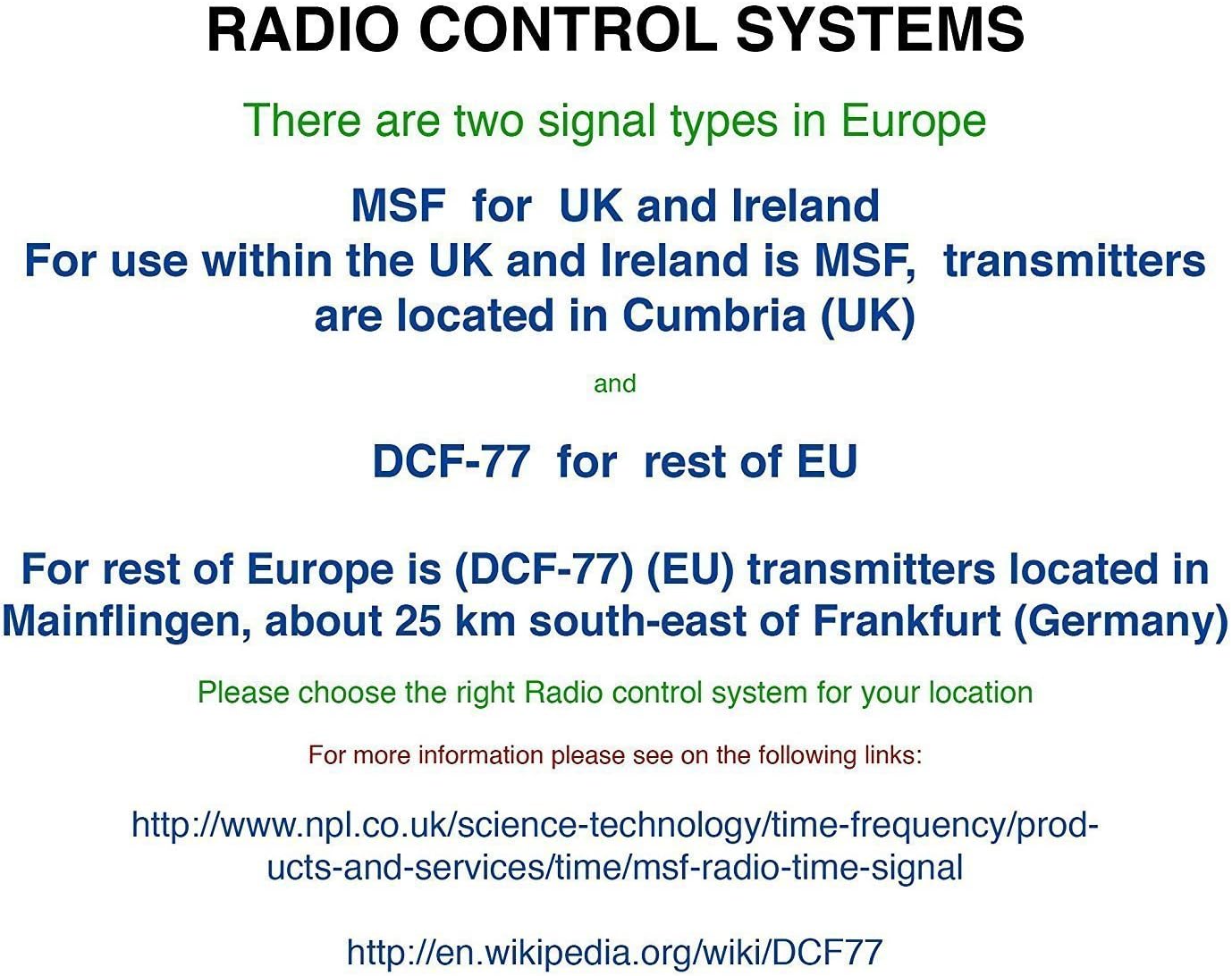
Rajah 3: Explanation of radio control systems. The Youshiko YK YC8025-B uses the MSF signal for the UK and Ireland.
Arahan Operasi
1. Paparan Maklumat
The large LCD display provides the following information:
- Masa: Current time in 12-hour (with AM/PM indicator) or 24-hour format.
- tarikh: Day and month.
- Hari dalam seminggu: Abbreviated day name.
- Suhu Dalaman: Measured in Celsius (°C) or Fahrenheit (°F).
- Fasa Bulan: Perwakilan grafik fasa bulan semasa.
- Ikon Isyarat: Indicates radio signal reception status.
- Ikon Penggera: Indicates if the alarm is active.
2. Setting Time and Date Manually (if needed)
While the clock is radio-controlled, manual adjustments may be necessary in certain situations (e.g., outside signal range).
- Tekan dan tahan butang SET butang sehingga paparan mula berkelip.
- Gunakan UP or TURUN butang untuk melaraskan nilai berkelip (cth., jam, minit, tahun, bulan, hari).
- Tekan SET again to confirm the setting and move to the next adjustable item.
- Repeat until all desired settings are configured. The clock will exit setup mode automatically after a period of inactivity or by pressing SET repeatedly until the normal display returns.
3. 12/24 Hour Format and Temperature Unit
- To switch between 12-hour and 24-hour time format, press the UP button during normal time display.
- To switch between Celsius (°C) and Fahrenheit (°F) for temperature display, press the TURUN button during normal time display.
4. Alarm Setting and Snooze
- Tekan ke PENGGERA butang sekali untuk memaparkan masa penggera semasa.
- Tekan dan tahan butang PENGGERA butang sehingga masa penggera mula berkelip.
- Gunakan UP or TURUN buttons to adjust the alarm hour and then the alarm minute.
- Tekan PENGGERA again to confirm and activate the alarm. The alarm icon will appear on the display.
- Apabila penggera berbunyi, tekan MENGEJUTKAN button to temporarily silence it. The alarm will sound again after a few minutes.
- Untuk mematikan penggera sepenuhnya, tekan sebarang butang lain (cth., PENGGERA, SET) when it is sounding or when the snooze is active.
5. Manual Signal Search
If the clock fails to receive the radio signal automatically, you can initiate a manual search.
- Tekan ke GELOMBANG butang.
- The signal icon will flash, indicating the clock is searching for the radio signal.
- Allow several minutes for the clock to attempt synchronization.
Penyelenggaraan
1. Penggantian Bateri
When the display becomes dim or the clock stops functioning, it is time to replace the batteries.
- Buka petak bateri di belakang jam.
- Keluarkan bateri lama.
- Masukkan bateri baharu, pastikan kekutuban yang betul.
- Close the battery compartment. The clock will then attempt to re-synchronize with the radio signal.
2. Pembersihan
- Lap permukaan jam dengan kain lembut dan kering.
- Do not use abrasive cleaners or chemical solvents, as these can damage the display or casing.
Menyelesaikan masalah
- No Time Display / Incorrect Time:
- Pastikan bateri dipasang dengan betul dan tidak habis. Gantikan jika perlu.
- Check signal reception. Move the clock to a location with better reception, away from electronic interference.
- Initiate a manual signal search by pressing the GELOMBANG butang.
- Verify that you are within the MSF signal range (UK and Ireland).
- Paparan Malap:
- Gantikan bateri dengan yang baru.
- Penggera Tidak Berbunyi:
- Ensure the alarm is activated (alarm icon visible on display).
- Check that the alarm time is set correctly.
Spesifikasi
| Jenama | Youshiko |
| Nombor Model | YK YC8025-B |
| warna | Hitam |
| Dimensi (L x W x H) | 23 x 16 x 3 cm |
| Berat badan | 30 Gram |
| bahan | Plastik, Kaca |
| Jenis Paparan | digital |
| Ciri Khas | Temperature Display, Alarm, Moon Phase, Radio Controlled |
| Sumber Kuasa | Dikuasakan oleh Bateri (Bateri tidak termasuk) |

Rajah 4: Dimensions of the Youshiko YK YC8025-B Radio Controlled Wall Clock.


