BYTECH Wireless Optical Mouse User Manual
Model: BYTECH Wireless Optical Mouse
pengenalan
This manual provides detailed instructions for the setup, operation, maintenance, and troubleshooting of your BYTECH Wireless Optical Mouse. Please read this manual thoroughly before using the device to ensure optimal performance and longevity.
Produk Selesaiview
The BYTECH Wireless Optical Mouse is designed for comfortable and efficient navigation. It features a precise optical sensor, a scroll wheel, and a DPI adjustment button for customizable sensitivity. Its ergonomic design and wireless connectivity provide a clutter-free workspace.

Rajah 1: Atas-bawah view of the BYTECH Wireless Optical Mouse. The mouse is black with a silver stripe along its sides. A scroll wheel and a DPI button are visible on the top surface.
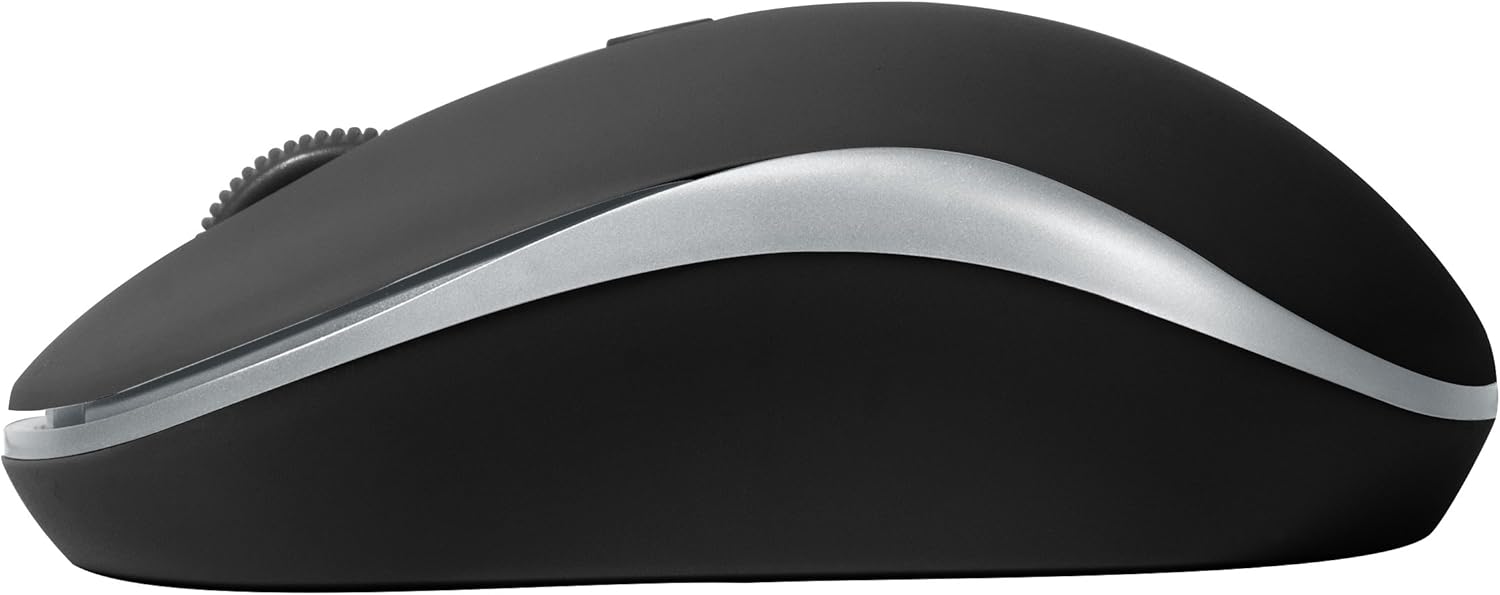
Rajah 2: Sisi view of the BYTECH Wireless Optical Mouse. This angle highlights the ergonomic curve and the silver accent line that runs along the side of the mouse.
Persediaan
1. Pemasangan Bateri
- Cari petak bateri di bahagian bawah tetikus.
- Buka penutup petak bateri.
- Insert one AA battery (not included) into the compartment, ensuring the correct polarity (+/-) as indicated inside.
- Tutup penutup petak bateri dengan selamat.
2. Sambungan Penerima USB
- Keluarkan penerima USB daripada slot storannya, biasanya terletak di dalam petak bateri atau berhampirannya.
- Palamkan penerima USB ke dalam port USB yang tersedia pada komputer atau komputer riba anda.
- Sistem pengendalian anda harus secara automatik mengesan dan memasang pemacu yang diperlukan. Ini mungkin mengambil masa beberapa saat.
3. Menghidupkan
- Cari suis Hidup/Mati di bahagian bawah tetikus.
- Slide the switch to the "On" position. The mouse should now be ready for use.
Arahan Operasi
Fungsi Asas
- Klik Kiri: Tekan butang kiri untuk memilih item, membuka pautan atau mengaktifkan fungsi.
- Klik kanan: Tekan butang kanan untuk membuka menu konteks atau mengakses pilihan tambahan.
- Roda Tatal: Roll the wheel up or down to scroll through documents or web halaman. Tekan roda skrol untuk fungsi klik tengah (cth., membuka pautan dalam tab baharu).
Pelarasan DPI
The mouse features a DPI (Dots Per Inch) button, typically located behind the scroll wheel. Press this button to cycle through different sensitivity settings. Each press will change the cursor speed, allowing you to find the optimal setting for your task.
- Tekan ke butang DPI once to switch to the next sensitivity level.
- Repeat until you find your preferred cursor speed.
Mod Penjimatan Kuasa
To conserve battery life, the BYTECH Wireless Optical Mouse is designed to automatically enter a sleep mode after a period of inactivity. To wake the mouse, simply move it or click any button.
Penyelenggaraan
Pembersihan
- Pastikan tetikus dimatikan sebelum membersihkan.
- Gunakan kain lembut dan tidak berbulu sedikit dampdisapu dengan air atau larutan pembersih lembut.
- Wipe the surface of the mouse gently. Avoid excessive moisture.
- For the optical sensor, use a dry cotton swab to carefully remove any dust or debris.
- Jangan gunakan pembersih yang melelas, alkohol atau pelarut, kerana ini boleh merosakkan permukaan.
Penggantian Bateri
When the mouse performance degrades or the cursor becomes erratic, it may be time to replace the battery. Follow the battery installation steps outlined in the "Setup" section.
Penyimpanan
When not in use for an extended period, it is recommended to turn off the mouse to conserve battery life. The USB receiver can be stored in its dedicated slot on the mouse's underside to prevent loss.
Menyelesaikan masalah
- Tetikus tidak bertindak balas:
- Pastikan tetikus dihidupkan.
- Periksa tahap bateri dan ganti jika perlu.
- Sahkan bahawa penerima USB dipasang dengan selamat ke port USB yang berfungsi. Cuba port USB yang lain.
- Mulakan semula komputer anda.
- Cursor erratic or jumping:
- Bersihkan sensor optik di bahagian bawah tetikus.
- Ensure you are using the mouse on a suitable surface (non-reflective, non-transparent). A mouse pad is recommended.
- Periksa gangguan elektromagnet yang kuat daripada peranti lain.
- Isu ketersambungan:
- Kurangkan jarak antara tetikus dan penerima USB.
- Remove any large metal objects or electronic devices that might be obstructing the wireless signal.
- If using a USB hub, try connecting the receiver directly to the computer.
Spesifikasi
| Ciri | Perincian |
|---|---|
| Jenama | Bytech |
| Model | BYTECH Wireless Optical Mouse |
| Teknologi Ketersambungan | Wayarles (Penerima USB) |
| Teknologi Pengesanan Pergerakan | Optik |
| warna | Hitam |
| Sumber Kuasa | Battery Powered (1x AA, not included) |
| Keserasian Sistem Pengendalian | macOS, Android (and generally Windows) |
| Berat Barang | 3.56 auns |
| Dimensi Produk (LxWxH) | 1 x 1 x 1 inci (Anggaran) |
Catatan: Spesifikasi boleh berubah tanpa notis.
Waranti dan Sokongan
Bytech products are manufactured to the highest quality standards. For information regarding warranty coverage, technical support, or service, please refer to the warranty card included with your product or visit the official Bytech webtapak. Simpan resit pembelian anda sebagai bukti pembelian untuk tuntutan waranti.
For further assistance, please contact Bytech customer support through their official channels.


