1. Pengenalan
The Eliminator Lighting Amber Fog 700 LED is a compact and efficient fog machine designed to produce a rapid, thick cloud of smoke enhanced with amber LED lighting. This unit is ideal for various applications requiring atmospheric effects with a unique visual flair.
Ciri-ciri Utama:
- 700-watt portable fog machine.
- Integrated with three 1-watt amber LEDs for colored fog effects.
- Designed for use with standard water-based fog fluid (sold separately).
- Equipped with separate on/off switches for fog output and amber LEDs.
- Features a fog fluid full indicator for convenient monitoring.
- Includes a wired remote control for easy operation.
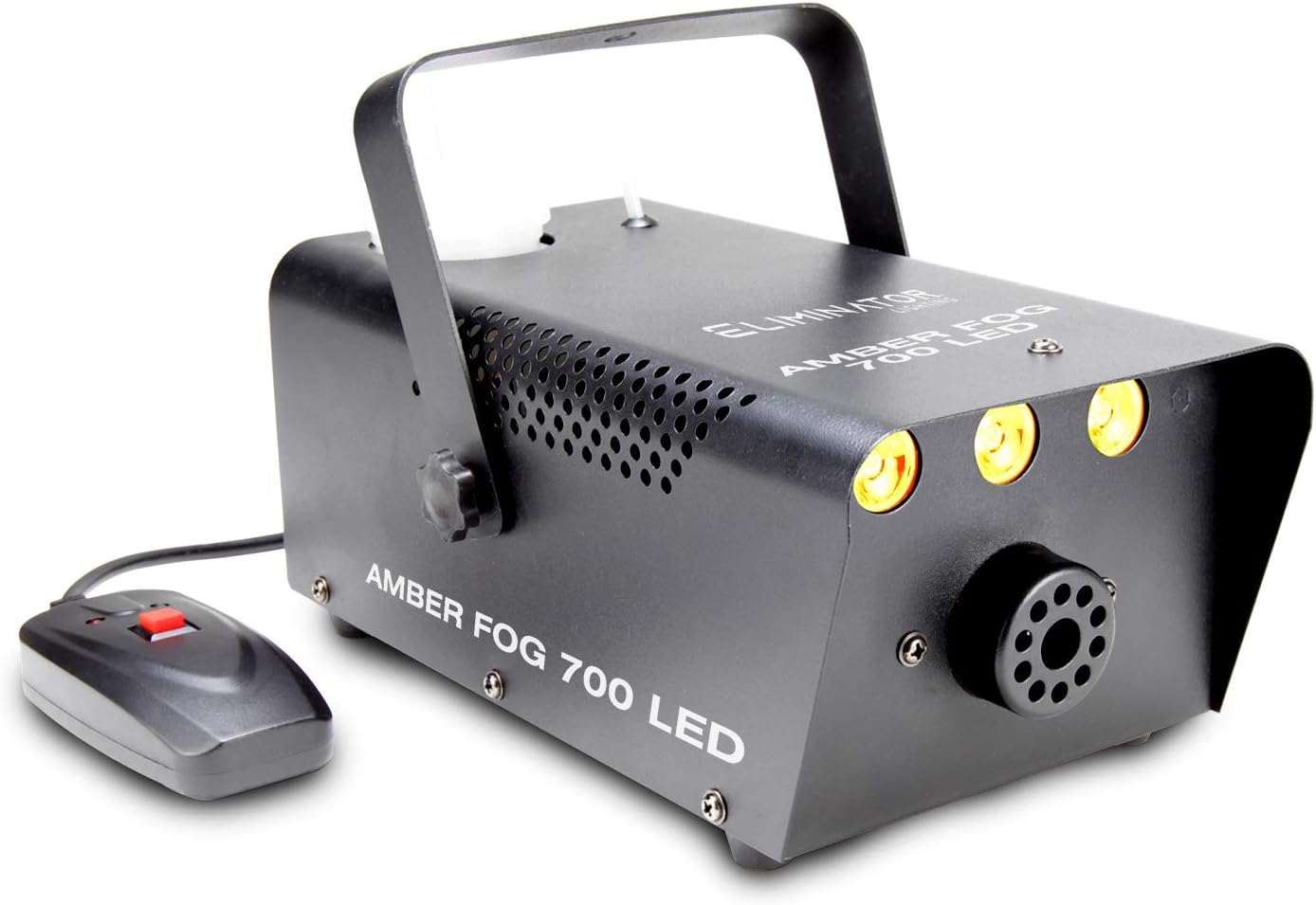
Figure 1: The Eliminator Lighting Amber Fog 700 LED unit with its wired remote control.
2. Maklumat Keselamatan
Please read and understand all safety instructions before operating the Eliminator Lighting Amber Fog 700 LED. Failure to do so may result in injury or damage to the unit.
- Keselamatan Elektrik: This unit operates on 120V AC. Ensure the power source matches the unit's requirements. Do not expose the unit to rain or moisture. Risk of electric shock; do not open the casing.
- Penggunaan Cecair: Only use high-quality, water-based fog fluid. Using oil-based fluids or other liquids can damage the machine and create a fire hazard.
- Pengudaraan: Ensure adequate ventilation around the unit during operation to prevent overheating. Do not block ventilation openings.
- penempatan: Place the fog machine on a stable, flat surface. Keep it away from flammable materials, heat sources, and direct sunlight.
- Operasi: Do not aim the fog output directly at people or sensitive equipment. Avoid prolonged exposure to fog in enclosed spaces.
- Penyelenggaraan: Putuskan sambungan daripada kuasa sebelum membersihkan atau melakukan sebarang penyelenggaraan.
- Amaran Proposisi 65: Produk ini mungkin mengandungi bahan kimia yang diketahui oleh State of California yang menyebabkan barah dan cacat lahir atau bahaya pembiakan yang lain.

Rajah 2: Belakang view of the Amber Fog 700 LED, highlighting power connections, control switches, and the fluid level indicator.
3. Persediaan
- Membongkar: Carefully remove the fog machine and all accessories from the packaging. Inspect the unit for any signs of damage during transit. If damage is found, contact your dealer immediately.
- Takungan Bendalir: Unscrew the cap of the fluid reservoir located on top of the unit. Fill the reservoir with high-quality, water-based fog fluid. Do not overfill. The fluid level indicator on the back of the unit will show the current level. Securely replace the cap.

Figure 3: Filling the fog fluid reservoir with water-based fog fluid.
- Sambungan Kawalan Jauh: Connect the wired remote control to the designated remote control input on the back of the fog machine.
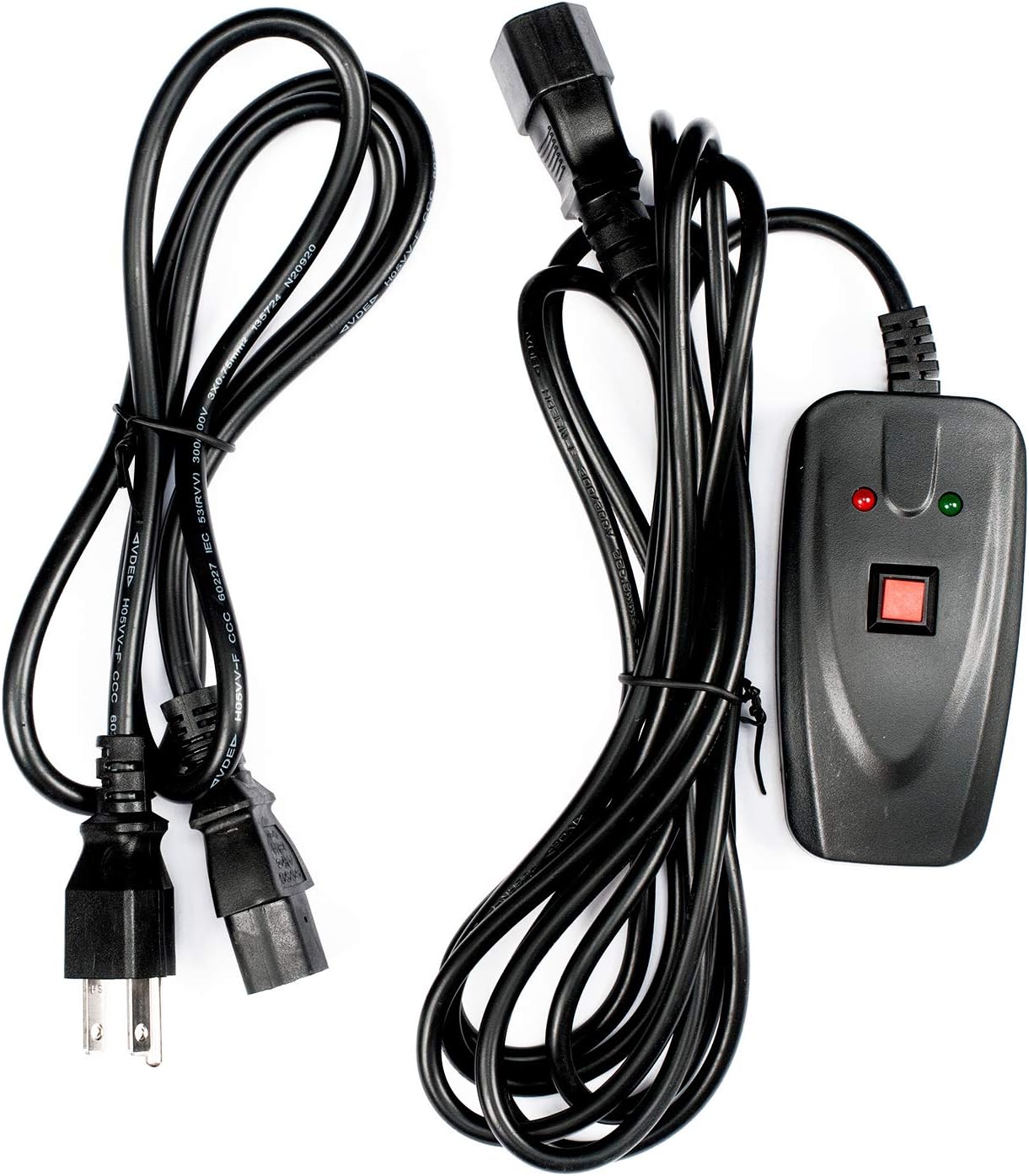
Figure 4: The power cable and wired remote control.
- Sambungan Kuasa: Connect the power cable to the AC power input on the back of the unit, then plug the other end into a grounded 120V AC power outlet.
- penempatan: Position the fog machine on a stable, non-flammable surface, ensuring there is clear space around the unit for proper ventilation.
4. Arahan Operasi
- Hidupkan kuasa: Locate the "POWER" switch on the back of the unit and switch it to the "ON" position. The unit will begin its warm-up cycle.
- memanaskan badan: Allow approximately 5-7 minutes for the machine to reach its operating temperature. The "LED" indicator on the back panel will illuminate when the unit is ready to produce fog.
- Keluaran Kabus: Once warmed up, use the wired remote control to activate the fog output. Press and hold the red button on the remote to produce fog. Release the button to stop fog production.
- Amber LED Control: The Amber Fog 700 LED features a separate "LED" switch on the back panel. Switch this to the "ON" position to activate the amber LEDs. The LEDs will illuminate the fog as it exits the machine, creating a flame-like effect. Switch to "OFF" to produce uncolored fog.

Figure 5: The Amber Fog 700 LED in operation, producing amber-colored fog.
- Fluid Monitoring: Regularly check the fog fluid level using the indicator on the back. Do not allow the reservoir to run dry, as this can damage the pump. Refill as needed.
- Matikan: After use, switch both the "POWER" and "LED" switches to the "OFF" position. Disconnect the unit from the power outlet.
5. Penyelenggaraan
Regular maintenance ensures the longevity and optimal performance of your Eliminator Lighting Amber Fog 700 LED.
- Kualiti Cecair: Always use high-quality, water-based fog fluid. Poor quality or incorrect fluid can lead to clogs and damage.
- Cleaning the Reservoir: Periodically empty and rinse the fluid reservoir with distilled water to prevent residue buildup.
- Pembersihan muncung: If fog output becomes weak or inconsistent, the nozzle may be partially clogged. Consult a qualified technician for cleaning or replacement. Do not attempt to clear blockages with sharp objects.
- Pembersihan Luaran: Bersihkan bahagian luar unit dengan kain lembut dan kering. Jangan gunakan pembersih atau pelarut yang kasar.
- Storan: When not in use for extended periods, ensure the fluid reservoir is empty and the unit is clean. Store in a cool, dry place away from direct sunlight and extreme temperatures.
6. Penyelesaian masalah
| Masalah | Kemungkinan Punca | Penyelesaian |
|---|---|---|
| No fog output. |
|
|
| Weak or inconsistent fog. |
|
|
| Amber LEDs not lighting. |
|
|
7. Spesifikasi
| Ciri | Perincian |
|---|---|
| Model | Amber Fog 700 |
| Penggunaan Kuasa | 700 Watt |
| LED | 3 x 1-Watt Amber LEDs |
| Dimensi (D x W x H) | 12" x 7.5" x 7" (30.5cm x 19cm x 17.8cm) |
| Berat Barang | 5.5 paun (2.5 kg) |
| Sumber Kuasa | Elektrik Bertali, 120V AC |
| bahan | plastik |
| Komponen yang Disertakan | Alat Kawalan Jauh |
| Kaedah Kawalan | Alat Kawalan Jauh |
| Penggunaan Dalaman/Luar | Penggunaan Dalaman Sahaja |
| Tahap Ketahanan Air | Bukan Tahan Air |
| UPC | 817175010693 |
8. Waranti dan Sokongan
For warranty information and technical support, please contact the manufacturer, Eliminator Lighting, or your authorized dealer. Keep your purchase receipt as proof of purchase for any warranty claims.
Pengilang: Pencahayaan Penghapus
For further assistance, refer to the official Eliminator Lighting webtapak atau hubungi bahagian perkhidmatan pelanggan mereka.


