1. Pengenalan
Terima kasih kerana membeliasing the Zebronics ZEB - BT9451 RUCF 5.1 Multimedia Speaker Home Theater System. This manual provides essential information for the proper installation, operation, and maintenance of your new audio system. Please read this manual thoroughly before use to ensure optimal performance and to prevent damage.
2. Arahan Keselamatan
- Sumber Kuasa: Pastikan bekalan kuasa voltage matches the requirements specified on the unit (230 Volts).
- Pengudaraan: Jangan sekat sebarang bukaan pengudaraan. Kekalkan ruang yang mencukupi di sekeliling unit untuk aliran udara yang betul.
- Air dan Kelembapan: Jangan dedahkan unit kepada hujan, lembapan atau cecair menitis/percikan. Jangan letakkan objek yang diisi dengan cecair, seperti pasu, pada radas.
- haba: Jauhkan unit daripada sumber haba seperti radiator, daftar haba, dapur, atau radas lain (termasuk amppenghidup) yang menghasilkan haba.
- Pembersihan: Bersihkan hanya dengan kain kering. Jangan gunakan pembersih cecair atau pembersih aerosol.
- Servis: Jangan cuba servis produk ini sendiri. Rujuk semua perkhidmatan kepada pegawai perkhidmatan yang berkelayakan.
- penempatan: Place the unit on a stable, flat surface. Avoid placing it in direct sunlight or near strong magnetic fields.
3. Kandungan Pakej
Sila semak pakej untuk item berikut:
- Subwoofer Unit (1)
- Satellite Speakers (5)
- Alat kawalan jauh (1)
- Audio Input Cable (1)
- Manual Pengguna (Dokumen ini)
4. Produk Lebihview
The Zebronics ZEB - BT9451 RUCF is a 5.1 multimedia speaker system designed to deliver immersive audio. It features a powerful subwoofer and five satellite speakers for a complete surround sound experience. The system supports multiple input options including AUX, USB, SD card, FM radio, and Bluetooth connectivity.
4.1 Main Unit and Satellite Speakers

Rajah 1: Depan view of the Zebronics ZEB - BT9451 RUCF 5.1 Multimedia Speaker System, showing the central subwoofer unit, five satellite speakers, and the remote control.

Rajah 2: Sisi view of the Zebronics ZEB - BT9451 RUCF 5.1 Multimedia Speaker System, providing another perspective of the speaker arrangement.
4.2 Key Features and Connectivity
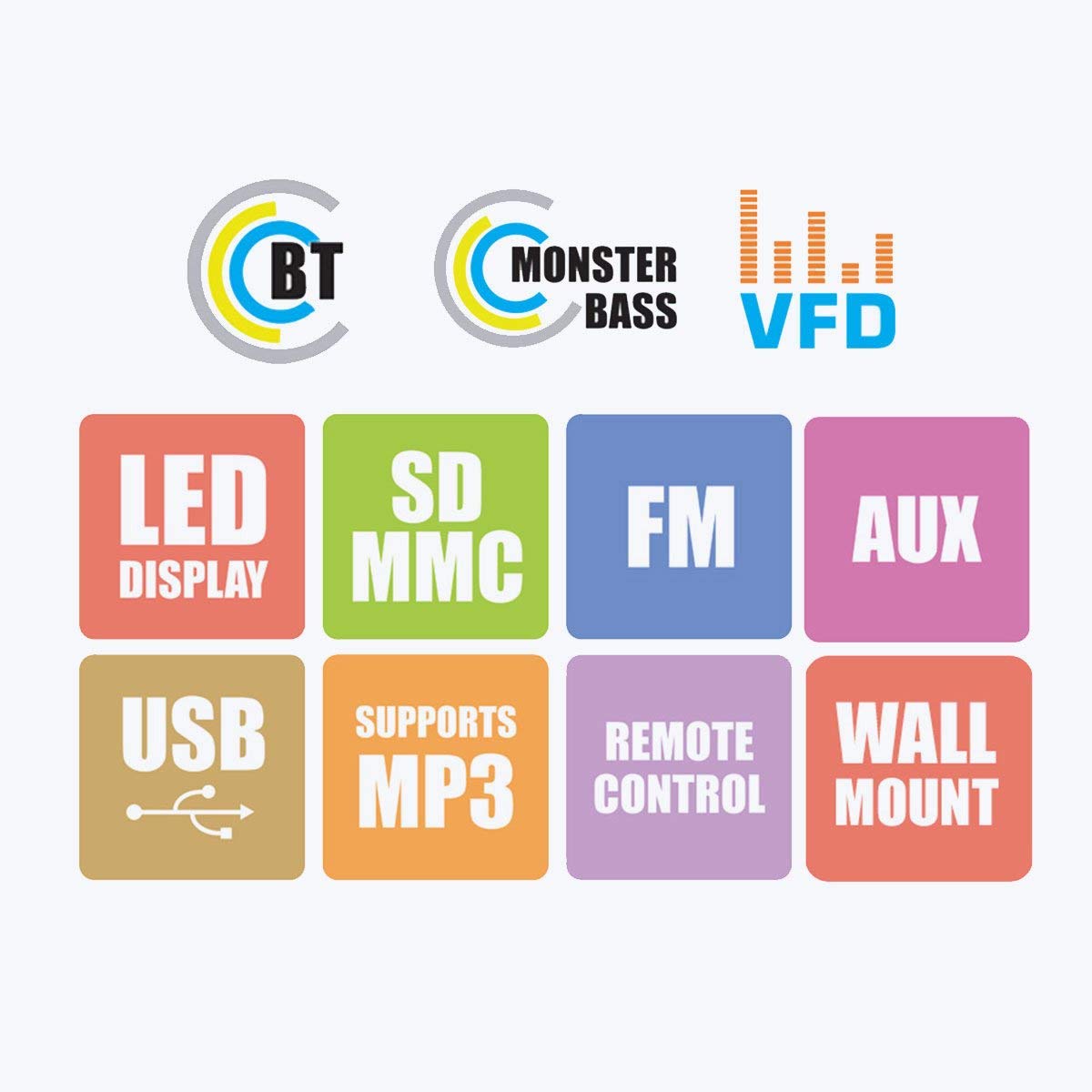
Figure 3: Visual representation of the system's main features, including Bluetooth connectivity, powerful bass, VFD display, LED display, support for SD/MMC cards, FM radio, AUX input, USB playback, MP3 support, remote control functionality, and wall-mount capability for satellite speakers.
4.3 Control Panel and Rear Connections

Rajah 4: Terperinci views of the subwoofer's front panel, showing the LED display and control buttons, and the side panel with USB and SD card slots. The rear panel connections for audio input (L, R, FL, FR, CEN, SUB, SL, SR) and output are also visible, along with safety warnings.
5. Arahan Persediaan
5.1 Penempatan Pembesar Suara
- subwufer: Letakkan subwoofer di atas lantai, sebaik-baiknya di sudut atau berhampiran dinding, untuk meningkatkan tindak balas bes.
- Front Speakers (FL, FR): Position these to the left and right of your viewing/listening area, facing towards you.
- Center Speaker (CEN): Place this directly above or below your display (TV/monitor).
- Surround Speakers (SL, SR): Position these to the sides or slightly behind your listening position, at ear level if possible.
5.2 Pembesar Suara Penyambung
Connect the five satellite speakers to the corresponding output ports on the rear panel of the subwoofer unit. Ensure each speaker cable is securely connected to its designated port (FL, FR, CEN, SL, SR).
Refer to Figure 4 for a visual guide to the rear panel connections.
5.3 Menyambungkan Sumber Audio
The system offers multiple ways to connect audio sources:
- Input AUX: Use the provided audio input cable to connect your device (e.g., Desktop, Laptop, DVD Player, Projector, LED TV) to the "AUX INPUT" ports (L/R) on the subwoofer's rear panel.
- Kad USB/SD: Insert a USB flash drive or SD card into the respective slots on the side panel of the subwoofer for direct media playback.
- Bluetooth: For wireless audio, pair your Bluetooth-enabled device with the speaker system. (See Section 6.4 for detailed Bluetooth pairing instructions).
5.4 Sambungan Kuasa
After all audio connections are made, connect the power cord to the main power outlet. Ensure the power switch on the rear of the subwoofer is in the OFF position before plugging in.
6. Arahan Operasi
6.1 Hidupkan/Mati Kuasa
Flip the power switch on the rear panel of the subwoofer to the "ON" position. The LED display on the front panel will illuminate. To turn off, flip the switch back to "OFF".
6.2 Pemilihan Input
Press the "MODE" button on the front panel or the remote control to cycle through available input modes: AUX, USB, SD, FM, and Bluetooth. The selected mode will be indicated on the LED display.
6.3 Kawalan Kelantangan
Adjust the master volume using the main rotary knob on the front panel of the subwoofer or the "VOL+" / "VOL-" buttons on the remote control.
6.4 Operasi Bluetooth
- Switch the speaker system to Bluetooth mode using the "MODE" button. The display will show "BT" or similar, and an audible prompt may sound.
- Enable Bluetooth on your mobile phone or other device and search for available devices.
- Select "ZEB-BT9451" (or similar name) from the list of found devices.
- Setelah dipasangkan, anda boleh memainkan audio daripada peranti anda melalui sistem pembesar suara.
6.5 Main Semula USB/Kad SD
Masukkan pemacu kilat USB atau kad SD yang mengandungi audio MP3 files into the corresponding slot. The system will automatically switch to USB/SD mode and begin playback. Use the play/pause, next/previous track buttons on the front panel or remote control to manage playback.
6.6 Operasi Radio FM
- Switch the speaker system to FM mode using the "MODE" button.
- Press and hold the "PLAY/PAUSE" button (or a dedicated scan button on the remote) to automatically scan and save available FM stations.
- Use the "PREV/NEXT" buttons to navigate through the saved stations.
7. Penyelenggaraan
- Pembersihan: Disconnect the power before cleaning. Use a soft, dry cloth to wipe the surfaces of the speakers and subwoofer. Do not use abrasive cleaners, waxes, or solvents.
- Storan: Jika menyimpan unit untuk tempoh yang lama, putuskan sambungannya daripada bekalan kuasa dan simpan di tempat yang sejuk dan kering, jauh daripada cahaya matahari langsung dan suhu yang melampau.
8. Penyelesaian masalah
| Masalah | Kemungkinan Punca | Penyelesaian |
|---|---|---|
| Tiada kuasa | Power cord not connected; Power switch off; Power outlet faulty | Ensure power cord is securely connected; Turn power switch ON; Test power outlet with another device |
| Tiada bunyi | Incorrect input mode; Volume too low; Audio cable loose/faulty; Source device muted/volume low | Select correct input mode; Increase volume; Check audio cable connections; Check source device settings |
| Bunyi herot | Volume too high; Source audio quality poor; Speaker cables loose | Reduce volume; Try a different audio source; Check all speaker connections |
| Alat kawalan jauh tidak berfungsi | Batteries depleted; Obstruction between remote and unit; Remote sensor blocked | Replace batteries; Remove obstructions; Ensure remote is pointed at the unit's sensor |
| Kegagalan berpasangan Bluetooth | Speaker not in BT mode; Device too far; Device already paired with another unit | Switch to BT mode; Move device closer; Disconnect from other devices and try again |
9. Spesifikasi
| Nama Model | ZEB - BT9451 |
| Jenis Pembesar Suara | Desktop, Satellite, Subwoofer |
| Konfigurasi Saluran Bunyi Sekeliling | 5.1 saluran |
| Kuasa Output Maksimum Pembesar Suara | 90 Watt |
| Input Voltage | 230 Volt |
| Impedans | 4 Ohm |
| Respons Kekerapan | 20 KHz |
| Teknologi Ketersambungan | Auxiliary, USB, FM, Bluetooth |
| Ciri Khas | Radio, Remote Control, SD Card, Subwoofer |
| Peranti Serasi | Home Theater, Laptop, Projector, Television, Desktop, DVD Players, Music Players |
| Diameter Subwoofer | 5 Inci |
| Berat Barang | 13 kg 700 g |
| Dimensi Pakej | 44.2 x 40.8 x 28.6 cm |
10. Waranti dan Sokongan
For warranty information and technical support, please refer to the warranty card included with your product or visit the official Zebronics website. You may also contact Zebronics customer service for assistance with product inquiries, troubleshooting, or service requests.
rasmi Webtapak: www.zebronics.com