1. Pengenalan
This manual provides comprehensive instructions for the installation, operation, and maintenance of the FAAC E600 (D600) Electronic Board Remote Control. Please read this manual carefully before using the product to ensure safe and efficient operation. Keep this manual for future reference.
2. Maklumat Keselamatan
Sentiasa patuhi langkah keselamatan berikut untuk mengelakkan kecederaan atau kerosakan pada produk:
- Ensure the power supply is disconnected before any installation or maintenance procedures.
- Hanya kakitangan yang berkelayakan harus melakukan pemasangan dan pembaikan.
- Jangan dedahkan peranti kepada suhu yang melampau, kelembapan atau cahaya matahari langsung.
- Jauhkan peranti daripada kanak-kanak dan haiwan peliharaan.
- Use only original FAAC spare parts and accessories.
3. Kandungan Pakej
Sahkan bahawa semua item terdapat dalam pakej:
- FAAC E600 (D600) Electronic Board Remote Control
- Manual Pengguna (dokumen ini)
- Perkakasan pemasangan (jika berkenaan)
4. Produk Lebihview
The FAAC E600 (D600) is an electronic board remote control designed for reliable operation of compatible FAAC systems. It features a robust design and ergonomic handling.
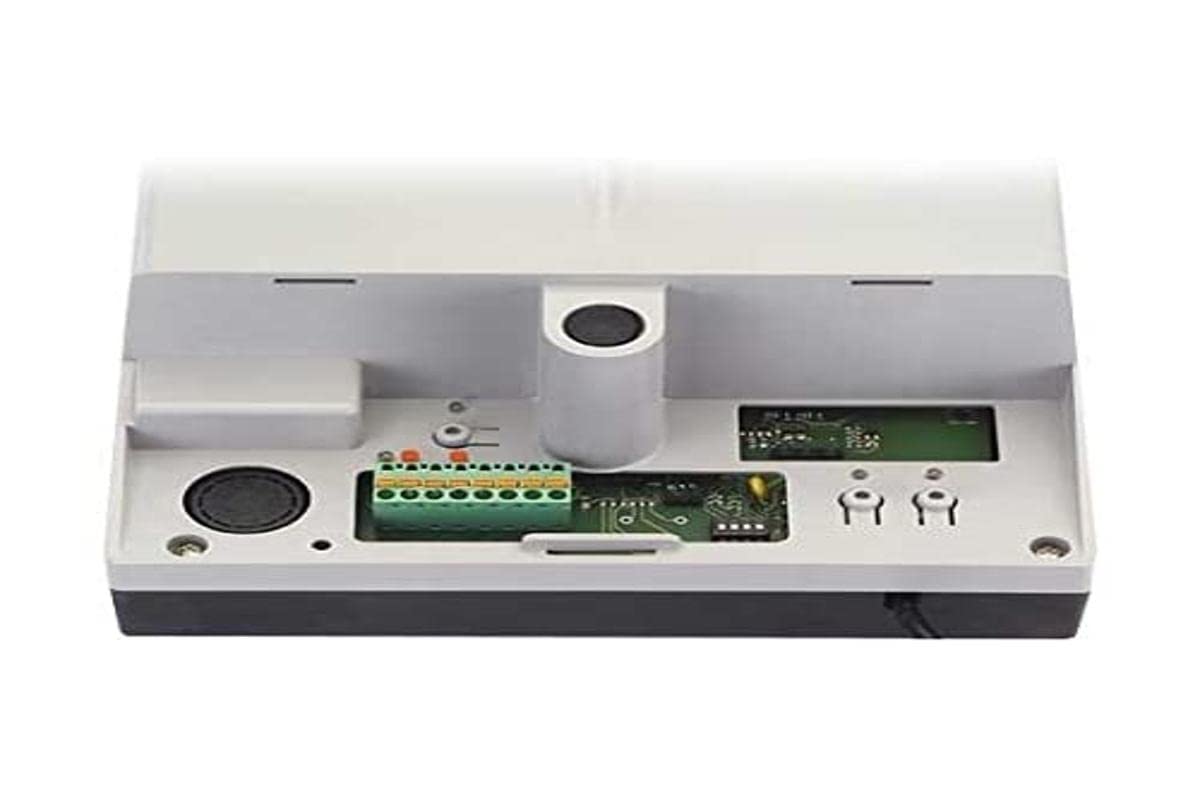
Image 1: FAAC E600 (D600) Electronic Board Remote Control. This image shows the compact design of the remote control unit.
Ciri-ciri utama termasuk:
- Reka bentuk ergonomik: Selesa untuk dipegang dan digunakan.
- Ketersambungan: Radio frequency and Infrared technology for versatile control.
- Bilangan Butang: 1 button for simple operation.
5. Persediaan dan Pemasangan
Follow these steps to set up your FAAC E600 (D600) remote control:
- Pemasangan Bateri:
Open the battery compartment on the back of the remote control. Insert the required batteries, ensuring correct polarity (+/-). Close the compartment securely.
- Berpasangan dengan Penerima:
Refer to the manual of your FAAC receiver unit (e.g., gate opener, barrier system) for specific pairing instructions. Typically, this involves pressing a programming button on the receiver and then pressing the button on the E600 (D600) remote control within a short timeframe.
- Ujian:
After successful pairing, test the remote control's functionality by operating the connected device from a safe distance.
6. Arahan Operasi
The FAAC E600 (D600) remote control is designed for simple, single-button operation.
- Untuk Mengaktifkan: Press and hold the single button on the remote control. The connected FAAC device will respond according to its programmed function (e.g., open/close gate, activate barrier).
- Julat: Ensure you are within the operational range of the receiver for reliable communication. Obstacles can reduce the effective range.
7. Penyelenggaraan
Untuk memastikan jangka hayat dan prestasi optimum alat kawalan jauh anda, ikut garis panduan penyelenggaraan ini:
- Pembersihan: Lap alat kawalan jauh dengan kain lembut dan kering. Jangan gunakan pembersih atau pelarut yang melelas.
- Penggantian Bateri: Replace batteries when the operational range decreases or the indicator light (if present) signals low power. Dispose of old batteries responsibly.
- Storan: Simpan alat kawalan jauh di tempat yang kering, jauh daripada cahaya matahari langsung dan suhu yang melampau, apabila tidak digunakan untuk tempoh yang lama.
8. Penyelesaian masalah
If you encounter issues with your FAAC E600 (D600) remote control, refer to the following table:
| Masalah | Kemungkinan Punca | Penyelesaian |
|---|---|---|
| Alat kawalan jauh tidak berfungsi. | Bateri mati. | Gantikan bateri. |
| Remote control has short range. | Low batteries; Obstruction between remote and receiver. | Replace batteries; Ensure clear line of sight or reduce distance. |
| Device not responding after battery change. | Remote control lost pairing with receiver. | Pasangkan semula alat kawalan jauh dengan penerima (rujuk Bahagian 5). |
If the problem persists, contact FAAC customer support or a qualified technician.
9. Spesifikasi
| Ciri | Perincian |
|---|---|
| Jenama | FAAC |
| Nama Model | E600 (D600) |
| Ciri Khas | Ergonomik |
| Peranti Serasi | FAAC Camera Systems (and other compatible FAAC devices) |
| Teknologi Ketersambungan | Radio Frequency, Infrared |
| Bilangan Butang | 1 |
| Jenis Pengawal | Kawalan Butang |
| Berat Barang | 100 Gram |
| International Article Code (EAN) | 08055195014853 |
10. Waranti dan Sokongan
For warranty information and technical support, please refer to the official FAAC website or contact your authorized FAAC dealer. Keep your proof of purchase for warranty claims.


