pengenalan
Welcome to the Danalock V3 Bluetooth & Z-Wave Smart Lock user manual. This guide provides detailed instructions for the installation, operation, and maintenance of your new smart lock. The Danalock V3 offers a secure and convenient way to control access to your home using your smartphone, eliminating the need for traditional keys.
Ciri-ciri Utama
- Bluetooth 4.2 & Z-Wave connectivity for versatile smart home integration.
- Advanced encryption methods (AES 128 via Bluetooth Z-Wave) and TLS 1.2 protocol for secure data transfer.
- Digital keys authenticated and stored in a Hardware Security Module (HSM) chip for enhanced security.
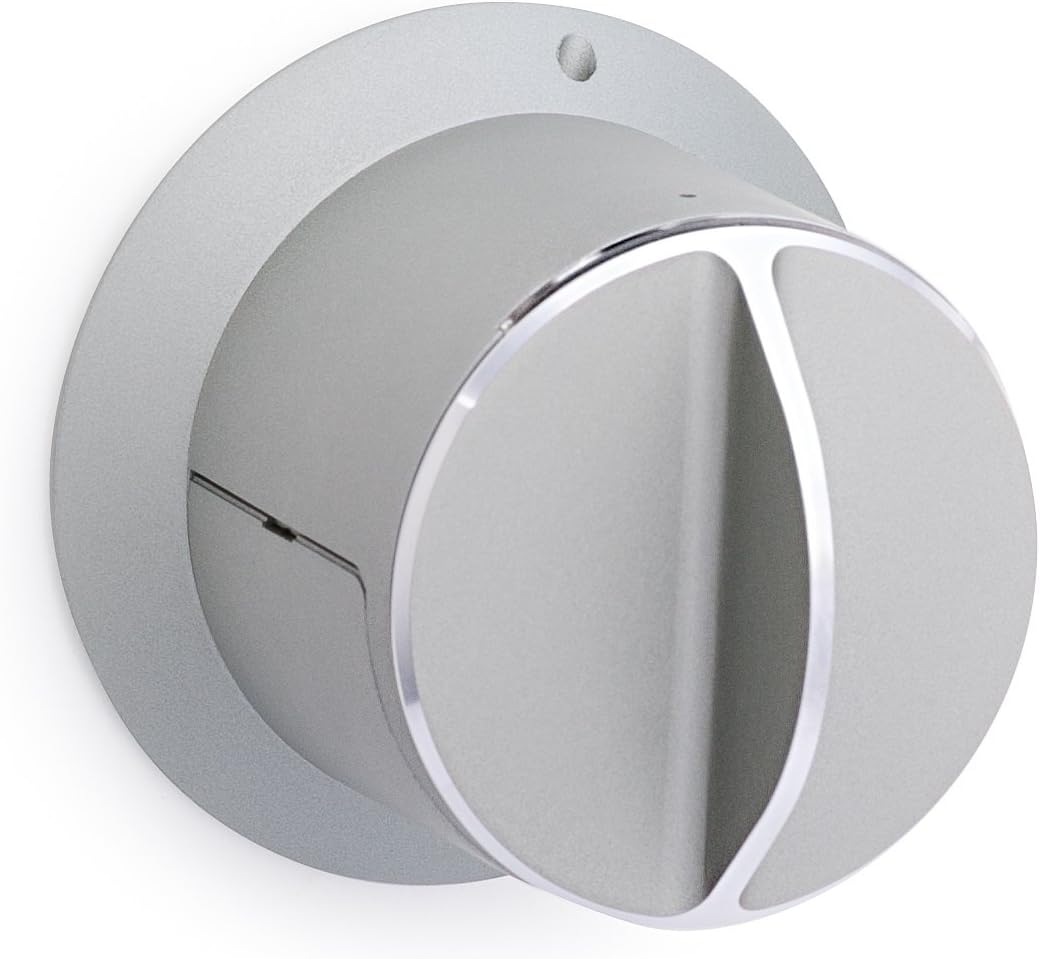
- Sleek, Danish design with anodized aluminum and a scratch-free surface.
- Compact form factor for a modern aesthetic.
- Motorized locking assistance with "twist assist" for effortless locking and unlocking.
Kandungan Pakej
Pastikan semua komponen ada sebelum memulakan pemasangan.
- Danalock V3 Smart Lock
- Perkakasan pemasangan
- 4 x bateri CR123A (termasuk)
Persediaan & Pemasangan
Follow these steps carefully to install your Danalock V3.
Pemasangan Fizikal
The Danalock V3 is designed for easy installation. Refer to the included mounting hardware and ensure your door is prepared according to the instructions.

Pemasangan Bateri
The Danalock V3 requires 4 CR123A batteries, which are included. Insert them according to the polarity indicators inside the battery compartment.
App Setup and Calibration
Download the official Danalock app from your smartphone's app store. Follow the in-app instructions to pair your lock and perform the initial calibration. This process ensures the lock operates smoothly with your door.


Arahan Operasi
Locking and Unlocking via Smartphone
Use the Danalock app to remotely lock or unlock your door. The app provides a simple interface for secure access control.
Twist Assist Feature
The motorized twist assist function helps engage the thumb turn. Simply begin to turn the Danalock a few degrees, and the motor will complete the locking or unlocking action.
Memberi Akses
The Danalock app allows you to grant temporary or permanent access to family, friends, or service providers through digital keys.
Penyelenggaraan
Penggantian Bateri
The Danalock V3 uses 4 CR123A batteries. When the battery level is low, the app will notify you. Replace all four batteries simultaneously for optimal performance.
Pembersihan
Clean the exterior of the lock with a soft, dry cloth. Avoid using abrasive cleaners or solvents, which may damage the anodized aluminum finish.
Menyelesaikan masalah
Lock Not Responding to App
- Pastikan Bluetooth didayakan pada telefon pintar anda.
- Check if the lock's batteries are charged.
- Restart the Danalock app.
- Try recalibrating the lock through the app.
Z-Wave Inclusion Issues
- Pastikan hab Z-Wave anda berada dalam mod kemasukan.
- Activate the Z-Wave inclusion process directly on the lock's hardware as per the specific instructions in the full user guide.
- Verify the lock is within range of your Z-Wave network.
Spesifikasi
| Ciri | Perincian |
|---|---|
| Model | 01032030 |
| Dimensi (L x W x H) | 2.75 x 2.5 x 2.5 inci |
| Berat badan | 1.2 paun |
| bahan | Anodized Aluminium / ABS plastic |
| Ketersambungan | Bluetooth 4.2, Z-Wave |
| Kaedah Kawalan | Apl |
| Bateri | 4 x CR123A (termasuk) |
| Pengawal Serasi | Vera, SmartThings |
| UPC | 858125000074 |

Maklumat Waranti
The Danalock V3 Smart Lock comes with a 90-day warranty. Please retain your proof of purchase for warranty claims.
Sokongan
For further assistance, please refer to the official Danalock user manual: Muat turun Manual Pengguna (PDF).
You can also visit the Danalock webtapak untuk Soalan Lazim dan maklumat hubungan.


