pengenalan
This manual provides essential instructions for the safe and effective use of your Brookstone Tabletop LED Light Makeup Mirror, Model ED24T5D. This mirror features dual-sided magnification (1X and 10X) and natural LED lighting designed to simulate real sunlight, ensuring a clear and accurate reflection for various grooming and makeup application needs.

The Brookstone Tabletop LED Light Makeup Mirror in a typical bathroom setting.
Maklumat Keselamatan Penting
Sila baca dan fahami semua arahan keselamatan sebelum menggunakan produk ini. Kegagalan untuk mengikuti arahan ini boleh mengakibatkan kecederaan atau kerosakan pada produk.
- Always place the mirror on a stable, flat surface to prevent tipping.
- Avoid exposing the mirror to direct sunlight or extreme heat, as this may cause damage to the LED components or the mirror surface.
- Do not use the mirror near water or in excessively humid environments.
- Jauhkan daripada kanak-kanak.
- Use only the provided AC adapter. Using an incorrect adapter may damage the unit or pose a fire hazard.
- Do not attempt to disassemble or repair the mirror. Contact customer support for assistance.
- Handle the mirror with care to avoid breakage of the glass.
Kandungan Pakej
Sahkan bahawa semua item terdapat dalam pakej:
- Brookstone Tabletop LED Light Makeup Mirror (Model ED24T5D)
- Penyesuai Kuasa AC

The product packaging showing the mirror and its box.
Persediaan
Follow these steps to set up your mirror:
- Buka bungkusan semua komponen dari kotak.
- Place the mirror on a clean, dry, and stable surface.
- Locate the power input port on the back of the mirror base.
- Connect the AC power adapter cable to the power input port.
- Pasangkan penyesuai kuasa AC ke soket elektrik standard.

The base of the mirror, indicating the dimmer knob and the AC adapter connection point.
Operasi
Pembesaran
The mirror features two sides with different magnification levels:
- Pembesaran 1X: Provides a true, unmagnified reflection for general viewing.
- Pembesaran 10X: Offers a highly magnified view for detailed tasks such as precise makeup application or tweezing.
To switch between magnification levels, simply rotate the mirror head 180 degrees.

Illustration of the 1X and 10X magnification sides of the mirror.
LED Lighting and Brightness Control
The mirror is equipped with LED lights that simulate natural sunlight for optimal visibility.
- Menghidupkan/Mematikan: Locate the dimmer knob on the base of the mirror. Rotate the knob clockwise to turn on the LED lights.
- Melaraskan Kecerahan: Continue rotating the dimmer knob clockwise to increase brightness. Rotate counter-clockwise to decrease brightness and turn off the lights.
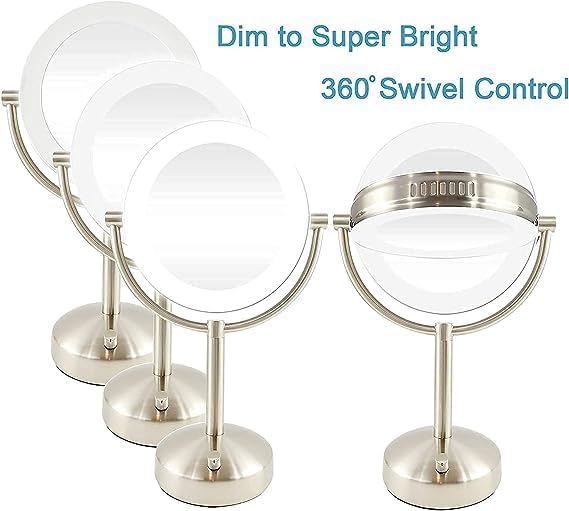
The mirror's LED lighting can be adjusted from dim to super bright using the dimmer knob.
Fungsi Pusing
The mirror head can be rotated 360 degrees horizontally and tilted vertically to achieve the desired viewing angle. Gently adjust the mirror head to your preferred position.
Penyelenggaraan
Proper care will ensure the longevity and performance of your mirror.
- Membersihkan Permukaan Cermin: Gunakan kain lembut yang tidak berbulu dan pembersih kaca yang tidak kasar. Semburkan pembersih pada kain, bukan terus pada cermin, untuk mengelakkan cecair meresap ke tepinya.
- Membersihkan Tapak dan Bingkai: Lap dengan lembut, damp kain. Jangan gunakan bahan kimia yang keras atau pembersih yang kasar.
- Storan: Apabila tidak digunakan untuk tempoh yang lama, cabut plag cermin dan simpan di tempat yang kering dan selamat.
Menyelesaikan masalah
| Isu | Kemungkinan Punca | Penyelesaian |
|---|---|---|
| Lampu LED tidak menyala. | No power, loose connection, or dimmer knob is off. | Ensure the AC adapter is securely plugged into both the mirror and the wall outlet. Rotate the dimmer knob clockwise to turn on the lights and increase brightness. |
| Mirror image is blurry or distorted. | Dirty mirror surface or incorrect viewing distance for 10X magnification. | Clean the mirror surface with a soft, lint-free cloth. For 10X magnification, maintain a close viewing distance (typically 4-6 inches) for a clear image. |
| Cermin tidak stabil. | Diletakkan pada permukaan yang tidak rata. | Letakkan cermin di tempat yang rata dan stabil. |
Spesifikasi
| Ciri | Perincian |
|---|---|
| Nombor Model | ED24T5D |
| Pembesaran | 1X / 10X (Dwi-sisi) |
| Pencahayaan | LED, Natural Light Simulation, Adjustable Brightness |
| Sumber Kuasa | Penyesuai AC (Termasuk) |
| Dimensi Produk | 18" H x 11.5" W |
| Diameter Cermin | 7.25 inci |
| Diameter asas | 6.5 inci |
| Bahan Bingkai | kaca |
| Jenis Selesai | Selesai Chrome |
| Jenis Pemasangan | Pemasangan Atas Meja |
| Berat Barang | 5.99 paun |
| UPC | 883594060670 |
Waranti dan Sokongan
For warranty information, please refer to the documentation included with your purchase or contact the retailer. Brookstone products are designed for quality and reliability.
If you require further assistance or have questions not covered in this manual, please contact Brookstone customer support through their official webtapak atau peruncit tempat produk itu dibeli.


