pengenalan
The Jaybird Freedom Special Edition wireless in-ear headphones are designed for active lifestyles, offering a secure and comfortable fit with high-quality audio. These Bluetooth earbuds are sweat-proof and water-resistant, making them ideal for sports and fitness activities. With an innovative on-the-go charging clip, they provide extended battery life for all-day use.
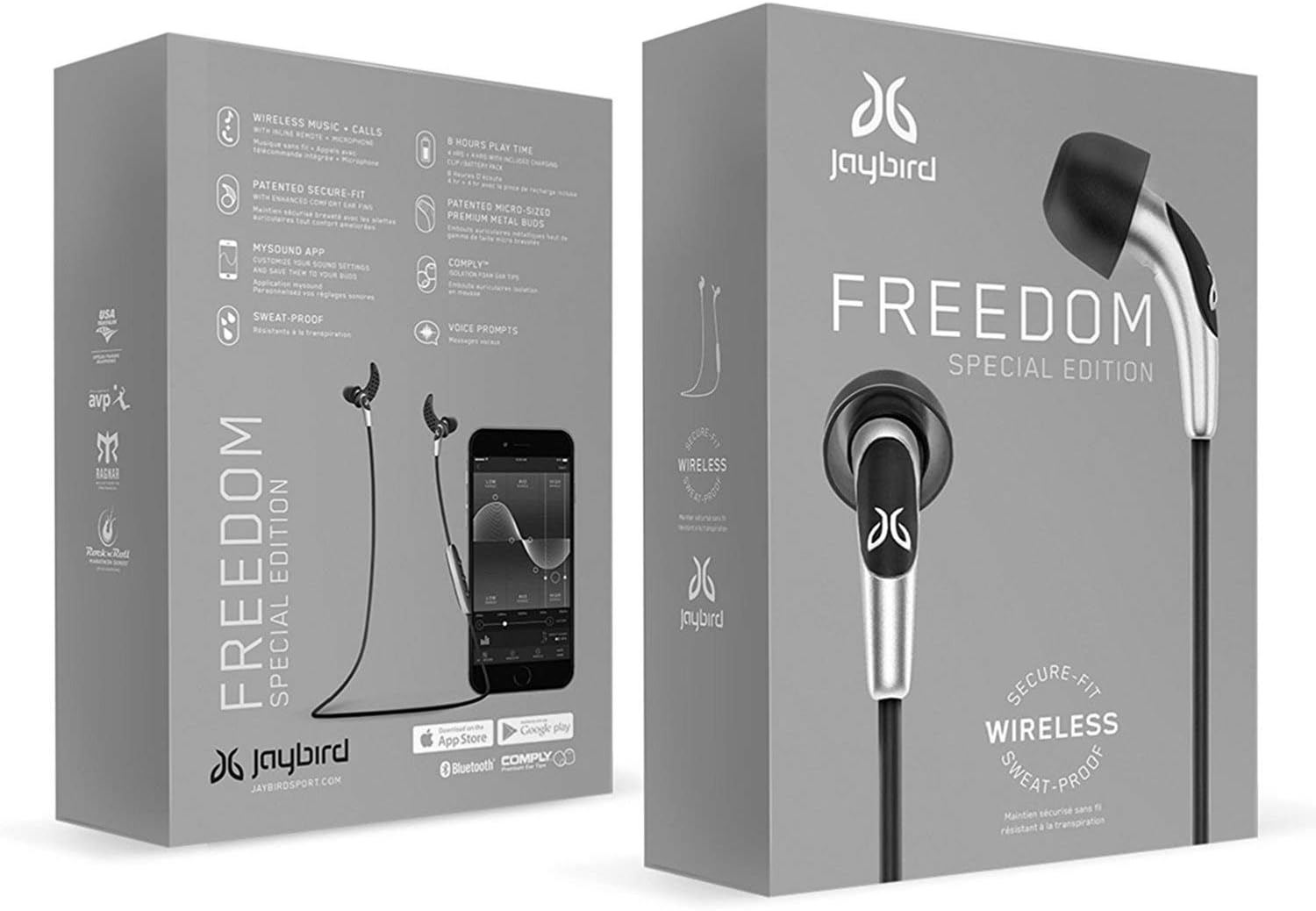
Image: Jaybird Freedom Special Edition headphones in their retail packaging, showcasing the sleek design and branding.
Kandungan Pakej
Sebelum anda mula, pastikan semua komponen ada dalam pakej anda:
- Jaybird Freedom Bluetooth earbuds
- 3 saiz hujung telinga silikon
- 3 sizes of secure-fit ear fins
- 3 sizes of Comply foam eartips (sport)
- Klip tali
- Cord management clips
- Kabel pengecas USB 2.0
- Membawa beg
- Charge clip

Image: All components included with the Jaybird Freedom Special Edition headphones, laid out clearly, including various ear tips, fins, charging clip, and carrying pouch.
Persediaan
1. Pengecasan Awal
Before first use, fully charge your Jaybird Freedom headphones. Connect the USB charging cable to the charge clip, then attach the headphones to the charge clip. Plug the USB cable into a power source. A full charge takes approximately 2.5 hours. The headphones offer 4 hours of playback, with an additional 4 hours provided by the portable charge clip, totaling 8 hours of on-the-go battery life.
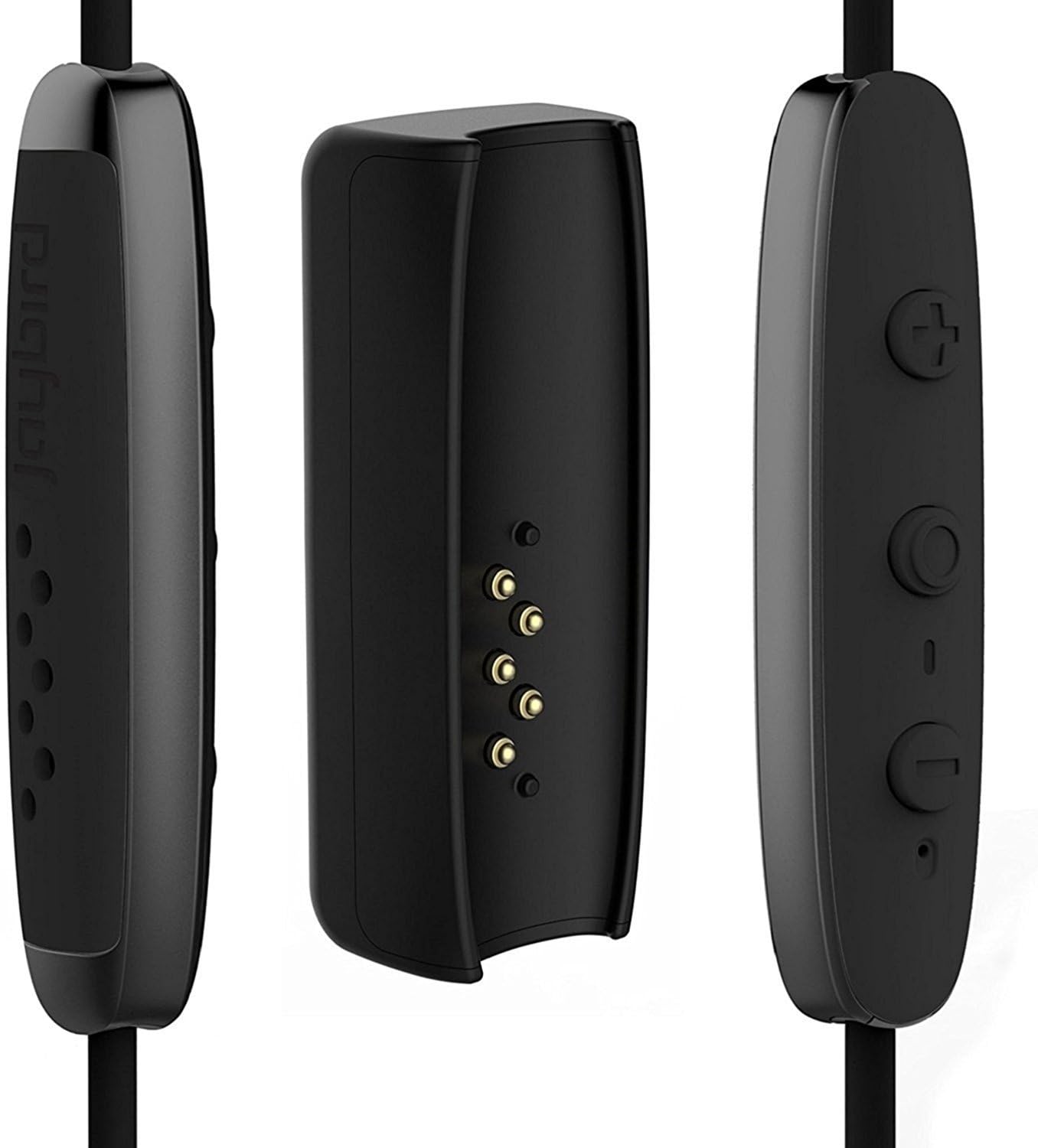
Imej: Jarak dekat view of the Jaybird Freedom charging clip, showing the connection points for the earbuds and the USB charging port.
2. Berpasangan dengan Peranti Anda
- Ensure your headphones are charged and turned off.
- Press and hold the power button on the inline remote until the LED indicator flashes red and green, indicating pairing mode.
- On your smartphone, PC, or tablet, navigate to the Bluetooth settings.
- Select "Jaybird Freedom" from the list of available devices.
- Setelah disambungkan, penunjuk LED akan bertukar menjadi biru padu.
3. Finding Your Perfect Fit
The Jaybird Freedom comes with various sizes of silicone ear tips, secure-fit ear fins, and Comply foam eartips to ensure a comfortable and secure fit for different ear shapes. Experiment with different combinations to find the best seal and stability, especially for active use. The patented ear fins help keep the earbuds firmly in place during movement.

Image: Close-up of the Jaybird Freedom Special Edition earbuds, highlighting the ear tips and secure-fit fins designed for comfort and stability.
4. Jaybird MySound App
Download the Jaybird MySound app from your device's app store (iOS/Android). This app allows you to customize the sound profile of your headphones, adjust equalizer settings, and save personalized presets. It also provides battery status updates and firmware updates for optimal performance.

Image: A smartphone displaying the Jaybird MySound app interface, showing sound customization options, with the Jaybird Freedom earbuds connected.
Arahan Operasi
Kawalan Asas
| Butang/Tindakan | Fungsi |
|---|---|
| Butang Kuasa (Tengah) | Press and hold to Power On/Off. Press once to Play/Pause music or Answer/End calls. |
| Kelantangan Naik (+) | Press once to increase volume. Press and hold to skip to next track. |
| Perlahankan suara (-) | Press once to decrease volume. Press and hold to skip to previous track. |
Pengurusan Bateri
The headphones provide voice prompts for battery level. When the battery drops to 20%, you will receive a warning, and at 10%, a prompt to recharge. The included charge clip allows you to extend your listening time by an additional 4 hours, and you can continue listening while the clip is attached and charging.
Sweat-Proof and Water-Resistant Design
The Jaybird Freedom headphones feature a double nano-coating that protects them from sweat and light splashes, making them suitable for intense workouts and outdoor activities. While they are water-resistant, they are not designed for submersion in water.

Image: A man wearing Jaybird Freedom earbuds, demonstrating their sweat-proof and water-resistant capabilities during a physical activity.

Image: Two individuals running on a trail, both wearing Jaybird Freedom earbuds, illustrating their suitability for active use.
Penyelenggaraan
- Pembersihan: Regularly clean the ear tips and ear fins with a soft, damp cloth. Ensure the charging contacts on the earbuds and clip are free of debris.
- Storan: When not in use, store the headphones in the provided carrying pouch to protect them from dust and damage.
- Tahan Air: While water-resistant, avoid exposing the headphones to excessive moisture or submerging them. If they get wet, wipe them dry thoroughly before charging or storing.
Menyelesaikan masalah
| Masalah | Penyelesaian yang Mungkin |
|---|---|
| Fon kepala tidak dihidupkan/dicas | Ensure the charging cable and clip are securely connected. Try a different USB port or power adapter. Allow sufficient time for charging (2.5 hours). |
| Tidak boleh berpasangan dengan peranti | Ensure headphones are in pairing mode (flashing red/green LED). Turn off and on Bluetooth on your device. Forget "Jaybird Freedom" from your device's Bluetooth list and try pairing again. Move closer to your device. |
| Kualiti bunyi yang lemah atau sambungan terputus-putus | Ensure headphones are fully charged. Reduce distance between headphones and device. Avoid obstacles between them. Check for interference from other wireless devices. Adjust sound settings in the Jaybird MySound app. |
| Earbuds do not stay in ear | Experiment with different sizes of ear tips and secure-fit ear fins provided. Ensure the ear fins are correctly oriented and tucked into the ear's concha. |
Spesifikasi
- Jenama: Jaybird
- Nombor Model: 985-000700
- Ketersambungan: Bluetooth tanpa wayar
- Peletakan Telinga: Dalam Telinga
- Faktor Bentuk: Dalam Telinga
- Komposisi Bateri: Litium-polimer
- Hayat Bateri: Up to 8 hours (4 hours earbuds + 4 hours with charge clip)
- Masa Pengecasan: Lebih kurang 2.5 jam
- Tahap Rintangan Air: Water-repellent (Hydrofuge)
- Julat Kekerapan: 20 Hz - 20,000 Hz
- Peranti Serasi: Smartphones, PC, Tablet, Mac
- Jenis Kawalan: Kawalan Media
- Ciri Khas: Wireless, Sweat-proof, Custom Sound via MySound App
Waranti dan Sokongan
The Jaybird Freedom Special Edition headphones come with a Jaminan pengilang 2 tahun. For product support, troubleshooting assistance, or warranty claims, please visit the official Jaybird webtapak atau hubungi perkhidmatan pelanggan mereka. Simpan bukti pembelian anda untuk pengesahan waranti.
For the latest information and support resources, please refer to the official Jaybird support page: jaybirdsport.com/support


