1. Pengenalan
The Harvest d1k Discone Antenna is a high-performance, wide-band base antenna designed for scanner, amateur radio (ham), and general coverage applications. It offers extensive receive coverage from 25 MHz to 1300 MHz and supports transmit on specific amateur bands including 144 MHz, 220 MHz, 440 MHz, 900 MHz, and 1290 MHz. Constructed from rust-free stainless steel, this antenna is built for durability and reliable performance in various environments.
Ciri-ciri Utama:
- Wide-band Receive: 25 to 1300 MHz
- Specific Transmit Frequencies: 144, 220, 440, 900, 1290 MHz
- Rust-Free All Stainless Steel Structure
- Kuasa Maksimum: 200 watt
- N Connector for reliable connection
- Accepts up to 1 3/8" (35mm) mast diameter
2. Kandungan Pakej
Sila sahkan bahawa semua komponen hadir sebelum memulakan pemasangan:
- Antenna main body (N connector base)
- Radial elements (various lengths)
- Mounting hardware (U-bolts, nuts, washers for mast attachment)
- Allen wrench for assembly
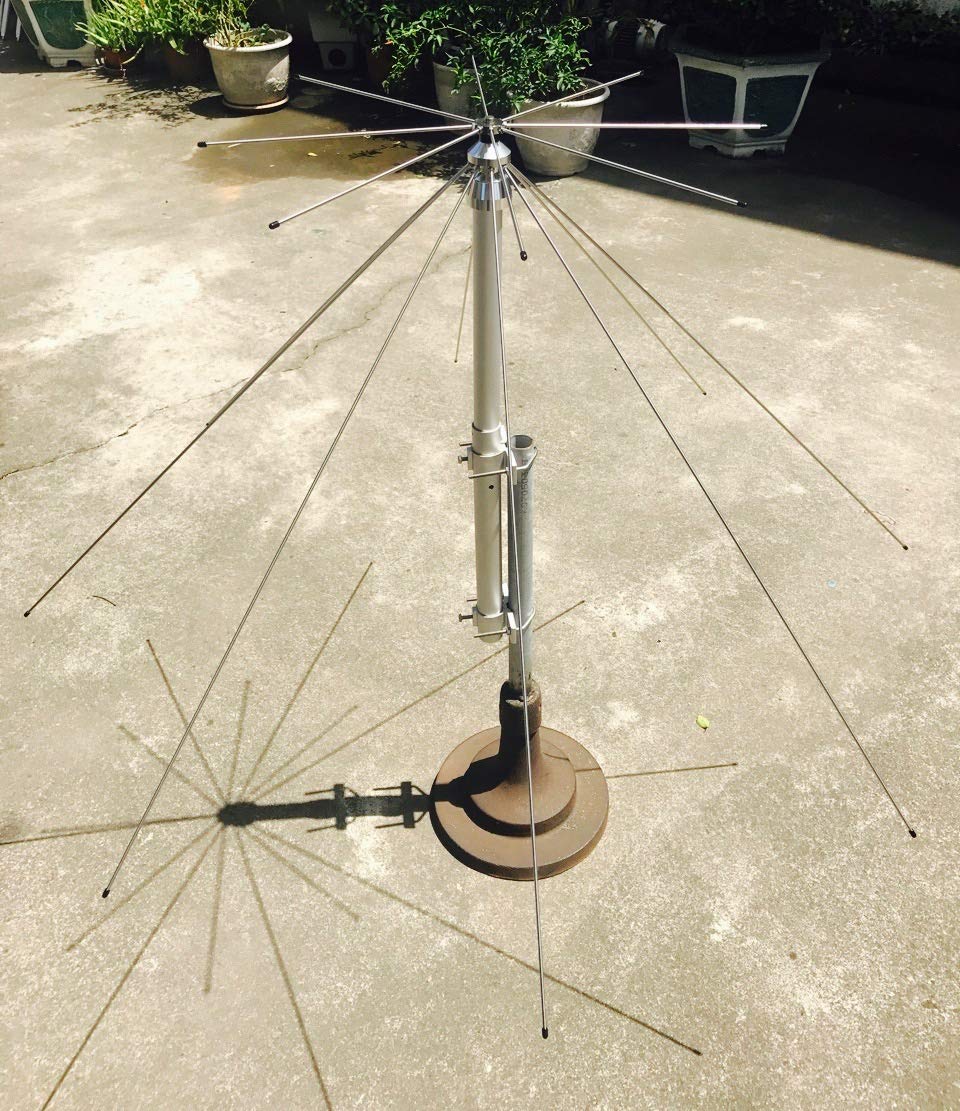
Image: All components of the Harvest d1k Discone Antenna, including the main body, radial elements, and an Allen wrench, laid out for assembly.
3. Persediaan dan Pemasangan
Follow these steps to assemble and install your Harvest d1k Discone Antenna:
- Buka Pembungkusan Komponen: Carefully remove all parts from the packaging. Identify the main antenna body, the longer radiating elements, and the shorter ground plane elements.
- Pasangkan Elemen Pemancar: Using the provided Allen wrench, loosen the screws on the top section of the antenna main body. Insert the longer radiating elements into the designated holes and tighten the screws securely. Ensure each element is firmly seated.
- Attach Ground Plane Elements: Loosen the screws on the bottom section of the antenna main body. Insert the shorter ground plane elements into their respective holes and tighten the screws. These elements should extend outwards from the base.
- Memasang Antena: The antenna is designed for base station use and accepts a mast up to 1 3/8" (35mm) in diameter. Securely attach the antenna to a sturdy mast using the provided U-bolts, nuts, and washers. Ensure the mast is vertically stable and in a clear, elevated location for optimal performance.
- Sambungkan Kabel Sepaksi: Connect your N-connector coaxial cable to the N connector located at the bottom of the antenna. Ensure a tight and secure connection to prevent signal loss and moisture ingress.
Video Pemasangan:
Video: Satu produk tamatview video demonstrating the assembly of a similar broad-band scanner antenna, showing how to attach the radial elements to the main antenna body. This video provides visual guidance for the assembly process.
4. Arahan Operasi
Once the Harvest d1k Discone Antenna is properly installed and connected to your scanner or amateur radio, it is ready for operation.
- Receive Operation: The antenna provides wide-band reception from 25 MHz to 1300 MHz. Connect the antenna to your scanner or receiver and tune to your desired frequencies.
- Transmit Operation: For amateur radio use, the antenna supports transmit on 144 MHz, 220 MHz, 440 MHz, 900 MHz, and 1290 MHz bands. Ensure your radio is properly configured for the N connector and the selected frequency band. Always check your Standing Wave Ratio (SWR) before transmitting to prevent damage to your radio equipment. The antenna is designed for an SWR of 1.5:1 maximum.
- Had Kuasa: Do not exceed the maximum power rating of 200 watts when transmitting.
5. Penyelenggaraan
To ensure the longevity and optimal performance of your Harvest d1k Discone Antenna, follow these maintenance guidelines:
- Pemeriksaan Berkala: Periodically inspect the antenna for any signs of damage, corrosion, or loose connections. Check the radial elements and the main body for physical integrity.
- Kebersihan: Keep the antenna clean from dirt, dust, and debris. A soft cloth and mild detergent can be used if necessary. Avoid abrasive cleaners.
- Semakan Sambungan: Ensure the coaxial cable connection to the N connector remains tight and free from moisture. Consider using weatherproofing tape around the connection for added protection.
- Mast Stability: Verify that the mounting mast remains stable and secure, especially after strong winds or adverse weather conditions.
6. Penyelesaian masalah
If you experience issues with your Harvest d1k Discone Antenna, consider the following troubleshooting steps:
- Penerimaan/Penghantaran yang lemah:
- Check all cable connections for tightness and proper seating.
- Ensure the coaxial cable is not damaged or kinked.
- Verify that the antenna is mounted in a clear location, free from obstructions like buildings, trees, or metal structures that could interfere with signals.
- Confirm your radio/scanner is tuned to the correct frequency and mode.
- High SWR (for transmit):
- Inspect all radial elements to ensure they are securely attached and not damaged.
- Check the coaxial cable and connectors for any faults.
- Ensure the antenna is properly grounded if required by your setup.
- Kerosakan Fizikal:
- If any elements are bent or broken, they may need to be replaced to restore optimal performance.
7. Spesifikasi
| Nombor Model | d1k |
| Jenama | Menuai |
| Terima Julat Kekerapan | 25 - 1300 MHz |
| Transmit Frequency Bands | 144, 220, 440, 900, 1290 MHz |
| Kuasa Maksimum | 200 Watt |
| SWR | 1.5:1 Maksimum |
| Jenis Penyambung | N Penyambung |
| bahan | Keluli Tahan Karat |
| Diameter Tiang Maksimum | 1 3/8" (35mm) |
| Dimensi Produk | 67 x 16 x 6 inci |
| Berat Barang | 1 paun |
8. Waranti dan Sokongan
For warranty information or technical support regarding your Harvest d1k Discone Antenna, please refer to the documentation included with your purchase or contact Harvest customer service. Keep your proof of purchase for warranty claims.


