pengenalan
The SNOOZ Smart White Noise Sound Machine is designed to help you fall asleep faster and stay asleep longer by providing non-looping, natural white noise generated by a real fan inside. It effectively masks disruptive sounds from both inside and outside your home, creating a peaceful environment for rest. This manual provides essential information for setting up, operating, maintaining, and troubleshooting your SNOOZ device.
Maklumat Keselamatan
Awas: This product is powered by an electrical cord. To prevent the risk of electric shock, do not expose the cord to water or other liquids. Unplug the product before cleaning or handling the cord. Keep the cord away from heat sources and high traffic areas to prevent damage. Do not use the product if the cord is damaged or broken. Always follow the manufacturer's instructions for safe operation.
Persediaan
Follow these steps to set up your SNOOZ Smart White Noise Sound Machine:
- Unpack the SNOOZ White Noise Machine from its packaging.
- Place the device on a stable and level surface, such as a nightstand or table.
- Connect the device to a power source using the provided electrical cord.
- For enhanced features, download the SNOOZ app from your device's app store (available on iOS and Android).

Image: The SNOOZ Smart White Noise Sound Machine, a compact, round device with a light grey fabric exterior and a white top panel featuring power, volume, and wave icons.
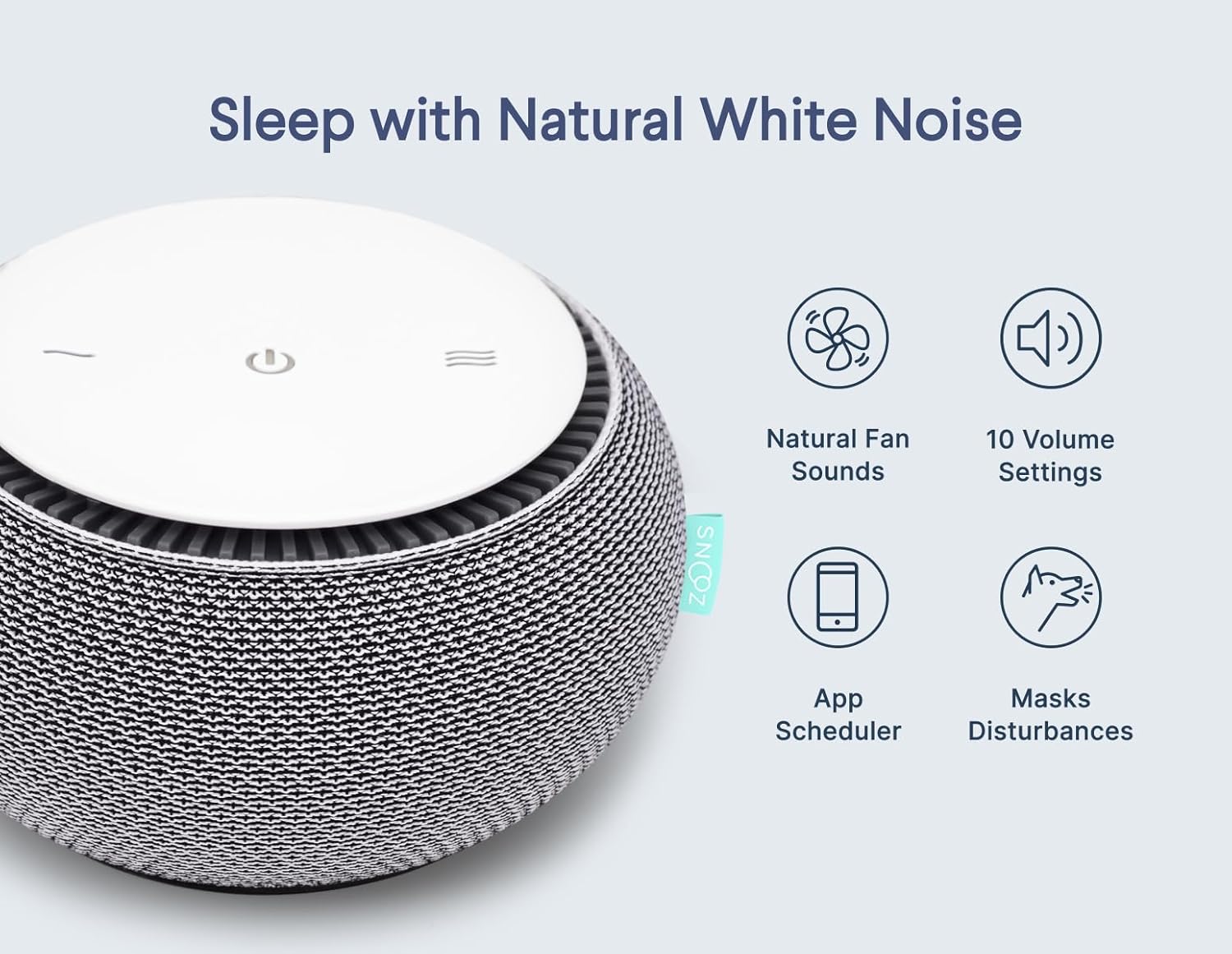
Image: The SNOOZ device shown alongside icons representing its key features: natural fan sounds, 10 volume settings, app scheduler, and disturbance masking.
Arahan Operasi
Operasi Asas
- Hidupkan/Mati Kuasa: Press the power button (circle with vertical line) on the top panel to turn the device on or off.
- Laraskan Kelantangan: Use the '+' and '-' buttons on the top panel to increase or decrease the volume. The SNOOZ offers 10 volume settings.
- Laraskan Nada: Rotate the outer shell of the SNOOZ device to adjust the tone of the white noise. This allows you to customize the sound from a light fan sound to a deep fan drone.
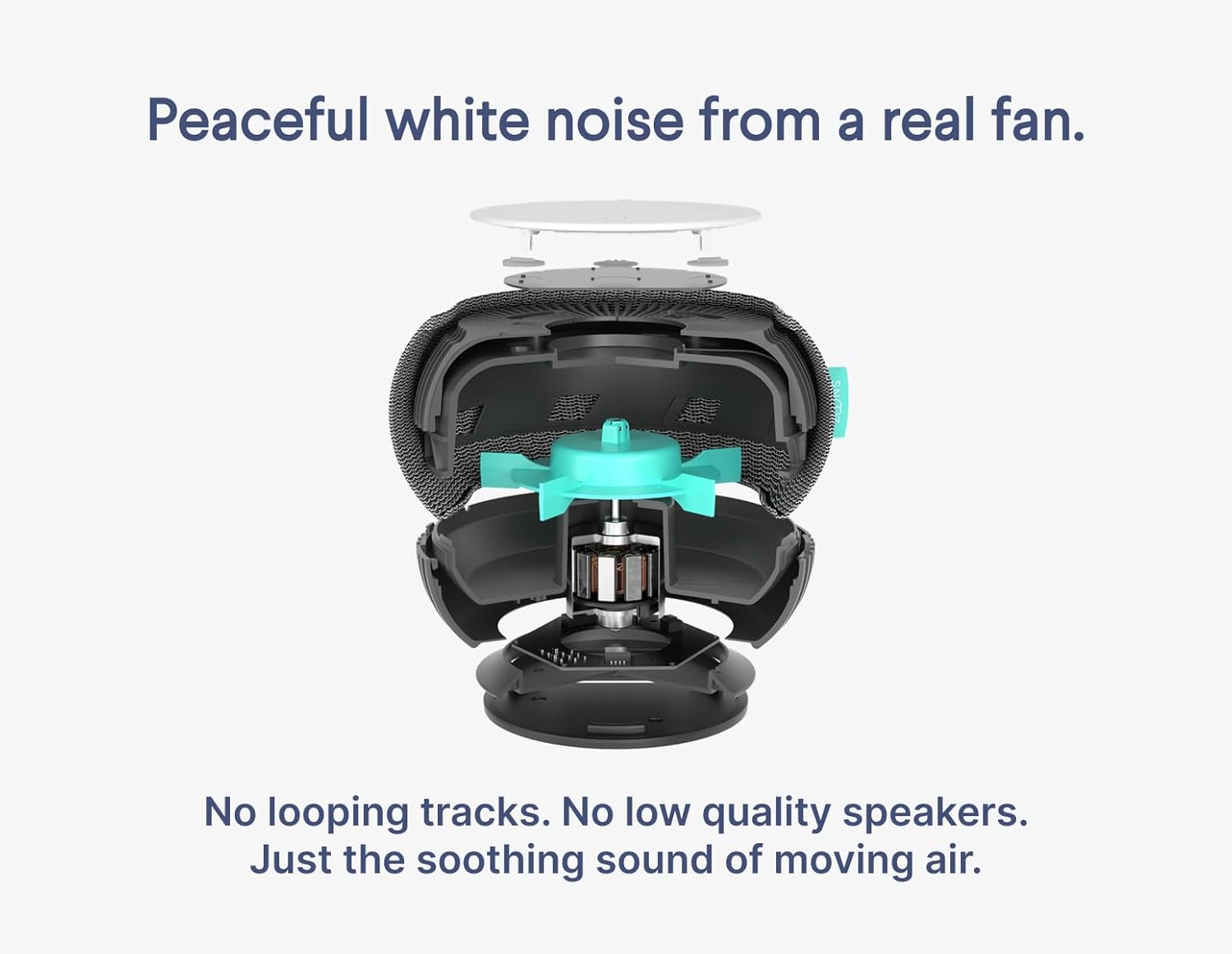
Imej: Meletup view of the SNOOZ device, highlighting the internal fan mechanism responsible for generating natural, non-looping white noise.
Using the SNOOZ App
The SNOOZ app provides additional control and scheduling features:
- Kawalan Jauh: Control volume settings directly from your smartphone.
- Penjadualan: Set a schedule to automatically turn the SNOOZ on or off, helping to establish a consistent sleep routine.
- Button Brightness: Adjust the brightness of the buttons on the device, or turn them off completely for a darker room.
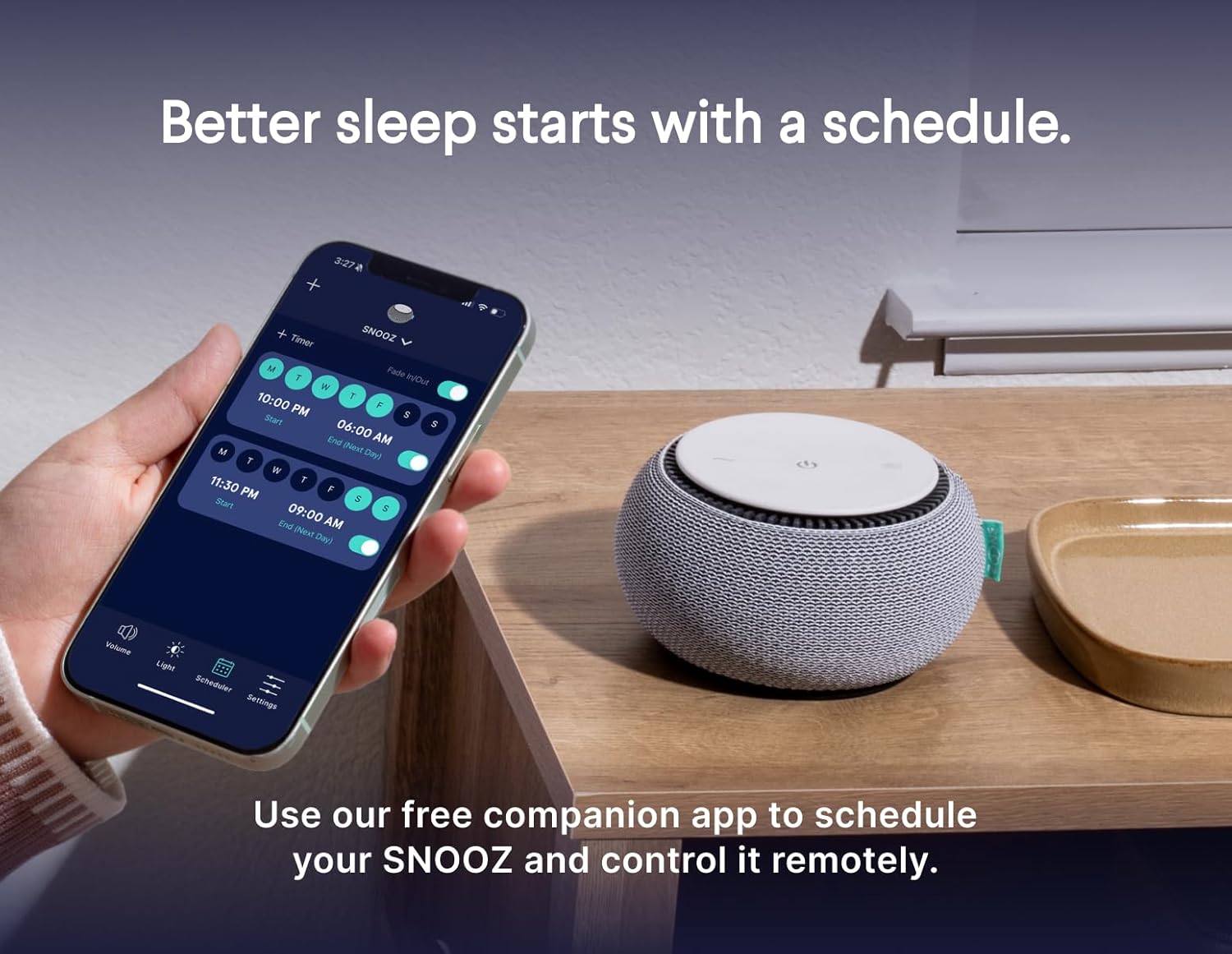
Image: A hand holding a smartphone displaying the SNOOZ app interface, which shows options for setting schedules and controlling the device, positioned next to the SNOOZ sound machine on a wooden surface.
Penyelenggaraan
To ensure the longevity and optimal performance of your SNOOZ Smart White Noise Sound Machine, follow these maintenance guidelines:
- Pembersihan: Cabut plag peranti sebelum membersihkan. Gunakan kain lembut dan kering untuk mengelap bahagian luar. Jangan gunakan pembersih cecair atau bahan kasar.
- Bolong Udara: Periodically check the air vents for dust accumulation. Use a soft brush or compressed air to gently clear any blockages.
- Storan: Apabila tidak digunakan untuk tempoh yang lama, simpan peranti di tempat yang sejuk dan kering jauh dari cahaya matahari langsung dan suhu yang melampau.
Menyelesaikan masalah
If you encounter issues with your SNOOZ device, refer to the following common problems and solutions:
| Masalah | Kemungkinan Punca | Penyelesaian |
|---|---|---|
| Peranti tidak dihidupkan. | Not plugged in, power outlet issue, damaged cord. | Ensure the power cord is securely plugged into both the device and a working electrical outlet. Check the cord for any visible damage. |
| Tiada bunyi atau output bunyi rendah. | Volume too low, tone setting, obstructed vents. | Increase the volume using the '+' button. Rotate the outer shell to adjust the tone. Ensure air vents are not blocked. |
| Isu sambungan apl. | Bluetooth disabled, app outdated, device out of range. | Ensure Bluetooth is enabled on your smartphone. Update the SNOOZ app to the latest version. Keep the device within Bluetooth range of your phone. |
Spesifikasi
| Dimensi Produk | 5.6 x 5.6 x 3.2 inci |
| Berat Barang | 5.5 auns |
| Nombor Model | BD3342 |
| warna | awan |
| bahan | Plastic, Lightweight Metal, Soft Cloth, Hard Plastic |
| Sumber Kuasa | Elektrik Bertali |
| Pengeluar | SNOOZ |
| Julat desibel | 46 dB hingga 87 dB |
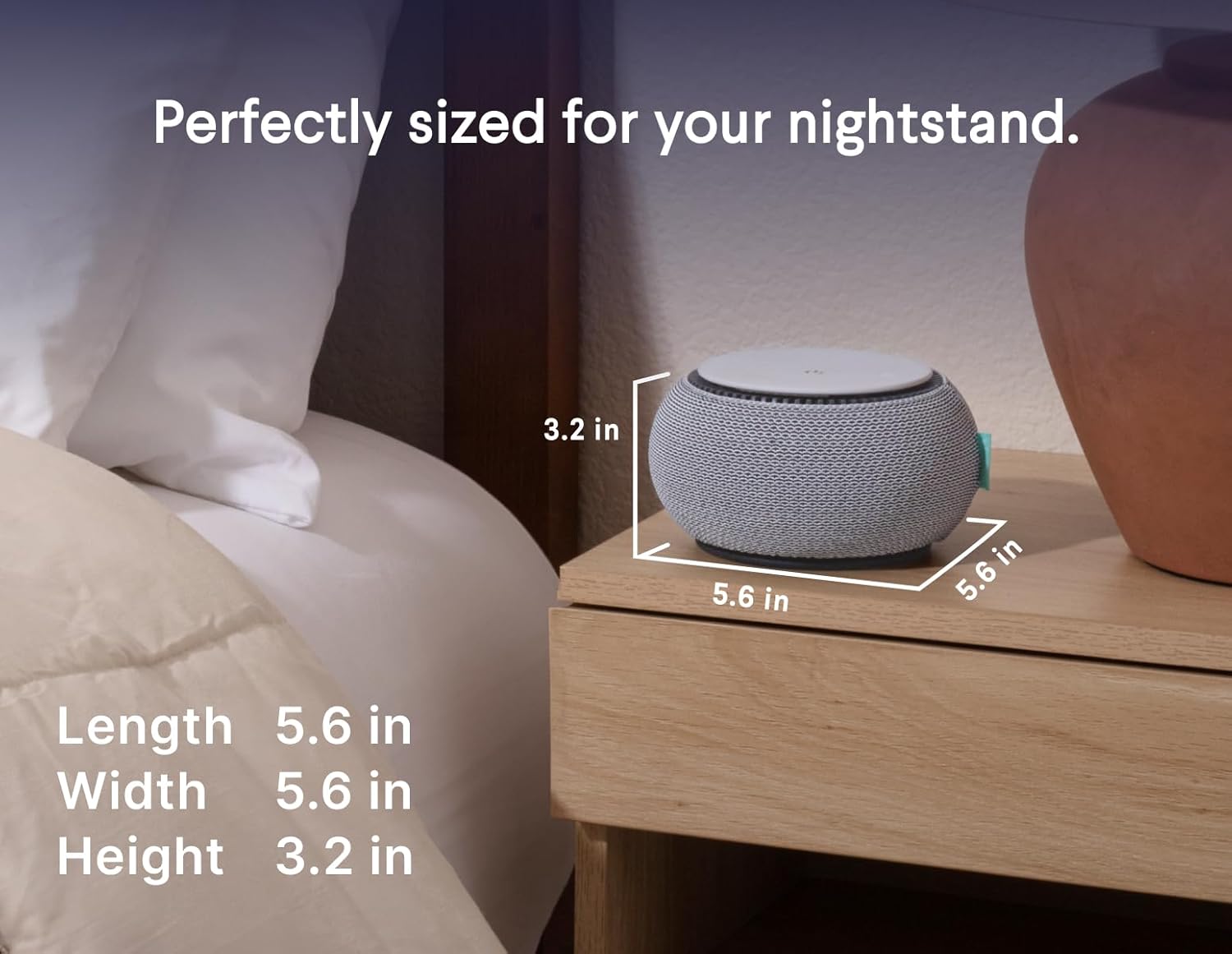
Image: The SNOOZ device on a nightstand, with its dimensions (length 5.6 in, width 5.6 in, height 3.2 in) clearly indicated, demonstrating its compact size.

Image: An illustration showing the decibel range of the SNOOZ device, from 46 dB to 87 dB, indicating its effectiveness in blocking various noise levels without being harmful to ears.
Waranti dan Sokongan
For product support, warranty information, or to purchase protection plans, please visit the official SNOOZ website or contact their customer service. Protection plans are available to extend coverage beyond the standard warranty.
- Pelan Perlindungan: Pelan perlindungan 3 tahun dan 4 tahun disediakan.
- Pengeluar: SNOOZ
- Hubungi: Refer to the SNOOZ official website for contact details and further support.

