pengenalan
This user manual provides detailed instructions for the Octopus Nozzle Cleaner and Printer Head Cleaner, designed specifically for Canon Pixma printer heads. This product is manufactured by Octopus Fluids GmbH & Co. KG in Germany and is intended for the gentle and effective cleaning of clogged printer nozzles.
Kandungan Pakej

Image: The complete Octopus Nozzle Cleaner kit, including the cleaner bottle, syringe, various hose adapters, and gloves.
The Octopus Nozzle Cleaner kit includes the following components:
- 1x Nozzle Cleaner, Printhead Cleaner (available in 100ml, 250ml, 500ml, or 1000ml sizes)
- 1x Detailed User Manual (this document)
- 1x Luer Lid Sprayer (60 ml syringe)
- 1x Hose Adapter for large PGI Cartridges
- 1x Hose Adapter for slim CLI Cartridges
- 1x Accessory Set: Consisting of additional hose, gloves, and swab
Persediaan dan Penyediaan

Image: Visual representation of the print head cleaning kit components and how they connect to the print head.
- Matikan Pencetak: Move the printer head to the ink cartridge replacement position. Then, unplug the printer from the power source to ensure safety.
- Protect Work Surface: Place several layers of kitchen paper or absorbent material directly under the printer head's resting area to catch any excess cleaning fluid or ink residue.
- Keluarkan Kartrij: Carefully remove all ink cartridges and their seals from the printer head.
- Pasang Penyesuai Hos: Select the appropriate hose adapter (for PGI or CLI cartridges) and connect it securely to the ink intake port on the print head.
Arahan Operasi

Image: A printer with the cleaning solution being applied to the print head area.
- Prepare Syringe: Use the provided 60 ml Luer Lid Sprayer syringe to draw approximately 20-30 ml of the Octopus Nozzle Cleaner fluid.
- Apply Cleaning Fluid: Slowly and carefully fill a small amount of the cleaning fluid into the connected hose.
- Dissolve Residue: Gently perform pumping movements with the syringe. This action helps to dissolve dried ink residue and encrustations within the nozzles.
- Soaking for Stubborn Clogs: For more severe blockages or heavily soiled print heads, allow the cleaning fluid to soak overnight.
- Post-Cleaning Program: After the manual cleaning process, reassemble the printer by reinserting the ink cartridges and seals. Plug in the printer and run the printer's built-in nozzle cleaning program. Be aware that this program consumes a significant amount of ink.
- Ink Level Check: If the ink cartridges have low ink levels, refill or replace them before running the nozzle cleaning program to ensure optimal results.
Penyelenggaraan dan Penyimpanan

Imej: Dari dekat view of the Octopus Nozzle Cleaner bottle, highlighting its label and "Made in Germany" origin.
To ensure the longevity and effectiveness of your Octopus Nozzle Cleaner and your printer, follow these maintenance and storage guidelines:
- Alat Bersih: After each use, thoroughly rinse the syringe, hose adapters, and any other reusable accessories with clean water. Allow them to air dry completely before storing.
- Store Cleaner Properly: Keep the Octopus Nozzle Cleaner bottle tightly sealed and store it in a cool, dry place, away from direct sunlight and extreme temperatures.
- Pembersihan tetap: For optimal printer performance, consider performing a light cleaning with the Octopus Nozzle Cleaner periodically, even if no severe clogs are present. This can prevent ink from drying and accumulating.
- Buang secara bertanggungjawab: Dispose of any used kitchen paper, swabs, or gloves according to local waste disposal regulations.
Menyelesaikan masalah
While the Octopus Nozzle Cleaner is highly effective, it is important to understand its limitations. This cleaning set may not resolve all types of printer head issues:
- Overly Clogged or Insoluble Materials: The cleaner may be ineffective for print heads that are excessively clogged or contain insoluble materials within the nozzles.
- Very Old Print Heads: Very old print heads may be prone to further clogging or damage even after cleaning due to their age and wear.
- Defective Print Heads: This product is designed to clean clogged nozzles, not to repair physically defective print heads. If your print head is mechanically damaged, cleaning will not resolve the issue.
If you continue to experience printing issues after following the cleaning instructions, it may indicate a problem beyond simple nozzle clogging.
Spesifikasi
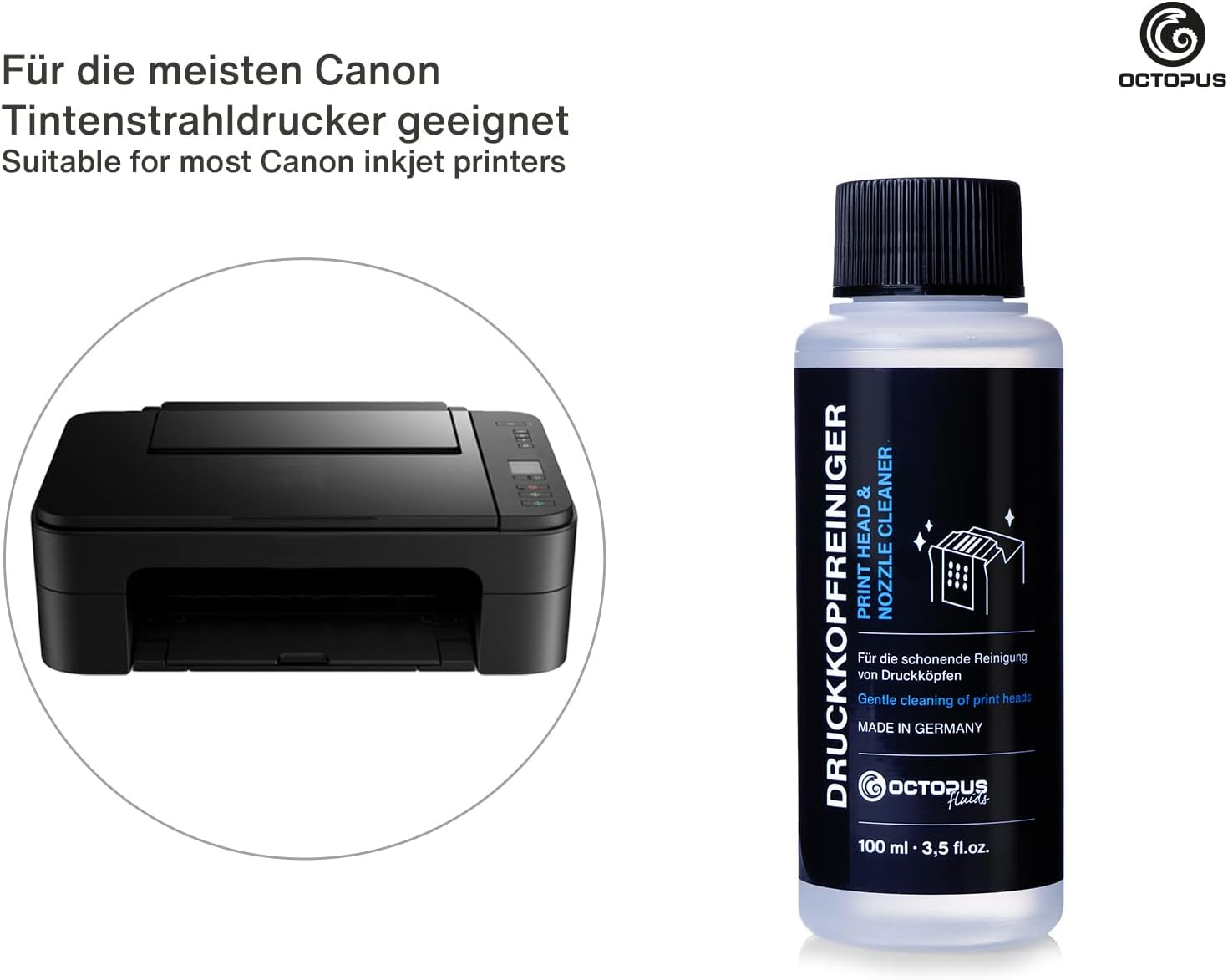
Image: A typical Canon inkjet printer, illustrating the type of device compatible with this cleaning solution.
| Ciri | Perincian |
|---|---|
| Jenama | Sotong |
| Pengeluar | Octopus Concept GmbH |
| Nombor Model | T00300-TAV3S0 |
| Warna Dakwat | Jelas |
| Peranti Serasi | Canon Pixma Printer Models with PGI-570 / CLI-571, 550/551 and 525/526 Cartridges |
| Ciri Khas | serasi |
| Bilangan Item | 1 (kit) |
| Dimensi Produk | 20.3 x 4.9 x 19 cm |
| Berat Barang | 200 g |
| Ink Base | air |

Image: Illustrates the wide range of applications for Octopus Fluids products, including various printing scenarios.
Waranti dan Sokongan
Specific warranty information for the Octopus Nozzle Cleaner is not provided in this manual. For any product support or warranty inquiries, please refer to the manufacturer's official website or contact Octopus Concept GmbH directly.
This product is not an OEM product of the printer manufacturer Canon. All manufacturer and brand names mentioned are used solely to indicate compatibility and remain the property of their respective owners.


