1. Produk Lebihview
The MICMOL Aqua Air AA-1200 is a smart LED aquarium lighting system designed for saltwater marine, coral reef, and fish tanks. It features a super thin unibody design, programmable timer functions, and a full spectrum LED array to support aquatic life.
Ciri-ciri utama termasuk:
- 11mm (0.4") super thin design.
- 96W power output.
- Full spectrum LED array with 7 bands for diverse spectral combinations.
- Smart Controller with timer, sunrise, sunset, and lightning effects.
- Three independent LED channels with 6 adjustable timer points.
- Adjustable super bracket system for tanks 1185mm to 1685mm (47" to 66").
- Water-resistant cooling system.
- UL approved power supply.
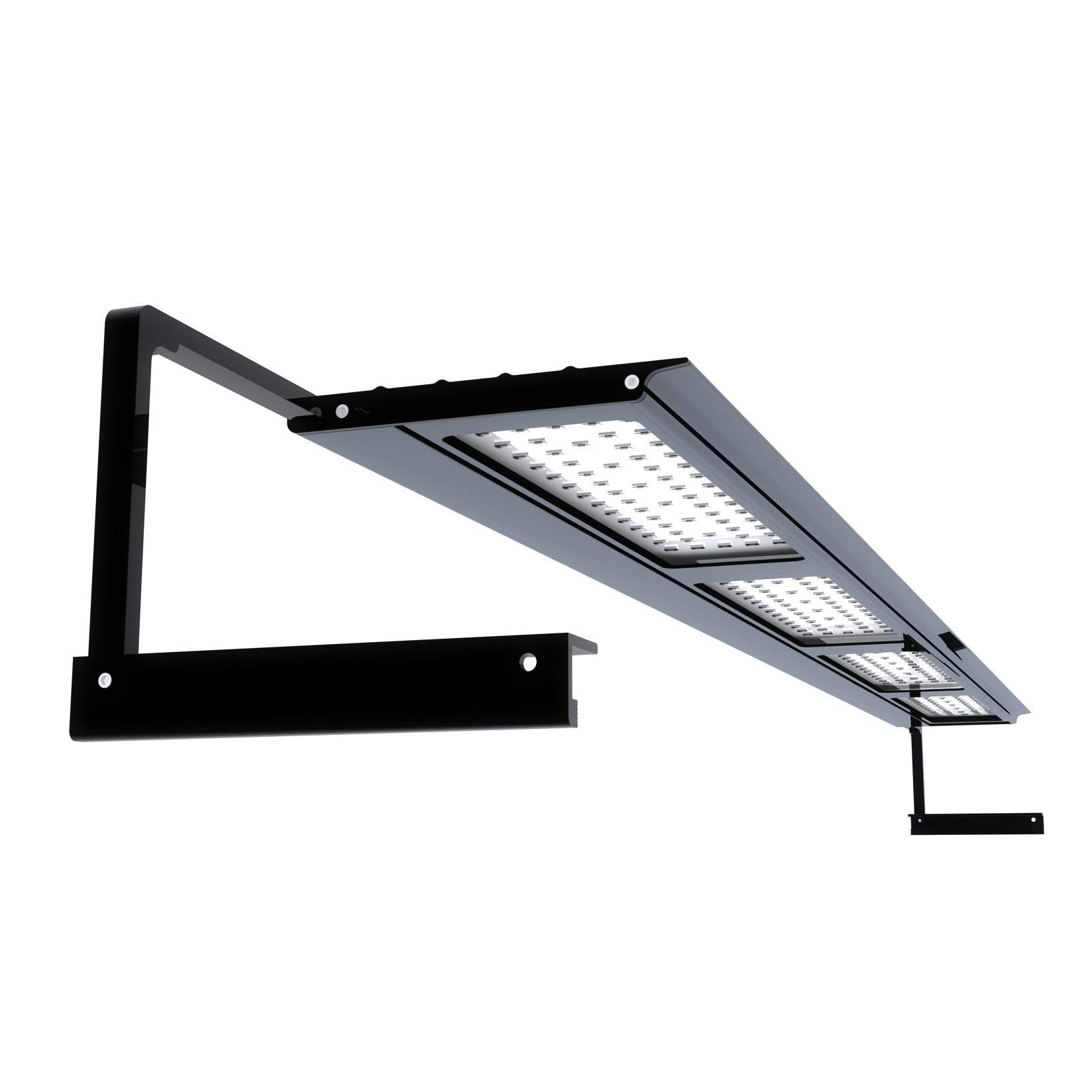
Image 1.1: MICMOL Aqua Air AA-1200 Smart LED Aquarium Light fixture.
2. Apa yang ada di dalam Kotak
Pastikan semua komponen tersedia sebelum meneruskan pemasangan.
- 1 x G2 Aqua Air 1200 Lighting Fixture (AA-1200 / 96W)
- 1 x Pengawal Pintar
- 1 x Super Bracket
- 1 x US Standard Power Cord
- 1 x Penyesuai Kuasa
- 1 x Tool Sets
- 1 x Printed Instructions
3. Arahan Persediaan
3.1 Mounting the Light Fixture
The Aqua Air AA-1200 comes with an adjustable super bracket system suitable for both rimmed and rimless aquariums. The brackets accommodate tank sizes ranging from 1185mm (47 inches) to 1685mm (66 inches).
- Attach the super brackets to the light fixture using the provided tool set. Ensure they are securely fastened.
- Adjust the length of the brackets to fit your aquarium's dimensions.
- Carefully place the light fixture onto the edges of your aquarium, ensuring it is stable and centered.
- Pilihan: If using hanging kits (sold separately), refer to the hanging kit instructions for installation.
3.2 Connecting Power and Controller
- Connect the Smart Controller to the light fixture.
- Connect the power adapter to the Smart Controller.
- Plug the US Standard Power Cord into the power adapter.
- Plug the power cord into a suitable electrical outlet. The light should power on, and the Smart Controller display will activate.
4. Arahan Operasi
The Smart Controller allows for comprehensive customization of your aquarium lighting. It features touch switches for navigation.
4.1 Smart Controller Functions
The controller provides access to various settings:
- jam: Tetapkan masa semasa.
- Pemasa: Program on/off times and intensity levels for each LED channel.
- LED Channels: Adjust the intensity of the three independent LED channels. The channels are configured as follows for the Marine version:
- Channel 1 (White): Controls 80 White LEDs.
- Channel 2 (Blue): Controls 32 Royal Blue, 112 Royal Blue, and 8 Blue LEDs.
- Channel 3 (Special): Controls 8 Warm White, 8 UV, 4 Red, and 4 Green LEDs.
- Kesan Khas: Simulate natural phenomena such as sunrise, sunset, and thunderstorms.
- Demo: Activates a 1-minute demonstration of all settings.
- Tetapan semula kilang: Resets all settings to their default factory configuration.
4.2 Programming Timer and Intensity
The Smart Controller allows you to set 6 timer points for each of the three LED channels. This enables precise control over the light cycle and intensity throughout the day.
- Navigate to the "Timer" setting on the Smart Controller.
- Select the desired LED channel (Channel 1, 2, or 3).
- For each of the 6 timer points, set the desired time and the corresponding intensity level (0-100%) for that channel.
- Repeat this process for all three channels to create a customized lighting schedule.
- Save your settings before exiting the timer menu.
5. Penyelenggaraan
Regular maintenance ensures optimal performance and longevity of your Aqua Air AA-1200 light.
- Pembersihan: Periodically wipe the aluminum body and LED surface with a soft, damp cloth. Ensure the light is unplugged before cleaning. Avoid abrasive cleaners.
- Sistem Penyejukan: The unit features a water-resistant cooling system. Ensure that the cooling vents (if visible) are not obstructed to allow for proper heat dissipation.
- Sambungan: Periodically check all power and controller connections to ensure they are secure.
6. Penyelesaian masalah
If you encounter issues with your Aqua Air AA-1200, refer to the following common problems and solutions:
| Masalah | Kemungkinan Punca | Penyelesaian |
|---|---|---|
| Cahaya tidak menyala. | Tiada kuasa, sambungan longgar, penyesuai kuasa rosak. |
|
| Smart Controller display is blank or unresponsive. | Power issue, controller malfunction. |
|
| Controller resets clock or settings frequently. | Internal software malfunction or power interruption. |
|
| LEDs are not illuminating correctly or some channels are off. | Incorrect programming, faulty LEDs. |
|
7. Spesifikasi
| Nombor Model | G2-AA-1200-M |
| kuasa | 96W |
| Dimensi (Lekapan) | 1160 x 126 x 11mm (45.7 x 5 x 0.4 inci) |
| Berat badan | 3.0 kg (6.6 lbs) |
| bahan | aluminium |
| Jenis Selesai | Digilap |
| Jenis Suis | Sentuh |
| Ciri Khas | Full Spectrum, Programmable Timer, Sunrise/Sunset |
| Jenis Sumber Cahaya | LED SMD |
| Bracket Compatibility | Min tank: 1185mm (47"), Max tank: 1685mm (66") |
| Pensijilan | UL, Rosh, CE, SAA (Power Adapter) |
| LED Configuration (Marine) | 80x White (CN 1), 32x Royal Blue (CN 1), 112x Royal Blue (CN 2), 8x Blue (CN 3), 8x Warm White (CN 3), 8x UV (CN 3), 4x Red (CN 3), 4x Green (CN 3) |
8. Waranti dan Sokongan
The MICMOL Aqua Air AA-1200 comes with a Waranti Dua Tahun dari tarikh pembelian. Waranti ini meliputi kecacatan pembuatan dan kerosakan dalam penggunaan biasa.
For technical support, warranty claims, or further assistance, please contact MICMOL customer service through their official weblaman web atau peruncit anda.
Sila simpan bukti pembelian anda untuk pengesahan waranti.


