pengenalan
Terima kasih kerana membeliasing the Muse M-1520 SBT Soundbar. This device is designed to enhance your audio experience with 50W of power and versatile connectivity options including Bluetooth, AUX-IN, RCA, and Optical inputs. Please read this manual carefully before use to ensure proper setup and operation.

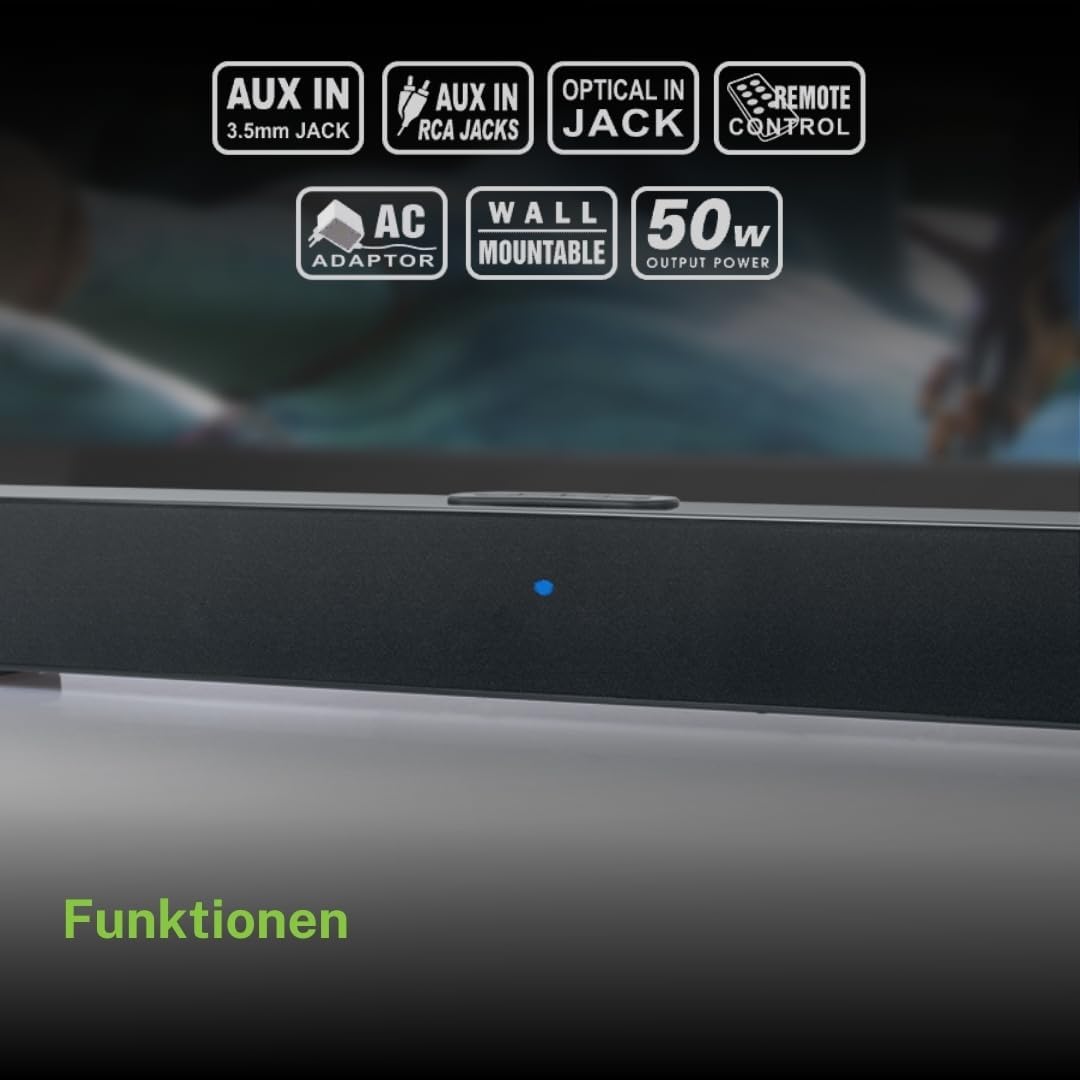
The Muse M-1520 SBT Soundbar integrated into a home entertainment setup.
Arahan Keselamatan
- Jangan dedahkan unit kepada hujan atau lembapan.
- Jangan buka casing; merujuk semua perkhidmatan kepada kakitangan yang berkelayakan.
- Pastikan pengudaraan yang betul di sekeliling unit.
- Jauhkan unit daripada cahaya matahari langsung, sumber haba dan medan magnet yang kuat.
- Gunakan hanya penyesuai kuasa yang disediakan.
- Do not place heavy objects on the soundbar.
- Buang bateri dengan bertanggungjawab.
Kandungan Pakej
Sila pastikan semua item yang disenaraikan di bawah disertakan dalam pakej anda:
- Muse M-1520 SBT Soundbar
- Penyesuai Kuasa AC
- RCA kabel
- 3.5 mm Aux-In Cable
- Alat Kawalan Jauh
- 2 x Bateri AA (untuk alat kawalan jauh)

All accessories included with the Muse M-1520 SBT Soundbar.
Kawalan dan Sambungan
Sambungan Panel Belakang

Terperinci view of the soundbar's rear input ports.
- AUX 1 (3.5mm): Sambungkan peranti audio luaran menggunakan kabel audio 3.5mm.
- AUX 2 (RCA L/R): Connect external audio devices using an RCA stereo cable.
- OPTIKAL: Connect to a TV or other device with an optical digital audio output.
- DC 12V: Connect the provided AC power adapter.
Top Panel Controls and Indicators
Top panel controls and LED indicator for the soundbar.
The top panel features buttons for power, volume control, and source selection. A blue LED indicator shows the current status or selected input.
Persediaan
1. penempatan
Place the soundbar on a stable, flat surface in front of your television, or mount it on the wall below your TV. Ensure there are no obstructions blocking the sound.
2. Sambungan Kuasa
- Connect the AC power adapter to the DC 12V input on the rear of the soundbar.
- Pasangkan penyesuai kuasa AC ke soket dinding.
3. Sambungan Audio
Choose one of the following methods to connect the soundbar to your audio source (e.g., TV, DVD player):
- Sambungan Optik: For best audio quality, connect an optical cable (not included) from your TV's optical output to the OPTICAL input on the soundbar.
- Sambungan RCA: Connect the supplied RCA cable from your audio source's RCA L/R output to the AUX 2 (RCA) input on the soundbar.
- 3.5mm AUX-IN Connection: Connect the supplied 3.5mm Aux-In cable from your audio source's headphone jack or AUX output to the AUX 1 (3.5mm) input on the soundbar.
Arahan Operasi
Hidupkan/Mati Kuasa
- Tekan ke KUASA button on the remote control or the soundbar's top panel to turn the unit on or off.
Pemilihan Sumber
- Tekan ke SUMBER button on the remote control or the soundbar's top panel repeatedly to cycle through input sources: Bluetooth, AUX 1, AUX 2, Optical.
- The LED indicator will change color or pattern to indicate the selected source.
Kawalan Kelantangan
- Tekan ke VOL+ or vol- buttons on the remote control or the soundbar's top panel to adjust the volume.
Berpasangan Bluetooth
- Turn on the soundbar and select the Bluetooth input source. The LED indicator will flash, indicating it is in pairing mode.
- Dayakan Bluetooth pada peranti mudah alih anda (telefon pintar, tablet, dll.).
- Cari untuk available Bluetooth devices. The soundbar will appear as "M-1520 SBT".
- Select "M-1520 SBT" to pair. Once connected, the LED indicator will stop flashing and remain solid.
- Anda kini boleh memainkan audio daripada peranti anda melalui bar bunyi.
Nota: Jika digesa untuk kata laluan, masukkan "0000".
Pemasangan Dinding
The Muse M-1520 SBT Soundbar is designed to be wall-mountable. Mounting hardware (screws, anchors) is not typically included and must be purchased separately based on your wall type.
Penting: Ensure the wall can support the weight of the soundbar (approximately 1.2 kg). Consult a professional if you are unsure about wall mounting.
Penyelenggaraan
- Pembersihan: Gunakan kain lembut dan kering untuk membersihkan permukaan bar bunyi. Jangan gunakan pembersih cecair atau bahan yang melelas.
- Storan: Jika menyimpan unit untuk tempoh yang lama, cabut sambungannya daripada salur keluar kuasa dan simpan di tempat yang sejuk dan kering.
Menyelesaikan masalah
| Masalah | Kemungkinan Punca | Penyelesaian |
|---|---|---|
| Tiada kuasa | Power adapter not connected or wall outlet not active. | Ensure the power adapter is securely connected to the soundbar and a working wall outlet. |
| Tiada bunyi | Sumber input yang dipilih salah, kelantangan terlalu rendah atau kabel audio tidak disambungkan dengan betul. | Select the correct input source. Increase the volume. Check all audio cable connections. Ensure the TV/source audio output is enabled. |
| Penggandingan Bluetooth gagal | Bar bunyi tidak berada dalam mod berpasangan, peranti terlalu jauh atau gangguan. | Ensure the soundbar is in Bluetooth pairing mode (flashing LED). Move your device closer to the soundbar. Turn off other Bluetooth devices to reduce interference. |
| Alat kawalan jauh tidak berfungsi | Batteries are dead or inserted incorrectly, or line of sight is blocked. | Replace the batteries (2 x AA). Ensure batteries are inserted with correct polarity. Remove any obstructions between the remote and the soundbar. |
Spesifikasi
| Nama Model | M-1520 SBT |
| Kuasa Keluaran | 50 Watt |
| Ketersambungan | Bluetooth, AUX-IN (3.5mm), RCA, Optical |
| Teknologi Tanpa Wayar | Bluetooth |
| Peranti Serasi | TV, smartphone, PC, tablet |
| Dimensi (L x W x H) | 66 x 6 x 5.9 cm (25.98 x 2.36 x 2.32 inci) |
| Berat badan | 1.2 kg (2.65 lbs) |
| Kaedah Kawalan | Alat Kawalan Jauh |
| Sumber Kuasa | AC Adapter (12V DC) |
| warna | Hitam |

Dimensional diagram of the Muse M-1520 SBT Soundbar.
Waranti dan Sokongan
Specific warranty information for the Muse M-1520 SBT Soundbar is not available in the provided product details. Please refer to the warranty card included in your product packaging or contact your retailer for details regarding warranty coverage and customer support.


