pengenalan
Terima kasih kerana membeliasing the 2BOOM Portable Wireless Bluetooth Speaker System. This manual provides detailed instructions for setting up, operating, and maintaining your speaker. Please read this manual thoroughly before using the product to ensure proper function and longevity.
Kandungan Pakej
Sila semak kandungan pakej untuk memastikan semua item ada:
- 1 x 2BOOM Twister Speaker (Model: BX311R)
- 1 x Kabel Audio
- 1 x Kabel Pengecasan
- 1 x Manual Pengguna
Note: This unit does not come with an attachable carry strap.
Produk Selesaiview

Rajah 1: Depan view of the 2BOOM Twister speaker, showcasing its cylindrical design with red end caps and a black carbon fiber textured body.

Figure 2: Diagram highlighting the key features of the speaker, including Deep Digital Bass, FM Radio capability, Colorful Light FX, and a Bluetooth range of 32.8 feet.

Rajah 3: Terperinci view of the speaker's control panel, indicating the location and function of the DC5V charging port, AUX input, OFF/ON switch, Mode button, Previous/Volume -, Play/Pause, Next/Volume +, MIC-VOL, Microphone input, USB input, and TF Card slot.

Rajah 4: Bersudut view of the speaker's top, providing a clear perspective of the control panel and its various buttons and ports.
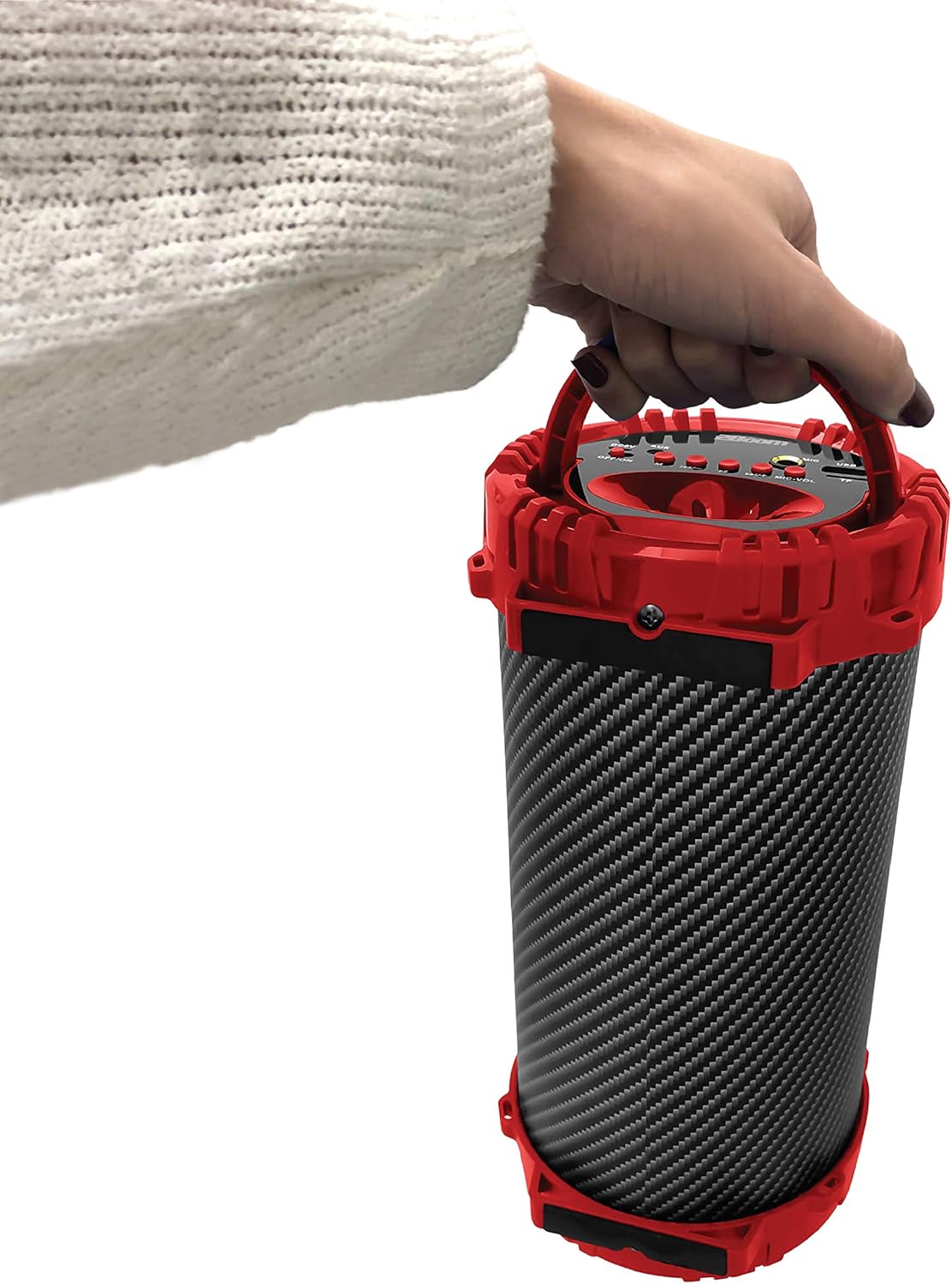
Figure 5: Image demonstrating the portability of the speaker, held by hand using its integrated carry handle.
Persediaan
Mengecas Speaker
Before first use, fully charge the speaker. Connect the provided charging cable to the DC5V port on the speaker (refer to Figure 3) and the other end to a USB power adapter (not included) or a computer's USB port. The charging indicator light will illuminate during charging and turn off when fully charged.
Menghidupkan/Mematikan
Locate the OFF/ON switch on the control panel (refer to Figure 3). Slide the switch to the "ON" position to power on the speaker. Slide it to the "OFF" position to power off the speaker.
Arahan Operasi
Sambungan Bluetooth
- Ensure the speaker is powered on. It will automatically enter Bluetooth pairing mode.
- On your Bluetooth-enabled device (smartphone, tablet, MP3 player), enable Bluetooth and search for available devices.
- Select "2BOOM Twister" from the list of devices.
- Once connected, the speaker will emit an audible confirmation. Your device will automatically remember the speaker for future connections.
- The Bluetooth connection range is up to 33 feet (10 meters).
Pemilihan Mod
Press the "M" (Mode) button on the control panel (refer to Figure 3) to cycle through available modes: Bluetooth, FM Radio, AUX, USB, and TF Card.
Operasi Radio FM
- Switch to FM Radio mode using the "M" button.
- Tekan dan tahan butang "Main/Jeda" untuk mengimbas dan menyimpan stesen FM yang tersedia secara automatik.
- Use the "Previous/Volume -" and "Next/Volume +" buttons to navigate between saved stations.
Input AUX
Connect an external audio device (e.g., MP3 player, computer) to the AUX port on the speaker (refer to Figure 3) using the provided audio cable. Switch to AUX mode using the "M" button. Audio will now play through the speaker from your connected device.
Input USB
Masukkan pemacu kilat USB yang mengandungi audio MP3 files into the USB port (refer to Figure 3). The speaker will automatically switch to USB mode and begin playing the audio files.
Input Kad TF
Masukkan kad TF (MicroSD) yang mengandungi audio MP3 files into the TF Card slot (refer to Figure 3). The speaker will automatically switch to TF Card mode and begin playing the audio files.
Microphone Input (Karaoke Function)
Connect a microphone (not included) to the MIC input port (refer to Figure 3). Adjust the microphone volume using the "MIC-VOL" knob. You can sing along to music playing from any source (Bluetooth, AUX, USB, TF Card, FM Radio).
Volume Control and Track Navigation
- Kelantangan: Press and hold the "Next/Volume +" button.
- Perlahankan suara: Press and hold the "Previous/Volume -" button.
- Trek/Stesen Seterusnya: Short press the "Next/Volume +" button.
- Trek/Stesen Sebelumnya: Short press the "Previous/Volume -" button.
- Main/Jeda: Short press the "Play/Pause" button.
Penyelenggaraan
- Pembersihan: Gunakan kain lembut dan kering untuk membersihkan bahagian luar pembesar suara. Jangan gunakan pembersih atau pelarut yang melelas.
- Storan: Simpan pembesar suara di tempat yang sejuk dan kering jauh dari cahaya matahari langsung dan suhu yang melampau.
- Tahan Air: Pembesar suara ini TIDAK kalis air. Elakkan daripada mendedahkannya kepada air atau kelembapan berlebihan.
- Penjagaan Bateri: Untuk memanjangkan hayat bateri, elakkan daripada menyahcas sepenuhnya bateri dengan kerap. Cas pembesar suara dengan kerap, walaupun tidak digunakan untuk tempoh yang lama.
Menyelesaikan masalah
| Masalah | Kemungkinan Punca | Penyelesaian |
|---|---|---|
| Speaker tidak dihidupkan. | Bateri hampir habis atau habis. | Cas pembesar suara menggunakan kabel pengecas yang disediakan. |
| Tidak boleh berpasangan dengan peranti Bluetooth. | Bluetooth is not enabled on your device; speaker is not in pairing mode; device is out of range. | Ensure Bluetooth is on and the speaker is in pairing mode. Move device closer to the speaker (within 33 feet). |
| Tiada bunyi dari pembesar suara. | Volume is too low; incorrect mode selected; audio cable not fully connected. | Increase speaker and device volume. Ensure correct mode (Bluetooth, AUX, etc.) is selected. Check cable connections. |
| Penerimaan Radio FM kurang baik. | Isyarat lemah; gangguan persekitaran. | Try repositioning the speaker. Perform an auto-scan for stations again. |
Spesifikasi
| Ciri | Perincian |
|---|---|
| Model | BX311R |
| Jenama | 2BOOM |
| Diameter Subwoofer | 4 Inci |
| Teknologi Ketersambungan | Bluetooth, USB, Wireless |
| Julat Bluetooth Maksimum | 33 Kaki (10 meter) |
| Mod Keluaran Audio | Stereo |
| Sumber Kuasa | Dikuasakan Bateri |
| Jenis Bahan | plastik |
| warna | merah |
| Berat Barang | 1.65 Paun (lebih kurang 748.43 g) |
| Dimensi Produk (L x W x H) | 25.4 x 16.51 x 15.24 cm |
| Ciri Khas | FM Radio, Microphone Input, USB/TF Card Playback |
Waranti dan Sokongan
The 2BOOM Twister Speaker comes with an UNLIMITED 2BOOM warranty when bought from Tech Direct Worldwide. For warranty claims, technical support, or any inquiries regarding your product, please contact the retailer or manufacturer directly.
Sila simpan bukti pembelian anda untuk tujuan waranti.