pengenalan
This manual provides comprehensive instructions for the safe and proper installation, operation, and maintenance of your Amazon Basics Heavy-Duty Tilting TV Wall Mount and High-Speed HDMI Cable. This wall mount is designed to securely hold flat-panel televisions ranging from 37 inches to 80 inches, with a maximum weight capacity of 120 pounds. The included HDMI cable supports Ethernet, 3D, and 4K video, along with Audio Return Channel (ARC) for versatile connectivity.
Please read this manual thoroughly before beginning installation to ensure correct setup and to prevent damage to the product or injury.
Maklumat Keselamatan
AMARAN: Failure to read and follow all instructions can result in personal injury or property damage. The manufacturer is not responsible for damage or injury caused by incorrect mounting, incorrect assembly, or incorrect use.
- Ensure the wall structure can safely support the combined weight of the mount and the television. Consult a qualified professional if unsure.
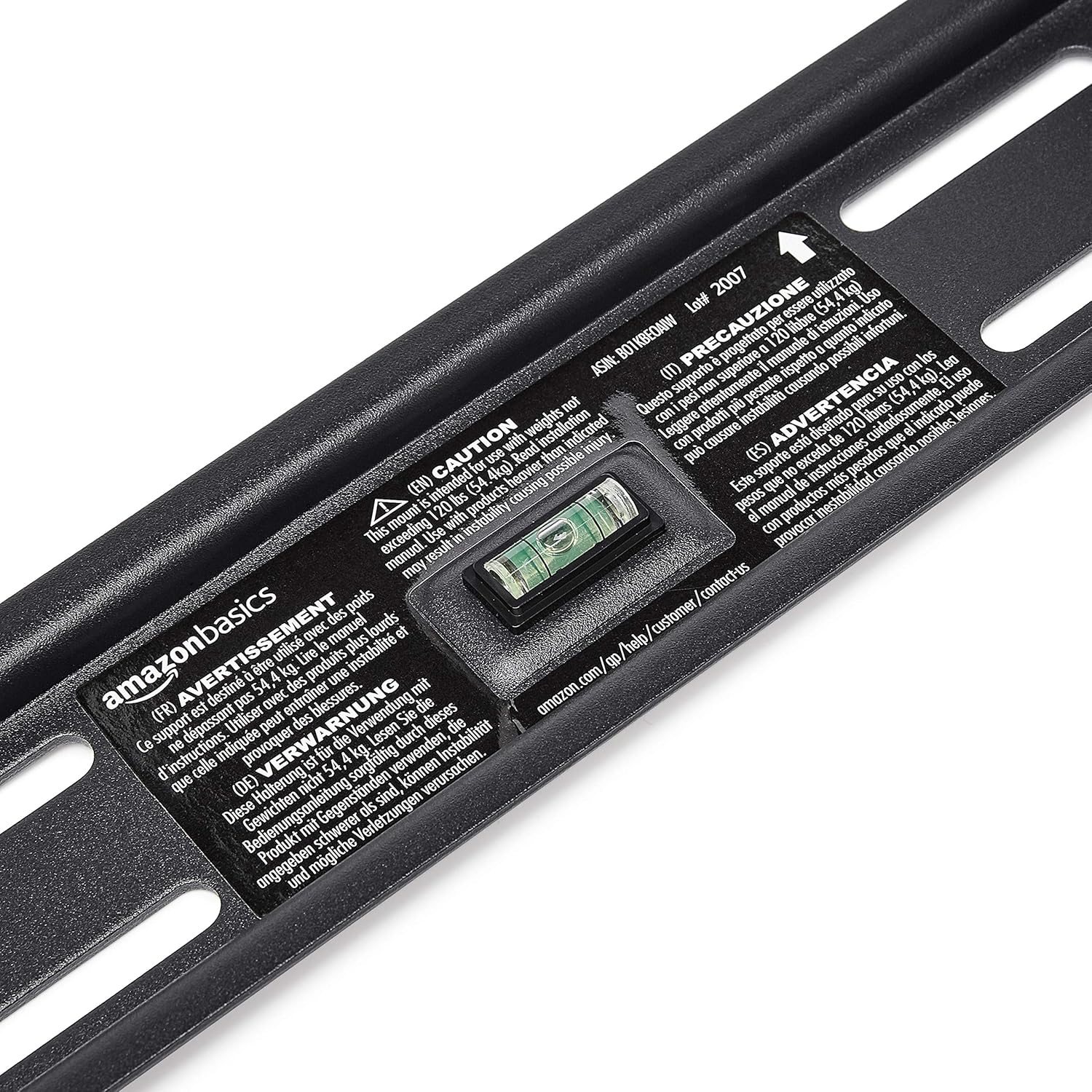
- Jangan melebihi kapasiti berat maksimum 120 paun (54.4 kg).
- This mount is intended for use with flat-panel TVs between 37 and 80 inches.
- Always use appropriate safety gear, including eye protection, during installation.
- Verify the location of electrical wires, water pipes, and gas lines behind the wall before drilling.
- Two people are recommended for installation due to the size and weight of TVs.
- Jauhkan semua bahagian kecil dan bahan pembungkusan daripada kanak-kanak.
Kandungan Pakej
Buka kotak dengan berhati-hati dan pastikan semua komponen ada dan tidak rosak. Jika mana-mana bahagian hilang atau rosak, jangan cuba memasangnya. Hubungi khidmat pelanggan untuk mendapatkan bantuan.
- Pemasangan Plat Dinding (1)
- Pendakap Pemasangan TV (2)
- High-Speed HDMI Cable (1)
- Kit Perkakasan (pelbagai skru, pencuci, spacer, sauh)
- Manual Arahan (dokumen ini)


Persediaan dan Pemasangan
Alat Diperlukan (Tidak Termasuk):
- Pencari stud
- Drill with appropriate drill bits (wood/concrete)
- Level (though one is built into the mount)
- Pemutar skru kepala Phillips
- Socket wrench or adjustable wrench
- Pensel
- Pita pengukur
Langkah 1: Tentukan Lokasi Pemasangan
Choose a location on your wall that is structurally sound and free from electrical wires, water pipes, or gas lines. Use a stud finder to locate wood studs if mounting to drywall, or ensure you have appropriate concrete anchors if mounting to masonry.
Langkah 2: Pasang Plat Dinding
- Hold the wall plate against the wall at the desired height. Use the built-in level to ensure it is perfectly horizontal.
- Mark the drilling locations through the holes on the wall plate with a pencil.
- Drill pilot holes at the marked locations. The size of the drill bit will depend on your wall type and the anchors/lag bolts being used.
- Secure the wall plate to the wall using the provided lag bolts and washers. Ensure it is firmly attached and level.

Langkah 3: Pasangkan Kurungan Pemasangan TV ke TV
- Letakkan TV anda menghadap ke bawah di atas permukaan yang lembut dan bersih untuk mengelakkan kerosakan skrin.
- Kenal pasti lubang pelekap VESA di bahagian belakang TV anda.
- Pilih skru, pencuci dan spacer yang sesuai daripada kit perkakasan yang sesuai dengan lubang pelekap TV anda.
- Attach the two vertical TV mounting brackets to the back of your TV, ensuring they are centered and aligned with the VESA pattern. The hooks on the brackets should face upwards.

Langkah 4: Pasang TV ke Plat Dinding
- With assistance, carefully lift the TV and hook the brackets onto the top edge of the wall plate.
- Gently lower the TV until the brackets fully engage with the wall plate. You should hear a click or feel it lock into place.
- Pull the release strings (if applicable) to ensure the TV is securely latched to the mount. Some models have safety screws to further secure the TV; tighten these if present.


Step 5: Connect HDMI Cable
Connect one end of the included High-Speed HDMI cable to the HDMI output port on your source device (e.g., Blu-ray player, game console, streaming device) and the other end to an HDMI input port on your TV.

Arahan Operasi
Tilting the TV:
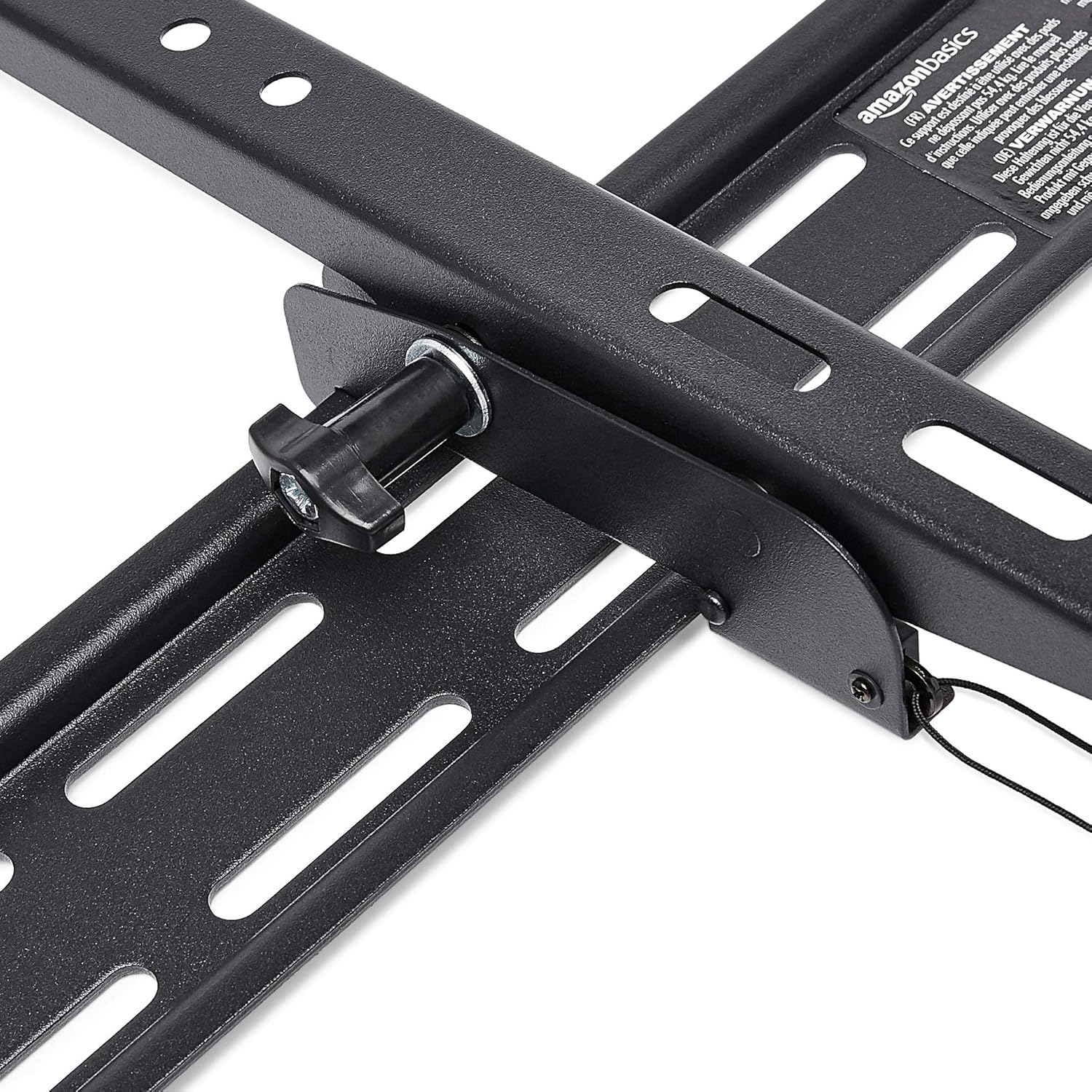
This wall mount allows for 18 degrees of tilt, ranging from +15 degrees (upward) to -3 degrees (downward), to achieve an optimal viewing angle and reduce glare. To adjust the tilt:
- Locate the tilt adjustment knobs or levers on the side of the TV mounting brackets.
- Loosen the knobs or levers to allow the TV to tilt freely.
- Condongkan TV dengan berhati-hati ke sudut yang anda inginkan.
- Tighten the knobs or levers to secure the TV in place.
Penyelenggaraan
- Periksa semua skru dan bolt secara berkala untuk memastikan ia kekal ketat dan kukuh.
- Clean the mount and HDMI cable with a soft, dry cloth. Avoid abrasive cleaners or solvents.
- Do not hang anything from the mount or TV that exceeds the weight capacity.
Menyelesaikan masalah
| Masalah | Kemungkinan Punca | Penyelesaian |
|---|---|---|
| TV tidak rata selepas pemasangan. | Plat dinding tidak rata semasa pemasangan. | Carefully remove TV, loosen wall plate screws, adjust level using built-in bubble level, and re-tighten. Re-mount TV. |
| TV not securely attached to mount. | Brackets not fully engaged or safety screws not tightened. | Ensure brackets are fully seated on the wall plate. Tighten any safety screws on the bottom of the brackets. |
| Tiada gambar/bunyi melalui HDMI. | Incorrect input selected on TV, loose cable connection, or faulty source device. | Verify TV input matches the connected HDMI port. Ensure HDMI cable is firmly connected at both ends. Test with another HDMI cable or source device if possible. |
Spesifikasi
- Jenama: Asas Amazon
- model: Heavy-Duty Tilting TV Wall Mount & High-Speed HDMI Cable
- ASIN: B074SVCYZY
- Jenis Pemasangan: Condongkan
- Saiz TV yang Serasi: 37 hingga 80 inci
- Kapasiti Berat Maksimum: 120 paun (54.4 kg)
- Sudut Kecondongan: +15 to -3 degrees (18 degrees total)
- Panjang Kabel HDMI: 10 Kaki
- Ciri HDMI: Supports Ethernet, 3D, 4K video, Audio Return Channel (ARC)
Waranti dan Sokongan
Untuk maklumat jaminan dan sokongan pelanggan, sila rujuk kepada Asas Amazon rasmi weblaman web atau hubungi khidmat pelanggan Amazon secara langsung. Simpan resit pembelian anda untuk tuntutan jaminan.
Webtapak: Kedai Asas Amazon


