pengenalan
This manual provides detailed instructions for setting up, operating, maintaining, and troubleshooting your ViewSonic VA2446MH-LED 24-inch Full HD 1080p LED monitor. Please read this manual thoroughly before using the product to ensure proper functionality and safety.
Apa yang ada dalam Kotak
- Monitor LCD
- Kabel Kuasa
- Kabel VGA
- Kabel Audio
- Panduan Mula Pantas

Pakej termasuk ViewSonic VA2446MH-LED monitor, a power cable, an HDMI cable, and a Quick Start Guide to assist with initial setup.
Persediaan
Memasang Stand
Follow the instructions in the Quick Start Guide to attach the stand to the monitor. Ensure all connections are secure.
Menyambung Monitor
The VA2446MH-LED monitor supports both HDMI and VGA inputs.
Sambungan Kuasa
Connect the provided power cable to the monitor's power input and then to a power outlet.
Sambungan Video
Choose either an HDMI or VGA cable to connect your computer to the monitor.
- For HDMI: Connect one end of the HDMI cable to the HDMI port on your computer and the other end to the HDMI input on the monitor.
- For VGA: Connect one end of the VGA cable to the VGA port on your computer and the other end to the VGA input on the monitor.
Audio Connection (Optional)
If using the monitor's built-in speakers or audio output, connect the audio cable from your computer's audio output to the monitor's audio input.

This image displays the rear of the monitor, highlighting the HDMI, VGA, and audio input/output ports for flexible connectivity, as well as the location of the integrated 2x 2.5-watt speakers.

A terperinci view of the monitor's back panel, illustrating the power input, HDMI port, VGA port, and audio ports for connecting external devices.
Mengendalikan Monitor
Hidupkan/Mati Kuasa
Press the power button located on the front or bottom bezel of the monitor to turn it on or off. The power indicator light will illuminate when the monitor is on.
Pemilihan Input
Use the monitor's On-Screen Display (OSD) menu or dedicated input selection buttons to switch between HDMI and VGA inputs.
Menu Paparan Pada Skrin (OSD).
The OSD menu allows you to adjust various display settings such as brightness, contrast, color temperature, and aspect ratio.
- Press the Menu button to access the OSD.
- Use the navigation buttons (usually arrows) to browse through options.
- Press the Select or Enter button to confirm a selection.
- Press the Exit or Menu button again to close the OSD.
ViewSplit Software (Optional)
ViewEksklusif Sonic ViewSplit software allows you to create customized screen layouts for enhanced productivity.
To install, download the software from the ViewSonic website's product support page.
After installation, double-click the ViewSplit icon on your desktop or click the notification tray icon to open the application.
Select a predefined template or create a customizable template by dragging and resizing the red borders. Save your customized templates for future use.
This official ViewSonic video illustrates how to use the ViewSplit software to divide your monitor screen into multiple viewing windows, enhancing multitasking and productivity. It shows how to select predefined templates and customize layouts by dragging application windows into desired zones.
Penyelenggaraan
Membersihkan Skrin
Lap skrin perlahan-lahan dengan kain lembut yang tidak berbulu. Untuk tanda degil, ringankan dampen kain dengan air atau pembersih skrin yang tidak melelas. Elakkan menyembur cecair terus ke skrin.
Membersihkan Casing
Gunakan kain lembut dan kering untuk membersihkan monitor casing. Jangan gunakan detergen yang kuat atau pembersih yang kasar.
Penyimpanan
When storing the monitor for an extended period, ensure it is powered off and disconnected from the power source. Store it in a cool, dry place, ideally in its original packaging.
Menyelesaikan masalah
Tiada Kuasa
- Pastikan butang kuasa (atau suis) HIDUP.
- Ensure the A/C power cord is securely connected to the display.
- Palamkan peranti elektrik lain (seperti radio) ke dalam alur keluar kuasa untuk mengesahkan bahawa alur keluar membekalkan vol yang betultage.
Kuasa AKTIF tetapi tiada gambar skrin
- Pastikan kabel video yang disertakan dengan paparan terpasang dengan betul ke port output video di bahagian belakang komputer. Sekiranya hujung kabel video yang lain tidak terpasang secara kekal ke paparan, pasangkannya dengan betul ke paparan.
- Laraskan tetapan kecerahan dan kontras melalui menu OSD.
- If you are using an older Macintosh (older than G3), a Macintosh adapter may be required.
Warna yang salah atau tidak normal
- Sekiranya ada warna (merah, hijau, atau biru), periksa kabel video untuk memastikannya tersambung dengan selamat. Pin yang longgar atau pecah pada penyambung kabel boleh menyebabkan sambungan tidak betul.
- Connect the display to another computer to isolate the issue.
- Jika anda mempunyai kad grafik yang lebih lama, hubungi ViewSonic for a non-DDC adapter.
Butang kawalan tidak berfungsi
- Press only one button at a time. Ensure no objects are obstructing the buttons.
Spesifikasi
| Ciri | Spesifikasi |
|---|---|
| Saiz paparan skrin berdiri | 24 Inci |
| Resolusi Skrin | 1920x1080 |
| Resolusi Skrin Maks | 1920 x 1080 Piksel |
| Jenama | ViewSonic |
| Siri | VA |
| Nombor model item | VA2446MH-LED |
| Berat Barang | 9.02 paun |
| Dimensi Produk | 8.32 x 22.49 x 15.78 inci |
| Dimensi Item LxWxH | 8.32 x 22.49 x 15.78 inci |
| warna | Hitam |
| Sumber Kuasa | 10 |
| Voltage | 240 Volt |
| Pengeluar | ViewSonic |
| ASIN | B074F28QNS |
| Tarikh Mula-mula Tersedia | 1 Julai 2017 |
| Saiz Skrin | 24 Inci |
| Resolusi | FHD 1080p |
| Nisbah Aspek | 16:9 |
| Penerangan Permukaan Skrin | Anti-silau, Salutan keras (3H) |
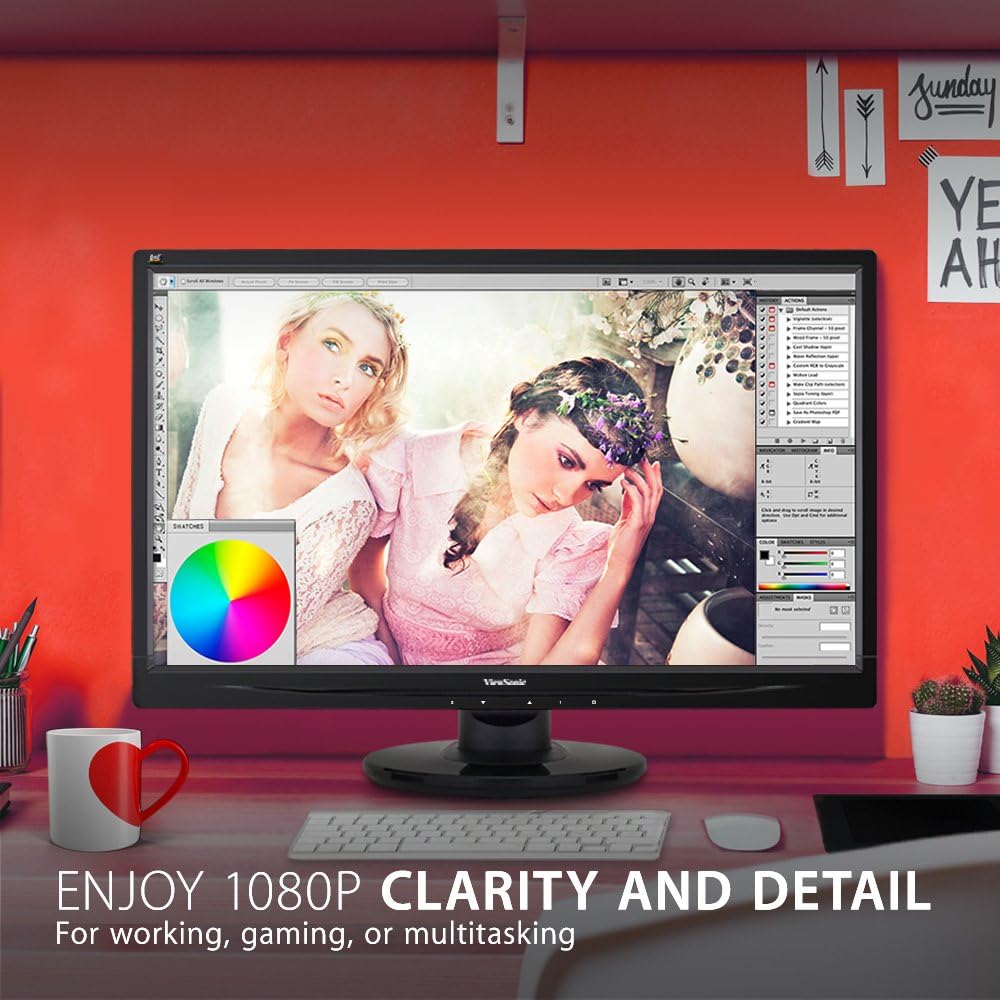
The monitor showcases its Full HD 1080p clarity and detail, ideal for tasks like graphic design, gaming, or general multitasking, with a color palette visible on screen.
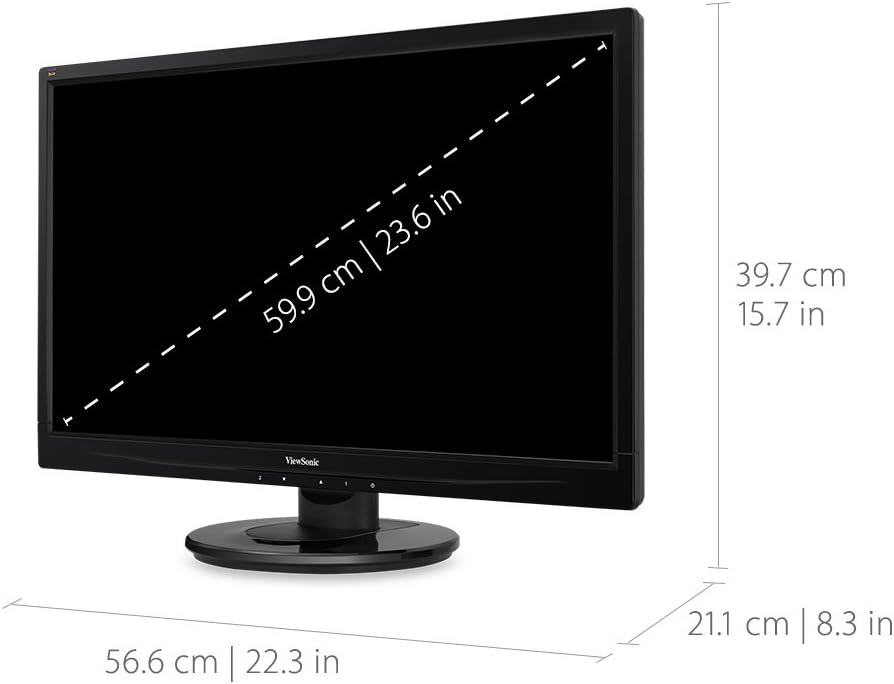
This diagram provides the physical dimensions of the monitor, indicating a 23.6-inch diagonal screen size (59.9 cm) and overall measurements of 22.3 inches (56.6 cm) width, 15.7 inches (39.7 cm) height, and 8.3 inches (21.1 cm) depth.
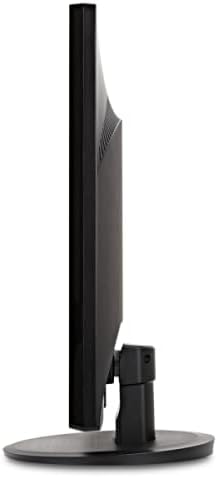
Satu sisi view monitor, menonjolkan pro nipisnyafile dan reka bentuk pendirian.
Waranti dan Sokongan
Untuk maklumat jaminan dan sokongan teknikal, sila rujuk kepada pegawai ViewSonic webtapak atau dokumentasi yang disertakan dengan produk anda.
Anda boleh melawat pegawai ViewSonic Store for more information: ViewKedai Sonic