1. Pengenalan
Thank you for choosing the DIGOO PPT1 Remote Dog Training Collar. This manual provides detailed instructions for the safe and effective use of your training system. Please read this manual thoroughly before operating the device to ensure proper function and to maximize training effectiveness for your dog. This system is designed to assist in training dogs and correcting undesirable behaviors through beep, vibration, and static stimulation modes.
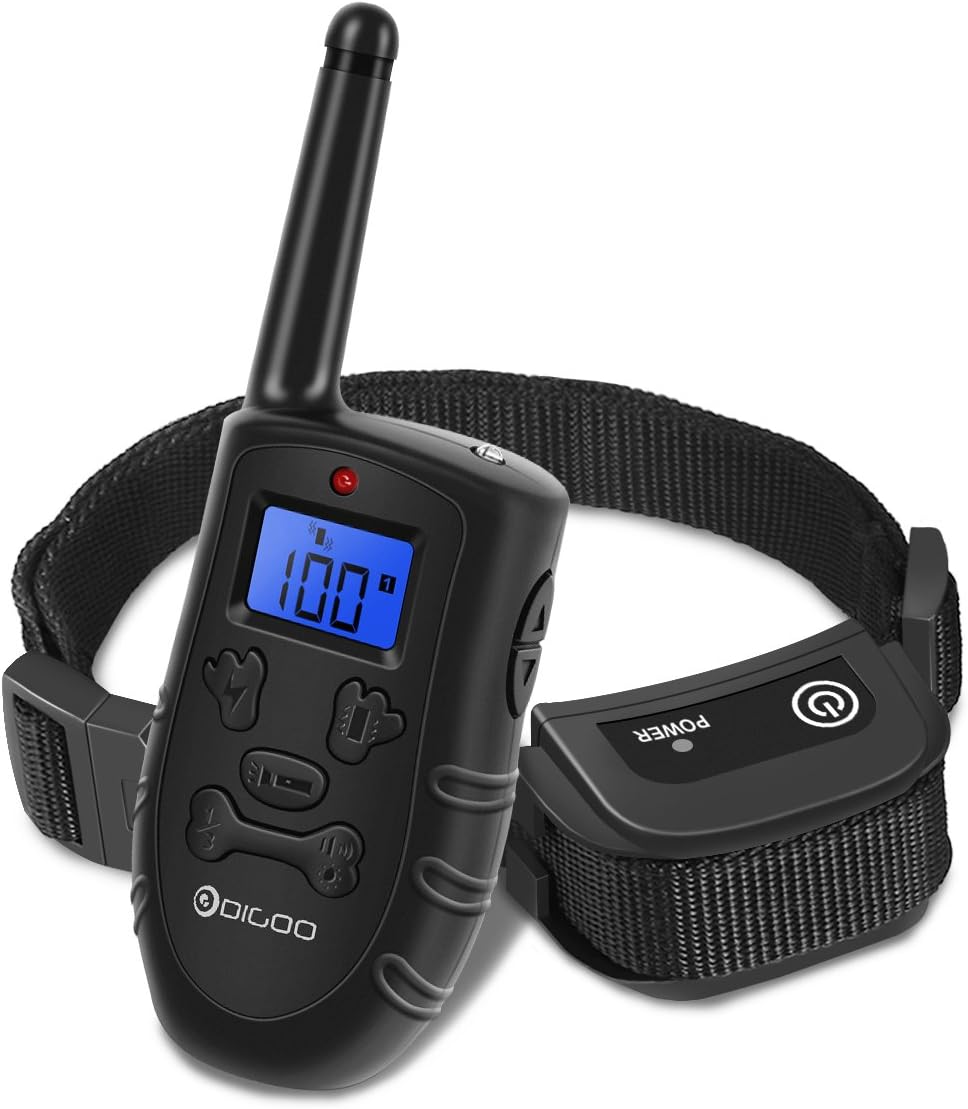
Image: The DIGOO PPT1 remote dog training collar system, showing the handheld remote transmitter and the receiver collar.
2. Kandungan Pakej
Sahkan bahawa semua item yang disenaraikan di bawah disertakan dalam pakej anda:
- 1 x DIGOO DG-PPT1 Remote Transmitter
- 1 x DIGOO DG-PPT1 Waterproof Receiver Collar
- 4 x DIGOO DG-PPT1 Contact Screws (two sizes)
- 1 x DIGOO DG-PPT1 USB Charge Cable (Y-splitter)
- 1 x DIGOO DG-PPT1 Test Light
- 1 x Manual Pengguna (dokumen ini)
3. Produk Lebihview
3.1 Remote Transmitter

Image: Detailed diagram of the remote transmitter, highlighting its components such as the LCD screen, antenna, LED light, indicator, up/down buttons for vibration/shock, vibration button, shock button, LED light button, channel switch button, light/sound button, and charging port.
- Antena: Untuk penghantaran isyarat.
- Lampu LED: Indicates operation and battery status.
- Penunjuk: Shows current mode and level.
- Skrin LCD: Blue backlit display for day and night visibility, showing channel, mode, level, and battery status.
- Butang Naik / Turun: Adjust vibration and static stimulation levels (0-100).
- Butang Getaran: Activates vibration mode.
- Butang Kejutan: Activates static stimulation mode.
- Butang Lampu LED: Activates the receiver's LED light.
- Channel Switch Button (1-2-3): Selects the receiver collar to control (up to 3 collars).
- Light/Sound Button: Activates beep sound mode.
- Lubang Pengecasan: Port pengecasan USB.
3.2 Kolar Penerima
- Titik Hubungan: Deliver static stimulation.
- Butang Kuasa: Menghidupkan/mematikan penerima.
- Port Pengecasan: Port pengecasan USB.
- Lampu Penunjuk: Shows power and operational status.
- Tali boleh laras: Fits neck sizes from 11.8 inches (30cm) to 23.6 inches (60cm).
- Reka bentuk kalis air: Allows use in wet conditions, including swimming.
4. Persediaan
4.1 Mengecas Peranti
Both the remote transmitter and receiver collar use rechargeable lithium-ion batteries. Use the provided Y-splitter USB charging cable to charge both devices simultaneously.
- Connect the Y-splitter USB cable to a standard USB power adapter (not included) or a computer USB port.
- Plug one micro-USB end into the charging port of the remote transmitter.
- Plug the other micro-USB end into the charging port of the receiver collar.
- Charge for approximately 3-4 hours until fully charged. The indicator lights will change to indicate full charge (refer to device indicators for specific behavior).
Note: A full charge typically provides up to 2 weeks of use, depending on frequency.
4.2 Menghidupkan/Mematikan
- Pemancar Jauh: Press any button to activate. It will automatically enter standby mode after 5 minutes of inactivity to save power.
- Kolar Penerima:
- Untuk Menghidupkan: Press and hold the power button on the receiver until the working indicator light illuminates.
- Untuk Mematikan: When the working indicator is not shining, press and hold the power button for a few seconds until the working indicator flashes twice, then release.
4.3 Memasang Alat Kawalan Jauh dan Penerima
The remote and receiver are typically pre-paired from the factory. If re-pairing is needed or if you are adding additional collars:
- Pastikan kedua-dua peranti dicas sepenuhnya dan dimatikan.
- Turn on the remote transmitter. Select the desired channel (1, 2, or 3) using the channel switch button.
- Tekan dan tahan butang kuasa pada kolar penerima sehingga lampu penunjuk berkelip dengan cepat.
- Within 10 seconds, press the "Shock" or "Vibration" button on the remote transmitter.
- If pairing is successful, the receiver's indicator light will stop flashing and remain solid for a moment, then flash slowly.
- To pair additional collars, repeat the process, selecting a different channel on the remote for each new collar.

Image: Illustration demonstrating how one remote transmitter can be paired with and control up to three separate receiver collars, each on its own channel.
4.4 Memasang Kolar
Proper fit of the receiver collar is crucial for effective and safe operation. The contact points must have direct contact with your dog's skin.

Image: Visual guide for adjusting the collar strap and selecting the appropriate contact screw length (6mm or 14mm) to ensure proper fit for dogs of various sizes, from 10 to 150 lbs.
- Pastikan kolar tidak berfungsi.
- Select the appropriate length of contact screws (6mm or 14mm) based on your dog's coat length. Longer screws are for thicker coats.
- Attach the chosen contact screws securely to the receiver.
- Place the receiver collar around your dog's neck, ensuring the contact points are positioned underneath the neck.
- Laraskan tali supaya ia ketat tetapi tidak terlalu ketat. Anda sepatutnya boleh memasukkan dua jari dengan selesa di antara tali dan leher anjing anda.
- The collar should not be worn for more than 12 hours a day to prevent skin irritation. Regularly check your dog's neck for any signs of irritation.
5. Arahan Operasi
The DIGOO PPT1 offers three training modes: Beep, Vibration, and Static Stimulation.
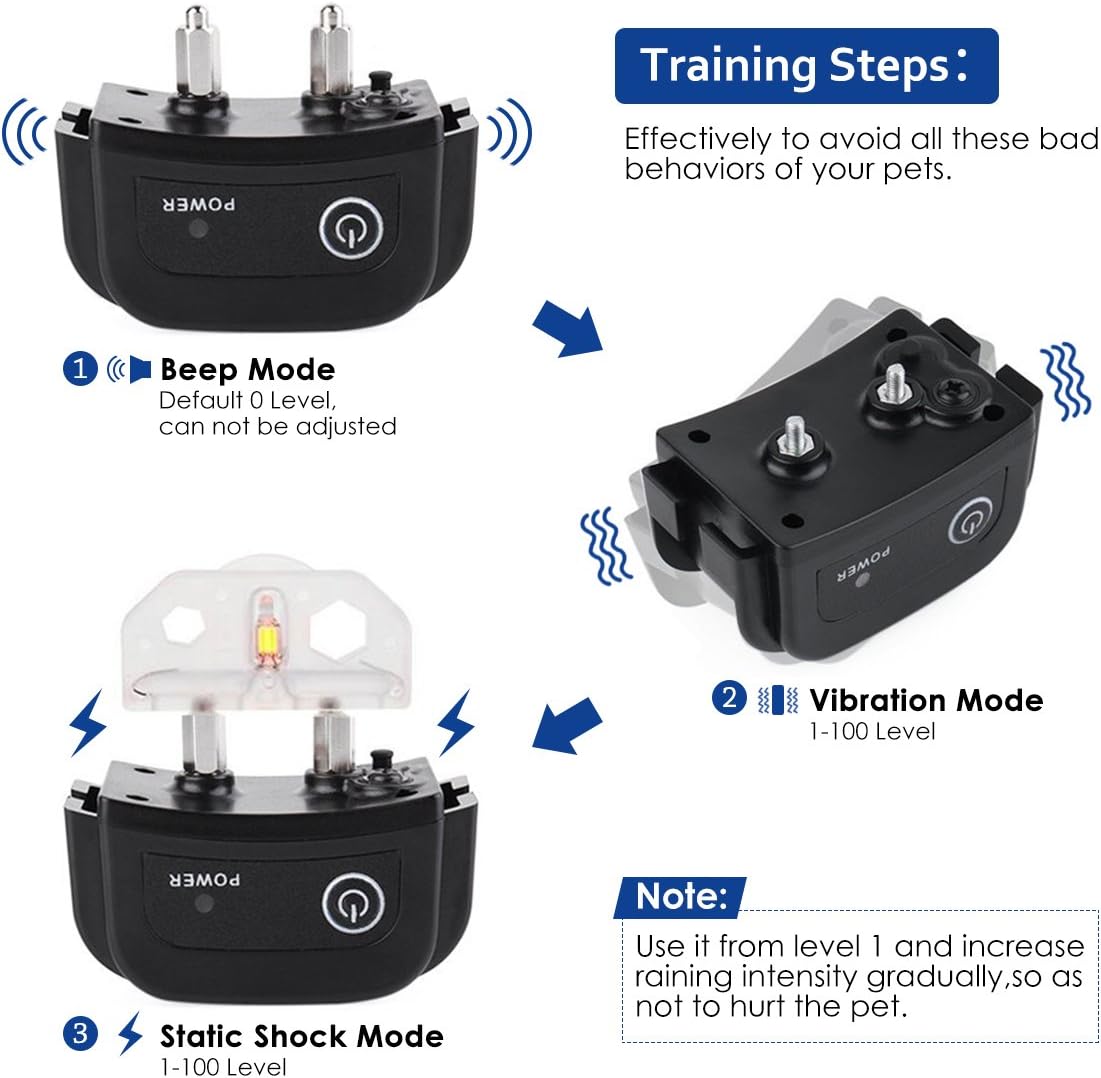
Image: Visual representation of the three training modes: Beep (default level 0, not adjustable), Vibration (levels 1-100), and Static Shock (levels 1-100). A note advises to start with level 1 and gradually increase intensity.
5.1 Beep Mode
- Tekan ke Light/Sound Button pada alat kawalan jauh.
- The receiver will emit an audible beep sound.
- This mode is ideal for giving warnings or attracting your dog's attention. The beep level is fixed and not adjustable.
5.2 Mod Getaran
- Tekan ke Butang Getaran pada alat kawalan jauh.
- Gunakan Butang Naik / Turun to select a vibration level from 0 to 100.
- The receiver will vibrate according to the selected intensity.
- Start with the lowest effective level and gradually increase if necessary.
5.3 Static Stimulation Mode
- Tekan ke Butang Kejutan pada alat kawalan jauh.
- Gunakan Butang Naik / Turun to select a static stimulation level from 0 to 100.
- The receiver will deliver a static pulse according to the selected intensity.
- Always start with the lowest effective level (level 1) and increase gradually. Use the included test light to verify static function.
- This mode should be used cautiously and only when necessary for correcting serious undesirable behaviors.
5.4 Julat Kawalan Jauh
The remote control has an effective range of up to 330 yards (approximately 300 meters) in open areas. Environmental factors and obstacles can affect this range.

Image: Visual representation of the remote control's effective range, showing a dog being trained in an open field up to 330 yards away, and a smaller range of 165 yards in areas with barriers.
6. Tips Latihan
- Konsisten adalah Kunci: Use the collar consistently for specific behaviors you want to correct.
- Pengukuhan Positif: Always pair corrections with positive reinforcement when your dog performs the desired action.
- Start Low: Begin with the lowest effective stimulation level and only increase if your dog does not respond.
- Short Sessions: Keep training sessions short and positive to maintain your dog's engagement.
- Penyeliaan: Never leave the collar on an unsupervised dog for extended periods.
- Not for Punishment: This device is a training aid, not a punishment tool. Use it responsibly and humanely.
7. Penyelenggaraan
7.1 Pembersihan
- Wipe the remote and receiver with a damp kain. Jangan gunakan bahan kimia yang keras.
- Regularly clean the contact points on the receiver to ensure proper function and prevent skin irritation.
7.2 Kalis air
The receiver collar is designed to be waterproof, allowing your dog to swim or be in rainy conditions while wearing it. The remote transmitter is not waterproof and should be kept dry.

Image: A golden retriever splashing in water, wearing the DIGOO PPT1 waterproof receiver collar. A close-up inset shows the special rubber cover on the receiver, ensuring its waterproof capability even during swimming.
7.3 Penjagaan Bateri
- Charge the devices fully before first use.
- Cas semula apabila penunjuk bateri menunjukkan kuasa rendah.
- If storing for extended periods, charge the devices every few months to maintain battery health.
8. Spesifikasi
| Ciri | Spesifikasi |
|---|---|
| Paparan | Blue Backlit LCD |
| Mod Kerja | Beep, Vibration, Static Stimulation |
| Tahap Getaran | 0-100 Tahap |
| Static Stimulation Levels | 0-100 Tahap |
| Minimum Collar Size | 11.8 inci (30 cm) |
| Maximum Collar Size | 23.6 inci (60 cm) |
| Masa Mengecas | 3-4 jam |
| Masa Bekerja | Up to 2 weeks (with typical use) |
| Sumber Kuasa | Kabel Cas USB |
| Julat Kawalan Jauh | Up to 330 yards (open area) |
| Penilaian Kalis Air Penerima | Waterproof (suitable for swimming) |
| Berat Anjing yang Sesuai | 10 paun - 150 paun |
| Dimensi Produk | 19 x 14 x 5.99 cm |
| Berat Produk | 260 g |
| Nombor Model | DIGOOWolifui147 |
9. Penyelesaian masalah
| Masalah | Kemungkinan Punca | Penyelesaian |
|---|---|---|
| Collar not working / No response | Low battery; Not turned on; Not paired; Out of range. | Charge both devices; Turn on both devices; Re-pair the remote and receiver; Move closer to the receiver. |
| Static stimulation not felt | Collar not fitted properly; Contact points too short; Low battery; Level too low. | Adjust collar fit; Use longer contact screws; Charge receiver; Increase stimulation level (gradually). Use test light to verify function. |
| Remote LCD screen is dim or blank | Low battery; Auto-standby mode. | Charge the remote; Press any button to wake it up. |
| Shortened remote range | Environmental interference; Obstacles; Low battery. | Move to an open area; Charge both devices. |
10. Waranti dan Sokongan
DIGOO offers a 1-year worry-free return/refund policy for the dog training collar. For any problems or questions, please contact customer support at support@mydigoo.comMaklum balas biasanya diberikan dalam tempoh 24 jam.
For further details, please visit the manufacturer's official webtapak.


