Produk Selesaiview
The Extech MG320 is a versatile instrument combining a portable 20GΩ/1000V insulation tester with a True RMS multimeter. It is designed for professionals needing to perform insulation resistance measurements and general electrical troubleshooting.
Key features include Polarization Index (PI) and Dielectric Absorption Ratio (DAR) modes, a programmable timer for test duration, and a comparator function for setting custom pass/fail criteria. The device offers 5 test voltage ranges and includes high voltage and overload indication for safety. It is rated CAT IV 600V for enhanced safety.
The MG320 allows for manual storage and recall of up to 99 readings, making it suitable for field use where data logging is required. It comes complete with test leads, an alligator clip, 6 AA batteries, and a soft carrying case.

Rajah 1: Depan view of the Extech MG320 Insulation Tester, showing the display, function dial, and input terminals.
Maklumat Keselamatan
Always adhere to local and national safety codes. Use personal protective equipment (PPE) as required. Ensure the device is in good working condition before use. Do not attempt to measure voltages atau arus melebihi penarafan maksimum yang ditetapkan.
- CAT IV 600V Safety Rating: This instrument is designed for measurements at the source of the low-voltage pemasangan, seperti meter elektrik dan peranti perlindungan arus lebih utama.
- Inspect test leads for damage before each use.
- Jangan kendalikan meter jika ia kelihatan rosak atau jika bekasnya terbuka.
- Always disconnect power to the circuit under test before making connections for resistance or continuity measurements.
- Berhati-hati dengan vol tinggitage during insulation tests.
Persediaan
Pemasangan Bateri
The Extech MG320 requires 6 AA batteries for operation. To install or replace batteries:
- Pastikan meter dimatikan.
- Cari petak bateri di bahagian belakang unit.
- Gunakan pemutar skru untuk membuka penutup petak bateri.
- Insert 6 AA batteries, observing correct polarity (+/-).
- Gantikan penutup petak bateri dan kencangkannya dengan skru.
Menghubungkan petunjuk ujian
Connect the red test lead to the VΩ input terminal and the black test lead to the COM input terminal for most measurements. For insulation tests, connect the red lead to the V INSULATION terminal and the black lead to the EARTH terminal.
Arahan Operasi
Pengukuran Rintangan Penebat
The MG320 offers 5 test voltage ranges for insulation resistance. Always ensure the circuit under test is de-energized before performing insulation tests.
- Turn the rotary switch to one of the INSULATION TEST voltage ranges (50V, 100V, 250V, 500V, 1000V).
- Connect the test leads to the circuit or component to be tested.
- Tekan ke UJIAN button to initiate the insulation test. The display will show the resistance value.
- Lepaskan UJIAN button to stop the test.
True RMS Multimeter Functions
The MG320 also functions as a True RMS multimeter for various electrical measurements.
- VoltagPengukuran (AC/DC): Turn the rotary switch to the V~ (AC) or V- (DC) position. Connect test leads in parallel with the circuit.
- Resistance Measurement (Ω): Turn the rotary switch to the Ω position. Ensure the circuit is de-energized. Connect test leads across the component.
- Ujian Kesinambungan: Turn the rotary switch to the continuity position. A built-in buzzer will sound if continuity is detected.
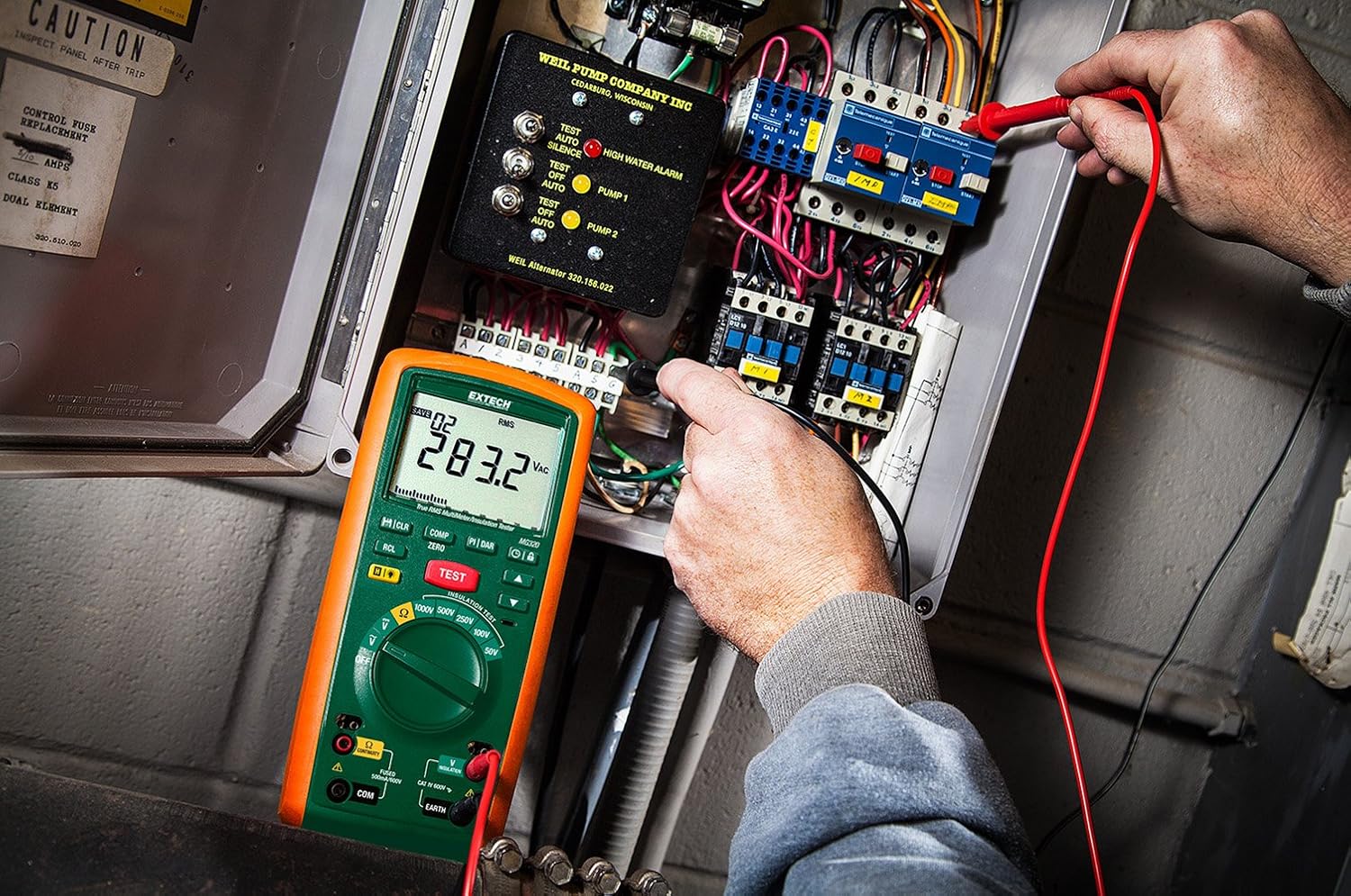
Figure 2: An electrician using the Extech MG320 to perform measurements within an electrical panel, demonstrating its application in industrial settings.

Figure 3: A technician conducting tests on industrial piping using the Extech MG320, highlighting its use in maintenance and troubleshooting.
Penyelenggaraan
Pembersihan
Wipe the meter with a dry, clean cloth. Do not use abrasives or solvents. Keep the display clean for optimal readability.
Penggantian Bateri
Replace batteries when the low battery indicator appears on the display to ensure accurate measurements. Refer to the "Battery Installation" section under Setup for detailed instructions.
Penyimpanan
Jika meter tidak digunakan untuk tempoh yang lama, keluarkan bateri untuk mengelakkan kebocoran dan kerosakan. Simpan peranti di tempat yang sejuk dan kering, jauh dari cahaya matahari langsung dan suhu yang melampau.
Menyelesaikan masalah
| Masalah | Kemungkinan Punca | Penyelesaian |
|---|---|---|
| Meter tidak dihidupkan. | Bateri mati atau tidak dipasang dengan betul. | Periksa kekutuban bateri; menggantikan bateri. |
| Bacaan yang tidak tepat. | Low battery, incorrect function selected, damaged test leads. | Replace batteries, verify function setting, inspect and replace test leads if damaged. |
| "OL" or Overload displayed. | Pengukuran melebihi julat meter. | Select a higher range or ensure the measurement is within the meter’s capabilities. |
Spesifikasi
| Spesifikasi | Perincian |
|---|---|
| Jenama | Extech |
| Model | MG320 |
| Julat Rintangan Penebat | Up to 20 GΩ |
| Uji Voltages | 50V, 100V, 250V, 500V, 1000V |
| Jenis Multimeter | RMS sebenar |
| Penilaian Keselamatan | CAT IV 600V |
| Sumber Kuasa | 6 x Bateri AA (termasuk) |
| Berat Barang | 1.2 Paun (lebih kurang 0.54 kg) |
| Dimensi (L x W x H) | 4 x 9 x 2.5 inci (lebih kurang 10.16 x 22.86 x 6.35 cm) |
| Komponen yang Disertakan | Test leads, alligator clip, 6 AA batteries, soft case |
Waranti dan Sokongan
For warranty information and technical support, please refer to the official Extech website or contact Extech customer service directly. Keep your purchase receipt as proof of purchase for warranty claims.
Extech Contact Information:
- Webtapak: www.extech.com
- Sokongan: Rujuk kepada website for regional support contacts.


