1. Produk Lebihview
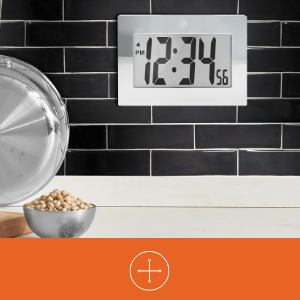
The MARATHON Large Digital Wall Clock (Model CL030064-BK-00-NA) is designed for clear time display with its high-contrast 7.5-inch LCD screen and large digits. This versatile clock can be used as a wall-mounted or desktop unit, suitable for various indoor environments such as offices, classrooms, labs, or homes. It includes an alarm function with snooze capability.

2. Maklumat Keselamatan
- Jangan dedahkan jam kepada suhu yang melampau, cahaya matahari langsung atau kelembapan yang tinggi.
- Elakkan daripada menjatuhkan jam atau mendedahkannya kepada hentaman yang kuat.
- Jauhkan bateri daripada kanak-kanak. Jika tertelan, dapatkan rawatan perubatan dengan segera.
- Dispose of used batteries according to local regulations. Do not mix old and new batteries or different types of batteries.
- Bersihkan jam dengan kain lembut dan kering. Jangan gunakan pembersih atau pelarut yang melelas.
3. Kandungan Pakej
- MARATHON Large Digital Wall Clock (Model CL030064-BK-00-NA)
- 3 x Bateri AAA (dipasang atau disertakan secara berasingan)
4. Ciri-ciri Produk
- Paparan Digital Besar: High-contrast 7.5-inch LCD with 3.5-inch digits for easy readability.
- Peletakan Serbaguna: Integrated keyholes for wall mounting and a fold-out stand for desktop use.
- Penggera dengan Tunda: Features a loud, easy-to-set alarm with a snooze function.
- Dikendalikan Bateri: Memerlukan 3 bateri AAA (termasuk).

5. Persediaan
5.1 Pemasangan Bateri
- Cari penutup petak bateri di belakang jam.
- Remove the cover by sliding it down or lifting it off.
- Insert 3 new AAA batteries, ensuring the correct polarity (+ and -) as indicated inside the compartment.
- Gantikan penutup petak bateri.
5.2 Identifying Control Buttons
On the back of the clock, you will find the following buttons:
- ARAHAN: Used to switch between time display, alarm setting, and other modes.
- ALARM ON/OFF (Bell Icon): Mengaktifkan atau menyahaktifkan penggera.
- UP (Triangle Up): Increases values during setting.
- DOWN (Triangle Down): Decreases values during setting.
- MENGEJUTKAN: Located on the top or front, used to temporarily silence the alarm.
5.3 Menetapkan Masa
- Tekan ke MODE button once to enter time setting mode. The hour digits will flash.
- Gunakan UP or TURUN buttons to adjust the hour. Pay attention to AM/PM indicators.
- Tekan MODE sekali lagi. Angka minit akan berkelip.
- Gunakan UP or TURUN butang untuk melaraskan minit.
- Tekan MODE a third time to confirm the time setting and return to normal display.
5.4 Menetapkan Penggera
- Daripada paparan masa biasa, tekan butang MODE button twice to enter alarm setting mode. The alarm hour digits will flash, and an alarm icon (bell) may appear.
- Gunakan UP or TURUN butang untuk melaraskan jam penggera.
- Tekan MODE sekali lagi. Nombor minit penggera akan berkelip.
- Gunakan UP or TURUN butang untuk melaraskan minit penggera.
- Tekan MODE a third time to confirm the alarm setting.
- Untuk mengaktifkan penggera, tekan butang ALARM ON / OFF button. The alarm icon will remain visible on the display. Press it again to deactivate.
5.5 Pilihan Pemasangan
The clock offers two convenient placement options:
- Pemasangan Dinding: Use the integrated keyholes on the back of the clock to hang it securely on a wall hook or screw.
- Peletakan Desktop: Extend the fold-out stand located on the back of the clock to place it on any flat surface.

6. Arahan Operasi
6.1 Using the Alarm and Snooze
- Apabila penggera berbunyi, tekan MENGEJUTKAN button (usually located on the top of the clock) to temporarily silence it. The alarm will sound again after a few minutes (typically 5-10 minutes).
- Untuk mematikan penggera sepenuhnya, tekan butang ALARM ON / OFF butang di belakang jam. Ikon penggera akan hilang daripada paparan.
7. Penyelenggaraan
7.1 Penggantian Bateri
When the display becomes dim or the clock stops functioning, it is time to replace the batteries. Follow the battery installation steps in Section 5.1.
7.2 Pembersihan
Wipe the clock's surface with a soft, dry, or slightly damp cloth. Do not use chemical cleaners, as they may damage the finish or display.
8. Penyelesaian masalah
| Masalah | Kemungkinan Punca | Penyelesaian |
|---|---|---|
| Paparan kosong atau malap. | Low or dead batteries. Incorrect battery installation. | Gantikan bateri dengan bateri AAA baharu, memastikan kekutuban yang betul. |
| Masa tidak betul. | Masa tidak ditetapkan dengan betul. | Refer to Section 5.3 to reset the time. |
| Penggera tidak berbunyi. | Alarm is not activated. Alarm time is incorrect. | Ensure the alarm icon is visible on the display (press ALARM ON/OFF button). Verify the alarm time setting (Section 5.4). |
| Fungsi tunda tidak berfungsi. | Snooze button not pressed during alarm. | Press the SNOOZE button when the alarm is actively sounding. |
9. Spesifikasi
| Ciri | Perincian |
|---|---|
| Jenama | MARATHON |
| Nombor Model | CL030064-BK-00-NA |
| Jenis Paparan | LCD Digital |
| Saiz Paparan | 7.5-inch (diagonal) |
| Digit Tinggi | 3.5 inci (9 cm) |
| Dimensi Produk (W x H) | 9 inci x 6.5 inci (23 cm x 16.5 cm) |
| Sumber Kuasa | 3 x Bateri AAA (termasuk) |
| Jenis Pemasangan | Wall Mount, Desk Clock |
| Ciri Khas | Alarm with Snooze, Integrated Keyholes, Fold-out Stand |
| Bahan Bingkai | Akrilonitril Butadiena Stirena |
| warna | Hitam |
| Penggunaan Dalaman/Luar | Dalaman |
| Berat Barang | 11.2 auns (318 gram) |

10. Waranti dan Sokongan
10.1 Maklumat Waranti
This MARATHON product comes with a Limited Warranty. For specific details regarding the warranty period and coverage, please refer to the warranty card included with your purchase or contact MARATHON customer support.
10.2 Sokongan Pelanggan
If you encounter any issues or have questions about your MARATHON Large Digital Wall Clock that are not addressed in this manual, please contact MARATHON customer support. Contact information can typically be found on the product packaging or the official MARATHON webtapak.


