pengenalan
Thank you for choosing the TURBOLOCK YL-99 Keyless Smart Lock. This manual provides detailed instructions for the proper installation, operation, and maintenance of your new smart lock. Please read this manual thoroughly before installation and keep it for future reference.
The TURBOLOCK YL-99 offers enhanced security and convenience with its keyless entry system, automatic locking feature, and robust design. It is designed to replace most standard U.S. door locks and is suitable for both left and right-hinged doors.
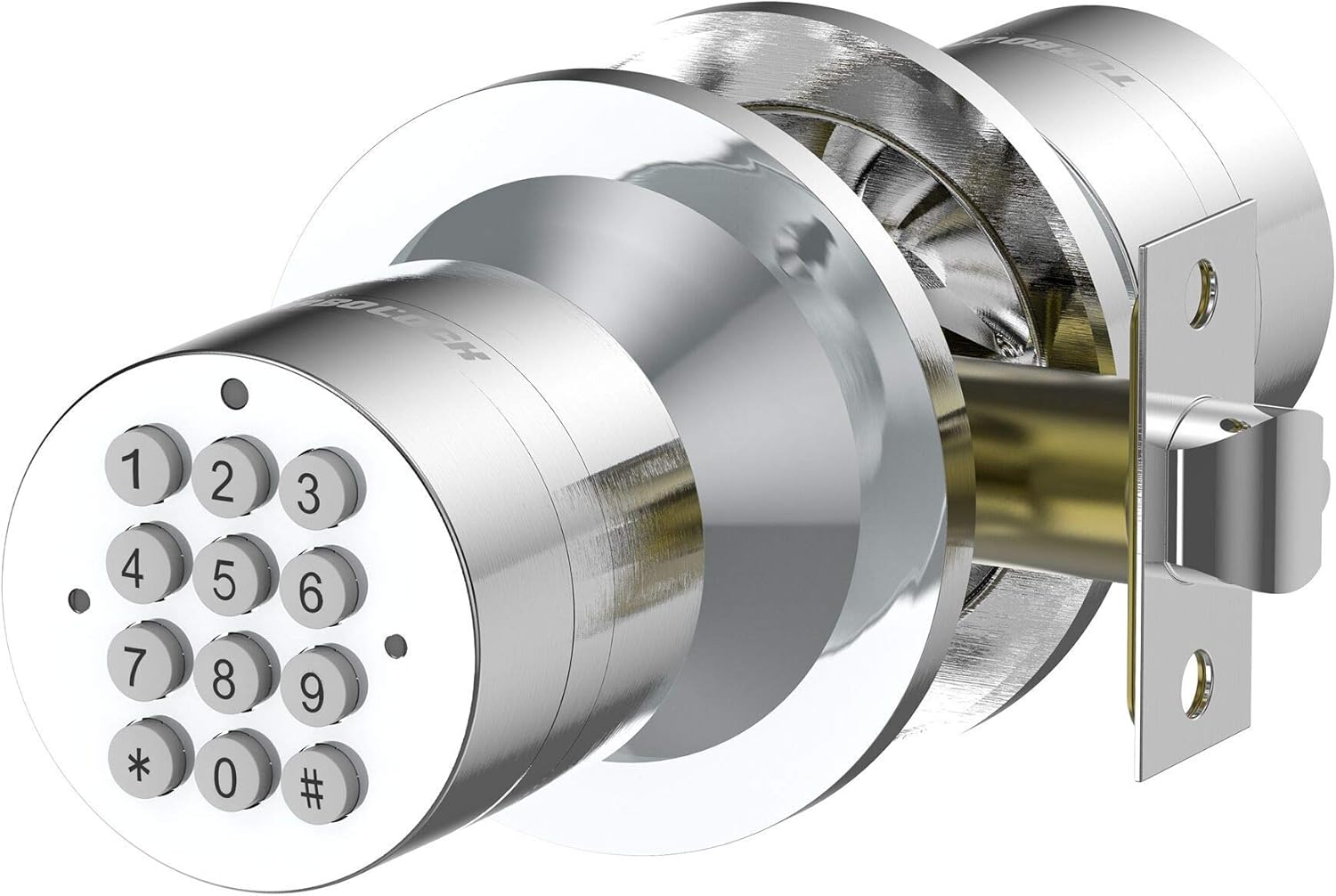
Image: The TURBOLOCK YL-99 Keyless Smart Lock, showcasing reka bentuk dan pad kekuncinya yang anggun.
Maklumat Keselamatan
- Jangan cuba membuka atau mengubah suai kunci. Ini boleh menyebabkan kerosakan dan membatalkan jaminan.
- Use only specified AAA batteries. Incorrect battery types may cause damage or malfunction.
- Keep the keypad clean and dry. Avoid using abrasive cleaners or solvents.
- Ensure the door frame is sturdy and properly aligned for optimal lock performance.
- Regularly check the lock for any signs of wear or damage. Contact support if issues arise.
Persediaan dan Pemasangan
The TURBOLOCK YL-99 is designed for easy installation, replacing most standard U.S. door locks in minutes using standard screwdrivers. It is compatible with both left and right-hinged doors.
Komponen Lebihview

Imej: Meletup view of the TURBOLOCK YL-99, showing all included components for installation, including the emergency battery pack.
Langkah Pemasangan
- Remove your existing door knob/lock from the door.
- Insert the new latch mechanism into the door edge. Ensure it is oriented correctly for your door's swing.
- Install the exterior keypad assembly, feeding the cable through the door.
- Attach the interior assembly, connecting the cable from the exterior unit.
- Secure both assemblies with the provided screws. Ensure the lock is flush and stable.
- Test the mechanical operation of the handle before programming.
Arahan Operasi
Kod Pengaturcaraan
The lock supports one master code, one standard entry code, and up to 8 user-specific codes, for a total of 10 passcodes.
- Kod Induk: Used for programming and unlocking. The default master code is typically found in the included user manual.
- Kod Pengguna: Can be programmed for individual users.
- Refer to the detailed programming steps in the official user manual for specific sequences to add, change, or delete codes.
Keyless Entry and Backlit Keypad

Image: The TURBOLOCK YL-99 features a backlit keypad for easy visibility and operation in low-light conditions.
To unlock, simply enter your programmed code on the keypad. The keypad illuminates automatically when a button is pressed, ensuring visibility day or night.
Code Camouflage

Image: Illustration of the code camouflage feature, protecting your actual code from onlookers by allowing you to enter random digits before or after your code.
This feature allows you to enter random digits before or after your actual code to prevent others from guessing your passcode by observing your finger movements. The lock will still recognize your correct code within the sequence.
Penguncian Automatik
The lock is designed to automatically re-lock approximately 3 seconds after being opened, providing an added layer of security and peace of mind.
Mod Laluan

Image: Family gathered around a door, illustrating the convenience of Passage Mode for multiple guests.
For situations with frequent entry and exit, such as gatherings, Passage Mode allows the door to remain unlocked after a single code entry. This mode can be activated and deactivated as needed.
Video Produk Rasmi: Operasi Selesaiview
Video: Video ini menyediakan lebih komprehensifview of the TURBOLOCK YL-99 Keyless Smart Lock's features, including its number pad and smart battery backup system. It demonstrates the lock's functionality and ease of use.
Penyelenggaraan
Penggantian Bateri

Image: Illustration showing the 12-month battery lifetime of the TURBOLOCK YL-99, powered by 4 AAA batteries.
The lock is powered by 4 AAA batteries (not included). The battery life can last up to a year depending on usage. When batteries are low, the lock will provide an audible or visual indicator.
In the event of complete battery depletion, an emergency battery pack is included. Simply connect this pack to the designated port on the exterior unit to temporarily power the lock and gain entry.
- To replace batteries, open the door and locate the battery compartment on the interior side of the lock.
- Remove the cover and replace the old batteries with new AAA batteries, ensuring correct polarity.
- Tutup petak bateri dengan selamat.
Pembersihan
Lap permukaan kunci dengan kain lembut,amp cloth. Avoid using harsh chemicals or abrasive materials that could damage the finish or electronic components.
Menyelesaikan masalah
| Masalah | Kemungkinan Punca | Penyelesaian |
|---|---|---|
| Lock not responding to code. | Low batteries; incorrect code entered. | Replace batteries; re-enter code carefully; verify code. |
| Pemegang terasa longgar atau goyah. | Mounting screws are loose; internal components are misaligned. | Tighten mounting screws; if issue persists, contact support. |
| Automatic locking not engaging. | Sensor obstruction; lock mechanism issue. | Ensure nothing is blocking the latch; check for proper installation; contact support. |
| Pad kekunci tidak menyala. | Batteries are completely dead. | Use the emergency battery pack to gain entry, then replace batteries immediately. |
Spesifikasi
- Jenama: TURBOLOCK
- Nama Model: YL-99
- Jenis Kunci: Papan kekunci
- Bahan: Stainless Steel, Chrome
- warna: Keluli Tahan Karat
- Dimensi Item (L x W x H): 3 x 3 x 6 inci
- Berat Barang: 1.9 paun
- Sumber Kuasa: 4 x bateri AAA (tidak termasuk)
- Ciri Khas: Tahan Air
- Penggunaan yang Disyorkan: Keselamatan Luar
Waranti dan Sokongan
For detailed warranty information, please refer to the official user manual included with your product or visit the TURBOLOCK official webtapak.
If you encounter any issues or require further assistance, please contact TURBOLOCK customer support through their official channels. Contact information can typically be found on the product packaging or the brand's webtapak.
You can also refer to the official User Manual (PDF) available at: https://manuals.plus/m/997d9bc6722cd6c3ec98cac38eb989090faa7f492ee37c5575ad304f01c45ebf


