pengenalan
This manual provides detailed instructions for the setup, operation, and maintenance of your Axess CKRD3803 Digital AM/FM Clock Radio. Please read this manual thoroughly before using the device to ensure proper function and to maximize your user experience.
Produk Selesaiview
The Axess CKRD3803 is a versatile clock radio featuring a 1.2-inch red LED display, digital AM/FM radio, dual alarm settings, and a calendar function. It includes an Aux input jack for external audio devices and a battery backup system to maintain settings during power interruptions.
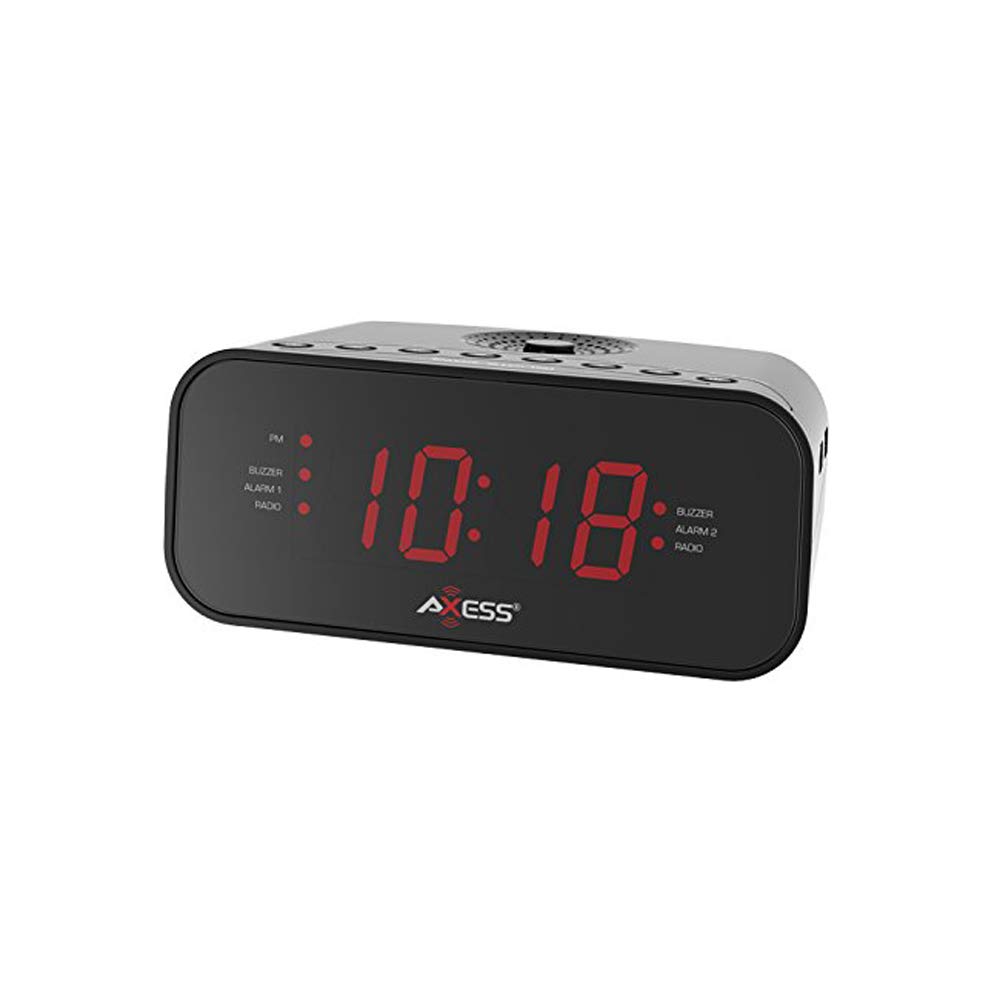
Imej: Depan view of the Axess CKRD3803 Digital AM/FM Clock Radio. The device is black with a large red LED display showing '10:18'. Indicators for PM, Buzzer, Alarm 1, Radio, and Alarm 2 are visible on either side of the time display.
Ciri-ciri Utama:
- Large 1.2-inch Red LED Display with two-step dimmer.
- Digital AM/FM Radio.
- Dual Alarm with Buzzer or Radio options.
- Sleep and Snooze Functions.
- Calendar Function.
- Auxiliary Input Jack.
- Battery Backup (2 x AAA batteries, not included) for power outages.
Persediaan
Sambungan Kuasa:
- Uncoil the built-in power cord (pigtail antenna).
- Plug the power cord into a standard AC wall outlet (120V, 60Hz).
- Paparan LED akan menyala, menunjukkan unit sedang menerima kuasa.
Pemasangan Sandaran Bateri:
For uninterrupted timekeeping during power outages, pasang bateri sandaran.
- Cari petak bateri di bahagian bawah unit.
- Buka penutup petak bateri.
- Insert two (2) AAA batteries (not included), observing the correct polarity (+ and -) as indicated inside the compartment.
- Tutup penutup petak bateri dengan selamat.
Note: Batteries are for backup only and will not power the display or radio functions during a power outage. They only preserve time and alarm settings.
Arahan Operasi
Menetapkan Masa:
- Tekan dan tahan butang MASA DITETAPKAN butang sehingga digit jam mula berkelip.
- Tekan ke JAM button repeatedly to adjust the hour. Observe the 'PM' indicator for correct AM/PM setting.
- Tekan ke MINIT butang berulang kali untuk melaraskan minit.
- To switch between 12-hour and 24-hour (military) time format, press the 12/24J button while the time is flashing.
- Tekan ke MASA DITETAPKAN butang sekali lagi untuk mengesahkan dan keluar dari mod tetapan masa.
Setting the Alarm (Alarm 1 and Alarm 2):
CKRD3803 mempunyai dua penggera bebas.
- Tekan dan tahan butang PENGGERA 1 SET (atau PENGGERA 2 SET) button until the alarm hour digits begin to flash.
- Tekan ke JAM button to adjust the alarm hour. Observe the 'PM' indicator.
- Tekan ke MINIT butang untuk melaraskan minit penggera.
- Tekan ke PENGGERA 1 SET (atau PENGGERA 2 SET) button again to confirm the time.
- Sejurus selepas mengesahkan masa, tekan butang ALARM 1 MODE (atau ALARM 2 MODE) button repeatedly to select the alarm source: PEMBUAT or RADIO. The corresponding indicator light will illuminate.
- Untuk mengaktifkan atau menyahaktifkan penggera, tekan PENGGERA 1 HIDUP/MATI (atau PENGGERA 2 HIDUP/MATI) button. The alarm indicator will light up when active.
Operasi Radio:
- Tekan ke RADIO HIDUP/MATI butang untuk menghidupkan radio.
- Tekan ke AM/FM butang untuk bertukar antara jalur AM dan FM.
- Tekan ke TALA + or LAGU - butang untuk menala secara manual kepada frekuensi yang dikehendaki.
- Tekan dan tahan TALA + or LAGU - untuk pengimbasan stesen automatik.
- Laraskan kelantangan menggunakan JILID + or JILID - butang.
- To improve FM reception, extend the pigtail antenna fully. For AM reception, rotate the unit for best signal.
- Tekan ke RADIO HIDUP/MATI button again to turn the radio off.
Fungsi Tunda:
Apabila penggera berbunyi, tekan butang MENGEJUTKAN butang untuk menyenyapkan penggera buat sementara waktu selama lebih kurang 9 minit. Penggera akan berbunyi semula selepas tempoh ini.
Fungsi Tidur:
Untuk tidur dengan radio, tekan butang TIDUR button while the radio is playing. Repeatedly press the TIDUR button to cycle through sleep timer options (e.g., 90, 60, 30, 15 minutes, or OFF). The radio will automatically turn off after the selected time.
Dimmer Paparan:
Tekan ke DIMMER button to adjust the brightness of the LED display between two levels (bright and dim).
Input Bantu:
Sambungkan peranti audio luaran (cth, pemain MP3, telefon pintar) ke AUX IN jack on the unit using a 3.5mm audio cable (not included). The audio from the external device will play through the clock radio's speaker.
Penyelenggaraan
To ensure the longevity and optimal performance of your Axess CKRD3803, follow these simple maintenance guidelines:
- Pembersihan: Lap unit dengan kain lembut dan kering. Jangan gunakan pembersih, lilin atau pelarut yang kasar kerana ia boleh merosakkan kemasan.
- Kord Kuasa: Regularly check the power cord for any signs of damage. If damaged, discontinue use and seek professional repair.
- Penggantian Bateri: Replace backup batteries annually or when the unit is stored for extended periods to prevent leakage.
- penempatan: Elakkan meletakkan unit dalam cahaya matahari langsung, berhampiran sumber haba, atau di kawasan yang mempunyai kelembapan atau habuk yang tinggi.
Menyelesaikan masalah
If you encounter issues with your Axess CKRD3803, please refer to the following common problems and solutions:
| Masalah | Kemungkinan Punca | Penyelesaian |
|---|---|---|
| Paparan kosong. | No AC power; Dimmer set to lowest setting. | Ensure power cord is securely plugged in. Press the DIMMER butang untuk meningkatkan kecerahan. |
| Tidak boleh menetapkan masa/penggera. | Butang tidak ditekan dengan betul atau mengikut urutan. | Refer to the "Setting the Time" and "Setting the Alarm" sections for precise steps. Ensure you press and hold the SET button until digits flash. |
| Penggera tidak berbunyi. | Alarm not activated; Volume too low (for radio alarm). | Ensure the alarm is set and the alarm indicator light is on. For radio alarm, increase radio volume. |
| Penerimaan radio yang lemah. | Antenna not positioned correctly; Weak signal. | Fully extend the pigtail antenna for FM. Rotate the unit for optimal AM reception. Try a different location. |
| Masa/tetapan hilang selepas kuasa outage. | Backup batteries not installed or depleted. | Install fresh AAA batteries in the battery compartment. |
| Stuck in 24-hour (military) time. | 12/24H setting not adjusted during time setup. | Enter time setting mode (press and hold MASA DITETAPKAN). While digits are flashing, press the 12/24J button to toggle between formats. |
Spesifikasi
- model: CKRD3803
- paparan: LED Merah 1.2 inci
- Sumber Kuasa: AC 120V ~ 60Hz
- Bateri tambahan: 2 x bateri AAA (tidak termasuk)
- Pancaragam Radio: AM/FM
- Dimensi: 2.95 x 6.89 x 4.21 inci (H x W x D)
- Berat: 1 paun
- Bahan: Akrilonitril Butadiena Stirena
- Ciri Khas: Dual Alarm, Calendar Function, Aux-in, Sleep/Snooze, Dimmer
Waranti dan Sokongan
For warranty information or technical support, please refer to the documentation included with your purchase or visit the official Axess webtapak. Simpan resit pembelian anda sebagai bukti pembelian untuk sebarang tuntutan waranti.


