pengenalan
The Altec Lansing MZX300-BLK Wireless Over Ear Bluetooth Headphones are designed for comfortable, high-quality audio playback with wireless freedom. Featuring a long-lasting battery and robust connectivity, these headphones are suitable for various activities, from daily commutes to workouts.
Ciri-ciri utama termasuk:
- Hayat bateri sehingga 6 jam dengan sekali cas.
- 33-foot wireless Bluetooth range for flexible movement.
- IPX7 waterproof rating, making them suitable for active use.
- Padded headband and soft ear cups for extended comfort.
- Integrated microphone for hands-free calls.
- Compatibility with Apple, Android, tablets, and laptops.
Komponen Produk
Pakej termasuk item berikut:
- Altec Lansing MZX300-BLK Wireless Over Ear Bluetooth Headphones
- Kabel Pengecas USB
- Beg Bawa

Rajah 1: Depan view of the Altec Lansing MZX300-BLK headphones.
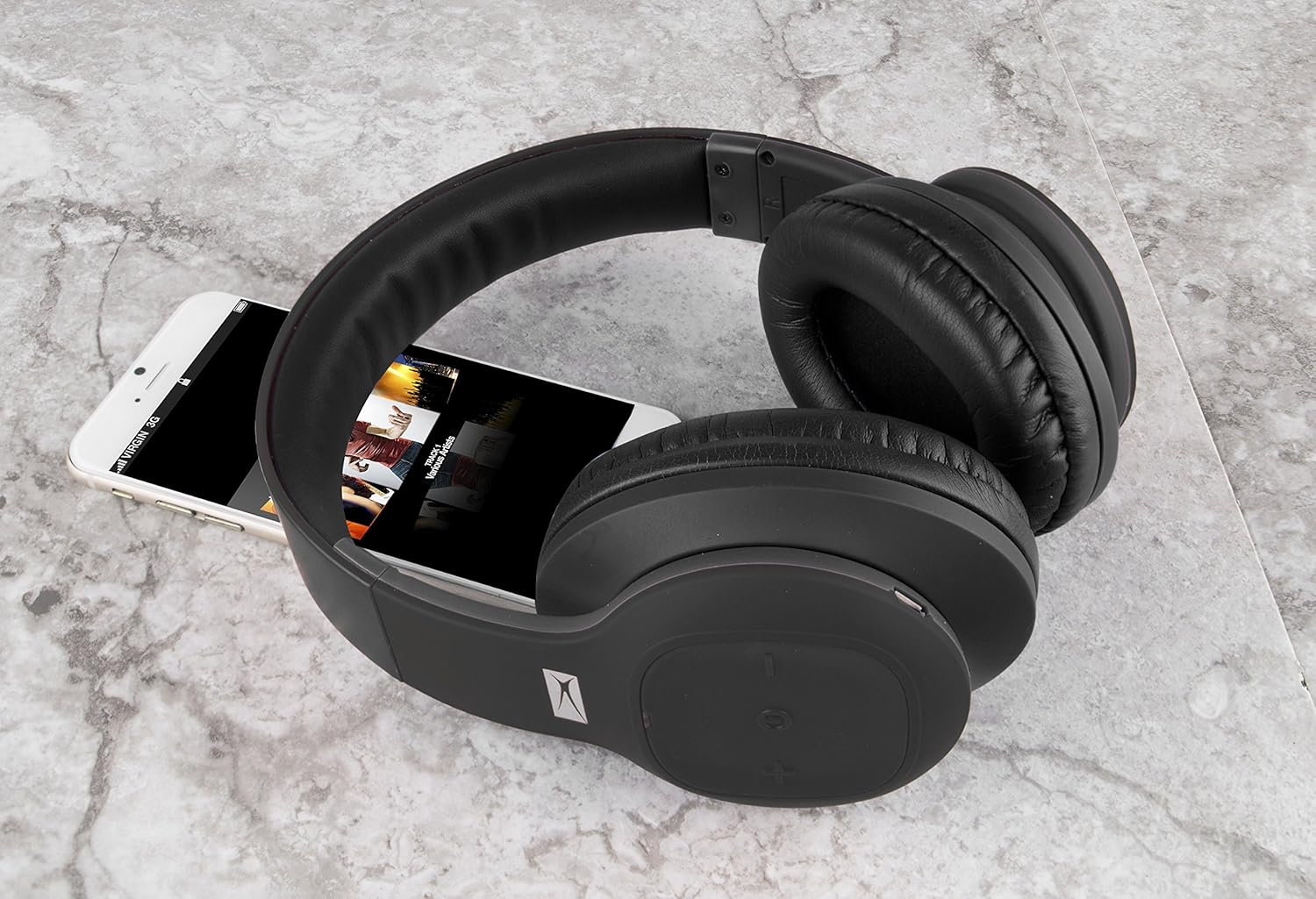
Figure 2: The MZX300-BLK headphones shown with a smartphone, illustrating their size and typical use.
Persediaan
1. Mengecas Fon Kepala
Before initial use, fully charge your MZX300-BLK headphones. Use the provided USB charging cable to connect the headphones to a USB power source (e.g., computer USB port, wall adapter). The charging indicator light will illuminate during charging and turn off or change color when fully charged. A full charge provides approximately 6 hours of playback time.

Rajah 3: Atas view of the right earcup, showing the control panel and typically where the charging port is located.
2. Menghidupkan/Mematikan
- Untuk Menghidupkan: Press and hold the Power button (often integrated with the multi-function button) until you hear an audible prompt or see the indicator light flash.
- Untuk Mematikan: Press and hold the Power button again until the indicator light turns off or you hear an audible prompt.
3. Berpasangan Bluetooth
- Pastikan fon kepala dimatikan.
- Press and hold the Power button for approximately 5-7 seconds until the indicator light flashes rapidly (often blue and red), indicating pairing mode.
- Pada peranti anda (telefon pintar, tablet, komputer riba), navigasi ke tetapan Bluetooth.
- Cari untuk available devices. The headphones should appear as "MZX300" or "Altec MZX300".
- Select the headphones from the list to connect. Once paired, the indicator light will typically slow its flashing or turn solid blue, and you may hear a confirmation tone.
The headphones support multi-point connection, allowing you to connect to two devices simultaneously.
4. Melaraskan Kesesuaian
The headband is adjustable. Gently slide the earcups up or down to extend or retract the headband until the headphones fit comfortably over your ears, ensuring the earcups fully enclose your ears for optimal sound and comfort.

Figure 4: The adjustable headband of the MZX300-BLK headphones, designed for a comfortable fit.
Arahan Operasi
Kawalan Main Balik Muzik
The headphones feature integrated controls on the earcup for easy management of your audio.
- Main/Jeda: Press the multi-function button (often the power button) once.
- Kelantangan: Tekan butang '+'.
- Perlahankan suara: Tekan butang '-'.
- Lagu Seterusnya: Press and hold the '+' button (or double-press, refer to specific product manual if available).
- Trek Sebelumnya: Press and hold the '-' button (or double-press, refer to specific product manual if available).

Rajah 5: Sisi view of the right earcup, highlighting the control buttons for media playback and volume.
Pengurusan Panggilan
With the built-in microphone, you can manage phone calls directly from your headphones.
- Jawab/Tamatkan Panggilan: Tekan butang pelbagai fungsi sekali.
- Tolak Panggilan: Tekan dan tahan butang berbilang fungsi selama lebih kurang 2 saat.
Rintangan Air (IPX7)
The MZX300-BLK headphones are IPX7 rated, meaning they can be submerged in up to 1 meter of water for 30 minutes. This makes them resistant to sweat and splashes, suitable for workouts or outdoor activities. Nota: While water-resistant, it is not recommended to intentionally submerge the headphones or expose them to harsh chemicals.
Penyelenggaraan
- Pembersihan: Use a soft, dry, lint-free cloth to clean the headphones. For stubborn dirt, slightly dampen the cloth with water. Do not use abrasive cleaners, alcohol, or chemical solvents.
- Storan: When not in use, store the headphones in the included carry pouch to protect them from dust and scratches. Avoid storing in extreme temperatures or high humidity.
- Penjagaan Bateri: Untuk memanjangkan hayat bateri, elakkan daripada kerap mencas sepenuhnya bateri. Cas fon kepala dengan kerap, walaupun tidak digunakan untuk tempoh yang lama.
Menyelesaikan masalah
| Masalah | Kemungkinan Punca | Penyelesaian |
|---|---|---|
| Fon kepala tidak dihidupkan. | Bateri lemah. | Cas fon kepala menggunakan kabel USB yang disediakan. |
| Tidak boleh berpasangan dengan peranti. | Headphones not in pairing mode; device's Bluetooth off; interference. | Ensure headphones are in pairing mode (rapid flashing light). Turn device's Bluetooth off and on. Move closer to the device. Clear previous Bluetooth connections on your device. |
| Tiada bunyi atau kelantangan rendah. | Kelantangan terlalu rendah pada fon kepala atau peranti; tidak disambungkan dengan betul. | Increase volume on both headphones and connected device. Re-pair the headphones. Ensure the correct audio output is selected on your device. |
| Kualiti bunyi yang buruk. | Di luar julat; gangguan; bateri lemah. | Move closer to your device. Avoid strong electromagnetic interference. Charge the headphones. |
Spesifikasi
| Nama Model | MZX300 |
| Teknologi Ketersambungan | Wayarles (Bluetooth) |
| Julat Tanpa Wayar | Sehingga 33 kaki (10 meter) |
| Hayat Bateri | Sehingga 6 jam |
| Tahap Ketahanan Air | IPX7 |
| Bentuk alat dengar | Atas Telinga |
| Jenis Kawalan | Kawalan Media, Alat Kawalan Jauh |
| Jack Fon Kepala | USB (untuk mengecas) |
| Berat Barang | 0.5 paun (lebih kurang 8 auns) |
| Dimensi Produk | 6.6 x 3.4 x 8.8 inci |
Waranti dan Sokongan
For warranty information and technical support, please refer to the documentation included with your purchase or visit the official Altec Lansing website. You may also contact Altec Lansing customer service directly for assistance with product operation, troubleshooting, or warranty claims.
Altec Lansing Official Webtapak: www.alteclansing.com


